

Retro Music Player
Download for Android This app is available for Android only.- Category:Media & Video
- Rating: 4.9
- Language:English
- Updated:2026-07-28
Screenshots
Introduction
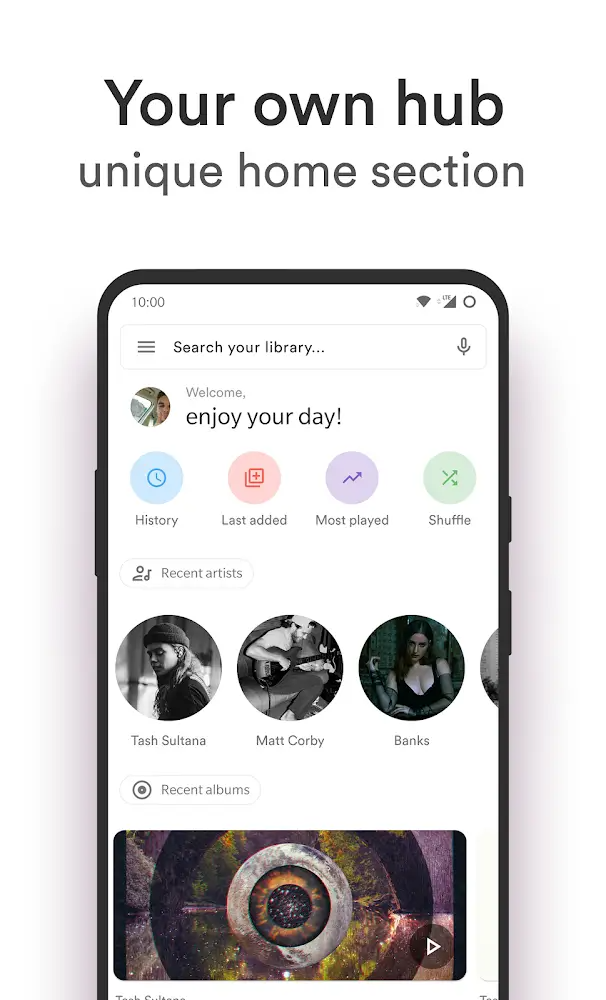
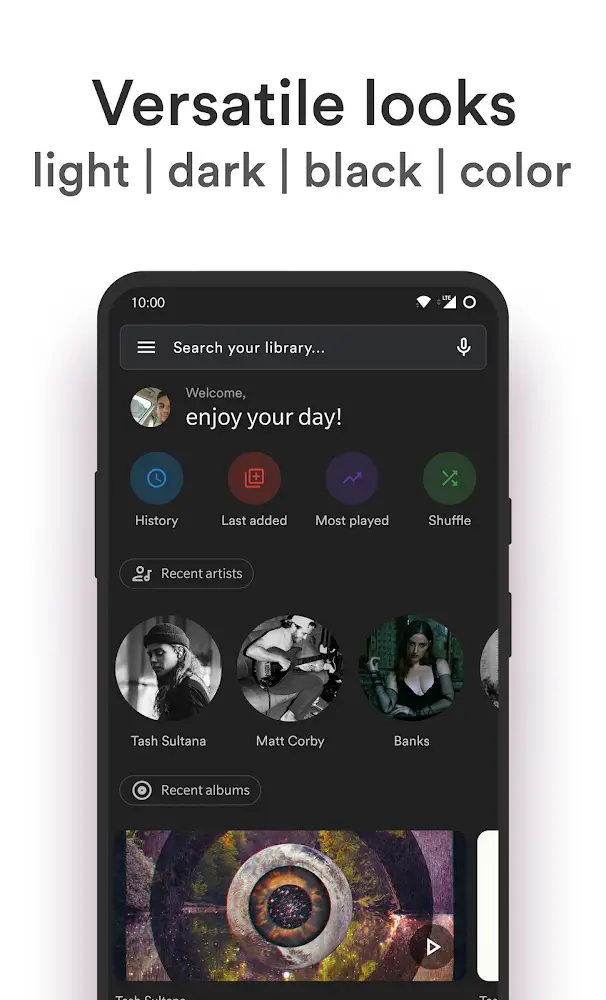
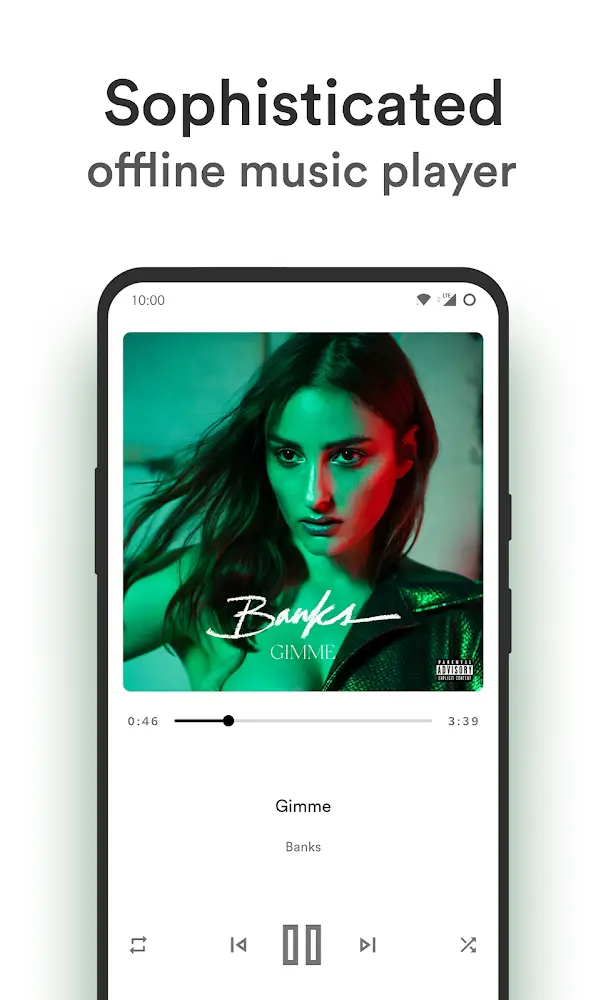
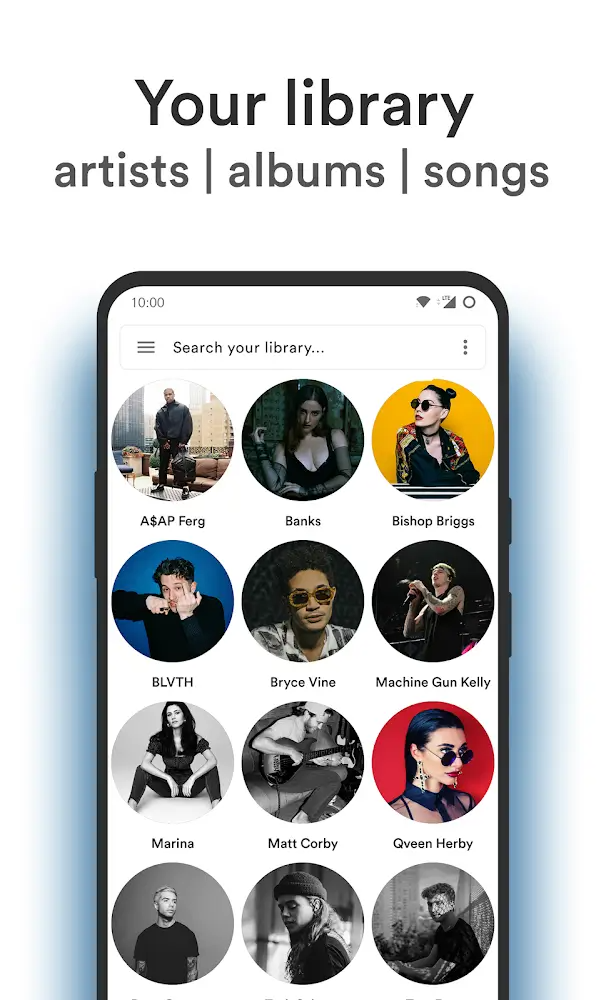
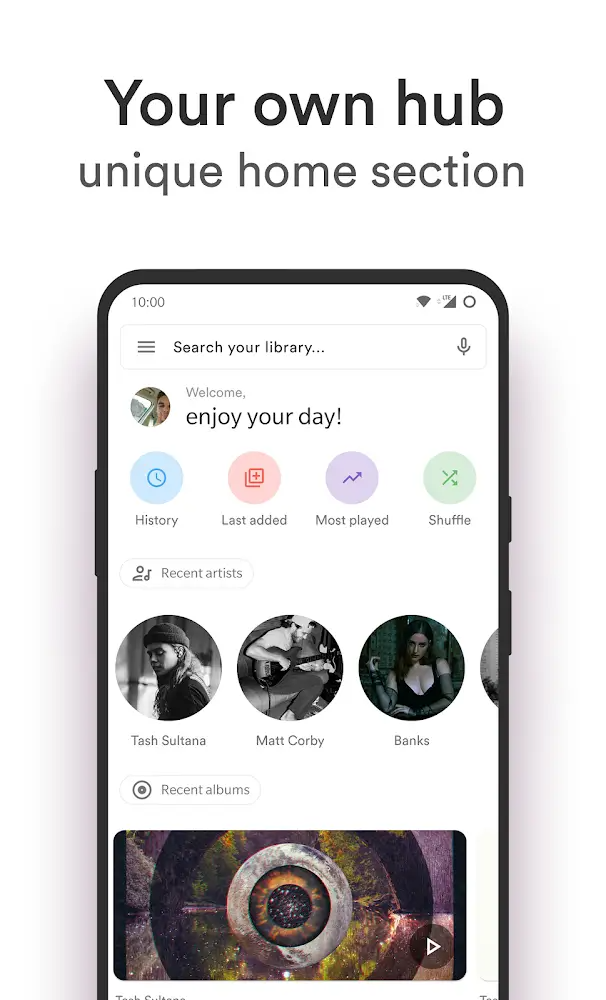
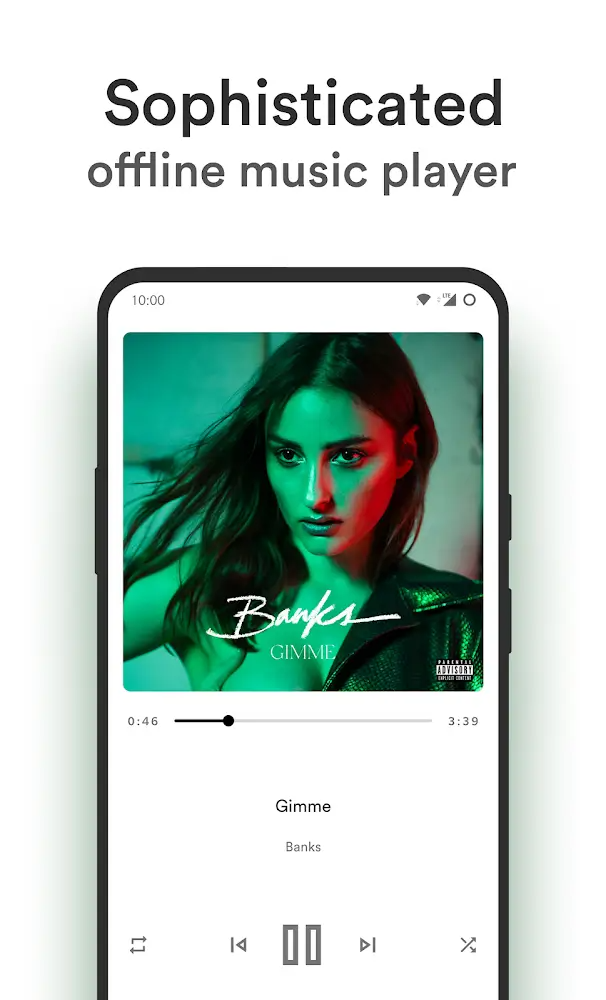
Retro Music Player is a user-friendly music player that supports switching between over 30 languages. Users can search by keyword and filter by album and music genre to find their favorite tracks, add them to playlists, and create playlists for easy listening and sharing with friends. The software also supports various music playback interfaces with different styles, allowing users to switch between them for a more immersive experience. Furthermore, the software supports various smart devices such as car stereos and headphones, enabling users to enjoy their favorite music anytime, anywhere.
Features of Retro Music Player:
Huge music database with many different genres: Like most other music players, Retro Music Player gives users a diverse song database with many genres to choose from. All you need to do is simply enter keywords with the songs you want to listen to and the powerful filter will automatically browse through the most relevant tracks. Besides, you can also choose to listen to music by popular songs, by themes, and by composers. Moreover, new music is also added regularly to meet the listening needs of users around the world.
Add music through folders on the device: The most important feature of Retro Music Player is the ability to search for music inside the user’s device. Therefore, you can update the latest music on your device into this application with just a few basic steps. In the latest version, this application also supports searching data through the SD card to make it easier for users to synchronize their favorite songs. The built-in Chromecast feature will also make it possible for users to stream music to many of today’s popular platforms.
Smart search filter: The filter feature available in Retro Music Player is also very smart and works the same way as the folder search feature. The filter feature allows users to search for songs by different criteria. Typically song duration, album, artist name, music genre, and many other criteria. Thanks to that, you won’t have too much trouble finding the songs you want to listen to. As long as you use the correct keywords, the search filter will work very effectively.
Adjust sound quality: Sometimes the sound quality of the songs will not be suitable for the entire audience. Therefore, Retro Music Player allows users to easily customize music the way they want. The application has built-in music tools, such as increasing or decreasing the volume or adjusting the bass and treble. The operation to adjust the sound quality in the application is quite simple, does not take you too much time to edit. Note, changing elements related to the song will distort in certain aspects and will not change the quality of the original song.
What's new:
Option to restore the last used directory when returning to the folder view.
Resized circular widget and resolved related deprecation warnings.
Fixed an issue where the scan screen would get stuck when encountering an empty folder.
Resolved an issue with repeat mode not working correctly with ExoPlayer.
Upgraded Google Play Billing Library to version 7.0.0 with improved callback handling.
Migrated image selection to the Android Photo Picker API.
Fixed inconsistent sorting behavior for playlists containing square brackets.
Corrected long-press seek functionality for forward/backward buttons.
Prevented crashes when removing the currently playing file.
Fixed incorrect display of bitrate and sampling rate for Opus files.
User Reviews of Retro Music Player:
It seems absurd to me that the preinstalled apps on today’s phones come with ads (Xiaomi). This was the music player that truly met my expectations — it doesn’t need a thousand transitions or ads, it’s simply functional. And this is my step toward leaving Spotify and going back to my old music collection. I’ll be more than happy to pay for the premium subscription in a few weeks.
It's Good, I have one suggestion if I may to the developer(s):after closing Retro Music Player have it not show up in the status bar, because after I close the app it still shows up in the status bar, and that's annoying, other then that, this app beats stock music player's any day of the week! retro.... haha ain't nothing retro about this app, it's futuristic!!
I've been looking for the right music player for too long and this one is it. It has a solid UI, easily customizable, has a built in tag editor to add album art or other details. I don't have any complaints about it, and I think it's well worth the 1 or 2 USD that the dev is asking for the pro version. I would ask the dev for three things: some more advanced features in the tag editor, the ability to hide artists and albums (to reduce clutter of misc. artists), and a desktop version.
Absolute perfection! By far the most beautiful, organized music player I've ever used! Been looking for something like this for over a year! Purchased the Pro version minutes after trying out the player. Totally customizable and perfect for those who has OCD or are into the new Material Theme design. My only suggestion is for us to be able to install and use our own fonts with the player and to have our name on the user profile to be smaller and in the same font as the rest of the player's UI.
FAQs of Retro Music Player:
Q: How to restore my purchases?
Make sure to switch and use the account in the Play Store app through which you purchased before installing Retro music. The account used to install the app is also used to purchase or restore the premium license.If you already have installed it, remove all other accounts except the one with which you purchased premium. Then restore the purchase.
Q: Equailizer is very laggy and unstable or I am getting "No equalizer found" error. why?
The Retro music in-built equalizer was removed updates ago so the only equalizer you will have by your OEM or android which aren't made by us and have no control over them. So you can report those issues to your OEM so that they can provide a fix in next updates.If you are seeing "No Equalizer Found" in your device, this means your device doesn't have stock equalizer MusicFx Equalizer.
Q: Why aren't last added songs showing?
Settings -> Other -> Last added playlist interval -> Select an option from the list.
Q: How do I enable fullscreen lockscreen controls?
Settings -> Personalize -> Fullscreen controls -> Enable (this will only be visible when songs are playing from Retro Music).
Q: Why are my gallery or random pictures showing up as album art?
Settings -> Images -> Ignore media store covers -> Enable.
Q: The title "Retro Music" is showing on the top of the app, how can i fix this?
If you are facing this issue, please clear the app's cache and data.
Q: My app has started crashing after updating from Play Store. How do I fix it?
Sorry, settings have changed internally. Please try clear data of the app. If it doesn't work, reinstalling fresh from play store should help.
Final words:
If you wish to own a smart music player with many features, Retro Music Player is not a bad choice. You will enjoy unique music-related features such as a sleep timer and an intelligent Bluetooth connection when you set foot in this world. Not stopping there, the simple, colorful, and intuitive interface is one of the factors that help this application attract millions of users.
More Information
- Size:9.4MB
- Version:6.6.0
- Requirements:Android
- Votes:123
- Package Name:code.name.monkey.retromusic
- Signature:86f6ba097b4ac0b2ccdfc3d2cd019cce
Related Versions
-
 Download
Version:6.3.0Size:9.47MB
Related topics
-
Dive into this comprehensive hub of music applications designed for every type of listener. Stream global hits, craft custom playlists tailored to your mood, or uncover hidden gems across diverse genres-all with intuitive, high-quality platforms. Discover both industry-leading streaming services and specialized apps offering exclusive features like AI-powered recommendations, social sharing, or advanced audio customization. Whatever your musical preference, find the ideal app to enhance your listening journey with effortless discovery and premium sound.
-
![Gaana]()
Gaana
-
![Moises]()
Moises
-
![Langit Musik]()
Langit Musik
-
![Apple Music]()
Apple Music
-
![Resso Music]()
Resso Music
-
![JioSaavn - Music & Podcasts]()
JioSaavn - Music & Podcasts
-
![TREBEL]()
TREBEL
-
![GoTube]()
GoTube
-
-
In today's digital era, music enthusiasts seek platforms that provide vast music libraries, high-quality audio, and seamless accessibility-all without subscription fees. Our curated selection of free music streaming apps delivers the perfect blend of variety, performance, and convenience, ensuring every listener finds their ideal soundtrack. Whether you're exploring new genres or enjoying timeless classics, these apps offer an unbeatable listening experience at no cost.
-
![Gaana]()
Gaana
-
![Moises]()
Moises
-
![Langit Musik]()
Langit Musik
-
![Poweramp Equalizer]()
Poweramp Equalizer
-
![JioSaavn - Music & Podcasts]()
JioSaavn - Music & Podcasts
-
![GoTube]()
GoTube
-
![Avee Player Lite]()
Avee Player Lite
-
![ViaMusic]()
ViaMusic
-
-
The emergence of various digital music platforms provides people with a massive music library covering a wide range of music genres, such as pop, classical dj、 You can find your favorite songs and singers on the platform, such as electronic music, and enjoy high-quality music. Today we bring you the ranking list of music listening software. Listening to music is a very unique enjoyment that relieves stress and relaxes the body and mind. Professional recommendations to make people's lives more enjoyable, today we recommend several popular software for you.
-
![OpenTune]()
OpenTune
-
![Apple Music]()
Apple Music
-
![TREBEL]()
TREBEL
-
![Real Drum]()
Real Drum
-
![JOOX Music]()
JOOX Music
-
![eSound]()
eSound
-
![RevHeadz Engine Sounds]()
RevHeadz Engine Sounds
-
![Mi Music]()
Mi Music
-















Latest Updated







Popular Apps





Popular News
More+-
![Tomie Wants to Get Married Full Walkthrough, All Choices and Ending Guide]()
Tomie Wants to Get Married Full Walkthrough, All Choices and Ending Guide
2026-05-22
-
![Karryn’s Prison Gameplay Walkthrough & Strategy Guide]()
Karryn’s Prison Gameplay Walkthrough & Strategy Guide
2025-10-28
-
![Life in Santa County Game Guide & Complete Walkthrough]()
Life in Santa County Game Guide & Complete Walkthrough
2025-10-28
-
![Dreams of Desire Complete Walkthrough and Game Guide]()
Dreams of Desire Complete Walkthrough and Game Guide
2025-10-28
-
![Era Hunter Gameplay Guide & Full Walkthrough]()
Era Hunter Gameplay Guide & Full Walkthrough
2025-10-28




