
Partial Screen
Download for Android This app is available for Android only.- Category:Tools
- Rating: 4.6
- Language:English
- Updated:2026-08-31
Screenshots
Introduction
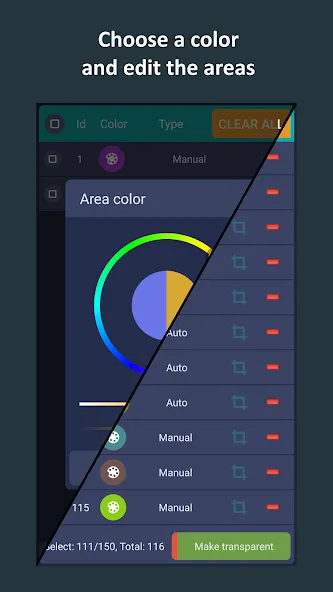
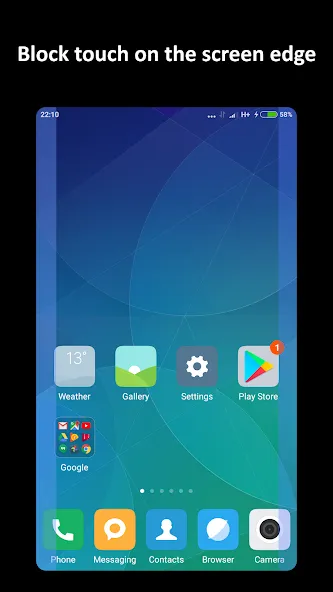
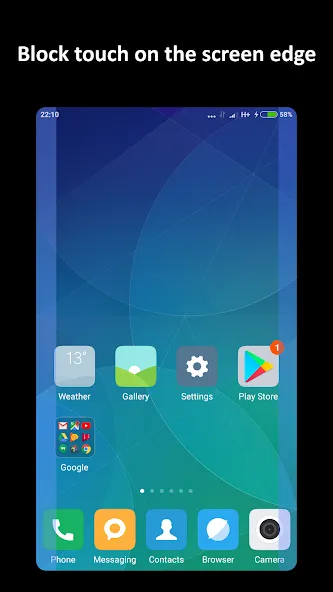
Partial Screen is a screen tool designed for mobile devices that allows users to lock damaged areas on the screen to prevent accidental touches. The software offers two modes: automatic mode, which automatically locks the corresponding area and blocks various touch operations, and manual mode, where users can manually select the area to lock to meet different usage needs. The software also provides users with rich customization options; you can choose whether to start automatically on boot, as well as select the transparency and color of the locked area and delete the corresponding area.
Features of Partial Screen:
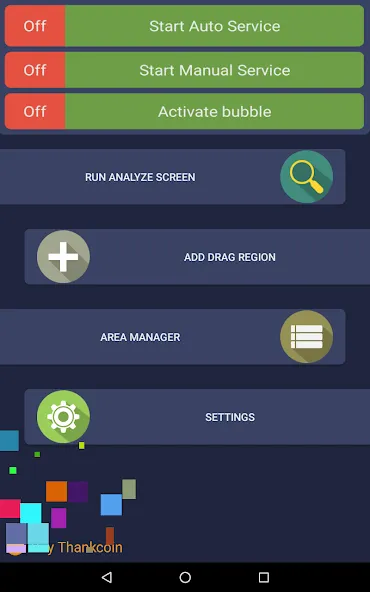
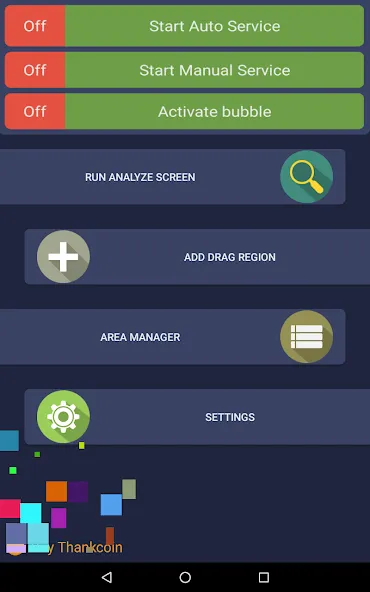
The app provides two primary modes for setting up touch-blocking zones: automatic and manual. In automatic mode, the app conducts a screen analysis to detect areas with unwanted touch activity. After a designated analysis period, the application identifies and consolidates these problematic zones, allowing users to effectively block touch inputs where necessary. Manual mode, on the other hand, enables users to specify touch-blocking areas themselves. This flexibility allows for precise control over which parts of the screen are restricted from touch interactions.
With the area manager feature, users can easily manage their designated touch-blocking zones. The interface allows for the selection of active or inactive areas, and users can adjust the size, color, and position of these zones as needed. This level of customization ensures that users can tailor their touch-blocking settings to fit their preferences or specific needs, making it a versatile tool for various touch-related issues.
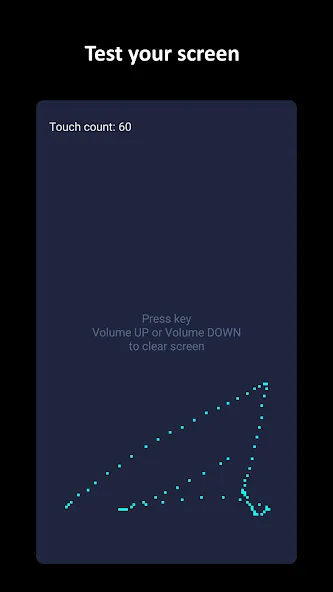
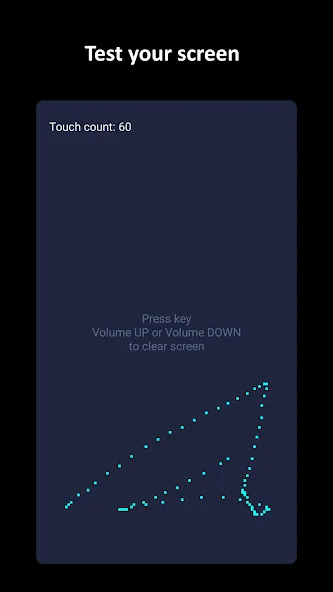
Partial Screen also includes a touch detector function, which helps identify areas of the screen where spontaneous touches occur. This feature is particularly beneficial for users who may not be aware of all the problematic zones on their devices. By utilizing the touch detector, users can gain insights into their device’s touch behavior and make informed decisions about where to apply touch-blocking measures.
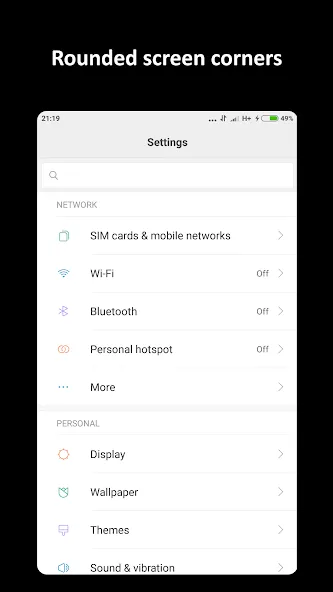
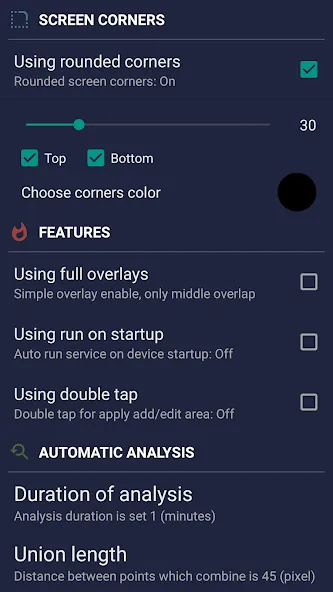
For those who prefer rounded edges on their screens, the app offers an option to add rounded corners. This feature enhances the visual appeal of the touch-blocking interface, allowing users to customize the aesthetic of their screen while implementing functional changes. The rounded corners can be adjusted in terms of color and radius, providing an additional layer of personalization for users.
The bubble mode feature is another interesting aspect of the app. It enables users to lock the entire screen by simply double-tapping an indicator that can be placed anywhere on the screen. This functionality offers a quick and convenient way to activate the touch-blocking feature without navigating through menus, making it easier to manage unwanted touches on the go.
User Reviews of Partial Screen:
This app literally saved me from paying tons of money for a touchscreen. Only a small portion of the screen was faulty and it was being touched out of nowhere, made my phone unusable. But with this app I was able to disable the touch of that area and problem solved!
Awesome! This app located a tiny area of my screen that was constantly acting like i was tapping there. This made the phone almost useless. This app fixed it so far! By ignoring input from this small area. I tossed my phone on the couch and it bounced off into a hard coffee table and that's what caused the problem initially. Thank You!
This app is really great. I have a ghost touch smack dab in the middle of my screen, and it would go off every few minutes or so which is annoying. Repair wouldve costed me $100 on a 3 year old phone, but this app patched it up for me Only thing wrong with it is that it doesnt work in the status bar, and in Settings.
I five this app a 5 star cause it works perfectly for me i never ever faced the problem of ghost touchs ever since i downloaded this app but guys pls listen to it when it says dont touch the screen while scan cause when its done scaning it going to leave finger prints on your phone they are permanent but you can remove it by deleting the app then Downloading it again see more...
FAQs of Partial Screen:
Is Partial Screen compatible with all operating systems?
Partial Screen is primarily designed for Windows and Mac operating systems. Check the official site for specific version compatibility.
Can I edit images after taking a screenshot with Partial Screen?
Yes, Partial Screen allows you to annotate, crop, and edit images after taking a screenshot.
Is there a limit to the size of the screenshots I can take?
No, Partial Screen does not impose a size limit on screenshots; however, performance may vary with very large images.
Does Partial Screen have cloud storage options?
Yes, Partial Screen provides options to save your screenshots to cloud storage services for easy access and sharing.
What file formats does Partial Screen support for saving images?
Partial Screen supports various file formats including PNG, JPEG, and BMP for saving images.
Is there a free trial available for Partial Screen?
Yes, Partial Screen offers a free trial period so users can experiment with its features before purchasing.
Summary:
Partial Screen offers a practical solution for managing touch interactions on mobile device screens, although it may not be ideal for those needing absolute touch blocking. However, for most users experiencing occasional unintended touches, the convenience and ease of use of this utility make it a worthwhile tool to have.
More Information
- Size:2.97MB
- Version:1.18.0
- Requirements:Android
- Votes:317
- Package Name:ich.andre.partialscreen
- Signature:2167459ceac20e259e4cf98a671bbbd0
Related topics
-
Transform your mobile device into a powerhouse of efficiency with these handpicked essential tools. Whether you need professional-grade photo editing, seamless file organization, smart task management, or real-time weather updates, our curated selection of premium apps delivers unbeatable performance. Streamline your daily routine, automate repetitive tasks, and boost your productivity with intuitive interfaces and powerful features. Designed for both professionals and casual users, these editor-approved applications will revolutionize how you work and play. Don't settle for an ordinary phone - upgrade your digital experience today and unlock your device's full potential!
-
![DarkStuff in]()
DarkStuff in
-
![NG Injector Free Fire]()
NG Injector Free Fire
-
![Fliqlo]()
Fliqlo
-
![CarStream]()
CarStream
-
![BNESIM]()
BNESIM
-
![Insta Nice]()
Insta Nice
-
![Tween Craft]()
Tween Craft
-
![Mojo Launcher]()
Mojo Launcher
-
-
With the development of mobile hardware and software, many practical tool software have emerged, covering a wide range of aspects and becoming a good helper for everyone in work and life. Today, the editor provides you with a list of useful tool software downloads. These tools are not particularly complex types, and after reading them, everyone can quickly learn how to use them. Proper use can bring great convenience to life and work.
-
![DarkStuff in]()
DarkStuff in
-
![Fliqlo]()
Fliqlo
-
![CarStream]()
CarStream
-
![BNESIM]()
BNESIM
-
![Insta Nice]()
Insta Nice
-
![Tween Craft]()
Tween Craft
-
![Painel Freestyle]()
Painel Freestyle
-
![Painel Xit FF]()
Painel Xit FF
-








Latest Updated






Popular Apps








Popular News
More+-
![Tomie Wants to Get Married Full Walkthrough, All Choices and Ending Guide]()
Tomie Wants to Get Married Full Walkthrough, All Choices and Ending Guide
2026-05-22
-
![Karryn’s Prison Gameplay Walkthrough & Strategy Guide]()
Karryn’s Prison Gameplay Walkthrough & Strategy Guide
2025-10-28
-
![Life in Santa County Game Guide & Complete Walkthrough]()
Life in Santa County Game Guide & Complete Walkthrough
2025-10-28
-
![Dreams of Desire Complete Walkthrough and Game Guide]()
Dreams of Desire Complete Walkthrough and Game Guide
2025-10-28
-
![Era Hunter Gameplay Guide & Full Walkthrough]()
Era Hunter Gameplay Guide & Full Walkthrough
2025-10-28




