

Location Changer
Download for Android This app is available for Android only.- Category:Tools
- Rating: 4.6
- Language:English
- Updated:2026-09-01
Screenshots
Introduction
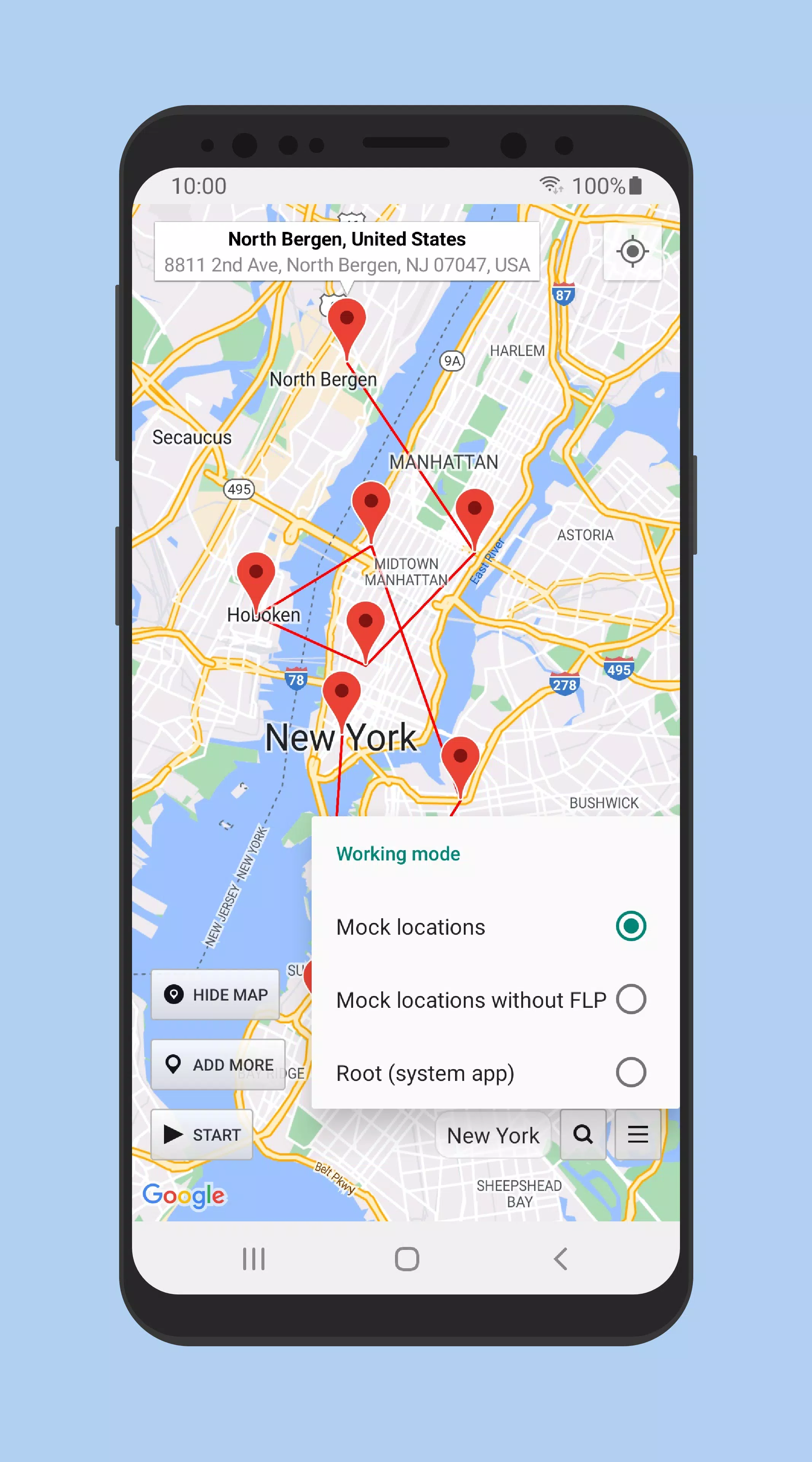
Location Changer is a user-friendly virtual location changer. Users can easily change their GPS location with a single click, better protecting their privacy and preventing tracking by certain websites and software. Beyond this, the software can also simulate your exercise routes and daily schedules, allowing you to surprise your friends and family. The software includes a built-in map function; users can quickly find locations by simply entering the city name and easily mark them on the map. Users can stop changing their GPS location at any time without worrying about causing more serious problems.
Features of Location Changer:
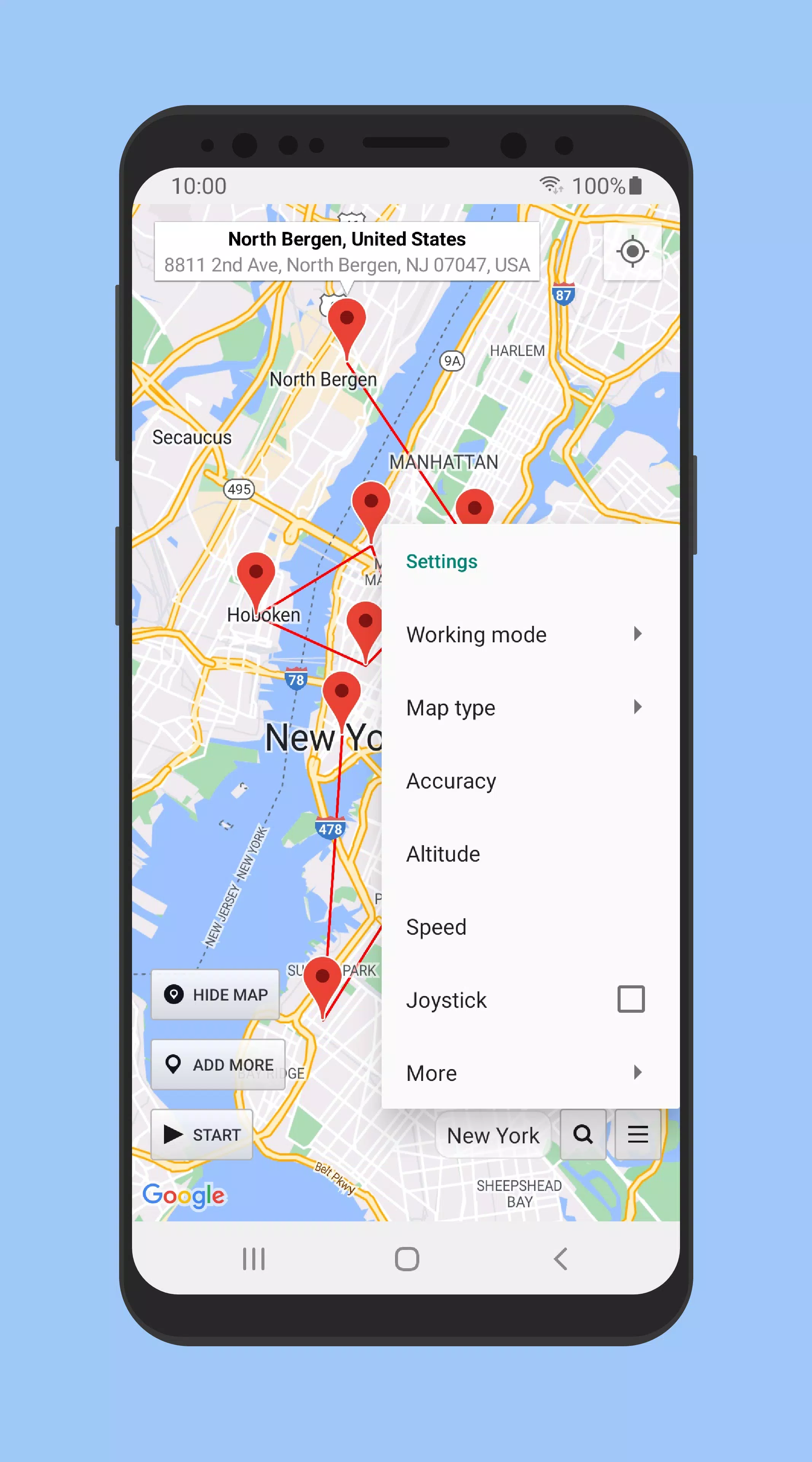
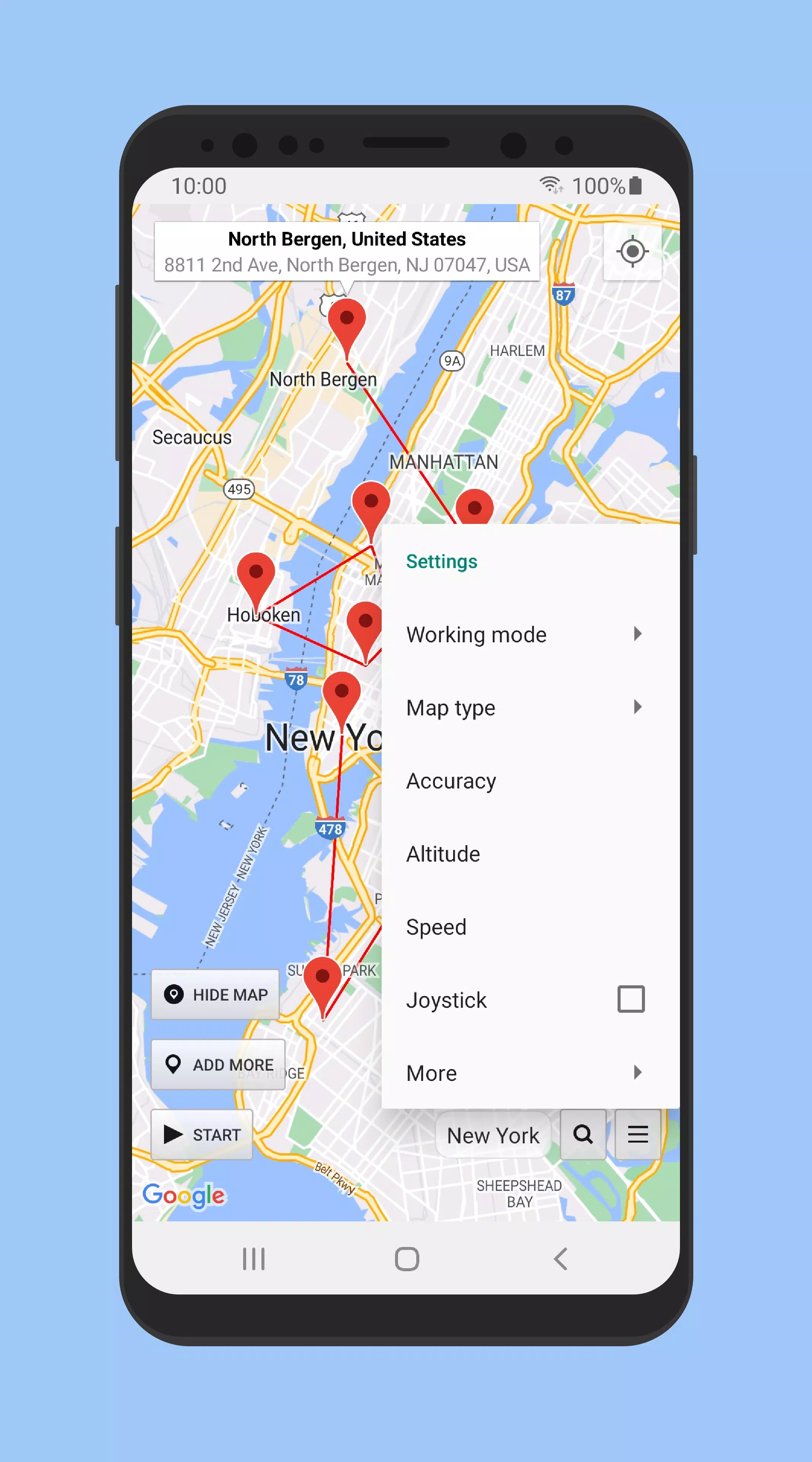
Joystick movement with adjustable speed: Location Changer provides a built in joystick so you can move gradually instead of jumping between points. You can drag to reposition the joystick and set a speed that suits navigation testing or slow walking. A quick double tap lets you place or move the joystick without digging through menus. This approach helps you simulate natural movement for apps that expect steady GPS updates.
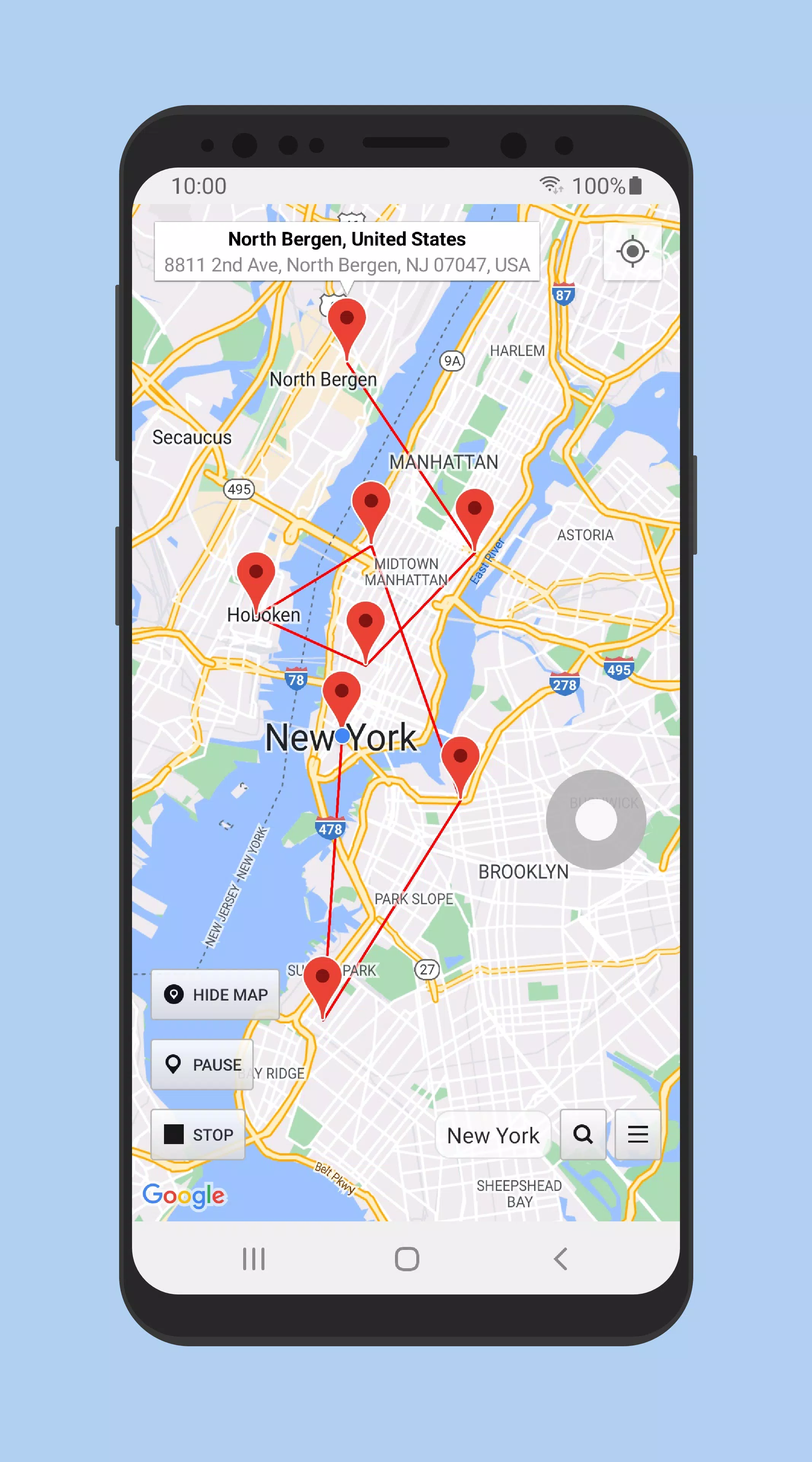
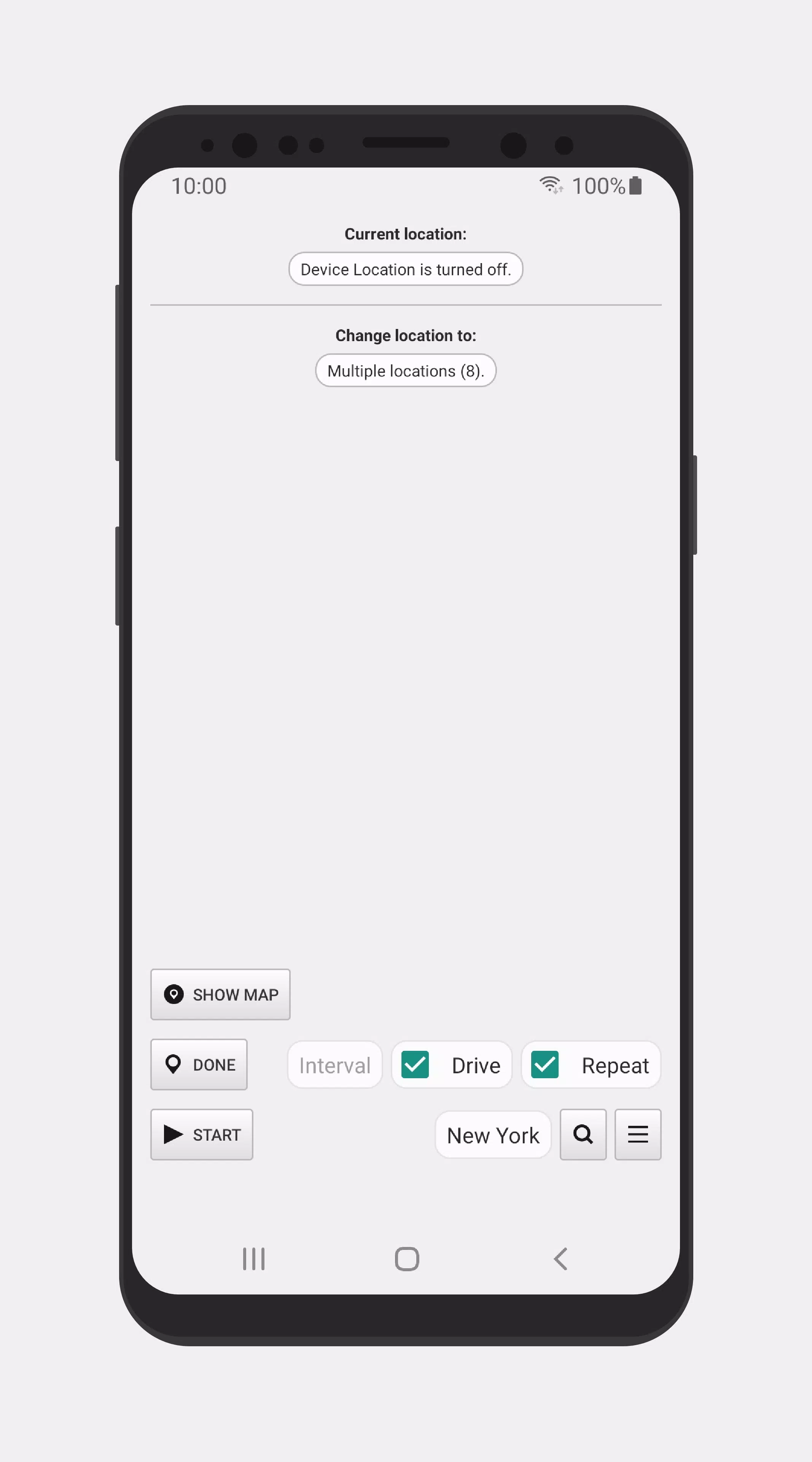
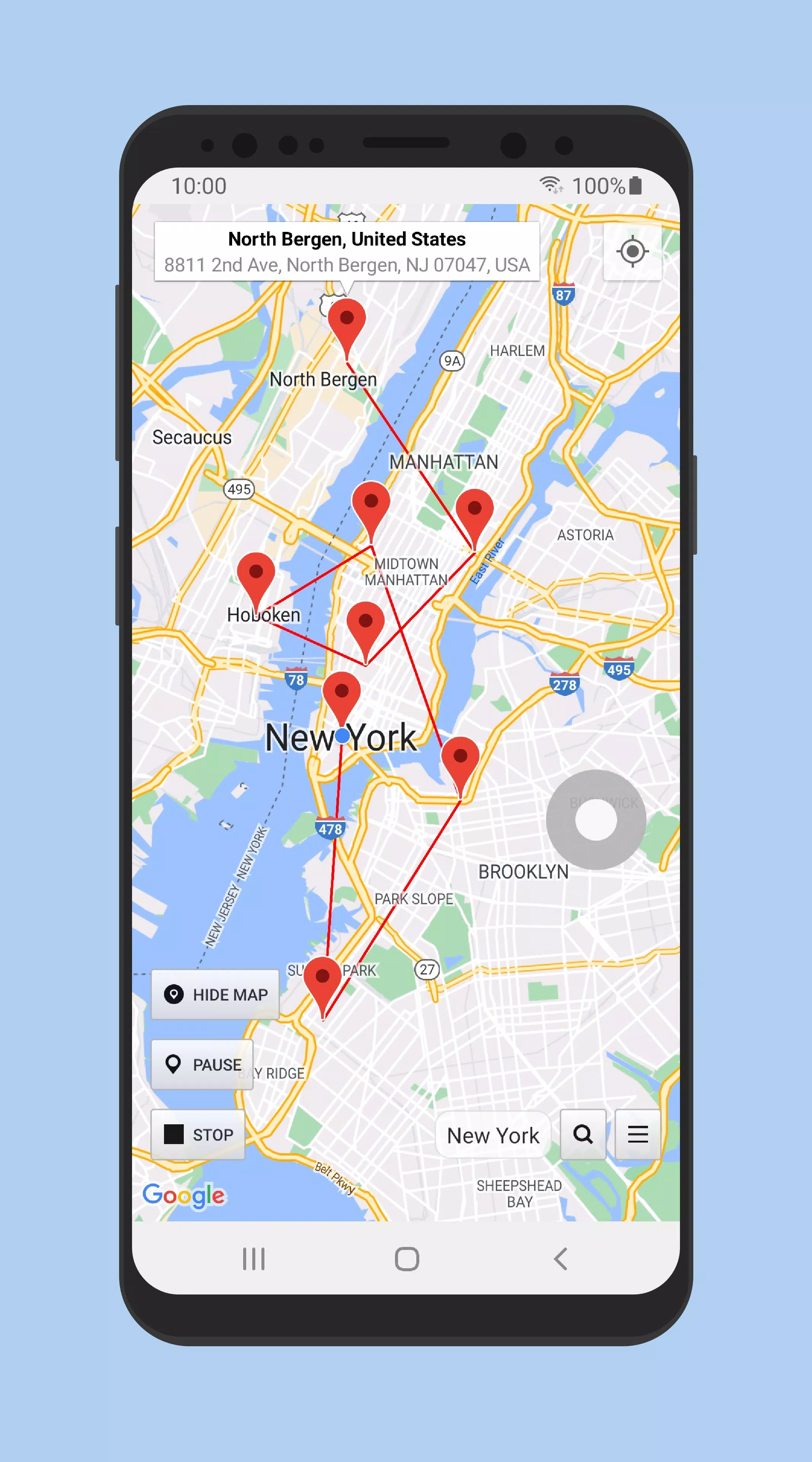
Multi pin routes and Drive mode: You can add multiple pins on the map and create a route between them for continuous travel. Drive mode follows your path at a speed you choose, which is useful when testing delivery flows, ride tracking, or turn by turn scenarios. Instead of teleporting, the app simulates travel between pins so other apps receive consistent location changes. This keeps your testing closer to real world timing.
Persistent service with quick Stop control: Once started, Location Changer can keep the mock location service active even after a device reboot. This is helpful if you run ongoing tests or need a steady fake location for a period of time. When you are done, you can tap Stop inside the app or use the notification control to return to your real location. The quick Stop option reduces switching time and makes it easy to pause or end a session.
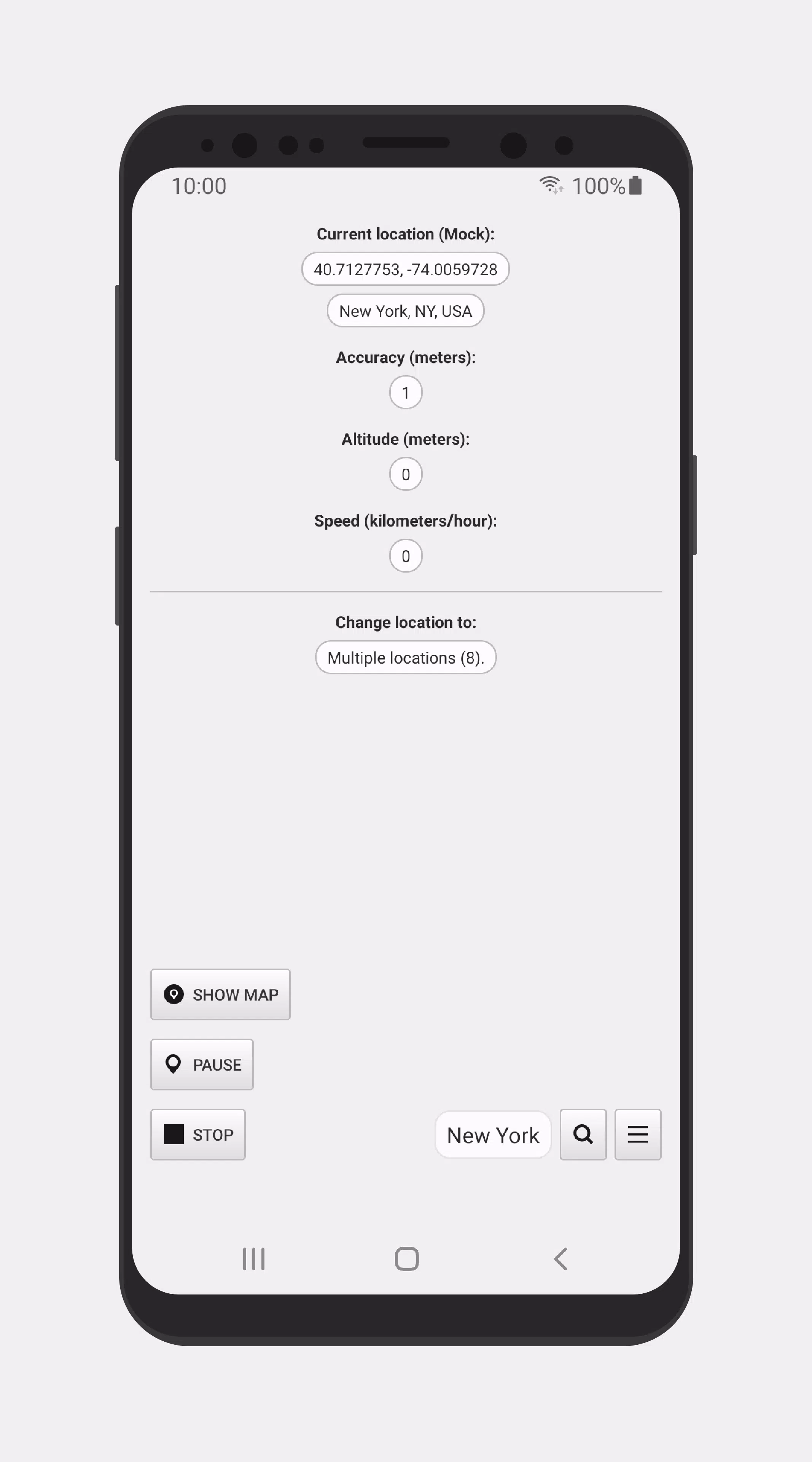
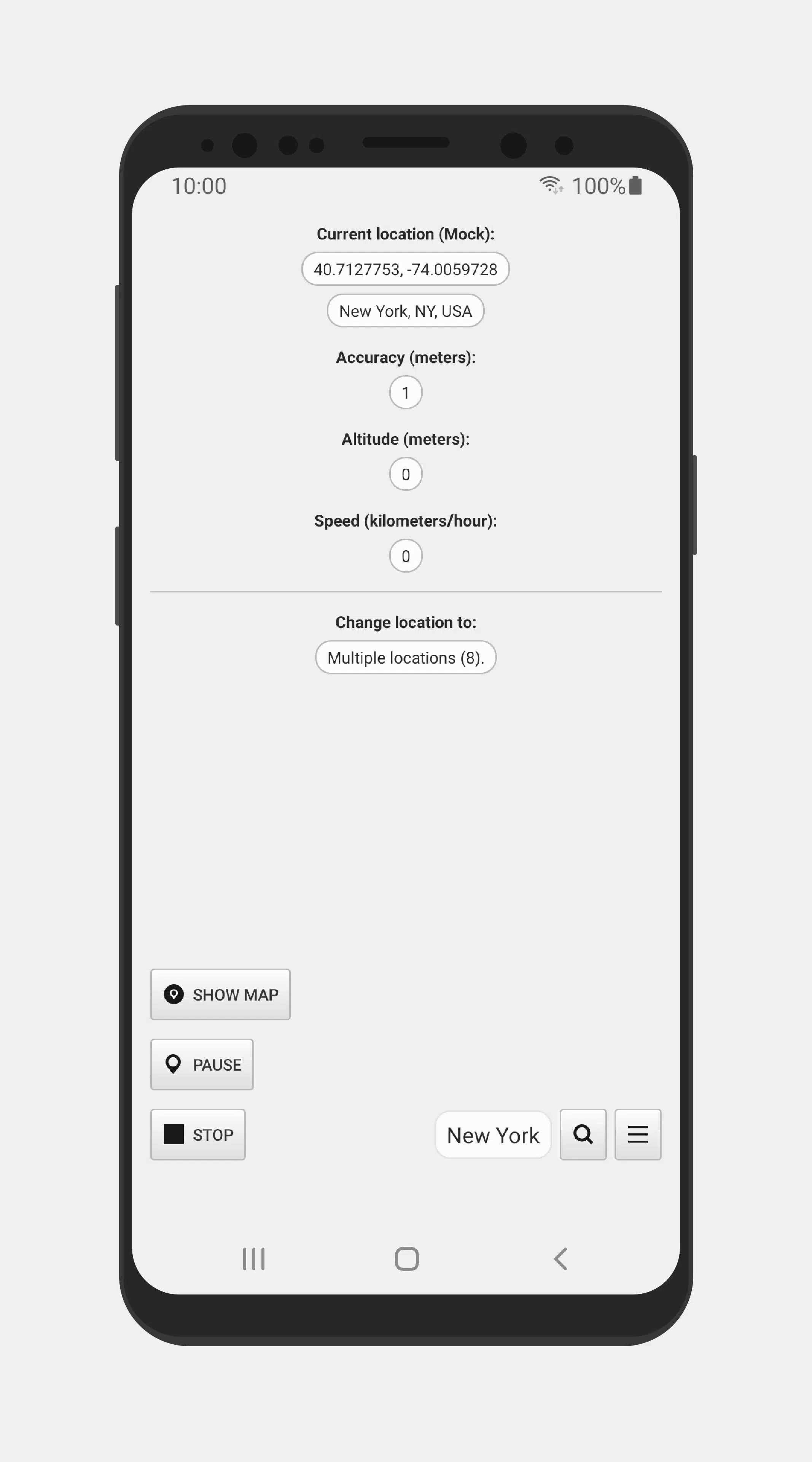
Detailed location status for diagnostics: The app shows clear location status so you can confirm what other apps are receiving. You can view useful details when troubleshooting location-based services or verifying that mock GPS is engaged. This information can help spot mismatches during QA sessions. It also supports faster iteration when adjusting routes or speeds.
Highlights of Location Changer:
Setting a pin is simple; users can long press on the map similar to the functionality in Google Maps. The app also allows for zooming in and out using a double-tap, which aids in selecting more precise locations. Additionally, users have the option to clear existing pins and set a new location quickly through the map interface. This straightforward approach ensures that users can effectively manage their virtual positioning.
Another function of Location Changer is its ability to provide detailed location information. This feature can serve as a powerful tool for users who wish to verify location data or assess the performance of location-based applications. The app continues to operate even after rebooting the device, ensuring that users maintain their set virtual location without the need for constant reconfiguration.
Users should be aware that while the app allows for GPS location spoofing, it does not change the device's IP address. Therefore, applications or websites that determine location based on IP addresses may still identify the user's actual location. This distinction is important for users who are considering how to protect their privacy while using location-based services.
The app requires users to enable Mock Locations through the Developer Options on their device. While this feature is essential for the app's functionality, it may cause compatibility issues with some applications that detect the use of a fake location. Users should be mindful to tap the Stop button before disabling Mock Locations to return to their real location effectively.
User Reviews of Location Changer:
the app is everything I wanted I must say just that it stopped working on my phone after an update and I want it to continue working for me honestly.
easy to use and gets the job done I have no complaints whatsoever!! This app rocks and does everything it says it does in the app description. It give super easy step by step instructions making it really easy to get the program up and running so you can use it when you need it. I am super thrilled with this app and would recommend it to everyone!
very easy to use very accurate and does the job perfectly truth to be told this is the first app am rating and recommending to you guys out there the best part is that the app is free I can't wait for another app as perfect as this thank you for your services.
this app is one in a million, I'm loving it, I don't really have much to say, all I can say is that the app is good, no too much ads and it's reliable, just try it yourself and share your own testimony too.
maintain ur privacy, dodge the world and subscription matters, no ads and its not fake one too, u need to enable developer options to enable this app, if u cannot do that, then dont complaint of app too, to me its superb indeed.
Conclusion:
Location Changer allows users to explore different locations. It offers the ability to use specific locations for a set duration and save favorite places. However, it doesn't alter your IP address, so IP-based location detection may still reveal your location. The app provides a user-friendly interface for effortlessly changing your location, including a mock location mode that doesn't require a rooted device. However, some users have experienced occasional crashes.
More Information
- Size:4.16MB
- Version:3.50
- Requirements:Android
- Votes:331
- Package Name:com.locationchanger
- Signature:c9ba99f068a0166aa708ed4e0bfd2ee8


Related topics
-
Utility apps are indispensable in our lives, making our daily routines more convenient. To help you find these apps more easily, this site has created a collection. This collection brings together a series of practical tools covering various aspects of life, work, and education, meeting all your needs. What are you waiting for? Try these apps now and make your life easier!
-
![GVR Game Booster]()
GVR Game Booster
-
![Minecraft Launcher]()
Minecraft Launcher
-
![PetratrucoFF]()
PetratrucoFF
-
![Sudachi]()
Sudachi
-
![SkibX Executor]()
SkibX Executor
-
![Xeno Executor]()
Xeno Executor
-
![Drag Headshot Panel]()
Drag Headshot Panel
-
![Painel SADX]()
Painel SADX
-
-
With the development of mobile hardware and software, many practical tool software have emerged, covering a wide range of aspects and becoming a good helper for everyone in work and life. Today, the editor provides you with a list of useful tool software downloads. These tools are not particularly complex types, and after reading them, everyone can quickly learn how to use them. Proper use can bring great convenience to life and work.
-
![GVR Game Booster]()
GVR Game Booster
-
![Minecraft Launcher]()
Minecraft Launcher
-
![PetratrucoFF]()
PetratrucoFF
-
![Sudachi]()
Sudachi
-
![SkibX Executor]()
SkibX Executor
-
![Xeno Executor]()
Xeno Executor
-
![DarkStuff in]()
DarkStuff in
-
![Fliqlo]()
Fliqlo
-










Latest Updated




Popular Apps








Popular News
More+-
![Tomie Wants to Get Married Full Walkthrough, All Choices and Ending Guide]()
Tomie Wants to Get Married Full Walkthrough, All Choices and Ending Guide
2026-05-22
-
![Karryn’s Prison Gameplay Walkthrough & Strategy Guide]()
Karryn’s Prison Gameplay Walkthrough & Strategy Guide
2025-10-28
-
![Life in Santa County Game Guide & Complete Walkthrough]()
Life in Santa County Game Guide & Complete Walkthrough
2025-10-28
-
![Dreams of Desire Complete Walkthrough and Game Guide]()
Dreams of Desire Complete Walkthrough and Game Guide
2025-10-28
-
![Era Hunter Gameplay Guide & Full Walkthrough]()
Era Hunter Gameplay Guide & Full Walkthrough
2025-10-28




