

BimmerCode
Download for Android This app is available for Android only.- Category:Tools
- Rating: 4.6
- Language:English
- Updated:2026-09-02
Screenshots
Introduction
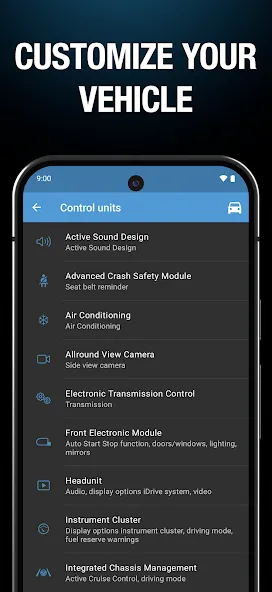
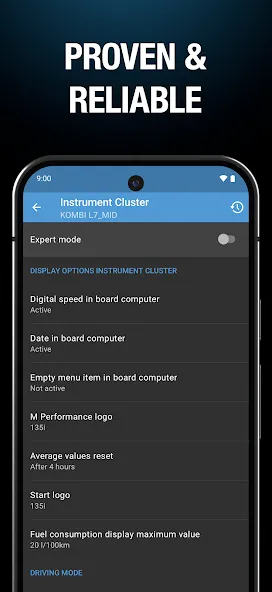
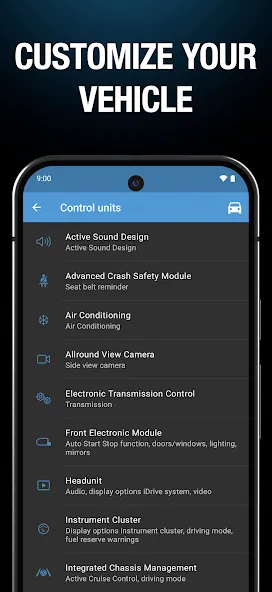
BimmerCode is a customization tool designed for BMW owners. Through the software, users can code and personalize their vehicles, adjusting various parameters such as fuel level warning, screen resolution, and speed to meet different user needs. The software also includes a built-in list of supported car models, which users can search for before starting coding. Using an OBD 2 adapter, users can further configure their vehicles and connect their mobile devices to the vehicle, enabling even more functionality.
Features of BimmerCode:
If you have a car and want to explore or adjust some of its parameters, BimmerCode for BMW and MINI is a suitable choice for you to do this. It affects many aspects of a car, and for sure, you will have many different options to use. At the same time, this is also a popular application with many car users, so finding some manual files is a breeze.
When you use BimmerCode for BMW and MINI, you must prepare two things, including an OBD2 adapter and a smartphone. Specifically, you’ll need to snap the OBD2 adapter into place and begin the connection process. You will install the application and start connecting to this adapter; after that, a series of adjustments will appear before your eyes, and you will undoubtedly take the time to go thro.
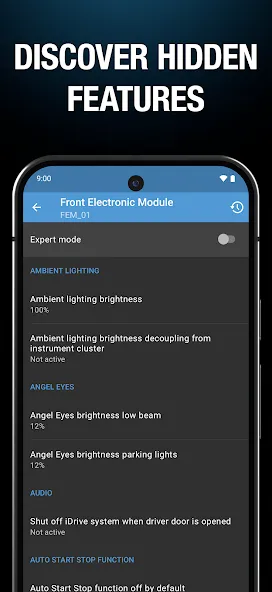
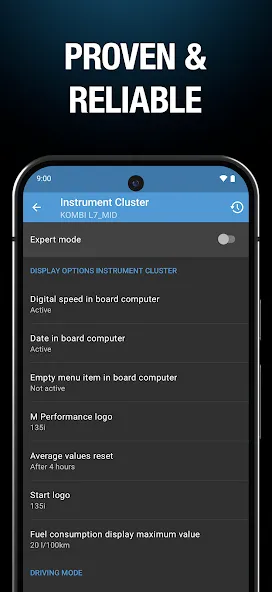
As noted above, you can find many aspects that you can tweak with BimmerCode for BMW and MINI. You can adjust the low fuel warning, digital speed, display resolution, and many other factors. So you will find a change in some factors after your adjustment.
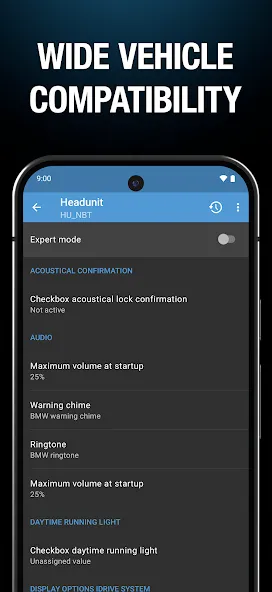
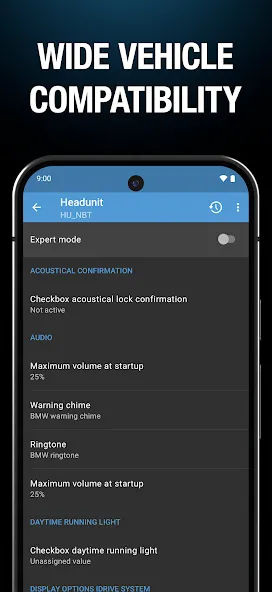
Before you start buying adapters and installing BimmerCode for BMW and MINI, you’ll need to find out how you can find a list of vehicles that the app supports. Specifically, the application supports many BMW, MINI, and even Toyota Supra models. You can check a list for yourself, and if your vehicle type is supported, you can safely invest in an adapter for your use, and it will be useful many times.
One of the good uses of the application is to reset your car’s Android screen to be more convenient to see compared to the original display. You will need to connect to your car via the adapter and turn on expert mode. At the same time, you will only need to care about two items: resolution size and display variant. You will then proceed to set it up on your Android screen. These are the main steps to follow, and you can find more detailed how-tos on the internet.
Pros and Cons:
Pros:
User-friendly interface that makes it easy to navigate and use the application.
Allows customization of various features in BMW and MINI vehicles, enhancing user experience.
Supports a wide range of BMW and MINI models, increasing its versatility.
Real-time coding and adjustments can be made, providing instant feedback on changes.
Regular updates from the developer ensure compatibility with new vehicle models and features.
Active community support for troubleshooting and sharing tips on vehicle customization.
Cons:
May require an OBD adapter to connect to the vehicle, which adds to the overall cost.
Some users report issues with certain functions not working as expected, depending on the vehicle model.
Potential risk of voiding warranty or causing unintended issues with vehicle systems if not used carefully.
Limited to BMW and MINI brands, which may not appeal to users of other vehicle manufacturers.
User Reviews of BimmerCode:
works well with coding but need to purchase full version. also follow important reminders in the pop-up before applying coding changes, e.g. turn off engine, ignition on, put in park, no accessories plugged in, etc.
Perfect app...find a cheat sheet online for your car and you're good to go. This allows you to unlock so many additional features that are hidden and available. No need for computer programs or software for the average person looking to make simple upgrades. It successfully coded everything I wanted, with absolutely no issues. Know your limits and only use expert if you understand what you're changing to avoid issues. Note: most all negative reviews of this app are simply user error.
Brilliant app! My gut feeling is that £30 is a lot for an app, but since purchasing it I've unlocked Bluetooth music streaming in my car, potentially saving hundreds of pounds in hardware. I've also added or altered several other functions on my car that have improved it considerably. The app is very easy to use for most functions, there are several forums that can guide you through expert mode settings (use with caution!) you will need a wireless obd2 adapter, £17 from amazon.
Easy to use. No issues. Just altered seat heating temperature and startstop behaviour on both my BMW X1 and a Mini. All very intuitive, fast easy to do, and without any issues. Used an Android phone (Samsung S21 Ultra) with a E-Net cable connected through a USB-C Ethernet adapter. Wired is more reliable than a Bluetooth dongle. If something interferes with the Bluetooth connection part way through coding you can screw up your ECU software, then it's a £500 trip to the dealer.
FAQs of BimmerCode:
Which OBD adapter is required?
A list of supported OBD adapters can be found here. Please note that not every supported OBD adapter can be used with every vehicle.
Is my vehicle supported?
BimmerCode supports nearly all BMW and MINI vehicles build in or after 2005 and the 2019 Toyota Supra.
Should the engine be running during coding?
It is recommended to code with the engine off and ignition turned on.
Why are there errors displayed in the vehicle after coding?
After coding, the specific control unit is reset and therefore not reachable for the other control units in the vehicle for a short amount of time. This results in errors displayed in the vehicle, but these errors will disappear after turning the ignition off and on again.
Is it possible to “brick” a control unit?
No. Even when the connection is interrupted during coding or an error occurs, the coding data can be restored using a backup and then the control unit will operate completely normal again, but please note that using expert mode incorrectly can cause problems that may require a reflash of the control unit to correct them.
What should I do if an error occurs during coding?
In this case please unplug the adapter, restart your iOS or Android device and then connect again. Make sure flight mode is enabled and all Bluetooth connections (for streaming music for example) including the connection to the iDrive system are disconnected. It may also be necessary to restore the coding data using a backup.
Summary:
BimmerCode adjusts components in BMW or MINI automobiles for users who own either of the two vehicles described above. Users can increase the quality of their experience by adjusting features directly from the application. The control units will be coded to attain the user’s desired level. Some hidden features are enabled for improved visibility and service when driving. The rest of the device can be adjusted to assist you in better comprehending the specifications of the vehicle you drive.
More Information
- Size:11.48MB
- Version:4.21.0-11425
- Requirements:Android
- Votes:389
- Package Name:de.appomotive.bimmercode
- Signature:5542dfb1d63137eca257ab8ad4bd7a5c
Related Versions
-
 Download
Version:5.0.0-13390Size:15.81MB
Related topics
-
Utility apps are indispensable in our lives, making our daily routines more convenient. To help you find these apps more easily, this site has created a collection. This collection brings together a series of practical tools covering various aspects of life, work, and education, meeting all your needs. What are you waiting for? Try these apps now and make your life easier!
-
![GVR Game Booster]()
GVR Game Booster
-
![Minecraft Launcher]()
Minecraft Launcher
-
![PetratrucoFF]()
PetratrucoFF
-
![Sudachi]()
Sudachi
-
![SkibX Executor]()
SkibX Executor
-
![Xeno Executor]()
Xeno Executor
-
![Painel Uriel Xiter]()
Painel Uriel Xiter
-
![Timplodino]()
Timplodino
-
-
Transform your mobile device into a powerhouse of efficiency with these handpicked essential tools. Whether you need professional-grade photo editing, seamless file organization, smart task management, or real-time weather updates, our curated selection of premium apps delivers unbeatable performance. Streamline your daily routine, automate repetitive tasks, and boost your productivity with intuitive interfaces and powerful features. Designed for both professionals and casual users, these editor-approved applications will revolutionize how you work and play. Don't settle for an ordinary phone - upgrade your digital experience today and unlock your device's full potential!
-
![GVR Game Booster]()
GVR Game Booster
-
![Minecraft Launcher]()
Minecraft Launcher
-
![PetratrucoFF]()
PetratrucoFF
-
![Sudachi]()
Sudachi
-
![SkibX Executor]()
SkibX Executor
-
![Xeno Executor]()
Xeno Executor
-
![Painel Uriel Xiter]()
Painel Uriel Xiter
-
![Timplodino]()
Timplodino
-







Latest Updated







Popular Apps








Popular News
More+-
![Tomie Wants to Get Married Full Walkthrough, All Choices and Ending Guide]()
Tomie Wants to Get Married Full Walkthrough, All Choices and Ending Guide
2026-05-22
-
![Karryn’s Prison Gameplay Walkthrough & Strategy Guide]()
Karryn’s Prison Gameplay Walkthrough & Strategy Guide
2025-10-28
-
![Life in Santa County Game Guide & Complete Walkthrough]()
Life in Santa County Game Guide & Complete Walkthrough
2025-10-28
-
![Dreams of Desire Complete Walkthrough and Game Guide]()
Dreams of Desire Complete Walkthrough and Game Guide
2025-10-28
-
![Era Hunter Gameplay Guide & Full Walkthrough]()
Era Hunter Gameplay Guide & Full Walkthrough
2025-10-28




