

Android Device Policy
Download for Android This app is available for Android only.- Category:Tools
- Rating:
- Language:English
- Updated:2026-11-08
Screenshots
Introduction
Android Device Policy is a security solution designed specifically for IT professionals. It not only facilitates quick access to a managed Google Play Store—allowing for the download of various applications—but also enables the selective granting of user permissions, thereby providing better control over data privacy and preventing leaks. The software incorporates a range of security policies that adapt to different environments to safeguard data and enhance employee productivity. Highly compatible, it can be installed and operated across various mobile devices; it is also subject to continuous updates and optimizations, with new, practical features regularly introduced to ensure the ongoing protection of privacy.
Features of Android Device Policy:
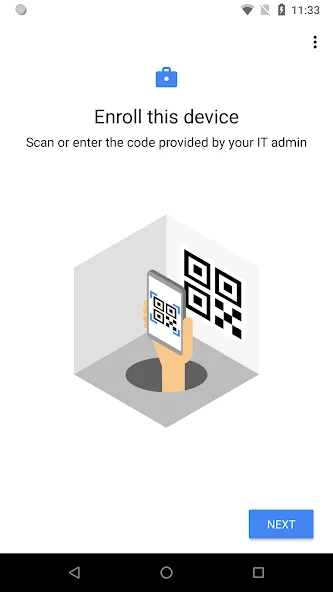
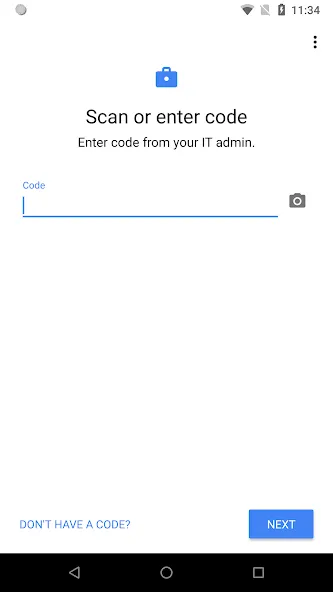
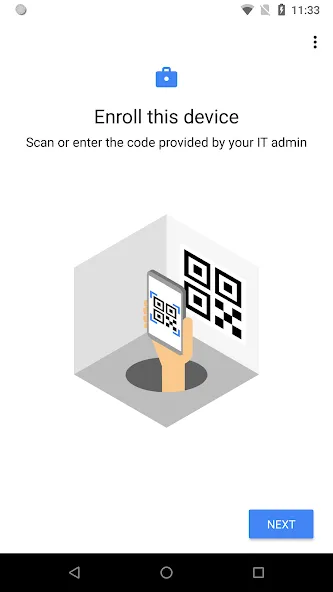
The app provides straightforward enrollment processes, allowing users to quickly register their devices with their organization’s IT infrastructure. This feature is particularly beneficial for new employees or those who are integrating devices into a corporate environment. By simplifying the enrollment, Android Device Policy ensures that users can swiftly gain access to the resources they need to perform their tasks efficiently.
Access to managed Google Play is another significant aspect of Android Device Policy. This feature allows users to download approved applications that meet organizational security and compliance requirements. By using managed Google Play, employees can ensure that they are utilizing applications that align with their company’s policies, enhancing productivity while maintaining security protocols.
Android Device Policy also facilitates access to email and other work-related resources. This capability is essential for employees who rely on consistent communication and collaboration tools. By providing secure access to these resources, the app helps maintain the integrity of sensitive information while enabling users to perform their duties effectively.
The application includes several permissions that enhance its functionality. For instance, the camera permission can be used to scan QR codes for enterprise enrollment, streamlining the process further. Contacts permission is necessary to add a work account to the device, which is required for accessing managed Google Play. The phone permission assists in device registration and reporting necessary device identifiers to IT administrators, ensuring that all devices are accounted for within the organization.
Location services play a role in the app’s functionality as well. By querying available Wi-Fi networks, the application aligns with IT policies to offer users new network options when the current configuration is compromised. This feature ensures that employees can maintain connectivity while adhering to organizational security standards.
User Reviews of Android Device Policy:
Android system component for BYOD. The app is required for securing work profiles and keeping data up-to-date. Users can disable the app within system settings, however many express frustration over the inability to uninstall the app and frequent updates. Some also report unauthorized installations & account issues. No ads.
Very useful and reliable app for managing Android devices securely. The app works smoothly and provides essential device management features. Overall, a simple, effective, and well-designed solution.
The locking system for the Samsung Android phone is really not as efficient as it could be, the most reliable security system is the face and finger print plus the 4 different variety lock works well but on some occasions it tense to be slow and that's because their are different individuals sharing which is not unusual. I would love to see the security upgrade for the phone but since it's an old phone. it does work.
All kinds of permission issue across my device. App that aren't given permission still seem to access things uncheckd. Other app refuse to work at all without being granted permission to things they don't t need. Not sure what's wrong with the Android ecosystem but it is disappointing and frustrating. Thank you.
FAQs of Android Device Policy:
How do I set up the Android Device Policy app?
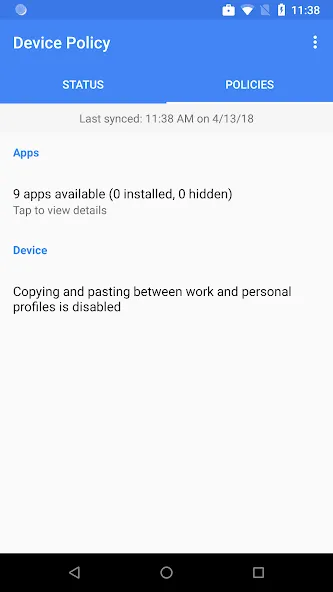
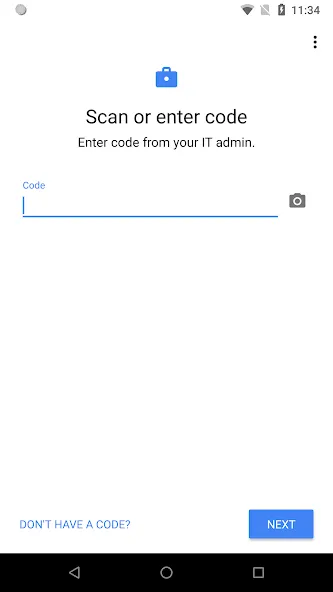
Once you download this app by clicking on the download button, it’s up to your company’s IT department to give you access to the relevant tools. Your administrator can set up your account. They have the authority to manage Device password strength and length.
How does the Device Policy help an organization?
This app enables an organization to audit applications and remove remote accounts from a device. In case of theft or losing your device, contact your IT admin to Remotely wipe a device. The basic purpose of the Device Policy app is to maintain and secure your mobile phone that holds all the official data.
What else can my device administrator to do use the Android Device Policy app?
Using the Android Device Policy your administrator can also configure Wi-Fi networks and manage network access certificates using the app. They might choose to hide a network’s details so that only users who have the network name and password can connect to it.
What’s the basic purpose of the Android Device Policy app?
Companies can download this app if they want to secure the devices of their office workers.
Permissions Notice of Android Device Policy:
Camera: optionally used to scan QR codes for enterprise enrollment.
Contacts: used to add your work account to the device, required for access to managed Google Play.
Phone: used for device registration, to report device identifiers to your IT admin.
Location: used to query available WiFi networks, to align with IT policy and offer a new network if current configuration is broken.
You can opt out of optional permission requests and still use the app.
Final Verdict:
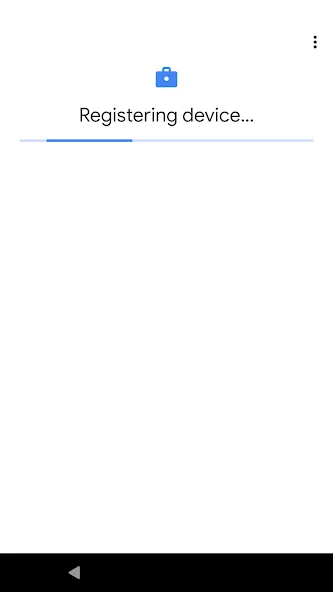
In any company or organization, tech administrators have to work within the terms of use that apply to the range of software that is used so that there are no data leaks or breaches of clauses and conditions of use put in place by developers. That is why Google offers users Android Device Policy.Once registration has been completed, this is a tool that can be used by a company's IT admin to better protect data by managing security policies and settings. Registration can be completed by simply entering the access code manually or by scanning a QR code.
More Information
- Size:24.22MB
- Version:169.27.210923320
- Requirements:Android 7.0+
- Package Name:com.google.android.apps.work.clouddpc
- Signature:75333b7f6b315ecf3d7ee3d9dfec85d0
Related topics
-
Utility apps are indispensable in our lives, making our daily routines more convenient. To help you find these apps more easily, this site has created a collection. This collection brings together a series of practical tools covering various aspects of life, work, and education, meeting all your needs. What are you waiting for? Try these apps now and make your life easier!
-
![Update Software]()
Update Software
-
![Unlock-r]()
Unlock-r
-
![Android System Intelligence]()
Android System Intelligence
-
![Dinn Browser]()
Dinn Browser
-
![Redfinger Cloud Phone]()
Redfinger Cloud Phone
-
![Mobile JKN]()
Mobile JKN
-
![Sfile Mobi]()
Sfile Mobi
-
![Smart Connect]()
Smart Connect
-
-
Transform your mobile device into a powerhouse of efficiency with these handpicked essential tools. Whether you need professional-grade photo editing, seamless file organization, smart task management, or real-time weather updates, our curated selection of premium apps delivers unbeatable performance. Streamline your daily routine, automate repetitive tasks, and boost your productivity with intuitive interfaces and powerful features. Designed for both professionals and casual users, these editor-approved applications will revolutionize how you work and play. Don't settle for an ordinary phone - upgrade your digital experience today and unlock your device's full potential!
-
![NetMiner]()
NetMiner
-
![gCMOB]()
gCMOB
-
![Unlock-r]()
Unlock-r
-
![Android System Intelligence]()
Android System Intelligence
-
![Bikii Cloud Game]()
Bikii Cloud Game
-
![MovieRulz VPN]()
MovieRulz VPN
-
![Redfinger Cloud Phone]()
Redfinger Cloud Phone
-
![Reindeer VPN - Proxy VPN]()
Reindeer VPN - Proxy VPN
-











Latest Updated




Popular Apps








Popular News
More+-
![Tomie Wants to Get Married Full Walkthrough, All Choices and Ending Guide]()
Tomie Wants to Get Married Full Walkthrough, All Choices and Ending Guide
2026-05-22
-
![Karryn’s Prison Gameplay Walkthrough & Strategy Guide]()
Karryn’s Prison Gameplay Walkthrough & Strategy Guide
2025-10-28
-
![Life in Santa County Game Guide & Complete Walkthrough]()
Life in Santa County Game Guide & Complete Walkthrough
2025-10-28
-
![Dreams of Desire Complete Walkthrough and Game Guide]()
Dreams of Desire Complete Walkthrough and Game Guide
2025-10-28
-
![Era Hunter Gameplay Guide & Full Walkthrough]()
Era Hunter Gameplay Guide & Full Walkthrough
2025-10-28




