

Edge VPN – Simple & Fast
Download for Android This app is available for Android only.- Category:Tools
- Rating: 4.6
- Language:English
- Updated:2026-06-02
Screenshots
Introduction
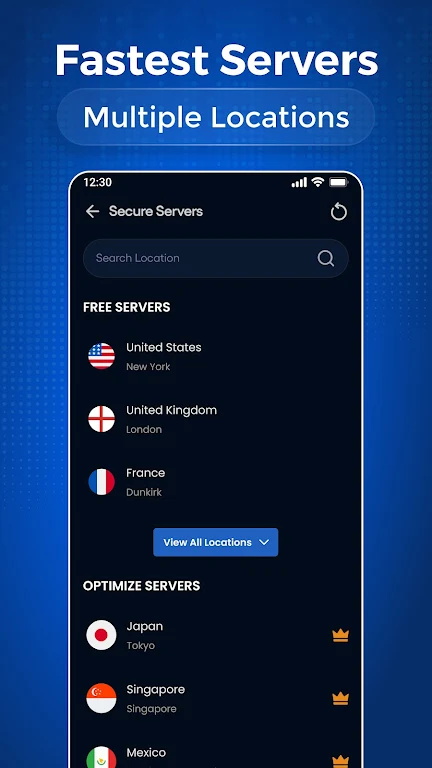
Welcome to a new world of internet connectivity! With Edge VPN – Simple & Fast, you'll get the fastest and most stable server connections. Servers are located all over the world, so you'll always find the perfect frequency band for you! The app uses advanced encryption technology to easily protect your data security. It also strictly adheres to no-logs policy, never tracking your activity! In addition, the app offers multi-device compatibility; a few accounts can connect all your Android devices, making it worry-free for family use!
Features
Fast and stable connection – Optimized servers deliver a smooth browsing, streaming, and downloading experience.
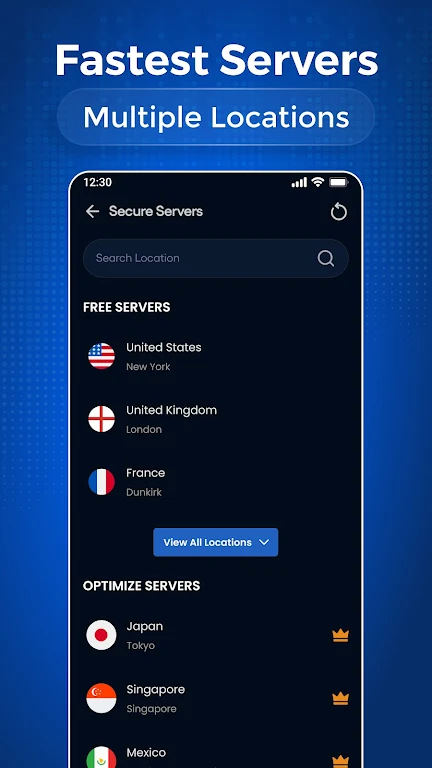
Global server network – Connect securely from around the world.
Strong security and privacy protection – Advanced encryption technology ensures your data security.
No activity logs – We respect your privacy and do not track your online activity.
Unlimited bandwidth – Enjoy uninterrupted access without data limits.
Public Wi-Fi protection – Protect your personal data on public networks.
Multi-device compatibility – Connect to all your Android devices with one account.
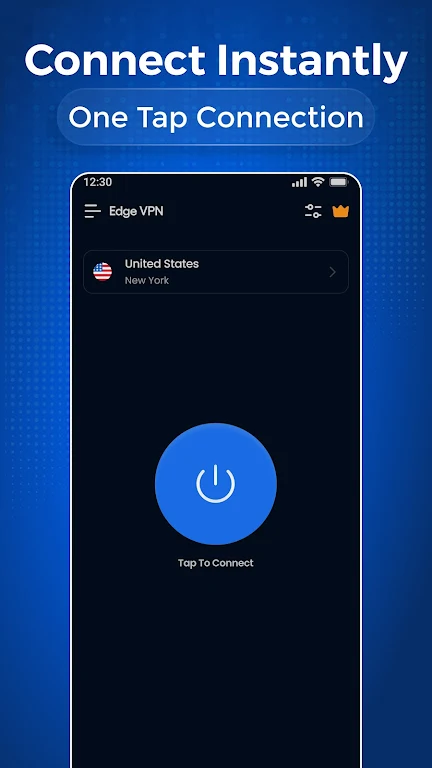
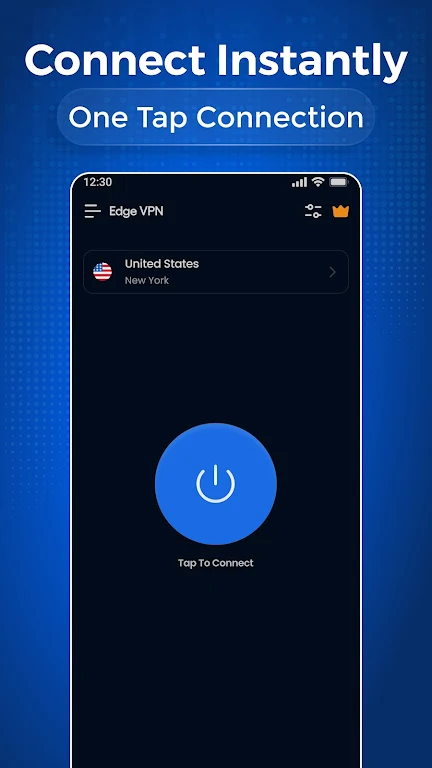
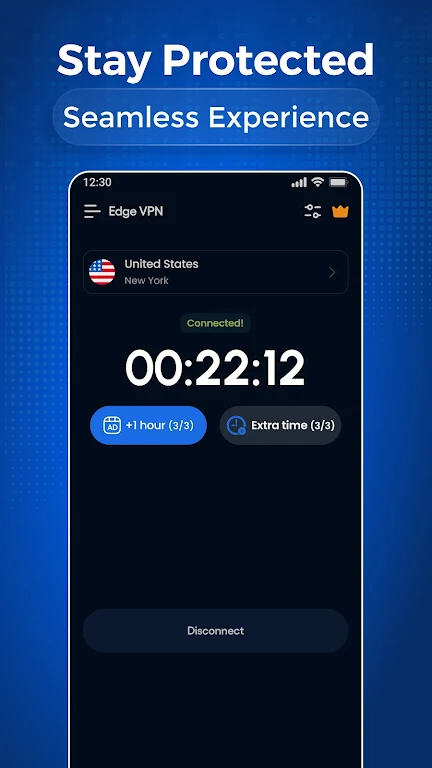
Easy to use – User-friendly interface, connect instantly.
Highlights
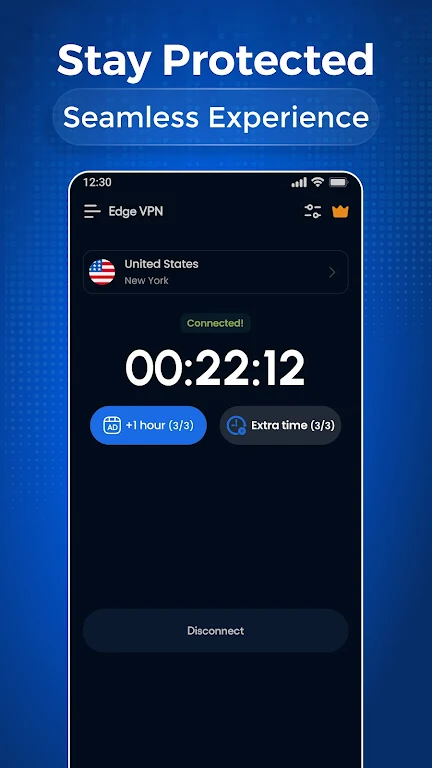
This VPN app stands out for its superior balance of security and performance. Its robust encryption protects your personal data when connected to any public Wi-Fi network, shielding you from potential vulnerabilities. Furthermore, Edge VPN maintains a stable and smooth connection even when running in the background, allowing you to enjoy uninterrupted browsing and streaming services. With its unlimited bandwidth and optimized servers, users can enjoy a seamless online experience without speed or data limits.
Edge VPN combines powerful features with a user-friendly interface. The connection process is incredibly simple—just select a server and click a button—making it suitable for users of all experience levels. In addition to its ease of use, the app supports connecting multiple devices with a single account, enabling secure connections across all your Android devices. It also offers real-time activity monitoring, giving you better control over your connection status.
Download
Save the downloaded APK file to any location on your device.
Now open the Android Settings app and go to Security Settings.
Find the option called "Unknown sources" and enable it.
Install the app using the downloaded APK file.
It only takes a few seconds.
A new world of internet connectivity awaits you by opening the app using the shortcut created on your home screen.
FAQs
Are you having trouble installing Edge VPN – Simple & Fast?
The installation of Edge VPN – Simple & Fast may fail due to insufficient device storage, an unstable network connection, or incompatibility with your Android device. To avoid this, ensure your phone meets the minimum system requirements before starting the installation.
What is the total file size of Edge VPN – Simple & Fast?
Edge VPN – Simple & Fast requires approximately 36.7 MB of storage space, including the base file size, and may vary slightly depending on your device or other data downloaded during gameplay.
Conclusion
Browsing the web becomes easier and safer with Edge VPN. Users can enjoy an uninterrupted internet experience. With these advantages, this app is sure to satisfy you. Don't forget to download the APK version of this app to use premium features completely free of charge.
More Information
- Size:36.7MB
- Version:1.3.8
- Requirements:Android
- Votes:113
- Package Name:com.edgevpn.secure.proxy.unblock
- Signature:d1ff2de7e8a03024b57ffd026d89748b1222f144

Related topics
-
With more and more of our lives happening online, smartphones have become an essential component of our daily routines. Whether you’re shopping, banking, or socializing – everything can be tracked online, even on Androids. This information can then be used by third-parties profiting off your data or your ISP to slow down your internet speed. An easy way to increase online privacy and security of your Android smartphone is to start using a VPN. At Cybernews, we have over 5 years of experience testing VPN services, so we know what makes a great VPN app. To make your search for a reliable VPN easier, together with our research team, I tested both free and paid Android VPN apps, and summarized the results of our research below.
-
![Ninja VPN]()
Ninja VPN
-
![Supervpn]()
Supervpn
-
![ProtonVPN]()
ProtonVPN
-
![Kiwi Vpn Connection Ip Changer]()
Kiwi Vpn Connection Ip Changer
-
![Lucky Vip Proxy]()
Lucky Vip Proxy
-
![VPN.lat]()
VPN.lat
-
![Turbo VPN - Fast & Secure VPN]()
Turbo VPN - Fast & Secure VPN
-
![VPN.ht]()
VPN.ht
-
-
Enjoy unrestricted internet access anywhere in the world with these top-rated free VPNs for Android. Securely browse in private, bypass geo-blocks, and unlock censored websites in just a few taps. These powerful apps encrypt your connection, mask your IP address, and protect your data-especially on risky public Wi-Fi. Whether you're streaming global content, accessing restricted platforms, or simply safeguarding your privacy, these trusted VPNs deliver fast, reliable performance. Discover the most popular free VPN downloads and experience true online freedom today-no limits, no compromises!
-
![Supervpn]()
Supervpn
-
![ProtonVPN]()
ProtonVPN
-
![Kiwi Vpn Connection Ip Changer]()
Kiwi Vpn Connection Ip Changer
-
![Lucky Vip Proxy]()
Lucky Vip Proxy
-
![VPN.lat]()
VPN.lat
-
![UPX]()
UPX
-
![Touch VPN]()
Touch VPN
-
![Power VPN Free VPN]()
Power VPN Free VPN
-
-
In 2024, privacy and security on mobile devices are more important than ever, and a reliable VPN can help protect your data while browsing. The best free VPNs for Android offer a solid balance of speed, security, and user-friendly features without costing a dime. These VPNs allow you to browse anonymously, bypass geo-restrictions, and safeguard your personal information on public Wi-Fi networks. While free options may have certain limitations, such as data caps or fewer server locations, they still provide essential privacy protection. With strong encryption, zero-logging policies, and a simple setup, these free VPNs ensure your online activities remain private and secure while using your Android device.
-
![Ninja VPN]()
Ninja VPN
-
![Supervpn]()
Supervpn
-
![ProtonVPN]()
ProtonVPN
-
![Kiwi Vpn Connection Ip Changer]()
Kiwi Vpn Connection Ip Changer
-
![Lucky Vip Proxy]()
Lucky Vip Proxy
-
![VPN.lat]()
VPN.lat
-
![Touch VPN]()
Touch VPN
-
![Turbo VPN - Fast & Secure VPN]()
Turbo VPN - Fast & Secure VPN
-







Latest Updated








Popular Apps








Popular News
More+-
![Tomie Wants to Get Married Full Walkthrough, All Choices and Ending Guide]()
Tomie Wants to Get Married Full Walkthrough, All Choices and Ending Guide
2026-05-22
-
![Karryn’s Prison Gameplay Walkthrough & Strategy Guide]()
Karryn’s Prison Gameplay Walkthrough & Strategy Guide
2025-10-28
-
![Life in Santa County Game Guide & Complete Walkthrough]()
Life in Santa County Game Guide & Complete Walkthrough
2025-10-28
-
![Dreams of Desire Complete Walkthrough and Game Guide]()
Dreams of Desire Complete Walkthrough and Game Guide
2025-10-28
-
![Era Hunter Gameplay Guide & Full Walkthrough]()
Era Hunter Gameplay Guide & Full Walkthrough
2025-10-28




