

VPN.lat
Download for Android This app is available for Android only.- Category:Tools
- Rating: 4.8
- Language:English
- Updated:2026-08-21
Screenshots
Introduction
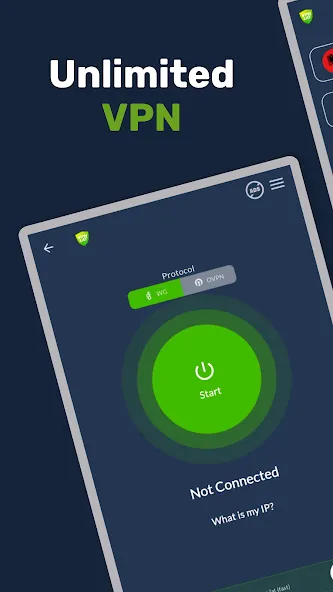
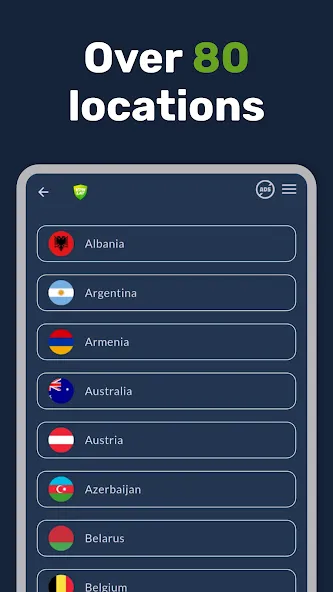
VPN.lat is a network switching tool that can connect to networks in various countries. It boasts a comprehensive network of servers located in over 80 regions, providing fast and stable connections. It also allows you to hide your IP address and browse some websites anonymously. It can reduce game latency. The application is free to use without registration and supports dual protocols, achieving the most stable and compatible speeds. It uses encrypted connections in public places to protect your data. The app's main purpose is to provide secure, private connections and VPNs without geographical restrictions. The interface is simple and easy for users to use quickly.
Features
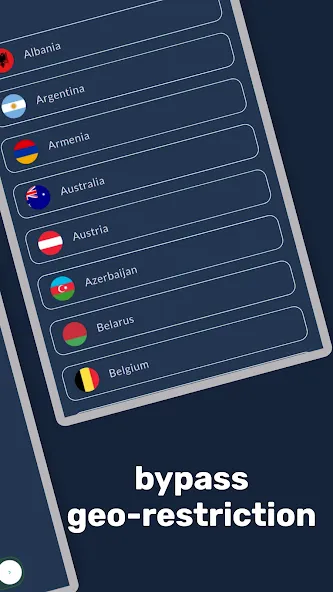
Servers in 80+ countries – Connect to the USA, Mexico, Spain, Brazil, Argentina, Japan, Germany, and many more.
Fast & stable connection – No speed drops or time limits.
Complete privacy protection – Hide your IP address and browse the web anonymously.
Split Tunneling – Take full control. Choose exactly which apps use the VPN and which ones connect directly to your local network.
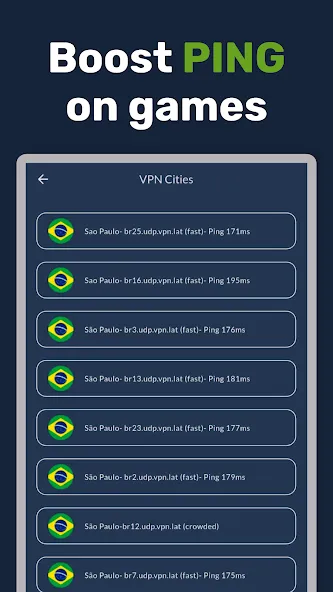
Optimized for Gaming – Lower ping for online games like Free Fire, PUBG, Call of Duty Mobile, and Roblox.
100% Free to use – No registration, no login, and no credit card required.
Unlimited bandwidth – Browse, download, and stream your favorite content without restrictions.
Dual protocol support – Choose between OpenVPN and WireGuard on most servers for maximum compatibility and speed.
Highlights
Free and unlimited proxy connection – no hidden costs.
Unblock restricted websites, social media, and apps.
Bypass internet censorship easily.
Encrypted connection to protect your personal data on public WiFi hotspots.
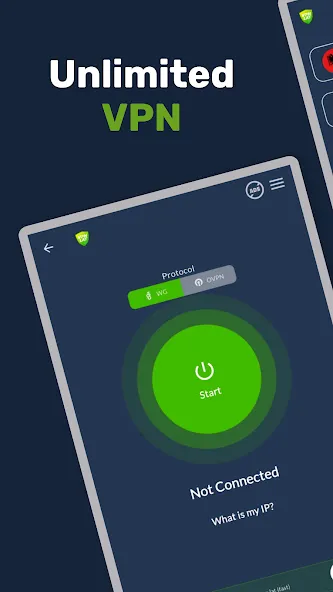
Easy one-tap connection for instant security.
Freedom, speed, and privacy whenever you need it.
How to Use
Install the app on your Android device, then open VPN.lat from your home screen.
On the main screen, tap the location picker and select a nearby country or the country required by your app or site.
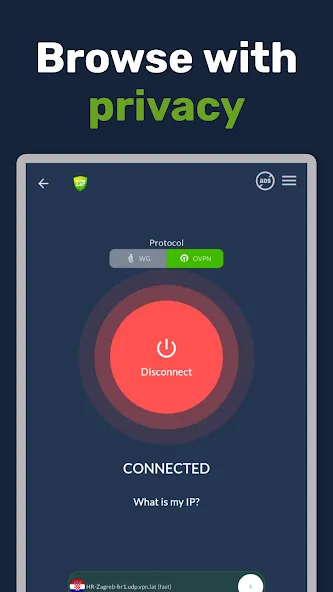
Open the protocol option and choose WireGuard for lower latency, or switch to OpenVPN if your network is more restrictive.
Tap the connect button and wait for the status to show that the VPN is active.
Use What is my IP to confirm the new country and run the Speed Test to check ping and speed. If needed, change the server or protocol and test again.
User comments
This is the best VPN app I’ve used. However, there is one downside: when I use the JP1 or JP2 servers, the game displays a message stating that my region is not supported. I am currently using the JP3 server, but the connection sometimes drops for no apparent reason. I hope the developers can improve this. Thanks for listening.
Absolutely works, and no payment needed. i used this app to reduce lag on blox fruit and it worked, when I looked at my performance stats, the ping gone down a lot. it used to be 300-4000 ping and when I connected to the Taiwan server, it made the ping to 60-120 ping. I love it
I have tried other VPN but non worked, but this one was different I think from the scale of 1 to 10 I will give it 7/10 nice work
Summarize
VPN.lat is a VPN designed to offer a secure, private Internet connection with no geographical limitations. The app is designed for those who want to protect their online activity, access geo-blocked content, and browse with greater freedom from mobile devices without seeing a drop in browsing speed or compromising their data.
More Information
- Size:60.84MB
- Version:3.9.46
- Requirements:Android
- Votes:227
- Package Name:com.vpn.lat
- Signature:ce6631784ec4d2ffb510274d39d86d91
Related Versions


Related topics
-
With more and more of our lives happening online, smartphones have become an essential component of our daily routines. Whether you’re shopping, banking, or socializing – everything can be tracked online, even on Androids. This information can then be used by third-parties profiting off your data or your ISP to slow down your internet speed. An easy way to increase online privacy and security of your Android smartphone is to start using a VPN. At Cybernews, we have over 5 years of experience testing VPN services, so we know what makes a great VPN app. To make your search for a reliable VPN easier, together with our research team, I tested both free and paid Android VPN apps, and summarized the results of our research below.
-
![Ninja VPN]()
Ninja VPN
-
![Supervpn]()
Supervpn
-
![ProtonVPN]()
ProtonVPN
-
![Kiwi Vpn Connection Ip Changer]()
Kiwi Vpn Connection Ip Changer
-
![Lucky Vip Proxy]()
Lucky Vip Proxy
-
![VPN.lat]()
VPN.lat
-
![Turbo VPN - Fast & Secure VPN]()
Turbo VPN - Fast & Secure VPN
-
![VPN.ht]()
VPN.ht
-
-
Enjoy unrestricted internet access anywhere in the world with these top-rated free VPNs for Android. Securely browse in private, bypass geo-blocks, and unlock censored websites in just a few taps. These powerful apps encrypt your connection, mask your IP address, and protect your data-especially on risky public Wi-Fi. Whether you're streaming global content, accessing restricted platforms, or simply safeguarding your privacy, these trusted VPNs deliver fast, reliable performance. Discover the most popular free VPN downloads and experience true online freedom today-no limits, no compromises!
-
![Supervpn]()
Supervpn
-
![ProtonVPN]()
ProtonVPN
-
![Kiwi Vpn Connection Ip Changer]()
Kiwi Vpn Connection Ip Changer
-
![Lucky Vip Proxy]()
Lucky Vip Proxy
-
![VPN.lat]()
VPN.lat
-
![UPX]()
UPX
-
![Touch VPN]()
Touch VPN
-
![Power VPN Free VPN]()
Power VPN Free VPN
-
-
In 2024, privacy and security on mobile devices are more important than ever, and a reliable VPN can help protect your data while browsing. The best free VPNs for Android offer a solid balance of speed, security, and user-friendly features without costing a dime. These VPNs allow you to browse anonymously, bypass geo-restrictions, and safeguard your personal information on public Wi-Fi networks. While free options may have certain limitations, such as data caps or fewer server locations, they still provide essential privacy protection. With strong encryption, zero-logging policies, and a simple setup, these free VPNs ensure your online activities remain private and secure while using your Android device.
-
![Ninja VPN]()
Ninja VPN
-
![Supervpn]()
Supervpn
-
![ProtonVPN]()
ProtonVPN
-
![Kiwi Vpn Connection Ip Changer]()
Kiwi Vpn Connection Ip Changer
-
![Lucky Vip Proxy]()
Lucky Vip Proxy
-
![VPN.lat]()
VPN.lat
-
![Touch VPN]()
Touch VPN
-
![Turbo VPN - Fast & Secure VPN]()
Turbo VPN - Fast & Secure VPN
-






Latest Updated








Popular Apps








Popular News
More+-
![Tomie Wants to Get Married Full Walkthrough, All Choices and Ending Guide]()
Tomie Wants to Get Married Full Walkthrough, All Choices and Ending Guide
2026-05-22
-
![Karryn’s Prison Gameplay Walkthrough & Strategy Guide]()
Karryn’s Prison Gameplay Walkthrough & Strategy Guide
2025-10-28
-
![Life in Santa County Game Guide & Complete Walkthrough]()
Life in Santa County Game Guide & Complete Walkthrough
2025-10-28
-
![Dreams of Desire Complete Walkthrough and Game Guide]()
Dreams of Desire Complete Walkthrough and Game Guide
2025-10-28
-
![Era Hunter Gameplay Guide & Full Walkthrough]()
Era Hunter Gameplay Guide & Full Walkthrough
2025-10-28




