

WaveEditor
Download for Android This app is available for Android only.- Category:Media & Video
- Rating: 4.8
- Language:English
- Updated:2026-06-03
Screenshots


Introduction
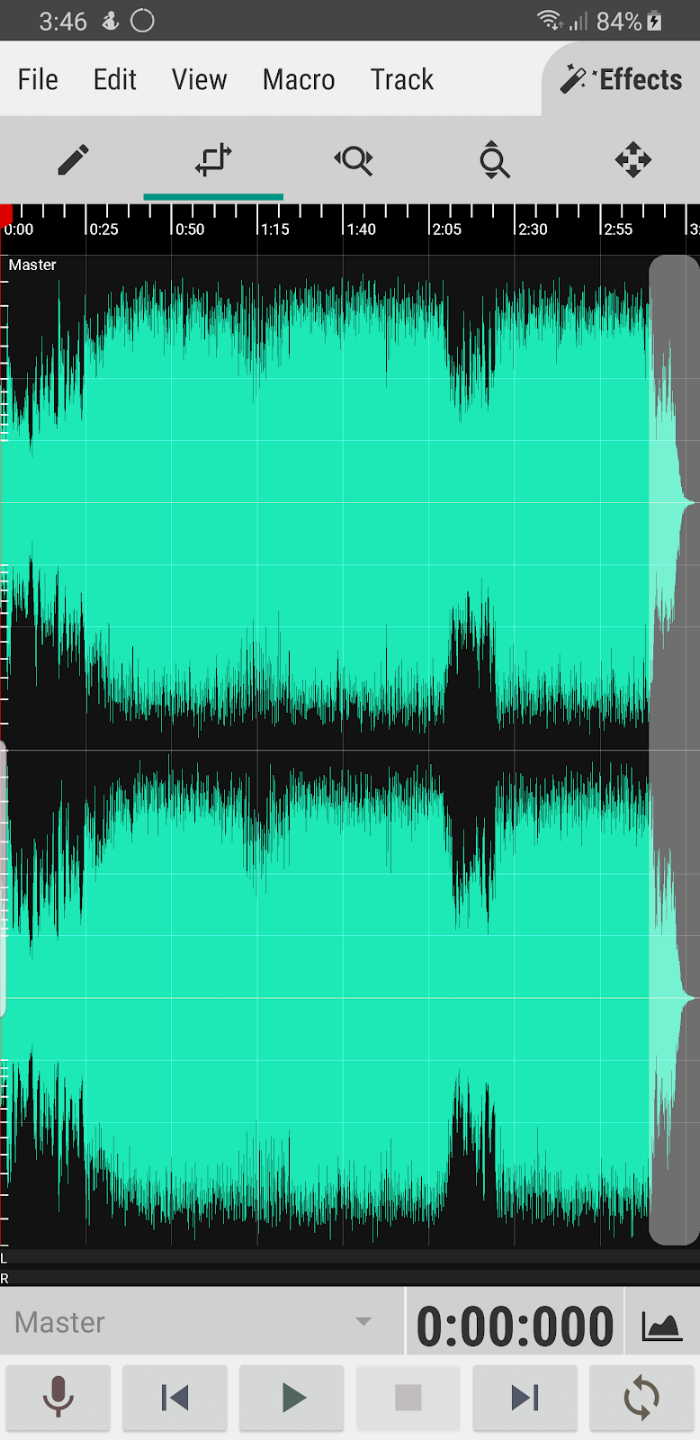
WaveEditor is an audio editing software that allows users to import audio files in various formats and edit them according to their preferences. Users can cut, paste, merge, and delete audio files to meet diverse creative needs. The software provides professional audio analysis tools to quickly detect the audio's spectrogram and vector data, enabling better adjustments to suit user preferences. The software is free of ads and pop-ups and will continue to be updated with more audio editing and analysis tools, so users can look forward to it!
Features of WaveEditor:
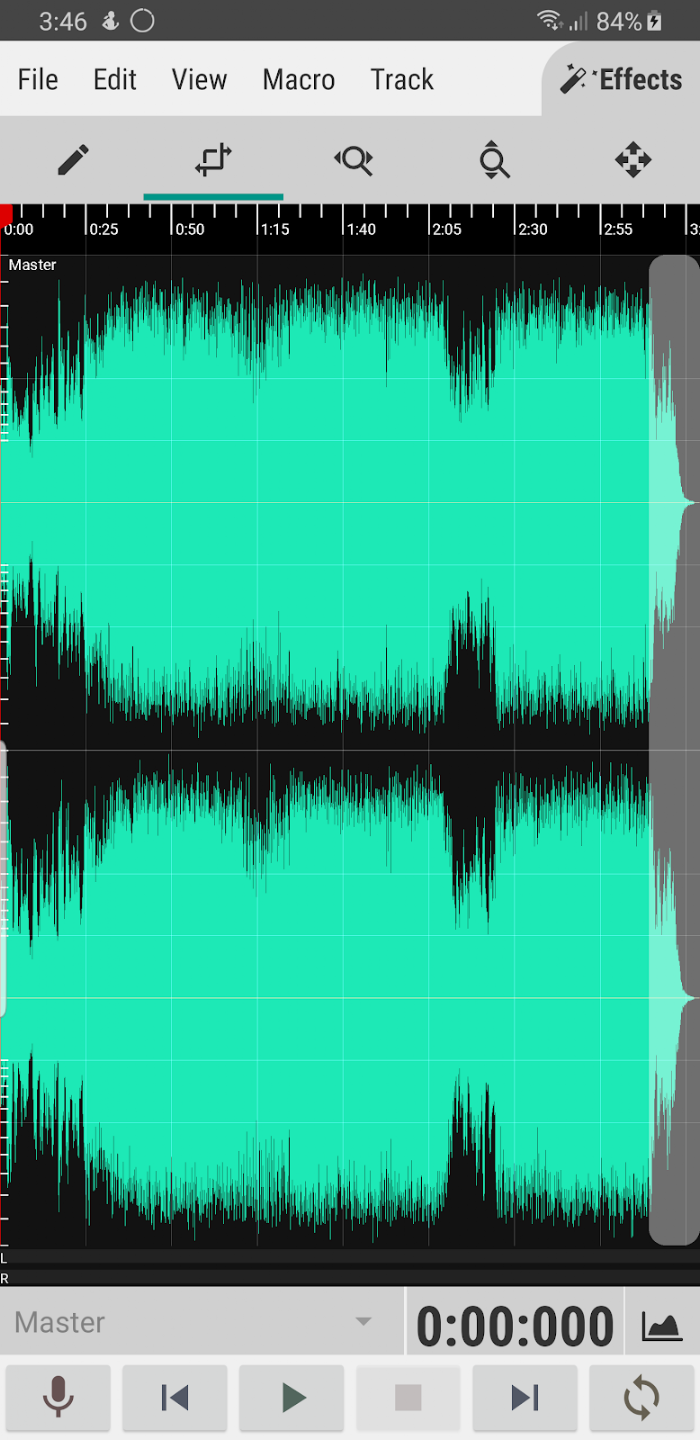
Multi-Track Editing: A full-featured editor for cutting, copying, pasting, and deleting audio clips. Create complex arrangements by mixing multiple tracks.
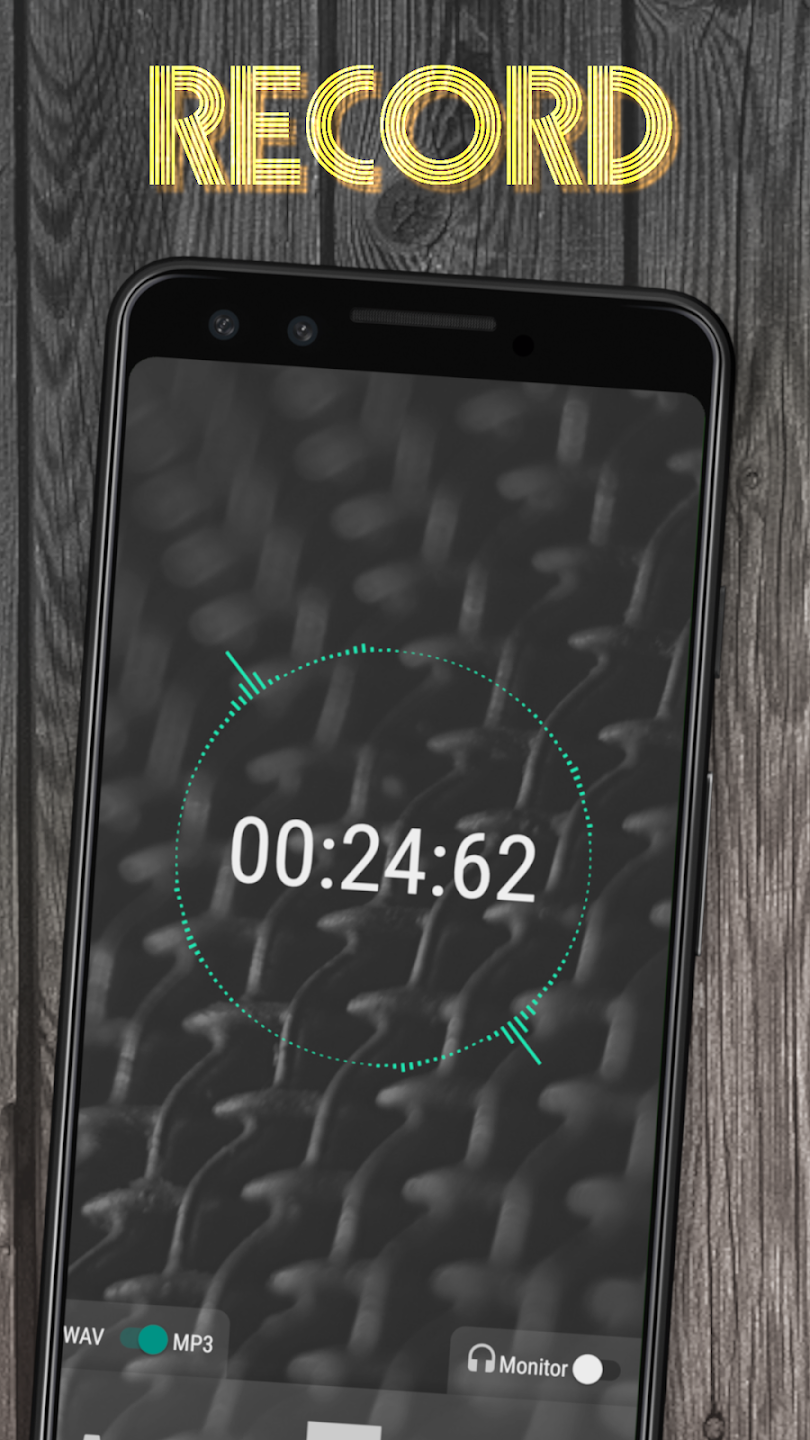
High-Quality Recording: Record audio directly within the app. The recorder supports external USB microphones for high-fidelity capture.
Extensive Format Support: Import and export a variety of audio formats, including WAV, MP3, FLAC, and OGG.
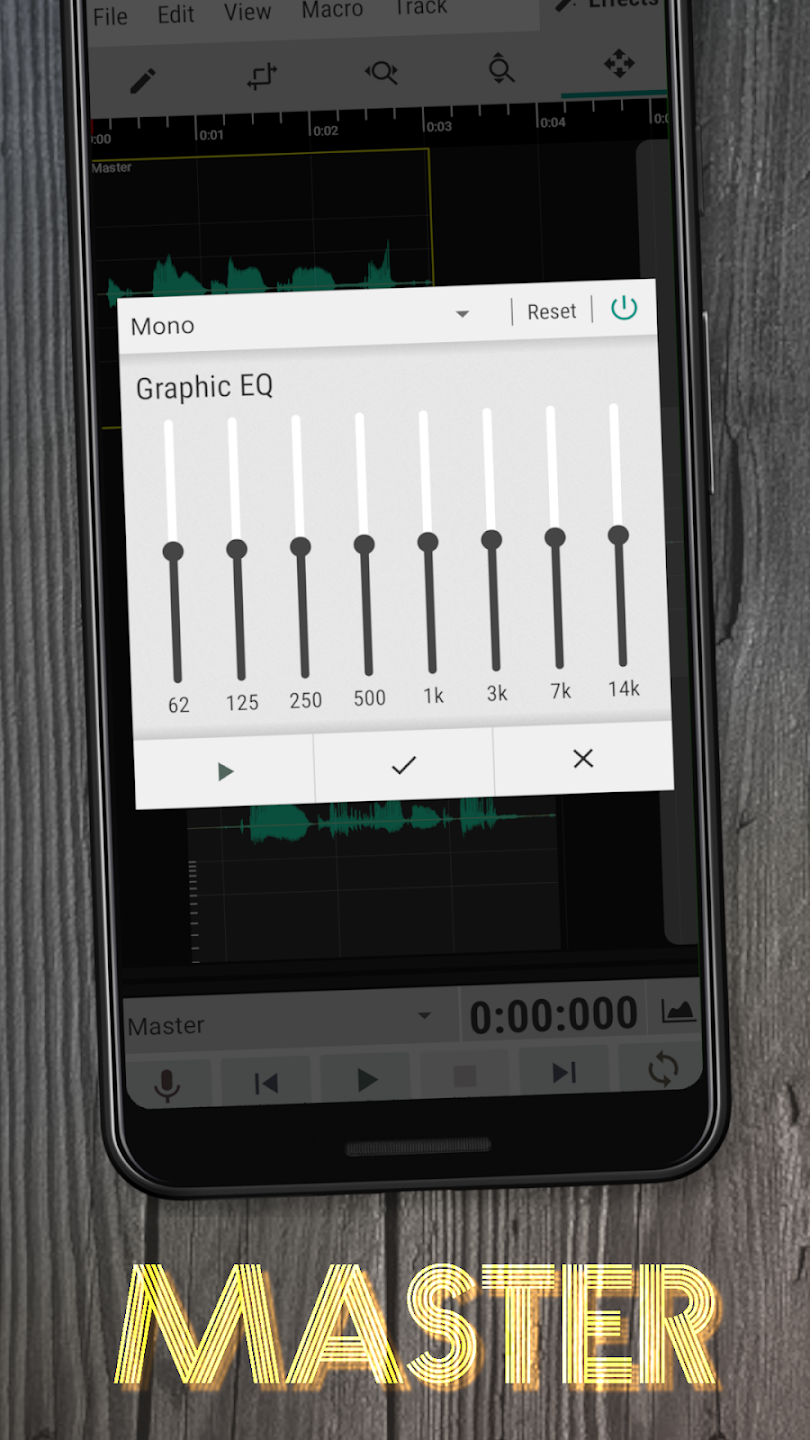
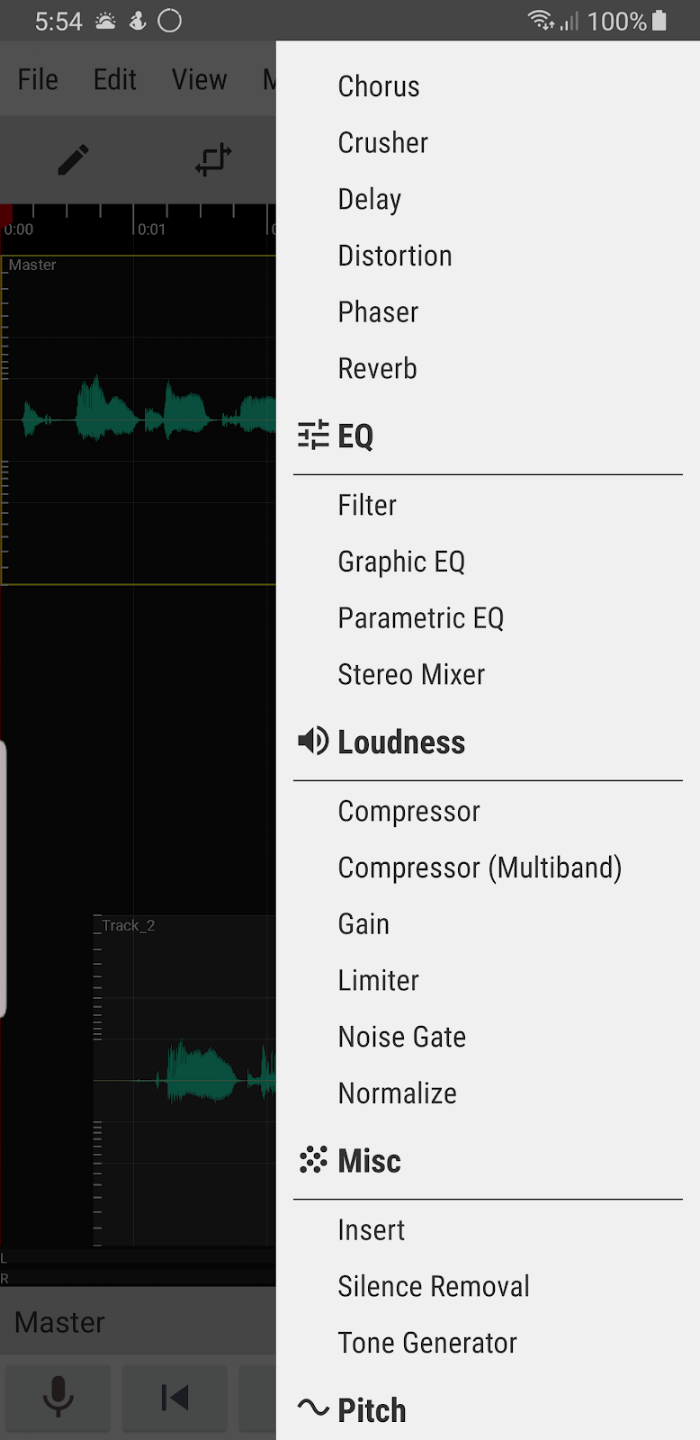
Built-in Effects: Access a collection of integrated effects like Graphic EQ, Chorus, Reverb, and Normalization to refine your tracks.
Professional Analysis: Analyze your audio with a suite of professional tools, including an FFT, Oscilloscope, Spectrogram, and Vectorscope. This allows for detailed visual inspection of your sound.

Highlights of WaveEditor:
Expanded Recording Capabilities: WaveEditor lets you record more by working with built-in device microphones and USB microphones connected from the outside. This flexibility lets users record sound at different levels, from low-quality voice memos to high-quality professional recordings.
Complex Layer Creation: This app lets users create complex layers, combining multiple tracks to make complex audio compositions. This feature is necessary for making audio projects with many layers, like music production, podcasts, and sound design. This is the best app for people who like to make songs.
Precise Track Control: The app also lets you precisely control tracks and handle individual track settings such as volume and panning. This fine-grained control lets users perfectly balance their mixes, ensuring skilled sound output across all types of production.
Seamless Audio Integration: Perfect audio integration is another area where the program shines; it lets users easily mix several audio components. Wave Editor offers a seamless process for combining different parts, from voices and instruments to many effects.
A variety of effects: This program offers many complementary effects that can help your recordings sound more professional. Particularly if you are a singer or musician, you should have this unique quality ready. Among the other effects are Chorus (Pro), Crusher (Pro), Delay (Pro), Distortion (Pro), De-Esser, Filter, Graphic EQ,…

User Reviews of WaveEditor:
A smart, well thought-out, easy to use audio editor with built-in effects, and multiple options for saving. I used StereoMix Recorder (same developers) to capture audio from a video app on my phone. Then with WaveEditor I edited the audio (boost gain, trim unwanted audio, add fade) and re-saved the file all within a few minutes. • With such a great app I had to pay for the PRO version. Thanks to the coders! ~ Samsung Galaxy S24.
I can't believe an app this good is free, I don't have to boot up wavelab, I can do all my audio editing and conversions on my phone. What a time to be alive. The zooming in and out and saving loop regions is pretty intuitive, and being able to import and export and convert in multiple formats is all you could wish for in an audio editor. I will probably upgrade to the Pro version to unlock some extra functionality, but for now this does all I need.
A very handy app for when you need to edit sound files or to record with maximum sound quality (which some apps don't seem to do). I personally have used it to slow down music so I can take a closer look how it's made or used the FFT to read the note frequencies on songs, but I wish there was a way to see the musical notes on there so I don't have to look up what frequencies they play at. I've also used it to record sounds which I then have used to create music from. Totally worth the money!
Bugs have been fixed, but still, it may fail to open some files. I have realized the problem is that some files are actually m4a, but they are saved as mp3. In this situation, the app fails to open the file without a proper error message about the wrong extension. Overall, it is an easy to use and user-friendly app with reasonable functionality, and the ads are not too annoying. I like the option it lets users watch an ad and get full functionality for the session. Keep up the development!
FAQs of WaveEditor:
Q: Why is exported audio only able to be saved into Android’s Documents folder?
A: Begun in Nov. 2021, Google has forced all app updates to the Play Store to target Android 12 and therefor comply with their scoped storage policies. That has meant that the ability to write files wherever the user chooses is no longer permitted, even with write permission granted. Their solutions for this policy (SAF and MediaStore API) are not compatible with the apps needs, which is why saving audio has become very limited.
Q: Selecting different languages through the app doesn’t work anymore.
A: Starting with v1.94, WaveEditor is released as an Android App Bundle (.aab vs .apk) through the Play store to comply with Google’s upcoming requirements. With this feature, app sizes are reduced and only distribute files that are necessary. If you would like to continue using a different language in WaveEditor other than the device default, then you must have the language pack installed on your device through system settings at the time of the app install. Any additions to the devices language packs, requires an app re-install from the Play store before that language can be used in WaveEditor.
Q: I have purchased the pro upgrade, but the app is still locked.
A: Delete the app data & cache for the Play Store. To do this, go to Settings > Apps > Google Play Store > Storage > Clear Data. Restart the device, and with active network connection, open the Play Store app, then open the menu (top left button with 3 horizontal bars). Select the account used to purchase the upgrade, then click “My apps & games” > “Installed” > scroll down to WaveEditor > “Open”.
Q: Do you have to buy each effect separately?
A: No, once you purchase the pro upgrade, everything is unlocked as a one-time purchase and not a subscription.
Q: Why can I not save audio files to the SD card?
A: Just one of Android’s most useful features. 3rd party apps, or apps that did not come with the phone do not have permission to write to SD cards/USB drives, even if you have granted the app storage permission. The only exceptions are, being able to save to the app directory under the /Android/data directory, and by using the system’s file chooser. The latter is not friendly when using native libraries.
Conclusion:
WaveEditor is an extremely useful recording application. The application will turn your phone into a recorder, and you can record anywhere and anytime you want, quickly and conveniently. With this application, you will own the most complete features and tools to bring you an extremely convenient application. What are you waiting for? Come here and enjoy this convenience quickly.
More Information
- Size:13.1MB
- Version:1.130
- Requirements:Android
- Votes:501
- Package Name:io.sbaud.wavstudio
- Signature:1bcf291152b021c6173f19d6700dd54dd8be6821

Related topics
-
In today's digital era, music enthusiasts seek platforms that provide vast music libraries, high-quality audio, and seamless accessibility-all without subscription fees. Our curated selection of free music streaming apps delivers the perfect blend of variety, performance, and convenience, ensuring every listener finds their ideal soundtrack. Whether you're exploring new genres or enjoying timeless classics, these apps offer an unbeatable listening experience at no cost.
-
![Gaana]()
Gaana
-
![Moises]()
Moises
-
![Langit Musik]()
Langit Musik
-
![Poweramp Equalizer]()
Poweramp Equalizer
-
![JioSaavn - Music & Podcasts]()
JioSaavn - Music & Podcasts
-
![GoTube]()
GoTube
-
![Avee Player Lite]()
Avee Player Lite
-
![ViaMusic]()
ViaMusic
-
-
Music Player is a tool designed to play audio files, available as both software applications and dedicated hardware devices. It can be installed on electronic devices like smartphones, tablets, and computers, allowing users to stream or play locally stored music in various formats. Additionally, standalone hardware devices, such as MP3 players and digital audio players, are specifically built for high-quality music playback. Many modern music players support advanced features like equalizers, playlists, offline playback, and streaming service integration, enhancing the overall listening experience.
-
![Gaana]()
Gaana
-
![AI Equalizer: Bass Booster EQ]()
AI Equalizer: Bass Booster EQ
-
![OpenTune]()
OpenTune
-
![Langit Musik]()
Langit Musik
-
![JioSaavn - Music & Podcasts]()
JioSaavn - Music & Podcasts
-
![TREBEL]()
TREBEL
-
![Spotube]()
Spotube
-
![Harmony Music]()
Harmony Music
-
-
The emergence of various digital music platforms provides people with a massive music library covering a wide range of music genres, such as pop, classical dj、 You can find your favorite songs and singers on the platform, such as electronic music, and enjoy high-quality music. Today we bring you the ranking list of music listening software. Listening to music is a very unique enjoyment that relieves stress and relaxes the body and mind. Professional recommendations to make people's lives more enjoyable, today we recommend several popular software for you.
-
![OpenTune]()
OpenTune
-
![Apple Music]()
Apple Music
-
![TREBEL]()
TREBEL
-
![Real Drum]()
Real Drum
-
![JOOX Music]()
JOOX Music
-
![eSound]()
eSound
-
![RevHeadz Engine Sounds]()
RevHeadz Engine Sounds
-
![Mi Music]()
Mi Music
-















Latest Updated






Popular Apps





Popular News
More+-
![Tomie Wants to Get Married Full Walkthrough, All Choices and Ending Guide]()
Tomie Wants to Get Married Full Walkthrough, All Choices and Ending Guide
2026-05-22
-
![Karryn’s Prison Gameplay Walkthrough & Strategy Guide]()
Karryn’s Prison Gameplay Walkthrough & Strategy Guide
2025-10-28
-
![Life in Santa County Game Guide & Complete Walkthrough]()
Life in Santa County Game Guide & Complete Walkthrough
2025-10-28
-
![Dreams of Desire Complete Walkthrough and Game Guide]()
Dreams of Desire Complete Walkthrough and Game Guide
2025-10-28
-
![Era Hunter Gameplay Guide & Full Walkthrough]()
Era Hunter Gameplay Guide & Full Walkthrough
2025-10-28




