
Samsung Device Care
Download for Android This app is available for Android only.- Category:Tools
- Rating: 4.6
- Language:English
- Updated:2026-08-18
Screenshots
Introduction
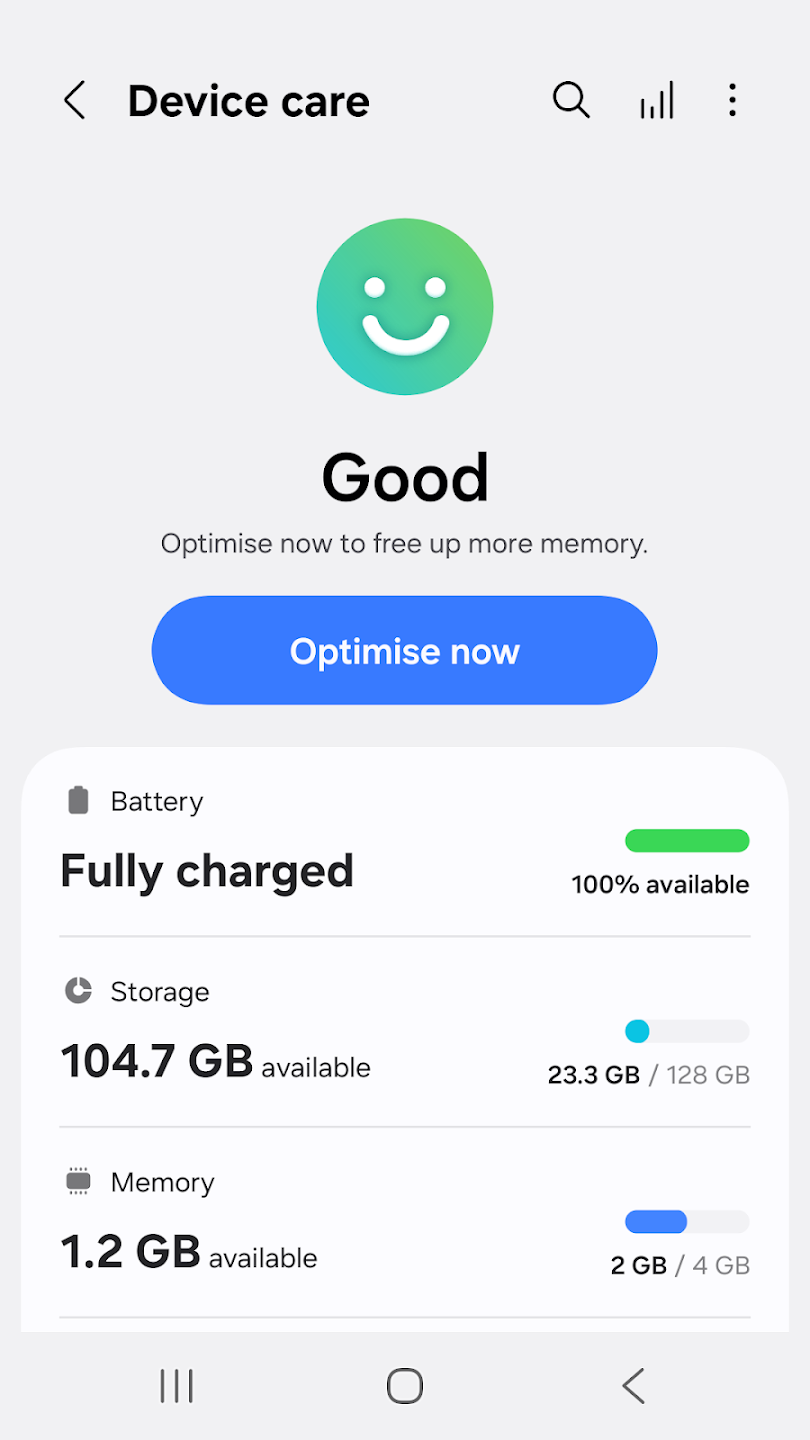
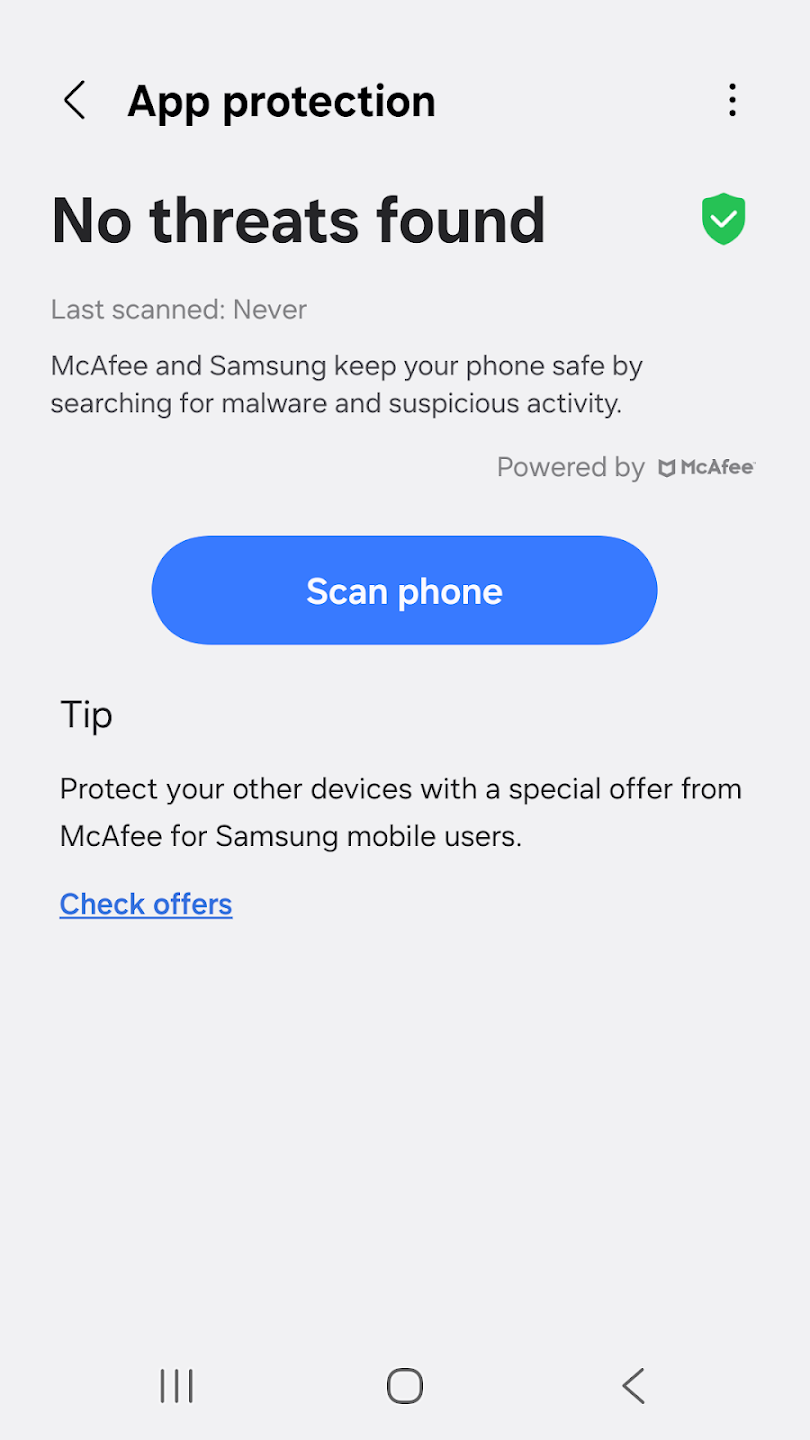
Samsung Device Care is a mobile phone protection tool designed for mobile devices. It optimizes the device based on its condition and displays the device's current status as a percentage after optimization. The software includes various power-saving functions that users can switch between to achieve longer device usage time. It continuously scans various apps and games on the device, searching for malware and viruses to provide robust protection. Users can also perform batch processing of apps, easily updating or deleting them with a single click.
Features of Samsung Device Care:
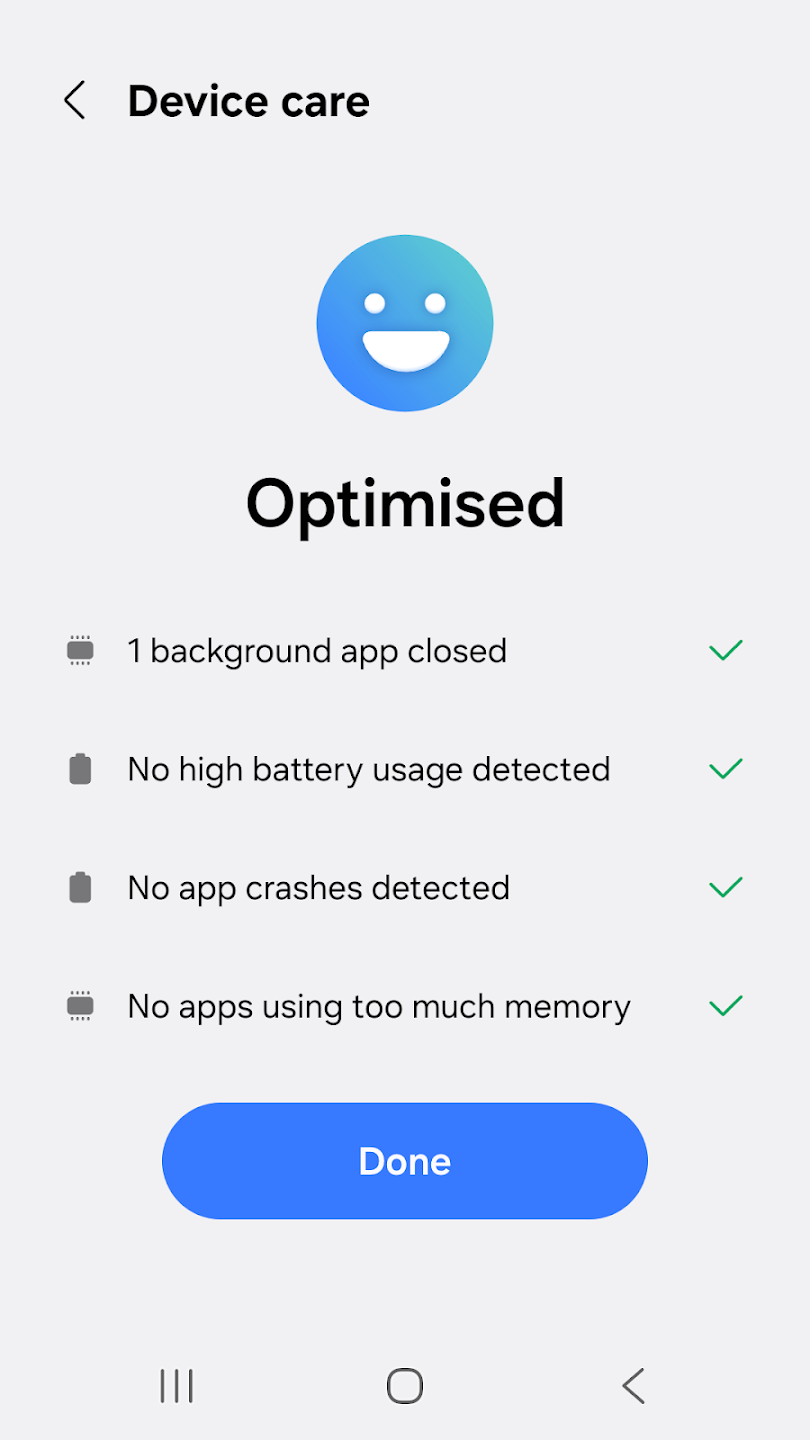
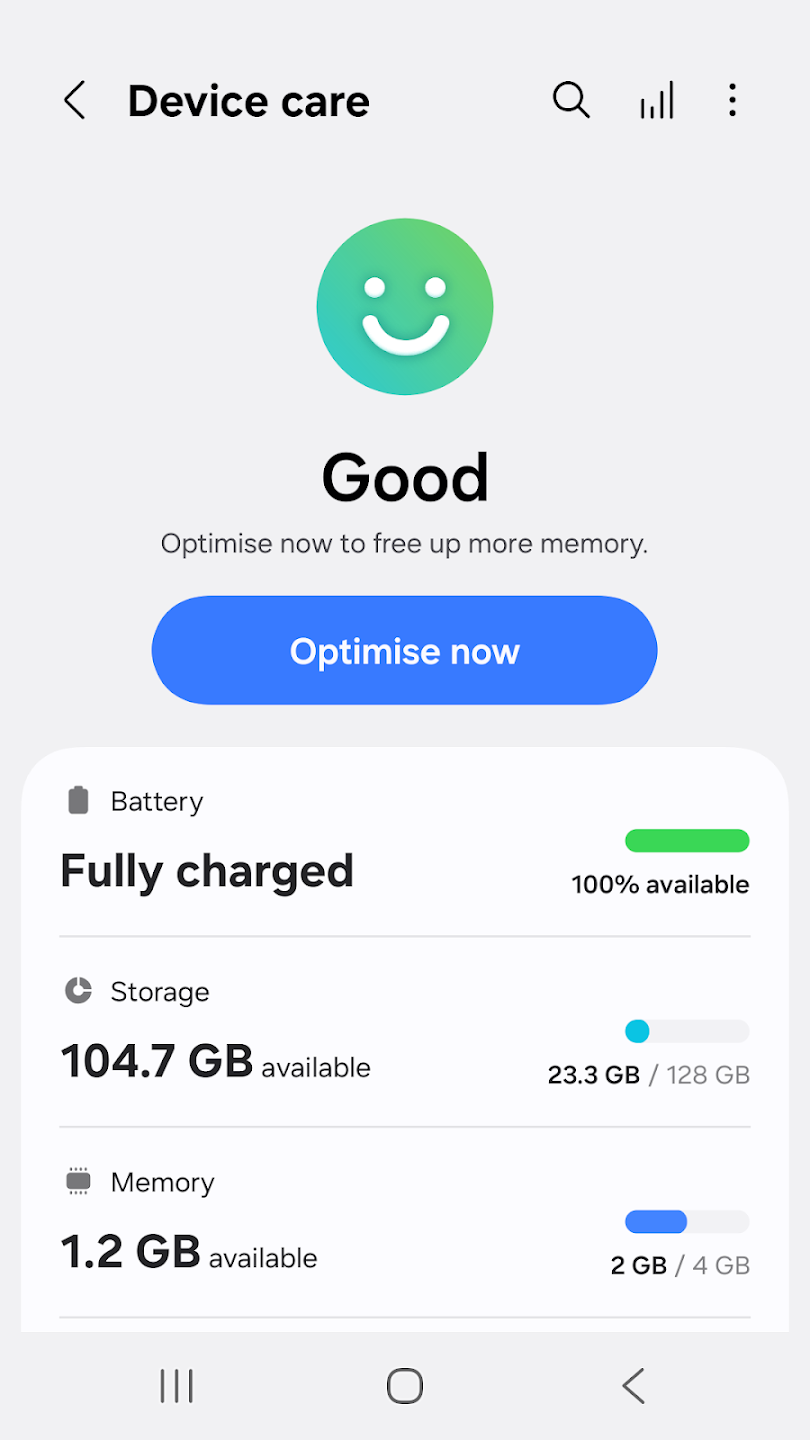
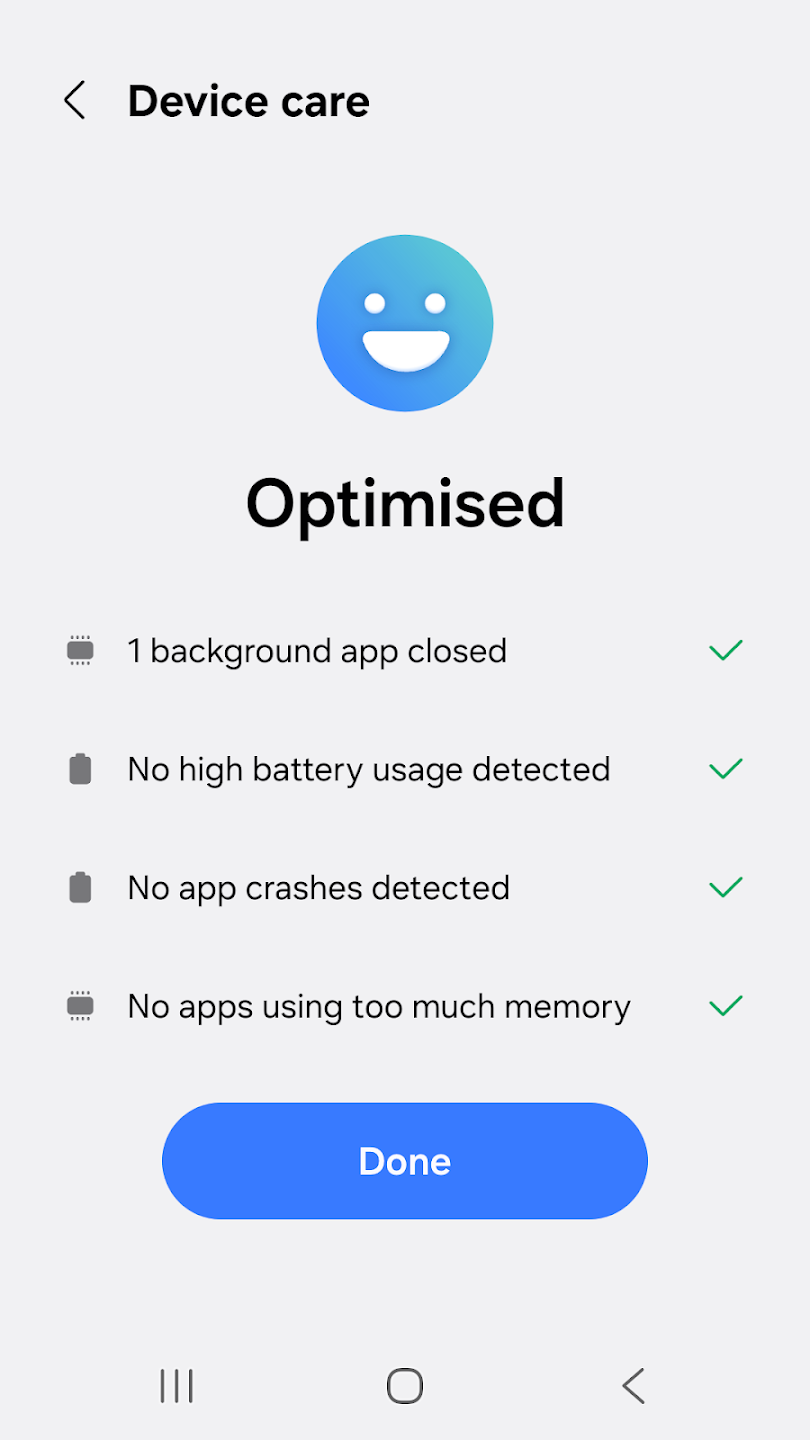
The optimization feature of Device Care allows users to enhance their smartphone's performance with just a single click. This simplifies the process of improving device efficiency, making it accessible even for those without technical expertise. Users can enjoy a smoother experience as the app automatically adjusts settings and clears unnecessary files.
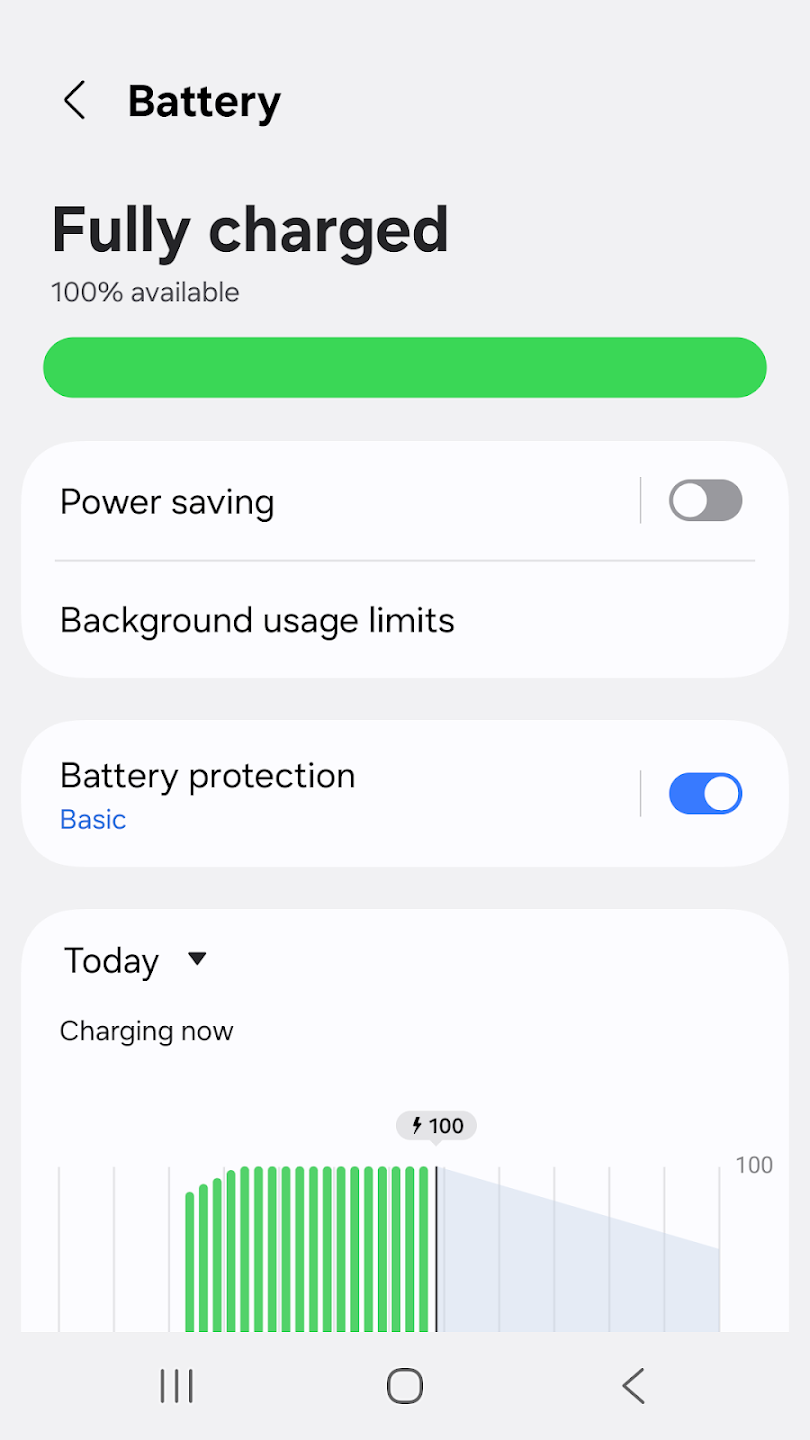
Battery management is another critical aspect of the app. Device Care analyzes battery usage on a per-app basis, offering insights into which applications are consuming the most power. This feature is particularly useful for users who are concerned about battery life, as it helps identify battery-draining apps. Additionally, the app provides options for Power saving mode and Maximum power saving mode, allowing users to extend their smartphone's usage time during critical moments.
Memory management is efficiently handled by Device Care as well. The app helps free up memory by identifying and managing unused applications. This functionality ensures that the device runs smoothly without unnecessary lag, contributing to an overall better user experience.
Security is a significant concern for smartphone users, and Device Care addresses this by detecting malware, such as viruses and spyware. The app offers real-time protection, ensuring that the smartphone remains secure against potential threats. This proactive measure is essential for maintaining the integrity of personal information and overall device performance.
Device Care also includes widget options that enhance user convenience. These widgets allow users to access essential functions quickly without needing to navigate through the entire app. This feature is particularly useful for users who prefer having immediate access to specific tools and information.
User Reviews of Samsung Device Care:
Essential app for keeping my phone fast!Device Care works flawlessly to keep my phone running like new. The one-tap optimization instantly clears up RAM and closes background apps that drain the battery. The storage saver is fantastic for finding large, hidden files and clearing system cache safely. Highly recommended!
Don't have an issue using this app on my phone. Works just fine. I want to be able to install apps outside of playstore, so that's no problem for me. However I do agree that people should be able to delete any pre installed app that is on their phone especially rubbish ones like Facebook or utube, not just disable them. Sure you can jailbreak your phone to delete those rubbish apps, but then have heaps of problems with banking apps which don't work on a jailbroken phone.
Love this app!! Simple & efficient. The best Memory and Battery Cleaner I've ever used. In SECONDS, frees up GBs of Memory and Battery: Allows you to build a list of User and System Apps to kill or exclude. Finds unneeded app caches, dupicate docs, duplicate pics and largest items on phone and allows you to decide which to delete. HIGHLY RECOMMENDED!!
the new user interface of device care is very nice, modern and clean. the app could use a tweak by adding the available storage option panel, so users like me or anyone else in particular can see how there storage is doing. either then that. I'm quite satisfied with the app overall. much smoother much faster and less laggy then older versions from 2020 through to 2022.
FAQs of Samsung Device Care:
How does the Samsung Device Care app work?
Reports the current condition of a customer’s smartphone on a 100-point scale. It has everything you need to carry out maintenance on all the specific details of Galaxy phones and tablets.
Is possible to check Android battery health with this app?
You also check the status of your smartphone’s battery. You can see how much battery all the apps are consuming and, if you want, activate a battery saver mode. Identifies battery-draining apps.
Is there a power-saving mode in this app?
Provides power-saving mode and maximum power-saving mode to ensure that the user can enjoy their smartphone for an extended period. Try another app as well as Clean Master.
Which devices are compatible with the Device Care app?
Device Care is an excellent optimization app. That’s designed especially for Samsung smartphones. Download the APK open it using your favorite File manager and install it by tapping on the file name.
What can we detect with this app?
Detects malicious software. You have to add the wide range of applications available to make the most of its features.
Final Thoughts:
Samsung Device Care consolidates several system maintenance tasks into a single interface, which can simplify upkeep for users who prefer not to navigate multiple settings menus. Its core functions include battery usage analysis, memory management, and malware scanning. The app provides a centralized view of device status and can automate some optimization routines.
More Information
- Size:27.10MB
- Version:13.8.90.9
- Requirements:Android
- Votes:545
- Package Name:com.samsung.android.lool
- Signature:8f1f305c9a62fec5a65b2ebff5cf147e
Related topics
-
Transform your mobile device into a powerhouse of efficiency with these handpicked essential tools. Whether you need professional-grade photo editing, seamless file organization, smart task management, or real-time weather updates, our curated selection of premium apps delivers unbeatable performance. Streamline your daily routine, automate repetitive tasks, and boost your productivity with intuitive interfaces and powerful features. Designed for both professionals and casual users, these editor-approved applications will revolutionize how you work and play. Don't settle for an ordinary phone - upgrade your digital experience today and unlock your device's full potential!
-
![NES.emu]()
NES.emu
-
![Screen Mirroring]()
Screen Mirroring
-
![MEye]()
MEye
-
![MiXplorer Silver File Manager]()
MiXplorer Silver File Manager
-
![HideX]()
HideX
-
![Parrot Downloader]()
Parrot Downloader
-
![RemakeFace]()
RemakeFace
-
![Alarmy]()
Alarmy
-
-
With the development of mobile hardware and software, many practical tool software have emerged, covering a wide range of aspects and becoming a good helper for everyone in work and life. Today, the editor provides you with a list of useful tool software downloads. These tools are not particularly complex types, and after reading them, everyone can quickly learn how to use them. Proper use can bring great convenience to life and work.
-
![Screen Mirroring]()
Screen Mirroring
-
![MEye]()
MEye
-
![MiXplorer Silver File Manager]()
MiXplorer Silver File Manager
-
![HideX]()
HideX
-
![Parrot Downloader]()
Parrot Downloader
-
![RemakeFace]()
RemakeFace
-
![Alarmy]()
Alarmy
-
![Multi Parallel]()
Multi Parallel
-









Latest Updated


Popular Apps








Popular News
More+-
![Tomie Wants to Get Married Full Walkthrough, All Choices and Ending Guide]()
Tomie Wants to Get Married Full Walkthrough, All Choices and Ending Guide
2026-05-22
-
![Karryn’s Prison Gameplay Walkthrough & Strategy Guide]()
Karryn’s Prison Gameplay Walkthrough & Strategy Guide
2025-10-28
-
![Life in Santa County Game Guide & Complete Walkthrough]()
Life in Santa County Game Guide & Complete Walkthrough
2025-10-28
-
![Dreams of Desire Complete Walkthrough and Game Guide]()
Dreams of Desire Complete Walkthrough and Game Guide
2025-10-28
-
![Era Hunter Gameplay Guide & Full Walkthrough]()
Era Hunter Gameplay Guide & Full Walkthrough
2025-10-28




