

Rotation Control
Download for Android This app is available for Android only.- Category:Tools
- Rating: 4.9
- Language:English
- Updated:2026-08-19
Screenshots
Introduction
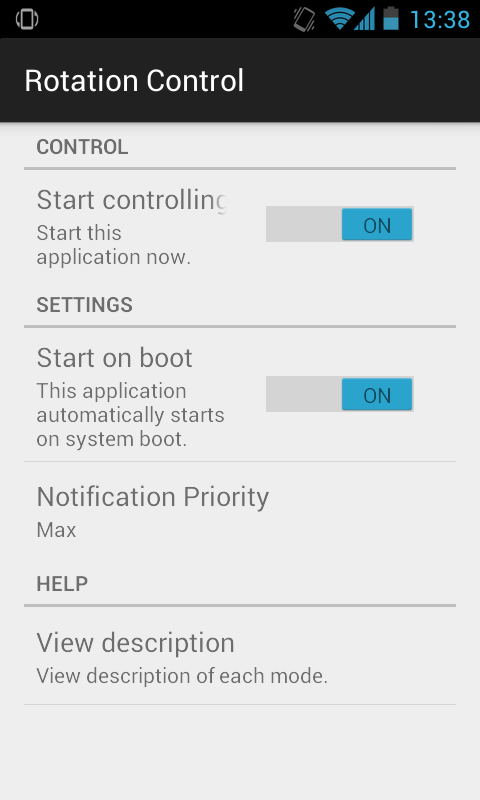
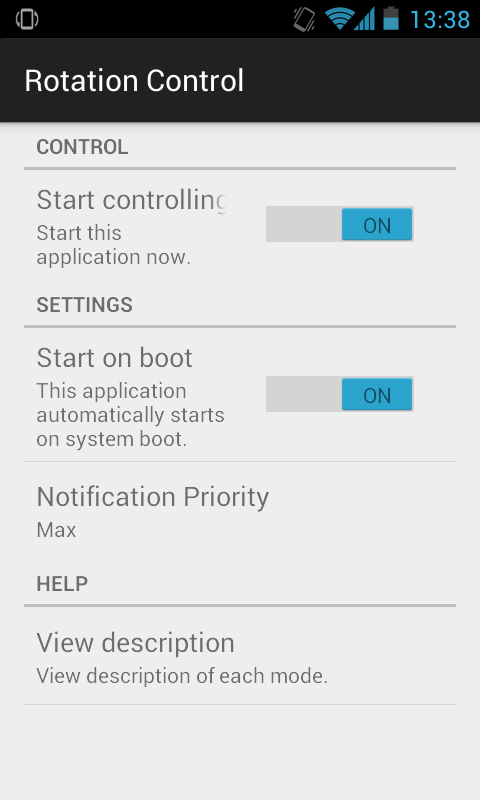
Rotation Control is a screen orientation control software designed for mobile devices. After locking the screen (e.g., landscape/portrait mode, auto-rotation), the software automatically prevents other software and games from changing the screen orientation. The software interface is very simple; users can easily select the locked orientation and mode with a single click, meeting various user needs. Regarding privacy, the software does not collect user data or information, and all functions can be used without login or registration.
Features of Rotation Control:
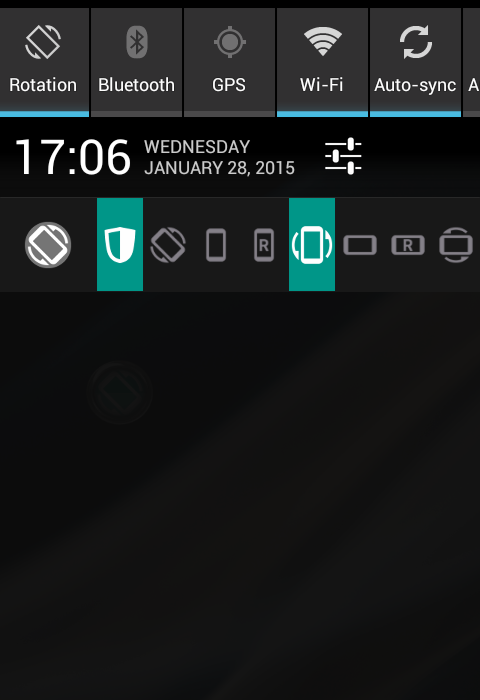
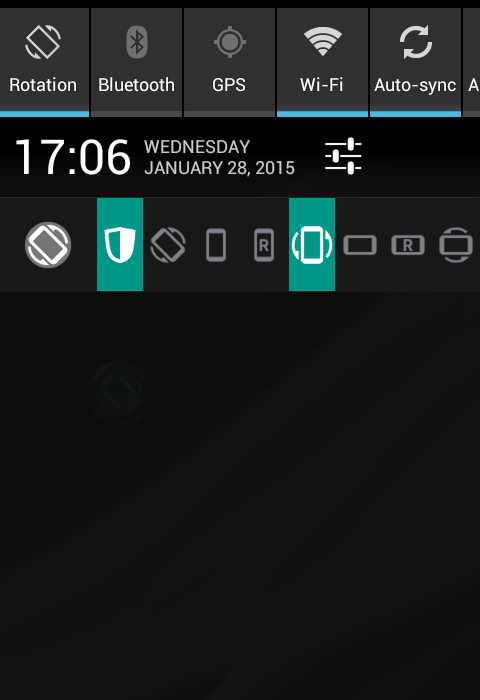
Notification controls for fast access: Rotation Control places one tap orientation buttons in your notification shade. You can customize which buttons appear, so the options you use most are always available. This layout helps you switch modes instantly while staying inside any app.
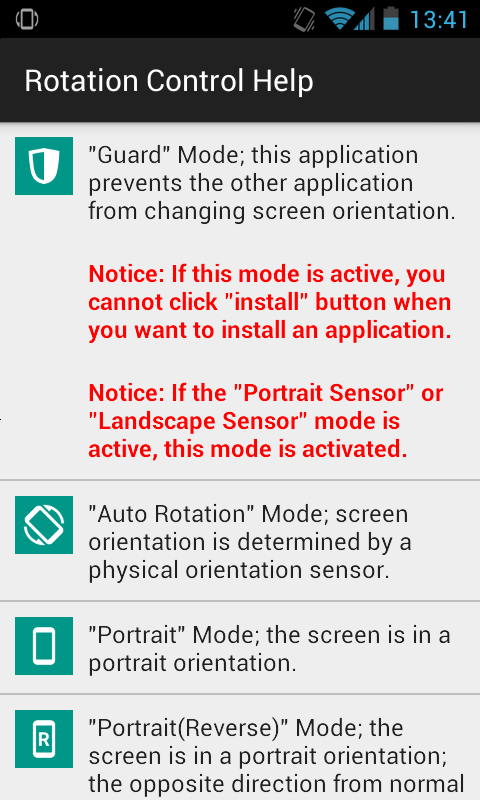
Complete orientation modes: The app covers common and extended orientations, including Auto Rotation, Portrait, Portrait Reverse, Portrait Sensor, Landscape, Landscape Reverse, and Landscape Sensor. You can fix the screen to a single direction or choose a mode that matches how you hold your device. This range gives you practical choices for daily tasks at home, at work, or on the move.
Sensor based direction within a fixed orientation: Sensor options keep the screen in portrait or landscape while using the device’s orientation sensor to flip between normal and reverse. This is helpful when the phone is upside down in a car mount or on a charger. You get a steady layout that still adapts to how you hold the device.
Privacy conscious design: The developer states that no data is collected and no data is shared with third parties. Rotation Control focuses on on-device behavior and does not require account sign in. This approach suits users who prefer simple tools that do not handle personal data.
Highlights of Rotation Control:
More Than an Auto-Rotate Toggle: The app can lock the display to standard or reverse portrait, standard or reverse landscape, or return control to the device’s orientation sensor. Separate Portrait (Sensor) and Landscape (Sensor) settings retain the chosen axis while allowing the sensor to flip between its two directions. That distinction is particularly helpful on tablets, stands, and phones used while lying down.Controls appear as a compact row of mode icons in the notification area, so changing orientation doesn’t require repeatedly opening the full app. Rotation Control best suits people who frequently encounter apps that insist on an inconvenient orientation, or who want landscape and reverse-portrait options close at hand.
Guard Mode Has One Important Catch: Guard mode prevents other apps from changing the current orientation. This is the app’s decisive feature: it addresses behavior that Android’s ordinary rotation lock does not always control consistently across applications.There is a practical complication. With Guard active, Android may prevent the Install button from being pressed when installing another app. Guard must be turned off temporarily in that situation. Some orientation modes may also be unavailable on certain devices, so the full menu is not guaranteed everywhere.
Focused Controls With Few Extras: Rotation Control stays centered on global orientation management rather than elaborate automation. Reports suggest it does not include an app blacklist, which means there may be no convenient way to exempt selected applications from its rotation rules. Anyone seeking different behavior for each app should account for that limitation.For straightforward manual control, though, the notification controls and detailed sensor modes cover the problem well. Rotation Control is a strong choice for Android users frustrated by unwanted screen flipping, provided they can tolerate Guard mode’s installation conflict and the lack of clear per-app exceptions.
User Reviews of Rotation Control:
Perfect, Free, and Adware Free! It requires no permissions and uses Zero data! Galaxy Note 20 Ultra. At first I thought since it was old it might not work, but once I went through its settings it works perfectly. You need to enable notifications for it, the Display On Top access, and enable it in the Accessibility section of your phone. Could've saved me a few bucks that I paid for a different app if I'd tried that first. The only thing it doesn't have is a 'blacklist' for apps to not to use it.
After the ability to control screen orientation directly was removed by Android I had tried various apps. This one has been the most reliable so far as it does not rely on auto rotate to be turned on. There are no annoying ads and it just sits in the notifications so you can always access it when you actually want to rotate the screen which is all I ever wanted in the first place and the feature which Android annoyingly removed! Good app.
Works great (if you follow directions during install)... No Ads...Simple to use.... Has the Ap Icon in top left of screen; just click on it and choose your screen orientation... Such as Upside Down... so you can charge your Samsung phone in your car and be able to stand it up in the center console or cup holder.... Great for those of us who despise bulky stupid phone holders used by distracted drivers who feel the need to see every stupid notification as they drive even just a mile down the road.
App works as described reliably. no ads is cool too. to force other apps to change orientation, you just need to press the shield icon, I was confused at first. also you cannot do stuff like press install app dialogue or grant certain permissions to other apps when guard mode is on, I believe it's an Android security feature, not the app's problem.
Conclusion:
In general, Rotation Control works like a charm on most devices. It is developed with convenience in mind, allowing users to easily set screen orientations from the notification drawer. You can enable Guard, as well, if you don’t want apps to change your desired rotation mode.
More Information
- Size:2.96MB
- Version:1.1
- Requirements:Android
- Votes:188
- Package Name:org.crape.rotationcontrol
- Signature:c74fc87772c10c9bed1b7693407f8db7
Related topics
-
Transform your mobile device into a powerhouse of efficiency with these handpicked essential tools. Whether you need professional-grade photo editing, seamless file organization, smart task management, or real-time weather updates, our curated selection of premium apps delivers unbeatable performance. Streamline your daily routine, automate repetitive tasks, and boost your productivity with intuitive interfaces and powerful features. Designed for both professionals and casual users, these editor-approved applications will revolutionize how you work and play. Don't settle for an ordinary phone - upgrade your digital experience today and unlock your device's full potential!
-
![NES.emu]()
NES.emu
-
![Screen Mirroring]()
Screen Mirroring
-
![MEye]()
MEye
-
![MiXplorer Silver File Manager]()
MiXplorer Silver File Manager
-
![HideX]()
HideX
-
![Parrot Downloader]()
Parrot Downloader
-
![RemakeFace]()
RemakeFace
-
![Alarmy]()
Alarmy
-
-
With the development of mobile hardware and software, many practical tool software have emerged, covering a wide range of aspects and becoming a good helper for everyone in work and life. Today, the editor provides you with a list of useful tool software downloads. These tools are not particularly complex types, and after reading them, everyone can quickly learn how to use them. Proper use can bring great convenience to life and work.
-
![Screen Mirroring]()
Screen Mirroring
-
![MEye]()
MEye
-
![MiXplorer Silver File Manager]()
MiXplorer Silver File Manager
-
![HideX]()
HideX
-
![Parrot Downloader]()
Parrot Downloader
-
![RemakeFace]()
RemakeFace
-
![Alarmy]()
Alarmy
-
![Multi Parallel]()
Multi Parallel
-









Latest Updated


Popular Apps








Popular News
More+-
![Tomie Wants to Get Married Full Walkthrough, All Choices and Ending Guide]()
Tomie Wants to Get Married Full Walkthrough, All Choices and Ending Guide
2026-05-22
-
![Karryn’s Prison Gameplay Walkthrough & Strategy Guide]()
Karryn’s Prison Gameplay Walkthrough & Strategy Guide
2025-10-28
-
![Life in Santa County Game Guide & Complete Walkthrough]()
Life in Santa County Game Guide & Complete Walkthrough
2025-10-28
-
![Dreams of Desire Complete Walkthrough and Game Guide]()
Dreams of Desire Complete Walkthrough and Game Guide
2025-10-28
-
![Era Hunter Gameplay Guide & Full Walkthrough]()
Era Hunter Gameplay Guide & Full Walkthrough
2025-10-28




