
Super Backup & Restore
Download for Android This app is available for Android only.- Category:Tools
- Rating: 4.6
- Language:English
- Updated:2026-09-07
Screenshots
Introduction
Super Backup & Restore is a backup tool designed for mobile devices. Users can back up important applications, messages, call logs, and more to an SD card and set important software to back up automatically, ensuring no important content is missed when preparing for initial setup. Users can also share backup information to other devices or send it to friends, reducing the possibility of data loss. The software boasts excellent compatibility, installing and working on the vast majority of mobile devices, and offers translations in multiple languages, allowing users to smoothly understand the various functions and tutorials.
Features of Super Backup & Restore:
Easy App Backup: Save APK files of your installed apps straight to your SD card. It lets you keep copies of your favorites, just in case you need to reinstall later.
Call Logs & Calendar Protection: Keep a backup of your call history and calendar events, so you always have a record handy—super helpful for work or planning.
Flexible Restore Options: Restore everything directly from your SD card, when and where you need it. Switching phones or doing a reset? You can bring your info back in a few taps.
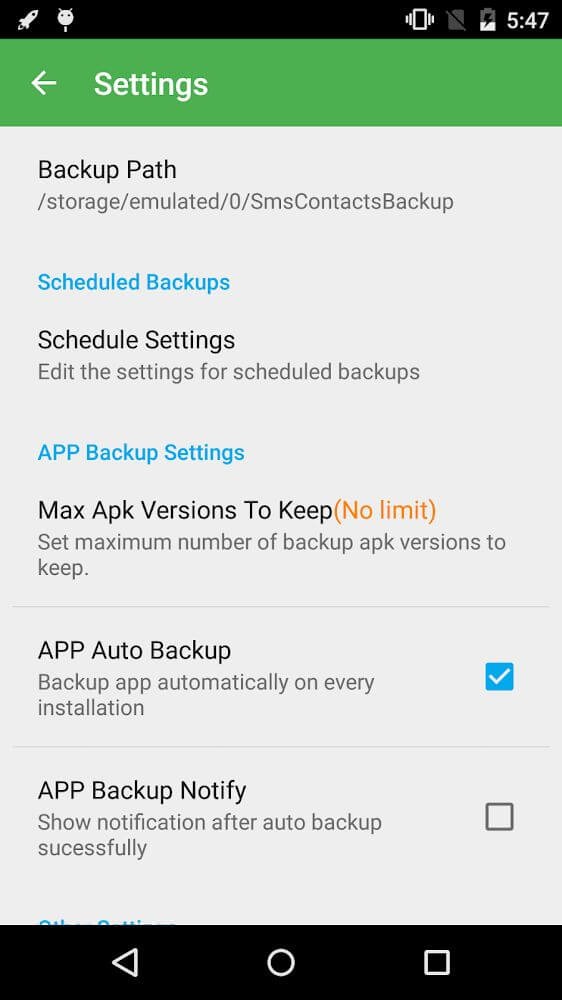
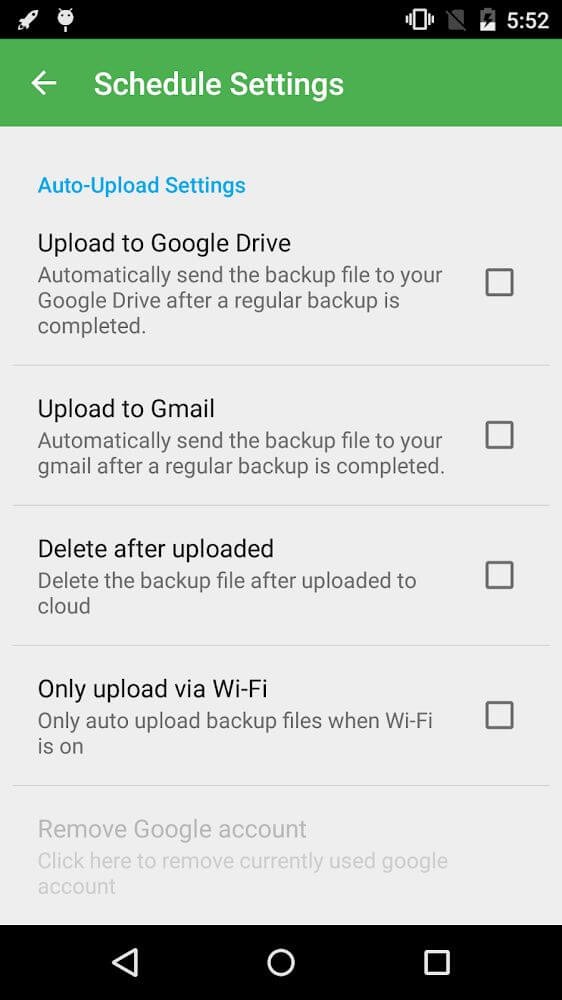
Automatic Scheduling: Set up automatic backups and forget about it. Just make sure to whitelist the app if you use memory cleaning tools, so backups happen without interruption.
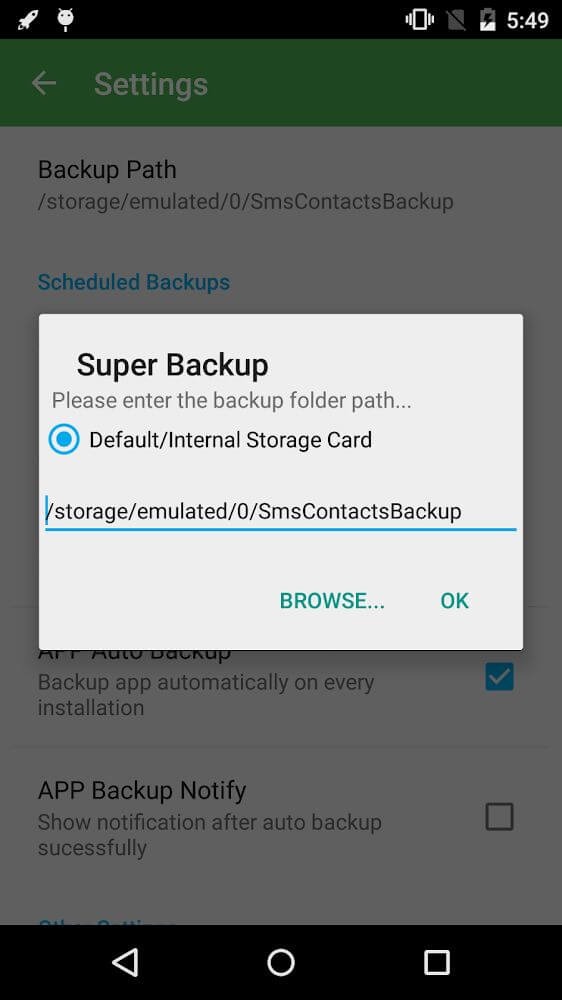
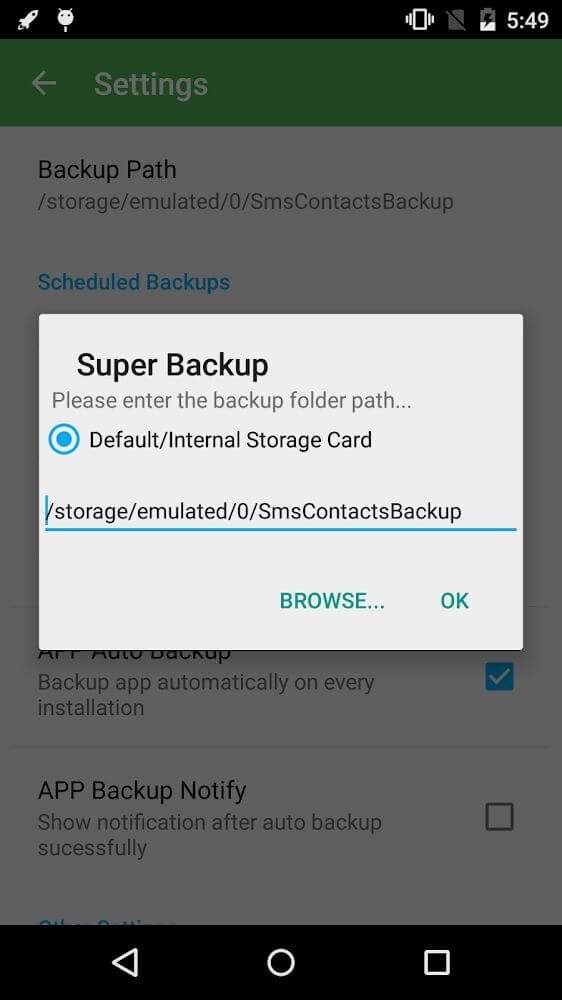
Move Your Backup Folder: Easily change your backup folder location to your external SD card for added peace of mind, especially if you’re doing any major phone cleanups.
Share App Installers: Quickly share the APK files of your favorite apps with friends, no internet required.
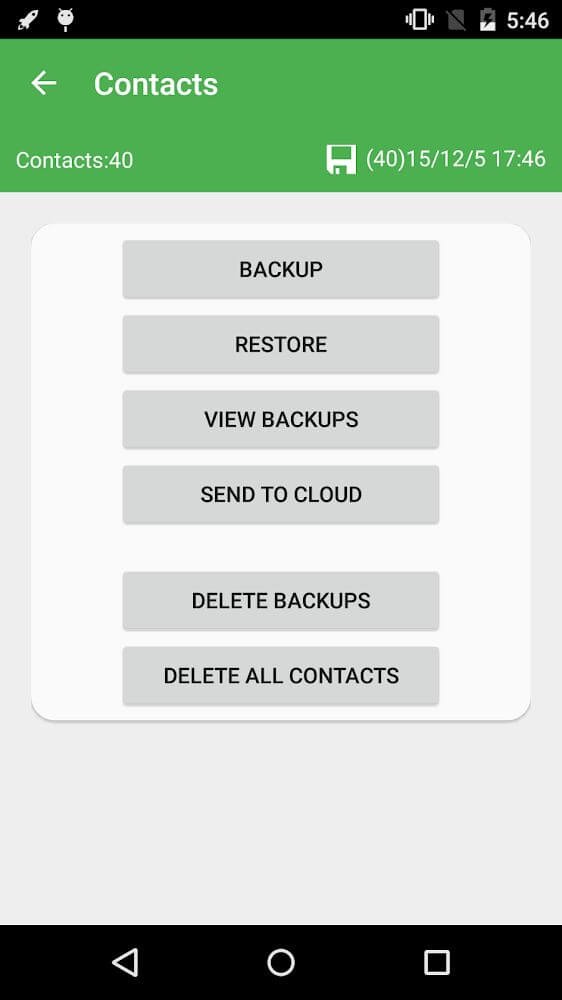
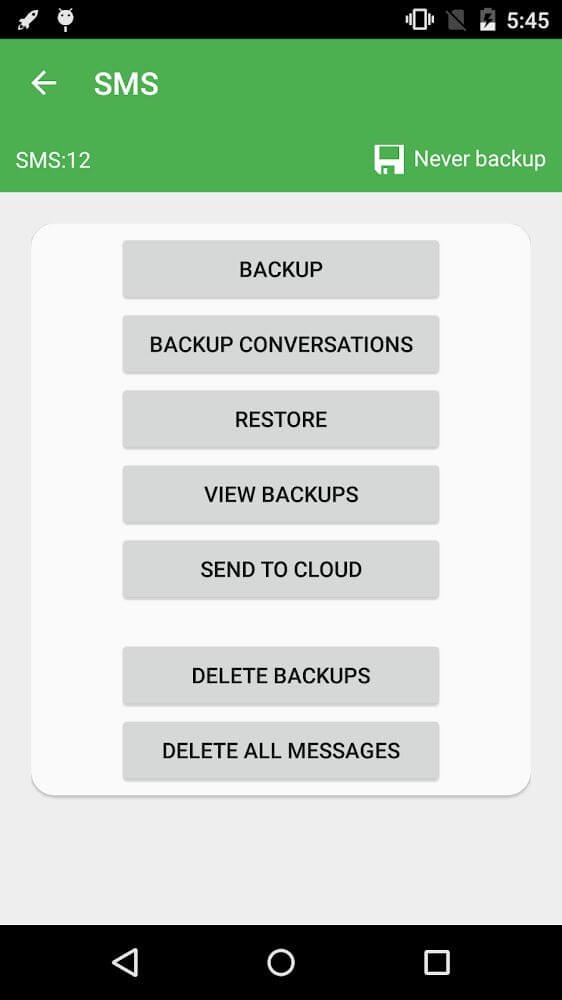
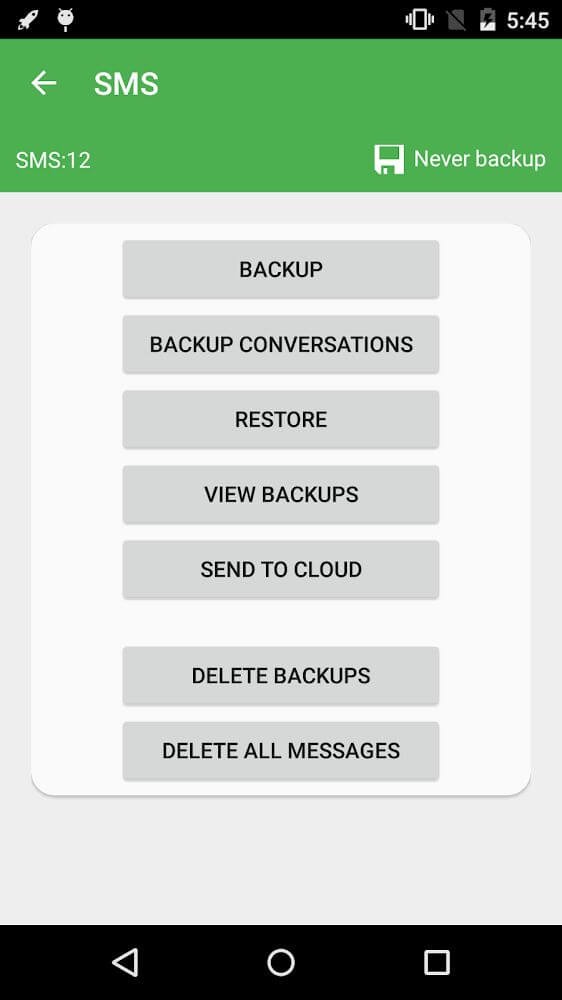
Contacts & SMS Backup: Safeguard your entire contacts list and old text messages. You can even pick specific conversations to protect, which is a lifesaver if you hate losing important threads.
Permissions of Super Backup & Restore:
READ YOUR TEXT MESSAGES (SMS OR MMS)/EDIT YOUR TEXT MESSAGES (SMS OR MMS): These permissions are used to backup and restore your SMS.
READ YOUR CONTACTS/MODIFY YOUR CONTACTS: These permissions are used to backup and restore your contacts.
WRITE WEB BOOKMARKS AND HISTORY/READ YOUR WEB BOOKMARKS AND HISTORY: These permissions are used to backup and restore your bookmarks.
READ CALENDAR EVENTS PLUS CONFIDENTIAL INFORMATION/ADD OR MODIFY CALENDAR EVENTS AND SEND EMAIL TO GUESTS WITHOUT OWNERS' KNOWLEDGE: These permissions are used to backup and restore your calendars.
READ CALL LOG/WRITE CALL LOG: These permissions are used to backup and restore your call logs.
RECORD_AUDIO: This permission is used to record your voice calls.
Location Permission: This permission is required for transferring backup files between devices using Wi-Fi peer-to-peer. Please note that we do not collect any of your location information.
User Reviews of Super Backup & Restore:
This app is just amazing. One of the first things to make sure you have on a new phone. It's incredible but it's almost like there's nothing it won't do that you need when it comes to making sure you lose nothing on your phone: Log your calls, texts, contacts, even your apps and photos with no mistakes no glitches and with Incredible speed. Seriously if you have ever lost a phone and lamented the loss of contents, you owe it to yourself to get this app. There's just nothing comparable on the market.
Very simple app but it does mostly all it's supposed to do, very easy to use and you can quickly back up all your app data in a few minutes, but you need to have a rooted device to copy the actual app data. I suggest adding a "General Media" option which would back up videos, images, and even downloads and other files.
I love this app! It's saved me a few times with situations needing proof of what, where, and when I have called someone or businesses! My messages are saved, I can forward them to my email to save and they are clear to hear... This app works best if used when speakerphone is in off mode however, if on speaker, make sure to have it half volume as it can distort a little bit at full volume, but you can still hear the messages. I love it... it's a life saver!!
Have now changed phones and also I have had to reset my phone a couple of times. The super backup work perfectly every time it added calendar contacts perfectly. I could also add any app I wanted to reinstall all is well. There some apps that you can't find on Play Store anymore so it's nice to have the old app that I can reinstall. it's also nice to have the old app in case a new update screws up. I can go back to the old version of the app.
Conclusion:
Using the steps provided, you can easily create a backup of all apps on your phone by transferring them to the SD card. Furthermore, you can freely share files with your friends, most simply and conveniently possible, which is especially useful given that this application will provide a very high level of protection for your data.
More Information
- Size:21.28MB
- Version:2.4.08
- Requirements:Android
- Votes:530
- Package Name:com.idea.backup.smscontacts
- Signature:6225669d47436cd975e551412bcc7ec9
Related Versions
-
 Download
Version:2.4.02Size:MB
-
 Download
Super Backup & Restore Premium
Version:2.4.03Size:14MB
-
Download
Version:2.4.06Size:20.0MB
Related topics
-
Transform your mobile device into a powerhouse of efficiency with these handpicked essential tools. Whether you need professional-grade photo editing, seamless file organization, smart task management, or real-time weather updates, our curated selection of premium apps delivers unbeatable performance. Streamline your daily routine, automate repetitive tasks, and boost your productivity with intuitive interfaces and powerful features. Designed for both professionals and casual users, these editor-approved applications will revolutionize how you work and play. Don't settle for an ordinary phone - upgrade your digital experience today and unlock your device's full potential!
-
![Device Id Changer]()
Device Id Changer
-
![Eye Color Studio]()
Eye Color Studio
-
![CPU-Z]()
CPU-Z
-
![Internet Speed Meter]()
Internet Speed Meter
-
![yuzu Emulator]()
yuzu Emulator
-
![Downloader & Private Browser]()
Downloader & Private Browser
-
![Link2SD]()
Link2SD
-
![BusyBox]()
BusyBox
-
-
With the development of mobile hardware and software, many practical tool software have emerged, covering a wide range of aspects and becoming a good helper for everyone in work and life. Today, the editor provides you with a list of useful tool software downloads. These tools are not particularly complex types, and after reading them, everyone can quickly learn how to use them. Proper use can bring great convenience to life and work.
-
![Device Id Changer]()
Device Id Changer
-
![Eye Color Studio]()
Eye Color Studio
-
![CPU-Z]()
CPU-Z
-
![Internet Speed Meter]()
Internet Speed Meter
-
![yuzu Emulator]()
yuzu Emulator
-
![Downloader & Private Browser]()
Downloader & Private Browser
-
![Link2SD]()
Link2SD
-
![BusyBox]()
BusyBox
-






Latest Updated





Popular Apps








Popular News
More+-
![Tomie Wants to Get Married Full Walkthrough, All Choices and Ending Guide]()
Tomie Wants to Get Married Full Walkthrough, All Choices and Ending Guide
2026-05-22
-
![Karryn’s Prison Gameplay Walkthrough & Strategy Guide]()
Karryn’s Prison Gameplay Walkthrough & Strategy Guide
2025-10-28
-
![Life in Santa County Game Guide & Complete Walkthrough]()
Life in Santa County Game Guide & Complete Walkthrough
2025-10-28
-
![Dreams of Desire Complete Walkthrough and Game Guide]()
Dreams of Desire Complete Walkthrough and Game Guide
2025-10-28
-
![Era Hunter Gameplay Guide & Full Walkthrough]()
Era Hunter Gameplay Guide & Full Walkthrough
2025-10-28




