

Link2SD
Download for Android This app is available for Android only.- Category:Tools
- Rating: 4.9
- Language:English
- Updated:2026-09-03
Screenshots
Introduction
Link2SD is an application manager designed for mobile devices. It not only connects software and game data and important information from the device to the SD card, but also supports batch management of applications, such as clearing cache, moving, and deleting, saving users time. Users can freeze the system and software at any time or add device locks to protect important information and software. It also has a built-in search function; users can quickly find the information they need by simply entering the corresponding name and view its information and permissions with a single click. The software also includes a built-in restart manager, making it convenient for users to perform shutdown, normal restart, and even formatting operations.
Features of Link2SD:
Free up space for all your apps: You can move user apps to the SD card even when they do not natively support it. Link2SD can automatically link new installs and lets you set a default install location to help manage future apps. This approach lowers the chance of running into low storage warnings once you start adding more titles and tools. It also reduces manual work over time.
Robust app manager with batch actions: Link2SD includes batch link, unlink, move, reinstall, and uninstall actions for faster cleanup. It shows which apps support native App2SD and notifies you when a newly installed app is movable. These summaries make it easier to decide what to move and what to leave in internal memory. As a result, routine maintenance is quicker.
System-level controls when needed: Link2SD lets you remove unwanted system apps, freeze or unfreeze items, and convert apps between system and user status. You can integrate updated system apps into the ROM so they replace older bundled versions. These controls help you keep the system lean and consistent. Use them carefully and only when you understand the impact.
Storage and cache tools for everyday cleanup: Link2SD offers a one tap cache cleaner that works even without root for cache-only tasks. In the Plus edition, you can enable automatic cache cleaning and use a cache widget for quick checks. Storage dashboards show usage across internal and external memory, and alerts warn you about large cache sizes. Together these tools support regular housekeeping.
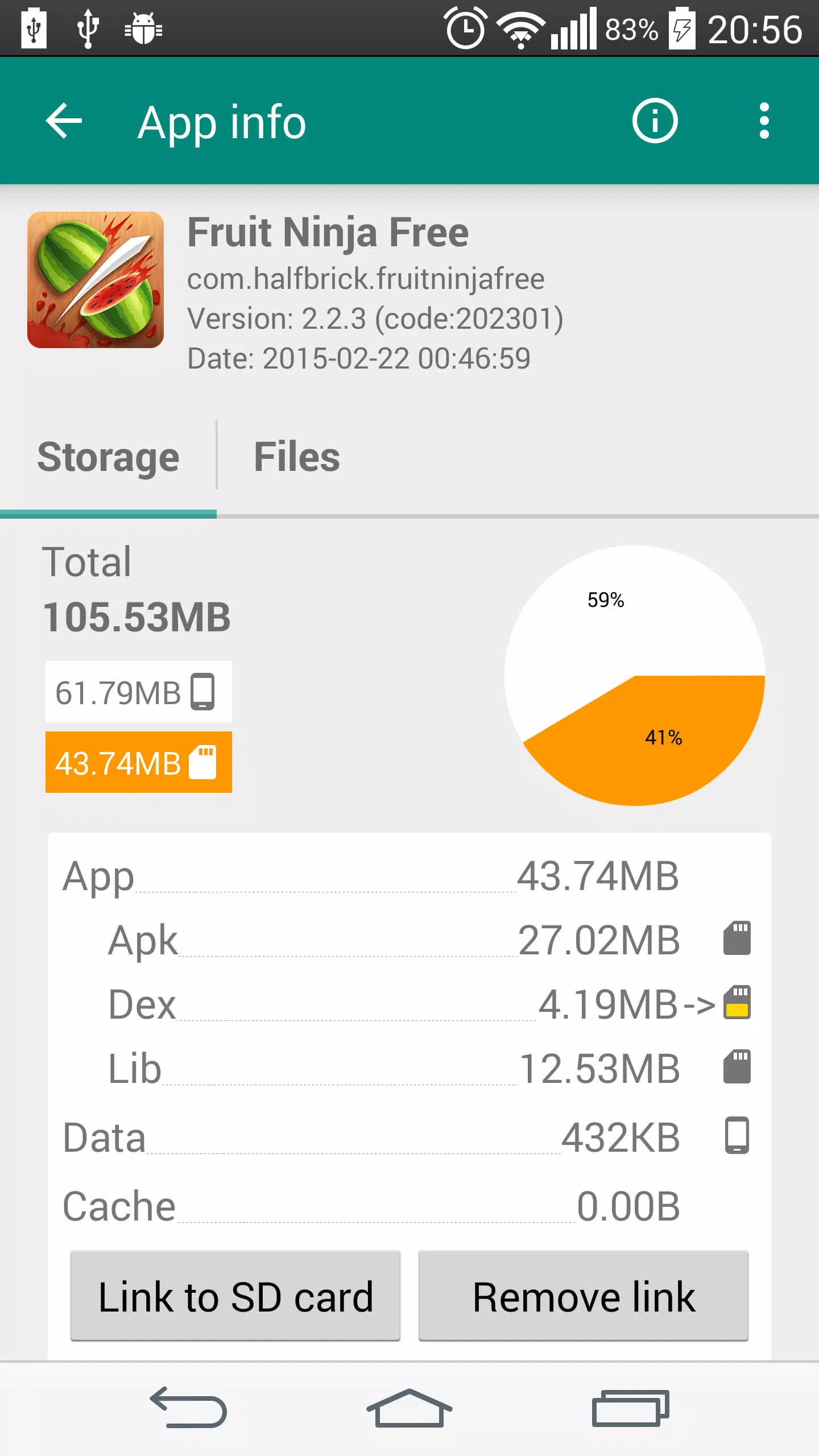
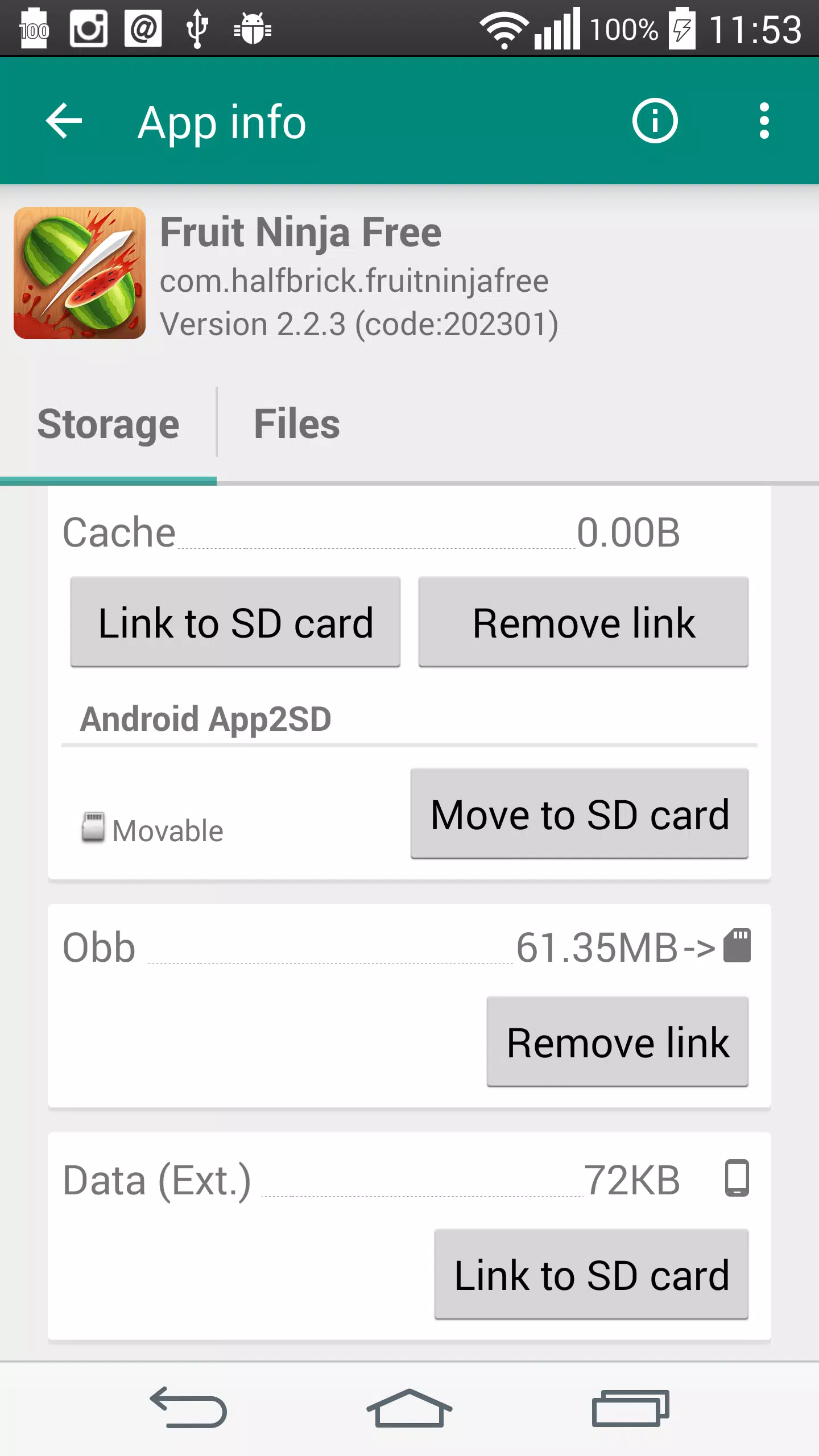
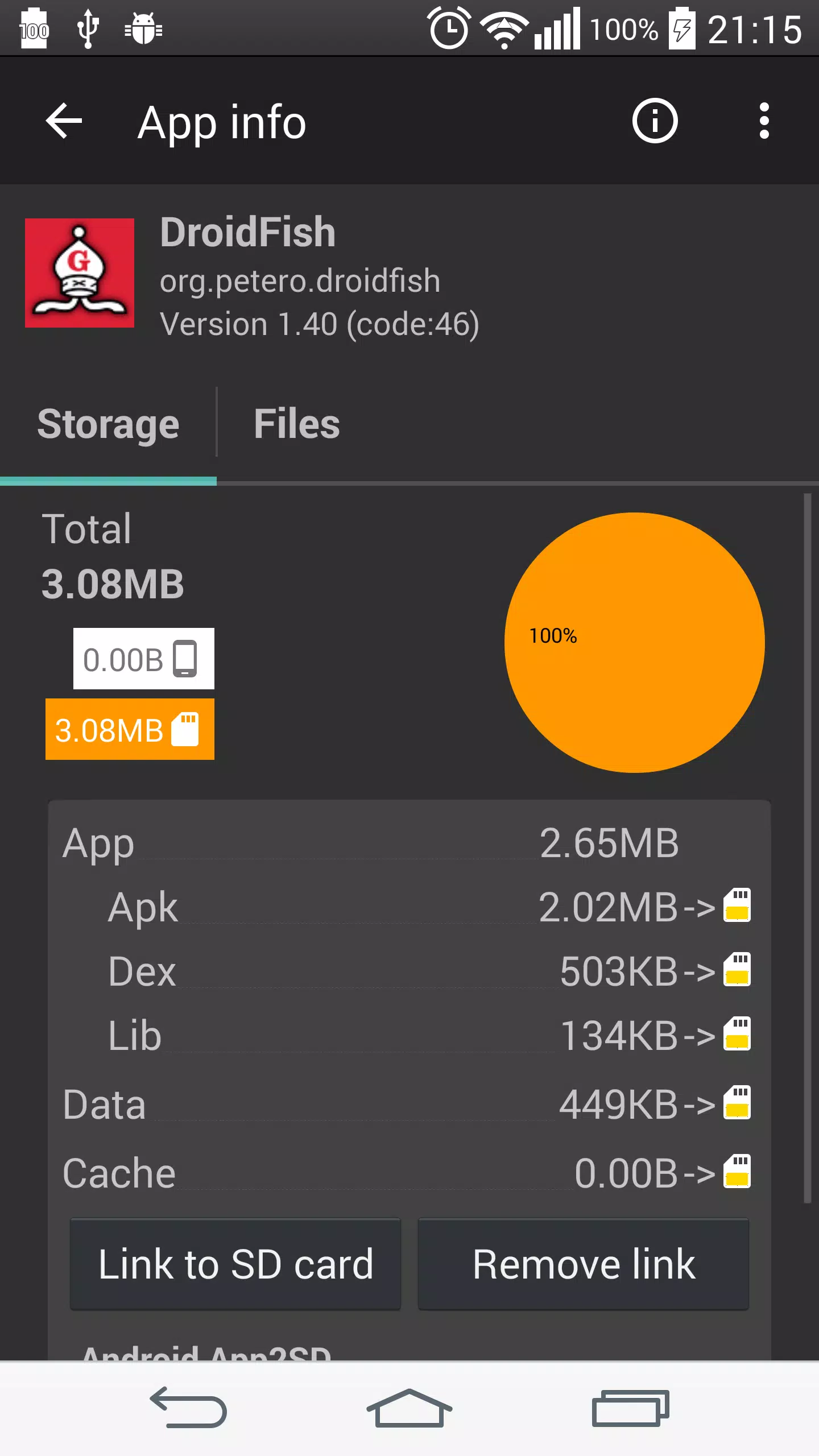
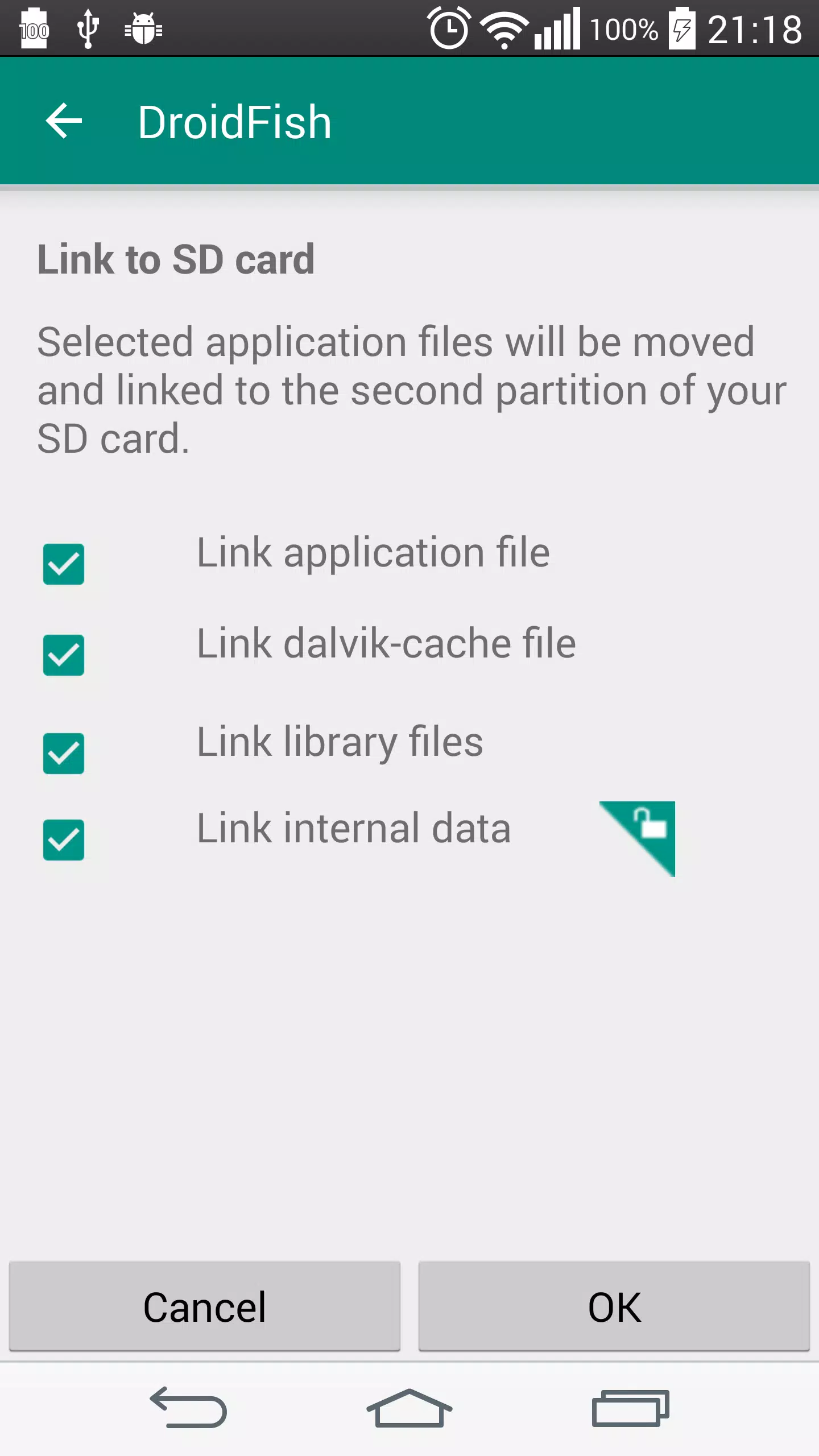
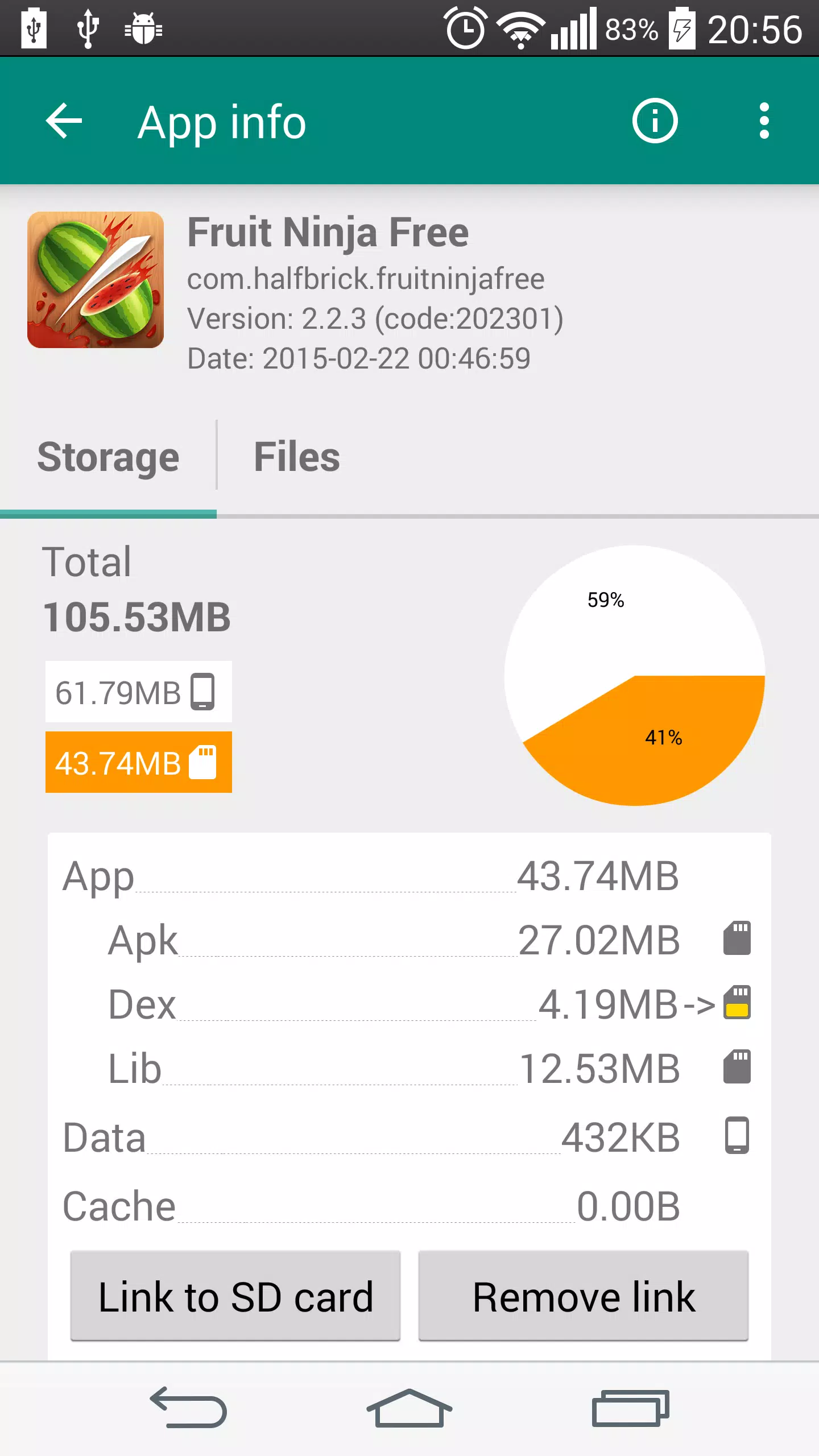
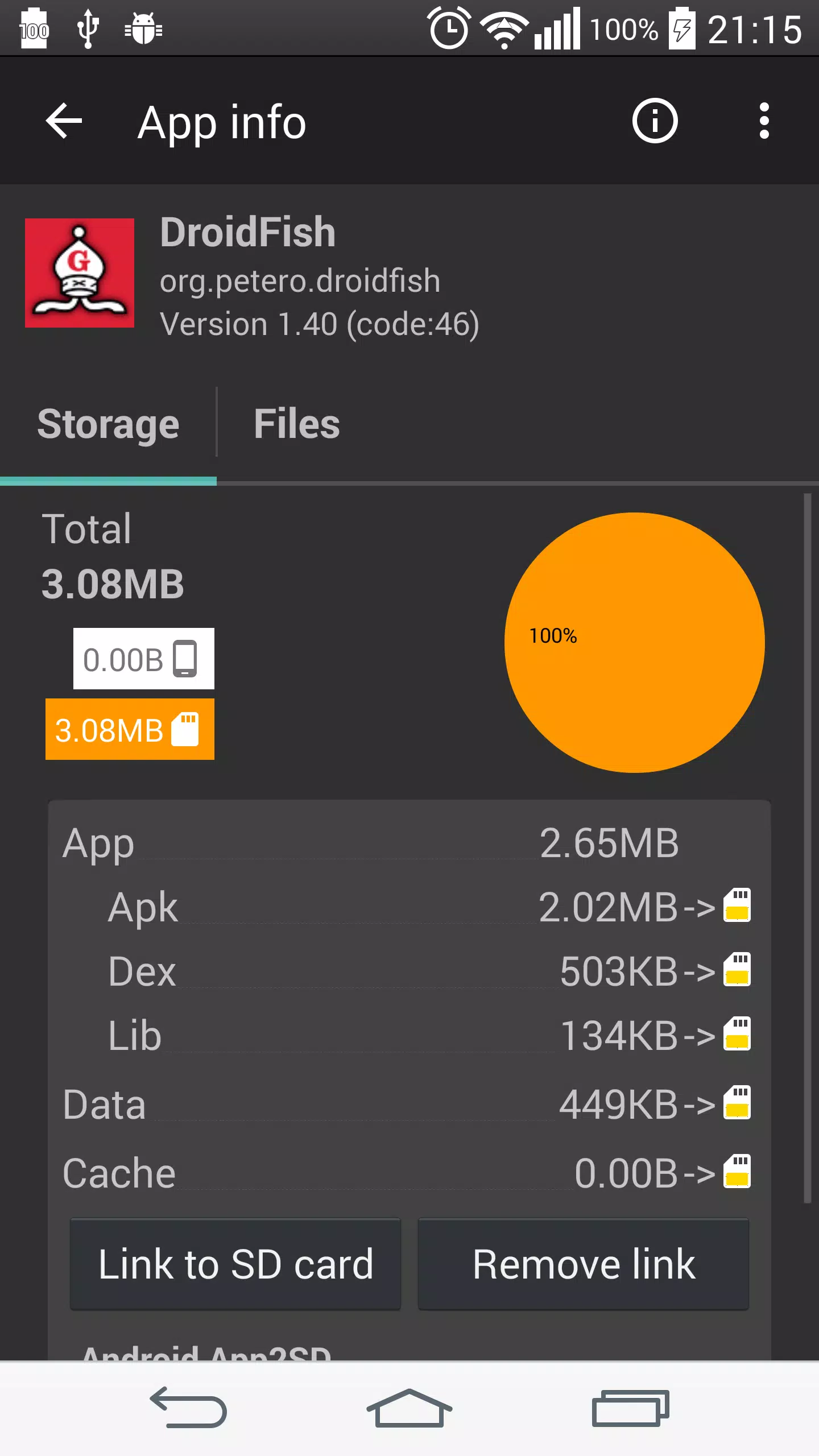
Deep app linking to the SD card: Link2SD can link core app files such as APK, DEX, and library files to a second partition on your SD card. It keeps symbolic links so the system still sees the original paths while the actual files live on external storage. In the Plus edition, you can also link internal data, OBB files, and external data folders for even more space savings. This design reduces internal memory usage while keeping apps accessible.
Functions of Link2SD:
Move Game Data & OBB: Shift big game folders to your SD card (1st or 2nd partition) to reclaim internal space. Plus feature for full control.
Auto-Link New Installs: Set it and forget it—new apps can be linked automatically as they’re installed.
Force Move & Install Defaults: Move apps that don’t normally allow SD moves and choose where new apps install by default.
Batch Controls: Link, unlink, move to phone/SD, reinstall, or uninstall several apps at once to save time.
System App Toolkit: Freeze or unfreeze apps, remove bloatware, convert system apps to user apps (and back), and fold updated system apps into the ROM.
Cache & Data Cleaning: One-tap clear all app caches (no root needed), batch wipe cache/data, set exclusions, get alerts when cache gets too big, and use handy widgets.
Reboot Manager: Power off, normal reboot, hot reboot, recovery, or bootloader—plus a one-tap reboot widget.
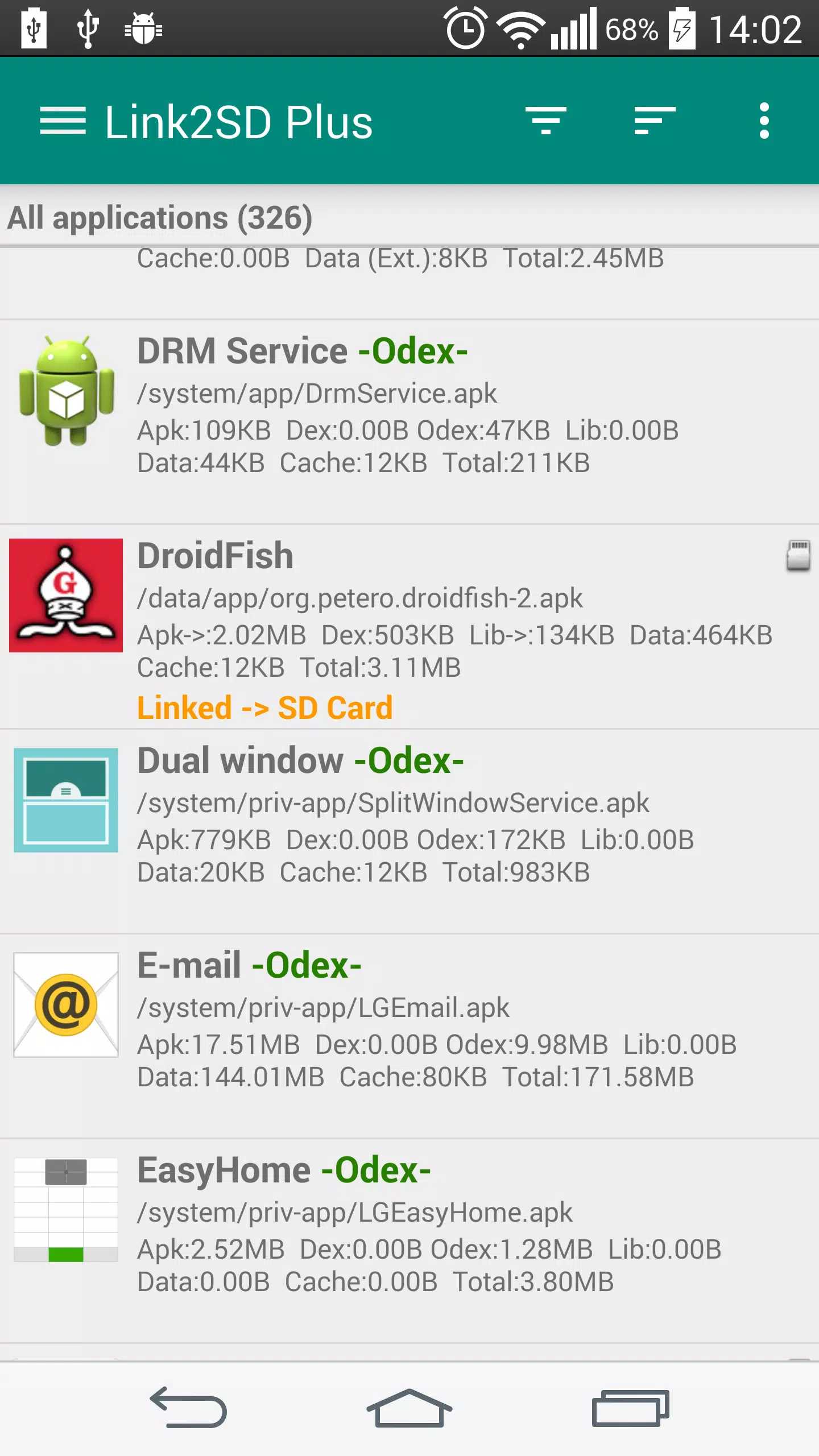
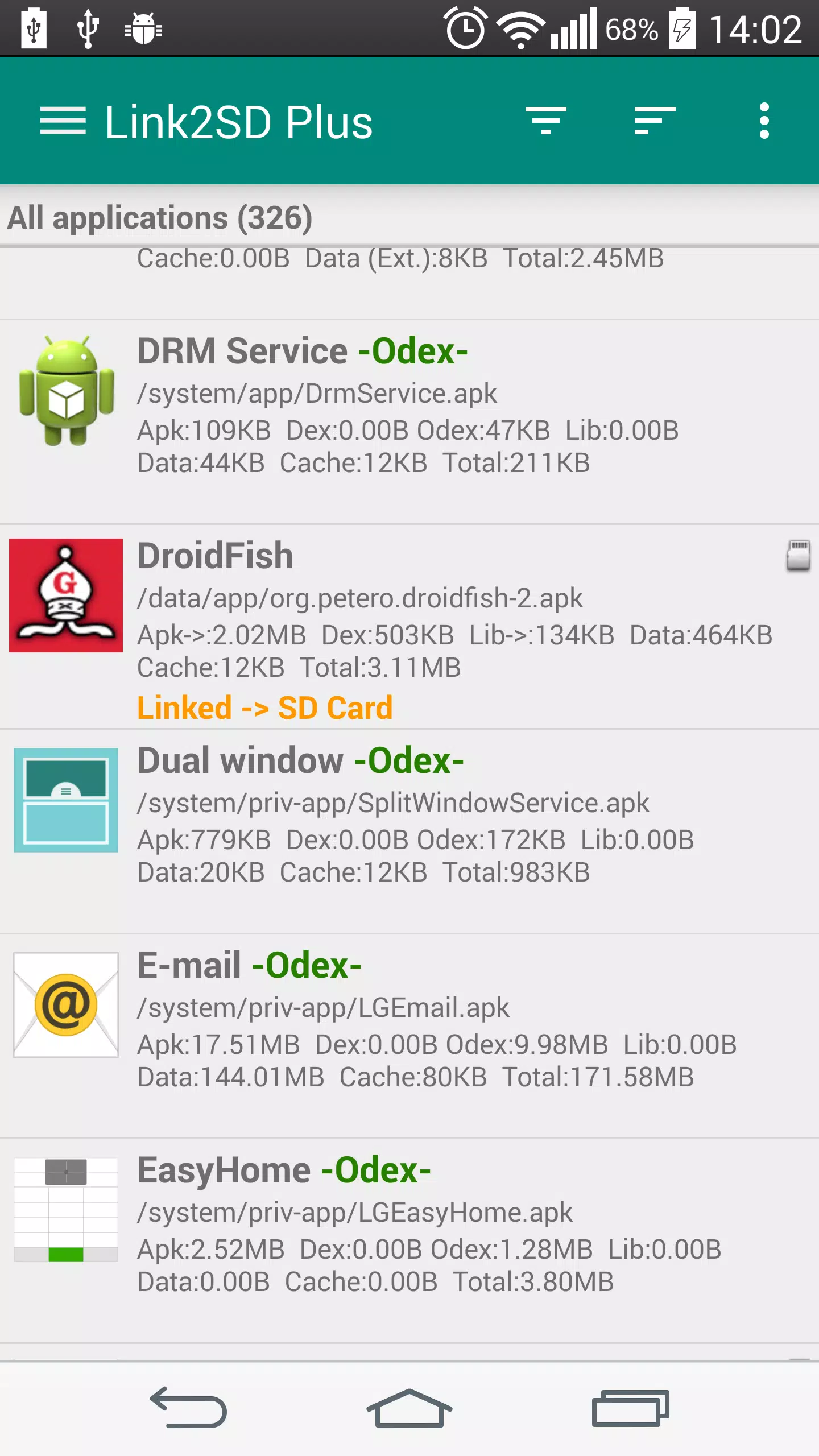
Storage at a Glance: See detailed sizes, link status, and free space across internal storage, your SD card, and a second partition; sort, filter, and search with ease.
Share & Shortcuts: Share Play Store links or APKs and create shortcuts for quick access.
User Reviews of Link2SD:
After trying all the apps that do this , a while back this one didnt work . But its fixed now for androud 6+ . After coming back to it , it really does have some nice features that the others dont . The option to auto clear cache at a chosen time interval is awesome ! Phone will stay fast and i have to do nothing ! That alone makes this app above the rest .
I can assure people out there, that this is the best link app out there. I have tried and paid for other link apps, but they all disappoint me. I just keep coming back to this app. Really user friendly and effective. I purchased the plus key. Don't waste your time. Download Link2SD and Aparted (for partitioning) and you are set to go! 5+ star!
Worked perfectly in Xiaomi Redmi Note 3 (Jellybean). Make internal storage more spacious by integrate updated apps back into system partition and move big user apps into preformatted SD card. It can also disable/uninstall/move system bloatwares. Unfortunately, no longer worked on Note 8 (Android 10), since you can only mount root, not /system (hardcoded in the apps) in Android 10. So, no more integrate update, uninstall or move system apps. You can still use it to disable apps though.
Purchased PRO KEY support Dev....At one time, A must have app! Issues- On Oreo seems to having Trouble with making the 2nd Partition to work correctly. Android 10, have yet got this working! Wish I could though. Again, still awesome APK to have, when she works. Even putting both apps (this and the key) in to the system, still can't get it working on Android 10. Hate saying bad things about any app, but I am still trying to get it to work proper.
FAQs of Link2SD:
Q. How to get root permission?
The rooting process varies from device to device, look at the following forums for a working method on your device.
Q. How can I check whether my phone is properly rooted?
The simplest way to check if you have root privilege is to run "su" command in the shell (terminal). If you don't have a terminal app you can install free "Android Terminal Emulator" application from the Google Play.Type su and press enter in the terminal, superuser request window should be popped up and when you allow it, the prompt character should change from '$' to '#'. The pound sign (#) is the typical symbol used to indicate that you are now running commands as root. If you see something different, your phone is not properly rooted.
Q. I get "Mount script cannot be created. cannot create /system/etc/install-recovery.sh: not enough memory" error.
Some HTC devices are "NAND locked". On "NAND locked" (or "S-ON") devices the /system partition is write-protected by the bootloader and thus cannot be modified even if you have root privileges. In order to use Link2SD you need to do "S-OFF" to disable this NAND lock. (a.k.a. "NAND unlock" or "unlocking the bootloader")
Q. Is busybox required for Link2SD?
No, not required.
Q. I've installed link2SD and it is moving the apps to the main partition of SD instead to the 2nd partition.
Click "Create Link" to move and link applications to 2nd partition with Link2SD. You can see "Linked -> SD card" label for linked apps. If you click "Move to SD" app will be moved to first partition with native app2sd method of Android OS. This is same as going to "Manage Applications" and then clicking "Move to SD". You can see "on SD Card" label for those apps.
Q. I get error with the mounting of my Ext partition. It says device busy.
Your second partition may be already mounted. Most probably your rom has already builtin a2sd, try to disable a2sd on your ROM.
Summary:
So, there you have it! Link2SD is a fantastic tool for any Android user who wants to manage their device’s storage space better. It’s easy to download, simple to use, and it keeps your phone running smoothly. With Link2SD, you can say goodbye to those annoying ‘Storage Full’ notifications and hello to a happier Android experience.
More Information
- Size:3.78MB
- Version:4.3.4
- Requirements:Android 2.3+
- Votes:229
- Package Name:com.buak.Link2SD
- Signature:8025e6fdd558795e6772e1355e19a845
Related topics
-
Transform your mobile device into a powerhouse of efficiency with these handpicked essential tools. Whether you need professional-grade photo editing, seamless file organization, smart task management, or real-time weather updates, our curated selection of premium apps delivers unbeatable performance. Streamline your daily routine, automate repetitive tasks, and boost your productivity with intuitive interfaces and powerful features. Designed for both professionals and casual users, these editor-approved applications will revolutionize how you work and play. Don't settle for an ordinary phone - upgrade your digital experience today and unlock your device's full potential!
-
![Downloader & Private Browser]()
Downloader & Private Browser
-
![Link2SD]()
Link2SD
-
![BusyBox]()
BusyBox
-
![Speedtest]()
Speedtest
-
![GFX Tool]()
GFX Tool
-
![Samsung Voice Recorder]()
Samsung Voice Recorder
-
![Happy WiFi]()
Happy WiFi
-
![HomeSafe View]()
HomeSafe View
-
-
With the development of mobile hardware and software, many practical tool software have emerged, covering a wide range of aspects and becoming a good helper for everyone in work and life. Today, the editor provides you with a list of useful tool software downloads. These tools are not particularly complex types, and after reading them, everyone can quickly learn how to use them. Proper use can bring great convenience to life and work.
-
![Downloader & Private Browser]()
Downloader & Private Browser
-
![Link2SD]()
Link2SD
-
![BusyBox]()
BusyBox
-
![Speedtest]()
Speedtest
-
![GFX Tool]()
GFX Tool
-
![Samsung Voice Recorder]()
Samsung Voice Recorder
-
![Happy WiFi]()
Happy WiFi
-
![HomeSafe View]()
HomeSafe View
-







Latest Updated





Popular Apps








Popular News
More+-
![Tomie Wants to Get Married Full Walkthrough, All Choices and Ending Guide]()
Tomie Wants to Get Married Full Walkthrough, All Choices and Ending Guide
2026-05-22
-
![Karryn’s Prison Gameplay Walkthrough & Strategy Guide]()
Karryn’s Prison Gameplay Walkthrough & Strategy Guide
2025-10-28
-
![Life in Santa County Game Guide & Complete Walkthrough]()
Life in Santa County Game Guide & Complete Walkthrough
2025-10-28
-
![Dreams of Desire Complete Walkthrough and Game Guide]()
Dreams of Desire Complete Walkthrough and Game Guide
2025-10-28
-
![Era Hunter Gameplay Guide & Full Walkthrough]()
Era Hunter Gameplay Guide & Full Walkthrough
2025-10-28




