

Infinite Painter
Download for Android This app is available for Android only.- Category:Lifestyle
- Rating: 4.8
- Language:English
- Updated:2026-09-07
Screenshots
Introduction
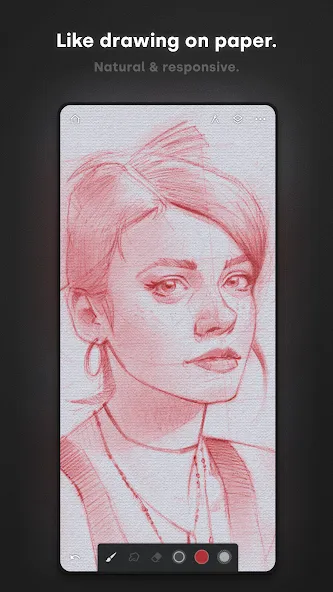
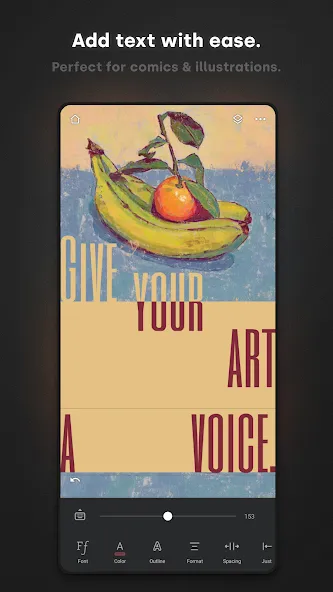
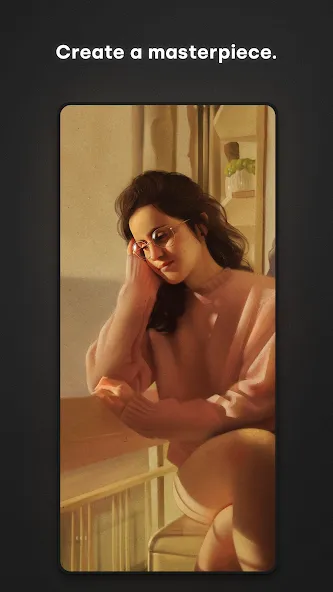
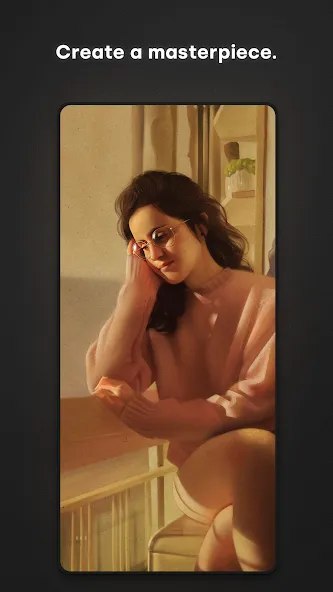
Infinite Painter is a painting software designed for creators. It runs smoothly on mobile devices and tablets, allowing users to create canvases of different sizes with a simple click. With hundreds of builtin colors and brush types, users can unleash their imagination, create different layers, and flexibly use tools such as gradients, fills, and flips to complete their creations. Users can then export their work to their devices or share it with friends. The software also offers rich customization options; you can freely import and export brush types of interest and search through millions of different images to find and download them to your device. Furthermore, the software boasts a vibrant community where you can share your paintings, interact with other users, and draw inspiration, making creation easier.
Features of Infinite Painter:
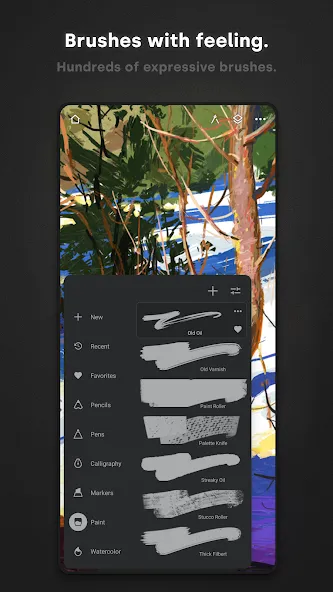
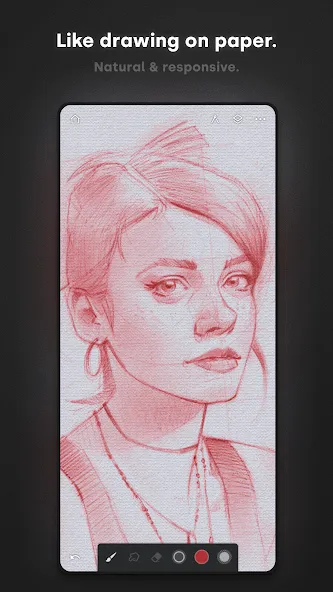
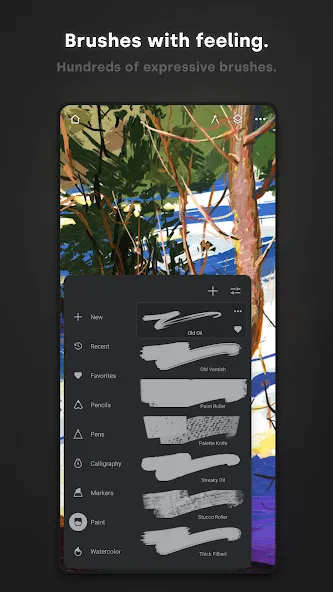
Brush engine and control: Infinite Painter includes hundreds of built in brushes with deep settings. Strokes feel natural on the canvas, and you can fine tune shape, texture, and dynamics. On supported Android devices, the Infinite Painter APK recognizes pressure and tilt for accurate lines and shading. You can also import or export custom brushes and organize them into sets.
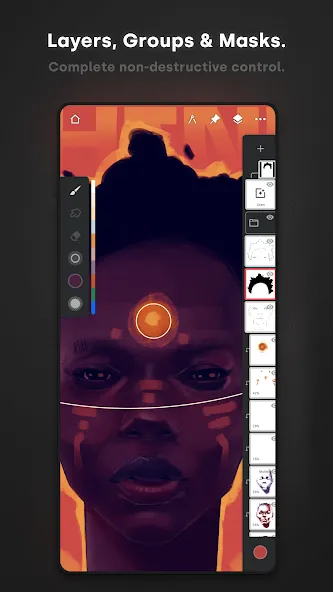
Workspace and gestures: You can keep the screen clean and adjust panels to match your flow. Assign different actions to finger input and your stylus. Dock brush settings for quick edits and use the eyedropper at a tap. Rotate or flip the canvas with simple gestures, expand or collapse layers, and group related layers when projects grow.
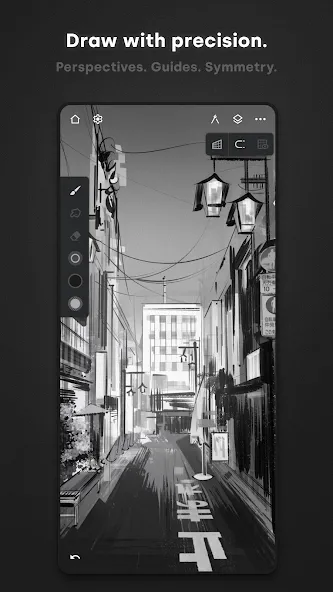
Guides and perspective: When you need precision, symmetry modes support simple or complex patterns with radial or kaleidoscope options. Guides and shapes help you draw straight lines and curves, and pausing can snap a sketch into a clean shape. Perspective tools include multiple guides, isometric layouts, and the ability to drag rectangles or circles that fit the scene.
Editing and workflow: Selection and masking tools let you target parts of the image, and transformations can affect single or multiple layers. Fill tools cover gradients and patterns with live tolerance control. A canvas preview can flip or show grayscale to check proportions. You can record a timelapse, import from photos or camera, and export JPG, PNG, WEBP, PSD, ZIP, or project files.
Useful Tips of Infinite Painter:
Get to know your brushes: Final line art is a great way to solve problems and refresh your design. But when it’s time to build the layer structure for painting, open the Brush palette and use the Solid Fill brush to fill in the silhouettes of your characters or environment. I use the Solid Fill as both the brush and eraser.If you have a dynamic scene that has a unique vanishing point, try using our Perspective Grid tools. By turning off the Magnet I was able to use the grid as a guide for the dragon’s towering body while turning the Magnet back on locked the architectural drawing into perspective.If you create a new layer above the silhouette, you can then use a Clipping Mask to add detail to the layer below without altering your original silhouette. Simply tap the Layer icon in the Layer palette and then clip your render pass to the layer or group below.
Dock your Color Wheel: Here’s a tip to speed up your colour picking. Pick your Brush tool, then open your Color Wheel and with two fingers grab the wheel to dock it on to the canvas. Notice the Sun icon on the wheel: try clicking it and turning the wheel. When the Sun icon is active, the value of the colour choice will stay the same as you spin the wheel. When spinning the wheel without the Sun icon active, see how a yellow colour is brighter than a blue and how the colour dot no longer adjusts the value automatically.
Import reference imagery: Click the three buttons at the topright corner to open the Options menu and hit Import. This gives you the option to load an image from your gallery, clipboard or even take a photo with the device’s camera. Once you’ve made your photo selection, you can import it as a Layer or Reference: choose Reference. Now your inspiration will float above the canvas. You can resize it, flip it and toggle its visibility by clicking the Pin icon on the topright of the screen.
Create a custom oil brush: The most important feature to customise in a paintbrush is the head shape. Think of the head like stamping a brush with black ink. In greyscale, try to capture the clusters of bristles on a white layer. With the Lasso tool, select your brush head shape and on the right of the Lasso functions click +Brush. Now go to the head section of your brush and change the head to your black and white stamp. Play with the other Brush Creator settings to finalise the feel of your new tool.
Use smart lines and shapes: Infinite Painter has a wonderfully useful setting that makes it possible for you to activate predictive shapes by holding down the stylus at the end of a stroke. The system can detect all sorts of shapes such as lines, arcs, ellipses, rectangles and even complex paths. The curved lines in this copy of a Monet masterpiece were beyond my skill set. With one single Smart Curve activated, I moved the pins into position to create the curved lines in the architecture and golden frames, then cloned the line by tapping the Stamp icon and moved those new pins down to the next horizontal curve.
User Reviews of Infinite Painter:
Good App!! very complete in terms of features. if I could as for a feature tho, I would ask for the ability to move the canvas around using a mouse (like how PC you click in scroll wheel, or even mapped to right click would be fine). so that I'm not swapping between my mouse and 2 fingers to move canvas. (I know moast people probably use stylus or finger but I love my trackball mouse).
I had a great time using it, and as a beginner artist, I find it quite straightforward. While I did encounter a few issues, I believe they might be on my end. Occasionally, when I exit and return to the app, my drawings change color, which can be a bit disappointing since it sometimes leads to losing a lot of progress. I really hope this gets resolved soon. Overall, though, I'd still give it five stars! edit: Sometimes this app crashes and it save my drawing and mistakes automatically. but fine.
Definitely my favorite drawing app, so easy and comfortable to use. Results are always amazing and the variety of brushes and features to use for free is just amazing. However the laso tool hasn't worked for me in months, I thought maybe it was something I just had to wait out but there has been no progress other than it working once then stopping. I have no idea if it's a my device thing or if it's an app thing. Also more layers would definitely make the experience a little better.
this is a really reliable app. It brings back my interests in arts. I've tried ibispaint, sketch and other apps and this app is one of my top 5 recommended digital art. It has so many brushes, you can adjust the graphics, colors, size and have so many other features too, you can save your art even if you leave the app and when you come back it's still there. I'm still trying to get used to it, so, I'm looking forward to it.
FAQs of Infinite Painter:
I cannot install Infinite Painter on my Huawei device. What can I do?
Sadly, this situation is complicated. As a USbased company, Infinite Studio and all its products are bound to US laws which currently hold several restrictions against Huawei and its operating system, Harmony OS.We will keep the community updated on this issue, but currently there is no way for us to support Infinite Painter on Huawei/Harmony OS.
Can I install Photoshop or Procreate brushes in Infinite Painter?
Unfortunately, no. Infinite Painter uses a completely different brush engine than most other programs and applications, and the brushes are not compatible with each other.
I have bought a new Android tablet; how can I transfer my projects from my old Android device?
Currently, you can import and export individual projects, brushes, and other Infinite Painterrelated files directly in the app. We are investigating improvements to this system for future versions of Infinite Painter to make this process more efficient.
Google Play tells me that Infinite Painter is not compatible with my device, what can I do?
Infinite Painter requires Android 7 or higher to be installed, but there are other requirements that may exclude your device. Please, make sure that your device is compatible with Google's Play Protect system. Rooted or nonstandard system versions may render your device partially incompatible with Google Play services.
Where are my projects stored?
Infinite Painter stores its data only locally, in the internal storage of your device. On iOS devices and Android 10 (or higher), the location of the projects is not accessible from outside of the application. If you want your projects transferred to another device or backed up, you have to export (share) each project individually, and send it to the other device with a file manager.
Final Verdict:
As an art enthusiast, I am always looking for new tools to unleash my creativity. I discovered the Infinite Painter application and was completely conquered by its diverse and powerful features. As soon as I opened the application, I was overwhelmed by the rich treasure of filters and effects. I can transform my painting into countless different styles, from classic to modern, from abstract to realistic. Each filter brings a new and unique feeling, helping you convey emotions and ideas more fully.
More Information
- Size:76.67MB
- Version:7.2.9
- Requirements:Android
- Votes:153
- Package Name:com.brakefield.painter
- Signature:10e968f48c1bff1e0d4418ef55170ee3
Related Versions



Related topics
-
A healthy lifestyle is about more than just proper nutrition and consistent exercise. Getting enough sleep, taking care of your body and mind, and managing things like medications and doctor’s appointments also play important roles in staying healthy. A good app can be a great way to manage it all. That’s why Healthline tested a variety of different healthy lifestyle apps. We chose the year’s best based on content, reliability, and user reviews.
-
![JOYit]()
JOYit
-
![Infinite Painter]()
Infinite Painter
-
![Cashzine]()
Cashzine
-
![Daylio Journal]()
Daylio Journal
-
![BeatO]()
BeatO
-
![Study Bunny]()
Study Bunny
-
![TATA 1mg]()
TATA 1mg
-
![Dog Scanner]()
Dog Scanner
-
-
Take charge of your daily routine with the most innovative lifestyle apps of 2024. Elevate your fitness, mindfulness, and nutrition with cutting-edge workout, meditation, and meal-planning tools. Boost productivity with smart scheduling apps that simplify time management, or unwind with curated entertainment, news, and reading platforms. Whether you want to stay organized, energized, or inspired, these handpicked apps help you achieve balance effortlessly. Download now and transform your work, wellness, and free time-your best life is just a tap away!
-
![JOYit]()
JOYit
-
![Infinite Painter]()
Infinite Painter
-
![Cashzine]()
Cashzine
-
![Daylio Journal]()
Daylio Journal
-
![LifePoints]()
LifePoints
-
![BeatO]()
BeatO
-
![Swiggy APK]()
Swiggy APK
-
![Study Bunny]()
Study Bunny
-









Latest Updated




Popular Apps





Popular News
More+-
![Tomie Wants to Get Married Full Walkthrough, All Choices and Ending Guide]()
Tomie Wants to Get Married Full Walkthrough, All Choices and Ending Guide
2026-05-22
-
![Karryn’s Prison Gameplay Walkthrough & Strategy Guide]()
Karryn’s Prison Gameplay Walkthrough & Strategy Guide
2025-10-28
-
![Life in Santa County Game Guide & Complete Walkthrough]()
Life in Santa County Game Guide & Complete Walkthrough
2025-10-28
-
![Dreams of Desire Complete Walkthrough and Game Guide]()
Dreams of Desire Complete Walkthrough and Game Guide
2025-10-28
-
![Era Hunter Gameplay Guide & Full Walkthrough]()
Era Hunter Gameplay Guide & Full Walkthrough
2025-10-28




