

Firefox Browser
Download for Android This app is available for Android only.- Category:Social
- Rating: 4.9
- Language:English
- Updated:2026-10-02
Screenshots
Introduction
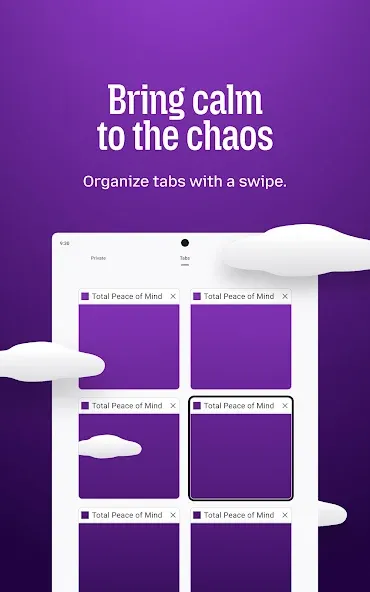
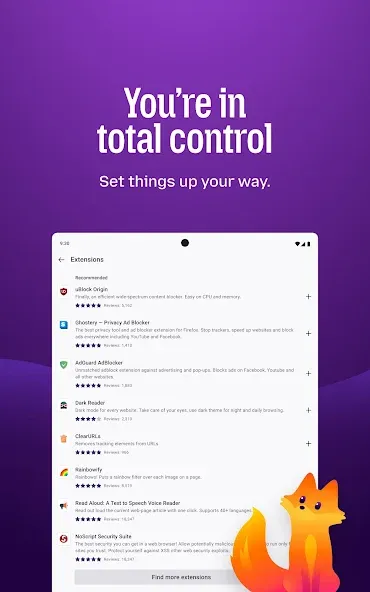
Firefox Browser is a user-friendly browser that offers a wide range of built-in wallpapers and layout options, alongside numerous practical extensions—such as ad blocking, automatic translation, and batch downloading—allowing users to customize the browser to their personal preferences. Prioritizing user privacy and security, the software features a private browsing mode that does not save browsing history; combined with advanced protection technology, this ensures a worry-free browsing experience. The browser also boasts intelligent features that eliminate the need to manually remember passwords; with user permission, it securely stores login credentials, enabling users to access their accounts with just a simple click.
Features of Firefox Browser:
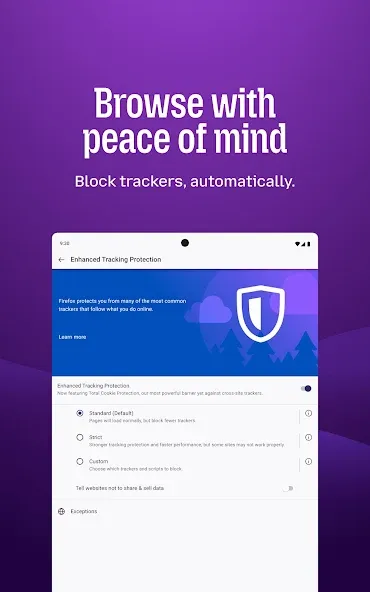
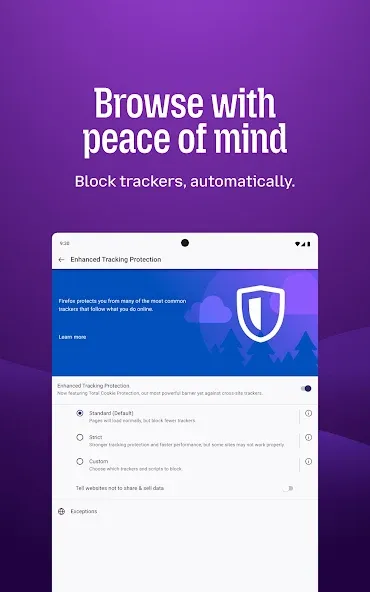
Enhanced Privacy Controls: This powerful browser is engineered with user privacy at its core. By default, it features automatic tracker blocking, which prevents numerous third-party trackers from following your online activity across different websites. This built-in protection helps safeguard your personal data and ensures a more private browsing journey, giving you peace of mind while exploring the web on your mobile device.
Blazing Fast Performance: Experience the internet at remarkable speeds with an optimized browsing engine. The browser is designed to load pages quickly and efficiently, minimizing wait times and providing a smooth, responsive experience. This focus on performance ensures that whether you are streaming content, browsing complex websites, or simply checking emails, your interactions are swift and uninterrupted.
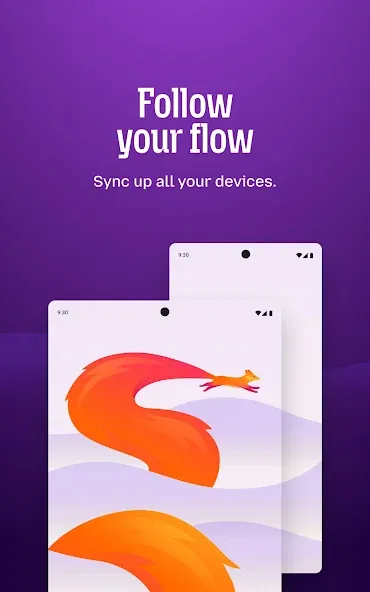
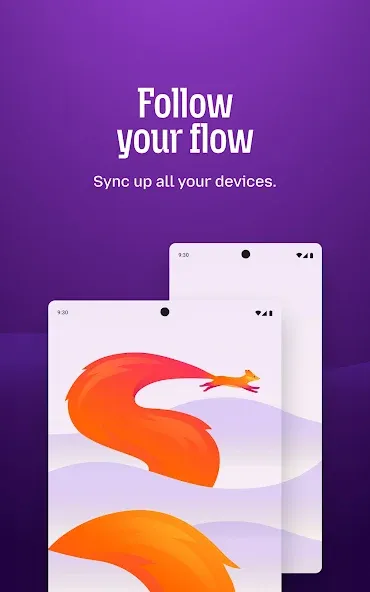
Seamless Cross-Device Sync: Keep your browsing experience consistent across all your devices with effortless synchronization. This feature allows you to access your passwords, browsing history, open tabs, and bookmarks securely from your phone, tablet, or desktop. It creates a unified digital environment, making it incredibly convenient to pick up exactly where you left off, no matter which device you are using.
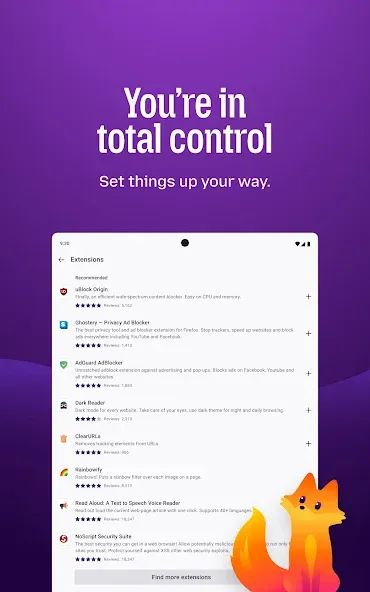
Powerful Customization Options: Tailor your web experience to your exact preferences with a wide array of customization options. Users can personalize their browser with various themes, change the default search engine, and even install useful add-ons and extensions. These tools allow you to enhance functionality, block unwanted content, and truly make the browsing experience your own.
Intuitive User Interface: Navigating the web is made simple and straightforward thanks to a clean and user-friendly interface. The design prioritizes ease of use, with readily accessible controls and a logical layout that makes finding your way around effortless. This thoughtful approach ensures that both new and experienced users can enjoy a hassle-free and efficient browsing experience.
Useful Tips of Firefox Browser:
Open webpages in a tab, windows or in a private window. By default Firefox will save all your browsing history to speedup your activities. However, you can use private mode to inform Firefox not to save any of your browsing history.
You can bookmark the webpages for quick access.
View historical browsing details using the “History” menu. View the download history under “Tools > Downloads” menu.
Built-in password manager to save login passwords and you can protect all passwords with a master password.
Take screenshot right from the browser and download or store it on Firefox server for 14 days.
Excellent content blocking features to protect your privacy.
Firefox also offers Developer Tools to inspect website elements and performance.
You can enhance the browser’s feature with add-ons from third party developers.
You can navigate to front, back, refresh or quickly go to the home page using navigational icons next to the left side of the address bar.
Use the address bar to search with the default search engine or use the search box shown on the page.
View bookmarks, sidebar and access menu items using the hamburger menu.
Use the gear icon showing on the top right to go the customization section of your home page.
Click on the down arrow to check history and search with different search engines.
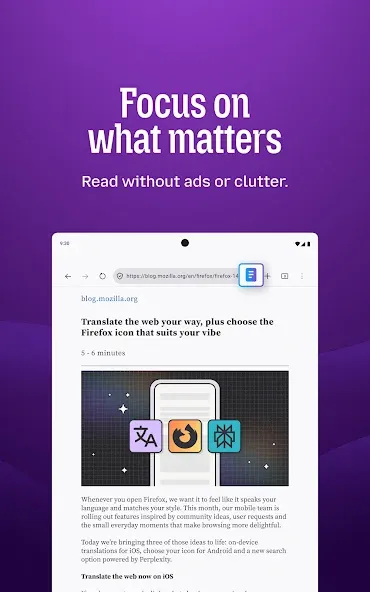
View the reader view to disable all advertisements on the page.
Click on the three dots icon to bookmark or share the webpage link.
The Pocket button allows you to save the webpage link to social sharing platform Pocket. You need to have a separate Pocket account for saving webpages to Pocket.
User Reviews of Firefox Browser:
nothing wrong with the app, I'd say it's just right for my experience. but I would like the option to group tabs and swapping by pressing between the tabs like in Chrome. and I'd also like for Firefox to stop asking to open the app whenever I open a new YouTube tab. but that also extends to any app it asks to open.
Excellent! Firefox is the default browser on all my devices. It's not perfect of course, nothing is, but it's good enough to give 5* rating. I can't compare with Edge and Chrome as I don't often use giants like Microsoft and Google for email and browser. New innovative features are often welcome, but can miss the mark. I'd like to sync more with the desktop version. I sometimes try other independent browsers but keep returning to Fox. We can disable AI. It's user-friendly and accessible.
Fantastic web browser app that runs smoother and more user-friendly than anything else I've tried. Only problems are that it consumes my battery much quicker than the alternatives, even if I only have 1-2 tabs actively running, and that it's recently been pushing its AI features. They're easily turned off, though, and often framed as being opt-in so, it doesn't really get in the way of day-to-day use! I've tried to convince my family to use Firefox themselves, and I will continue trying. 9/10.
My main browser on PC, only recently decided to give the mobile version a go. Browser extensions already make it better than Chrome at most anything, allowing for ad blockers among other things though, some websites don't seem to function properly with this browser... even so, it's not a common issue and hardly a deal breaker if you just want to safely surf the web. Set DuckDuck Go as your main search engine, get the Ublock Origin extension, and you're good to go!
FAQ of Firefox Browser:
Is Firefox Browser free?
Yep! The Firefox Browser Browser is free. Super free, actually. No hidden costs or anything. You don't pay anything to use it.
Is Chrome better than Firefox Browser?
No, we don't think Chrome is better than Firefox Browser, and here is why: when people ask which browser is better, they're really asking which browser is faster and safer. Firefox Browser is updated monthly to make sure you have the speediest browser that respects your privacy automatically.
Is Firefox Browser safe to download?
Protecting your privacy is our number one priority, and we ensure that installing Firefox Browser on your devices is completely safe — but always make sure you are downloading from a trusted Mozilla/Firefox Browser site, like our download page.
Is Firefox Browser safe?
Not only is Firefox Browser safe to use, it also helps keep your data and private information safe. The Firefox Browser Browser automatically blocks known third party trackers, social media trackers, cryptominers and fingerprinters from collecting your data. Learn more about the privacy in our products.
Why is Firefox Browser so slow?
Firefox Browser isn't slow… now. In 2017, we completely rebuilt our browser engine (called Quantum), to ensure Firefox Browser could compete with other major browsers. And, our tracker blockers help pages load even faster. So Firefox Browser is lightning fast without sacrificing any of your privacy.
Is Firefox Browser Chromium based?
Firefox Browser is not based on Chromium (the open source browser project at the core of Google Chrome). In fact, we're one of the last major browsers that isn't. Firefox Browser runs on our Quantum browser engine built specifically for Firefox Browser, so we can ensure your data is handled respectfully and kept private.
Final Verdict:
Firefox suits users who want a straightforward browser that respects data choices on Android. It reduces tracking by default, helps you keep browsing data separate when needed, and stays familiar if you use it on other devices. Because it is developed by Mozilla, it emphasizes independence and user control across settings.
More Information
- Size:187.50MB
- Version:156.0
- Requirements:Android 4.1+
- Votes:180
- Package Name:org.mozilla.focus
- Signature:5abf74adc180afa44592ea03e744eb0e


Related topics
-
Browser is a software application that enables users to access, render, and navigate information resources on the internet. These resources, identified by Uniform Resource Identifiers (URIs), include web pages, images, videos, and other multimedia content. Browsers facilitate seamless exploration of interconnected data through hyperlinks, allowing users to transition between related information effortlessly. Technically, browsers operate by sending HTTP/HTTPS requests to web servers, retrieving data, and processing it through rendering engines (such as Blink, Gecko, or WebKit) to display interactive, visually structured pages. Modern browsers also support advanced features like caching, scripting (JavaScript), and secure encryption (SSL/TLS), ensuring efficient and safe web interactions for users worldwide.
-
![Hola Browser]()
Hola Browser
-
![RushView]()
RushView
-
![Chrome Dev]()
Chrome Dev
-
![Firefox Focus]()
Firefox Focus
-
![Firefox Browser]()
Firefox Browser
-
![Diff Browser]()
Diff Browser
-
![Yandex Japan]()
Yandex Japan
-
-
Which browsers on mobile phones are currently very convenient to use? Today, the editor will recommend ten similar mobile applications in detail based on the ranking of mobile browser apps. In these browser software, users can experience rich reading functions and also enjoy information content.
-
![Hola Browser]()
Hola Browser
-
![Opera Mini browser beta]()
Opera Mini browser beta
-
![Phoenix Browser]()
Phoenix Browser
-
![RushView]()
RushView
-
![Private Proxy Browser Hub]()
Private Proxy Browser Hub
-
![Maxthon Web Browser]()
Maxthon Web Browser
-
![Firefox Focus]()
Firefox Focus
-










Latest Updated







Popular Apps








Popular News
More+-
![Tomie Wants to Get Married Full Walkthrough, All Choices and Ending Guide]()
Tomie Wants to Get Married Full Walkthrough, All Choices and Ending Guide
2026-05-22
-
![Karryn’s Prison Gameplay Walkthrough & Strategy Guide]()
Karryn’s Prison Gameplay Walkthrough & Strategy Guide
2025-10-28
-
![Life in Santa County Game Guide & Complete Walkthrough]()
Life in Santa County Game Guide & Complete Walkthrough
2025-10-28
-
![Dreams of Desire Complete Walkthrough and Game Guide]()
Dreams of Desire Complete Walkthrough and Game Guide
2025-10-28
-
![Era Hunter Gameplay Guide & Full Walkthrough]()
Era Hunter Gameplay Guide & Full Walkthrough
2025-10-28




