

Health Sync
Download for Android This app is available for Android only.- Category:Sports
- Rating: 4.8
- Language:English
- Updated:2026-10-16
Screenshots
Introduction
Health Sync is a fitness app for Android. It supports various fitness modes and health monitoring features. Users can connect to apps like Google Fit to sync their workout data. The app boasts a clean and user-friendly interface, displaying easily accessible data. Automatic data syncing eliminates the need for manual updates. These features have made it a popular choice among users.
Features
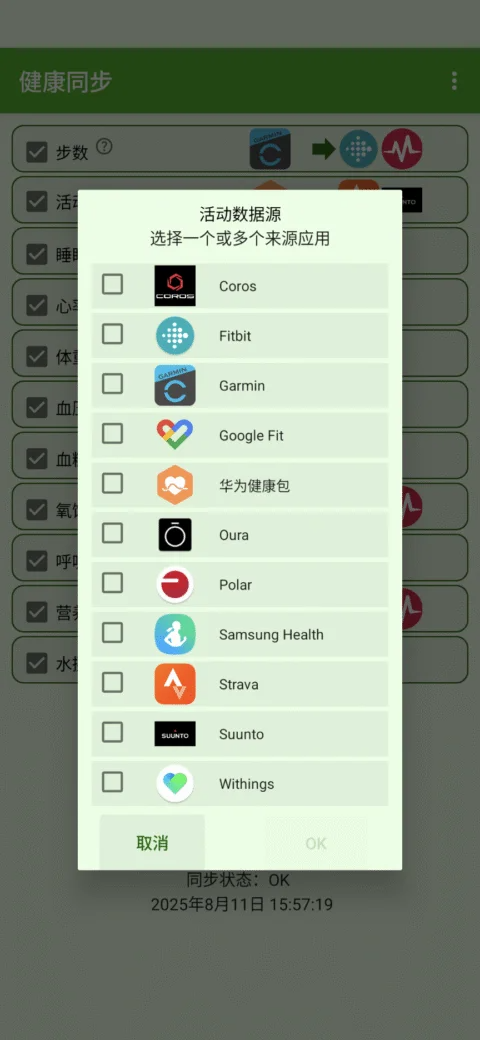
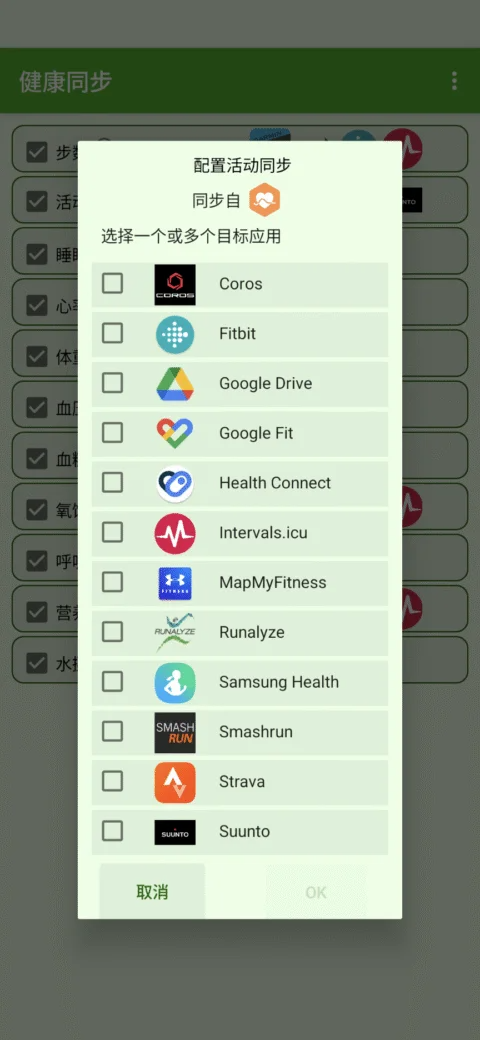
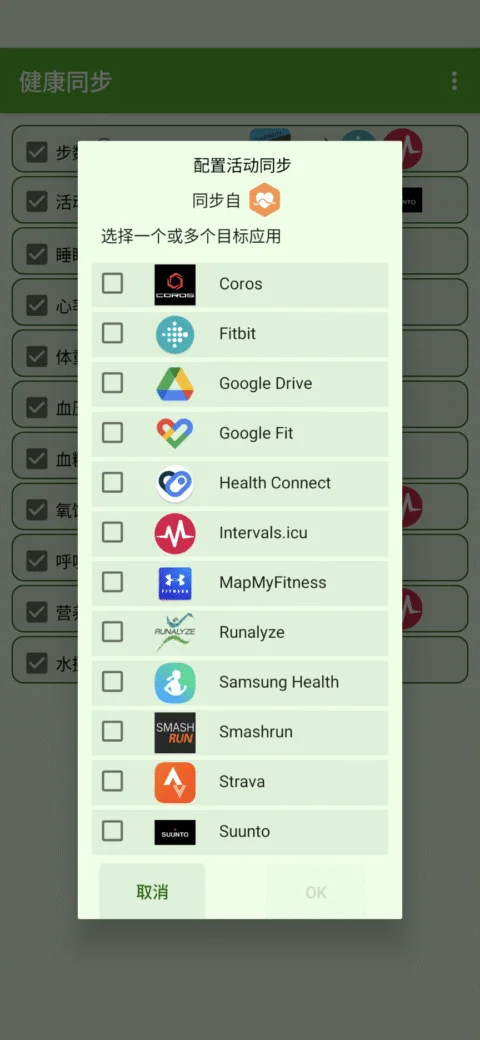
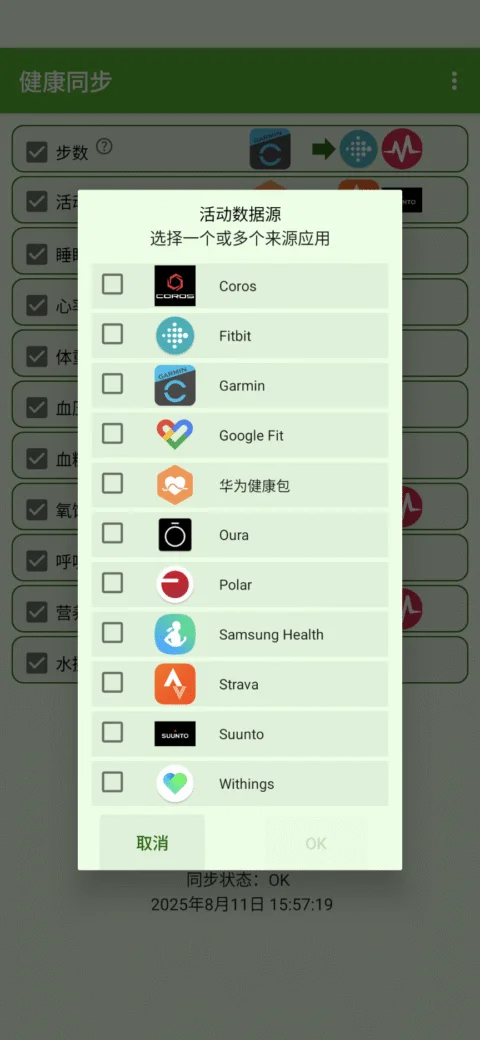
Sync health data across apps like Samsung Health, Strava, Huawei, and Garmin. Synchronize health data from Coros, Diabetes:M, fatsecret (nutrition data), Garmin, Google Fit, Google Health, Health Connect, MedM Health, Withings, Ora, Polar, Samsung Health, Strava, Suunto, and Huawei Health. You can also sync to Coros (activity data only), Diabetes:M, Google Fit, Google Health, Guava, Health Connect, Intervals.icu, MyLibreo, Samsung Health, Schrittmeister, fatsecret (weight only), Runalyze, Selfloops, Smashrun, Strava, SurvonMD, Suunto (activity data only), TrainItAll, or MapMy apps (MapMyFitness, MapMyRun, etc.).
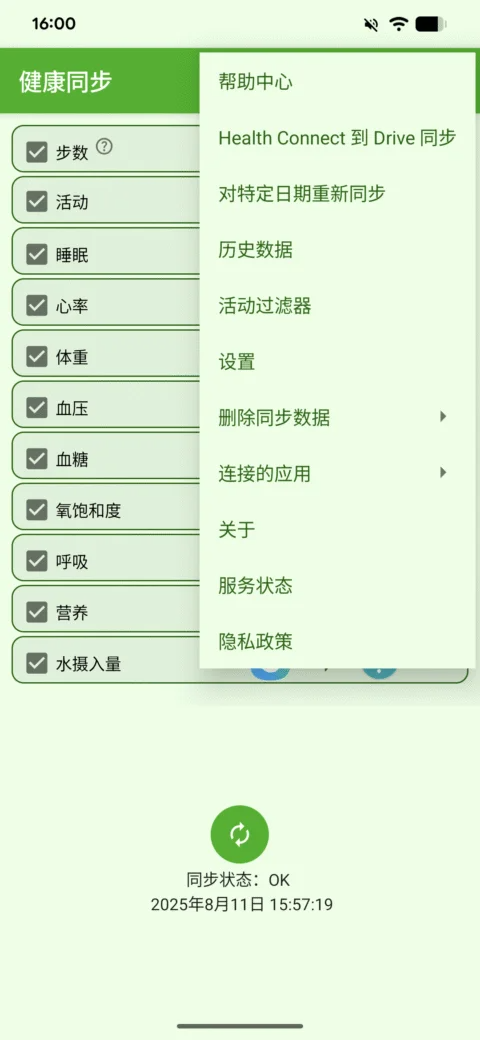
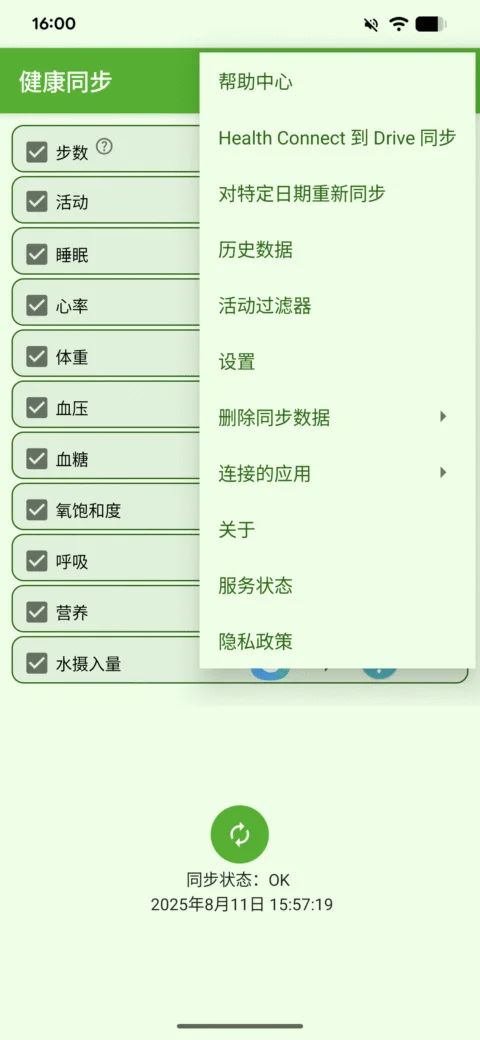
Health Connect to Google Drive Sync: Configure the export of health data (steps, heart rate, etc.) to CSV files and activity data to FIT, TCX, GPX, KML, and CSV files to Google Drive.
Automatic Background Sync: Health Sync runs automatically and syncs your data in the background.
Historical Data Sync: The app starts syncing the first time you use it. Historical data (data before installation) will be synced after the free trial period ends. Note: Syncing Polar's historical data is not supported.
Samsung decided in 2020 that no partner app can write step data to Samsung Health anymore. Reading and writing step data and other data remains normal.
One-Week Free Trial
Health Sync is very easy to use and offers a one-week free trial. After the trial period, you can choose to purchase once or subscribe for six months to continue using Health Sync. Syncing with Withings requires an additional subscription. This is because integrating this feature incurs some additional costs.
Try this app and see if it meets your needs. What data you can sync depends on the source application from which you sync data and the target application from which you sync data.
FAQs
Why is my step count in Google Fit different from the one in the source app?
First, check your Google Fit activity tracking settings:
Open Google Fit
Select the "Profile" tab
Click the gear icon (top right corner) to open the "Settings" menu.
Scroll down a bit to find "Tracking your activity". Turn this option off.
How do I connect HUAWEI Health with the HUAWEI Health Kit (Android)?
You can connect HUAWEI Health with HUAWEI Health Kit by following these steps:
Open HUAWEI Health
Select the "Me" tab
Select "Privacy Management"
I've already paid for the app license, but I still see "Trial Period"?
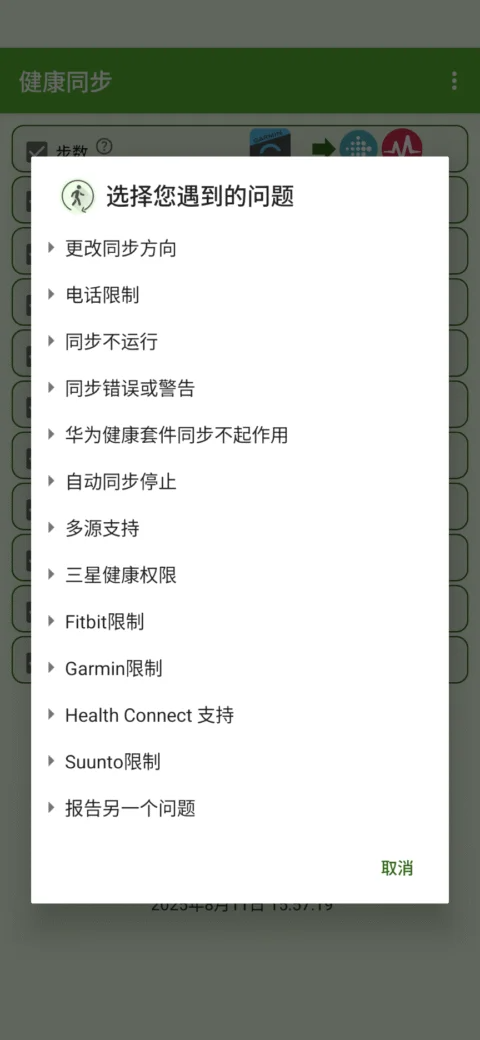
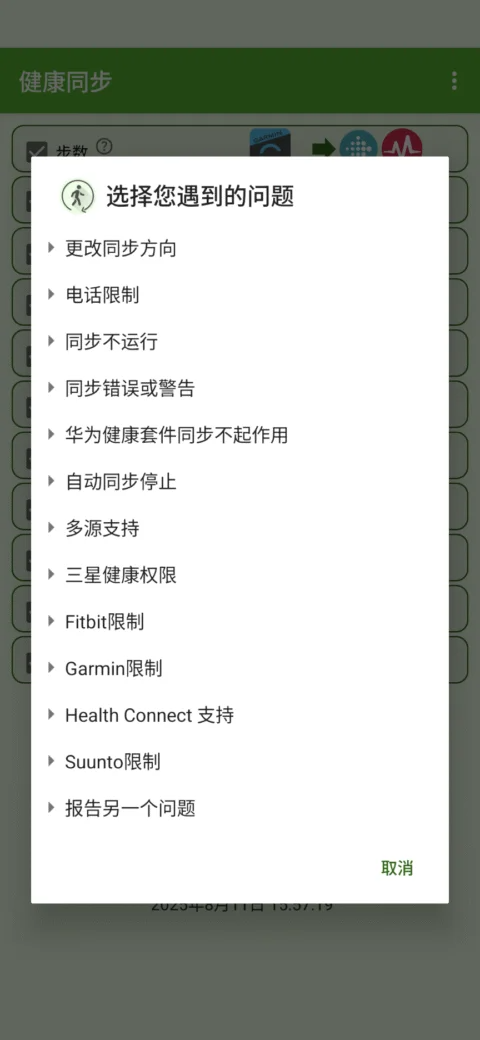
If you paid using Google Play, check if you received a payment confirmation email from Google to the Google email address you used to pay. If you received a payment confirmation email, close and reopen the Health Sync app. Check the license status in the "About" menu. If it still shows "Trial Period", submit a problem report: In Health Sync, select the "Help Center" menu, and then click the last item, "Report another issue".
If you haven't received a payment confirmation email from Google, it means Google hasn't accepted your payment. You will receive a refund from Google. You can submit a problem report so we can investigate the issue and help you resolve the payment problem: In Health Sync, select the "Help Center" menu, and then click the last item, "Report another issue."
If you used Huawei Pay, please submit a problem report: In Health Sync, select the "Help Center" menu, and then click the last item, "Report another issue."
Pros and Cons
Pros:
Based on device-side data processing, employing a privacy-first approach.
Extensive cross-app synchronization (Garmin, Samsung Health, Fitbit, Strava, Health Connect, Google Fit).
Automatic background synchronization; data transfer is automatic without manual intervention.
Historical data will be synchronized after the free trial period ends.
Data export options, supporting export to Google Drive and various file formats.
Flexible licensing options: one-time perpetual license or subscription options.
Cons:
Does not support direct writing to Garmin Connect; exporting to Google Drive using FIT files is an alternative.
Samsung Health cannot write step count data (step count reading is supported).
User Reviews
This app is incredibly efficient at syncing data between Fitbit and Apple Health, as I use both Google and Apple devices. I appreciate that the premium service is reasonably priced and a one-time payment rather than a subscription. The user interface looks a bit dated and is slightly cumbersome to use, but these shortcomings are largely offset by its powerful features and low price.
This app is feature-rich and has consistently been my reliable way to sync health and fitness data across different apps. Setup is incredibly simple, and syncing works flawlessly.
Without a doubt, this is the only app you should buy. At $3.99, it should be more expensive, hopefully the developers didn't realize that. Other apps are expensive; I've spent more on apps than on my Fitbit band, and they're often useless. Other apps simply sync steps, while this one syncs steps as you actually walk. Furthermore, it syncs maps along with GPS workout data. The Fitbit map display in this app looks just like the native Apple app. It syncs with your Fitbit. I hope it will support multiple accounts; perhaps that will be implemented in the future.
Conclusion
Users love Health Sync because it offers excellent support, easy configuration, seamless background operation, and powerful historical data synchronization options. We're committed to providing fast, high-quality support so you'll never feel lost; user-friendly configuration makes it easy to customize for users of all skill levels. The app can run silently in the background, ensuring uninterrupted workflows; and our historical data synchronization feature ensures you can manage valuable health and fitness information collected over the years.
More Information
- Size:19.11MB
- Version:7.9.2.8
- Requirements:Android 10+
- Votes:269
- Package Name:nl.appyhapps.healthsync
- Signature:1bcda2ae368a00799616fdcfe3116a9c
Related topics
-
Fit Apps offers smart health tools that help you track exercise, nutrition, and daily activity. Easy to use and works across devices. Reach your fitness goals with motivation and clarity.
-
![Healthify]()
Healthify
-
![Box-to-Box]()
Box-to-Box
-
![ProFit]()
ProFit
-
![HryFine]()
HryFine
-
![NEXGIM intl.]()
NEXGIM intl.
-
![VeryFit]()
VeryFit
-
![Gym Workout Tracker]()
Gym Workout Tracker
-
![Health Sync]()
Health Sync
-
-
In the rapidly evolving world of technology, sports and fitness apps have become essential tools for enhancing our health and performance. As we move into 2024, several apps stand out for their innovative features and user-friendly interfaces. This article explores the top sports and fitness apps for 2024, providing insights into how they can support your fitness journey and help you achieve your goals.
-
![HryFine]()
HryFine
-
![VeryFit]()
VeryFit
-
![Gym Workout Tracker]()
Gym Workout Tracker
-
![Health Sync]()
Health Sync
-
![Liftoff]()
Liftoff
-
![My Health]()
My Health
-
![Symmetry]()
Symmetry
-
![Dancefitme]()
Dancefitme
-
-
Sports competitions have been an integral part of human history for centuries, showcasing skill, endurance, and the spirit of competition. Each sport offers its own unique thrills-whether it's the speed and agility of soccer, the strategic depth of basketball, or the sheer power of weightlifting. While experiencing these activities in real life is exhilarating, stepping into the world of virtual sports can be just as exciting. Games allow you to immerse yourself in different sports, refine your techniques, and enjoy the thrill of victory-all from the comfort of your own space. Why not dive into the action and experience the joy of sports in a whole new way?
-
![Forza Football]()
Forza Football
-
![TeamSnap]()
TeamSnap
-
![beIN SPORTS TR]()
beIN SPORTS TR
-
![Golfshot]()
Golfshot
-
![Voetbal.nl]()
Voetbal.nl
-
![Brooklyn Nets]()
Brooklyn Nets
-
![Pedometer]()
Pedometer
-
![ProFit]()
ProFit
-












Latest Updated
Popular Apps






Popular News
More+-
![Tomie Wants to Get Married Full Walkthrough, All Choices and Ending Guide]()
Tomie Wants to Get Married Full Walkthrough, All Choices and Ending Guide
2026-05-22
-
![Karryn’s Prison Gameplay Walkthrough & Strategy Guide]()
Karryn’s Prison Gameplay Walkthrough & Strategy Guide
2025-10-28
-
![Life in Santa County Game Guide & Complete Walkthrough]()
Life in Santa County Game Guide & Complete Walkthrough
2025-10-28
-
![Dreams of Desire Complete Walkthrough and Game Guide]()
Dreams of Desire Complete Walkthrough and Game Guide
2025-10-28
-
![Era Hunter Gameplay Guide & Full Walkthrough]()
Era Hunter Gameplay Guide & Full Walkthrough
2025-10-28




