
Guitar 3D
Download for Android This app is available for Android only.- Category:Education
- Rating: 4.8
- Language:English
- Updated:2026-10-13
Screenshots
Introduction
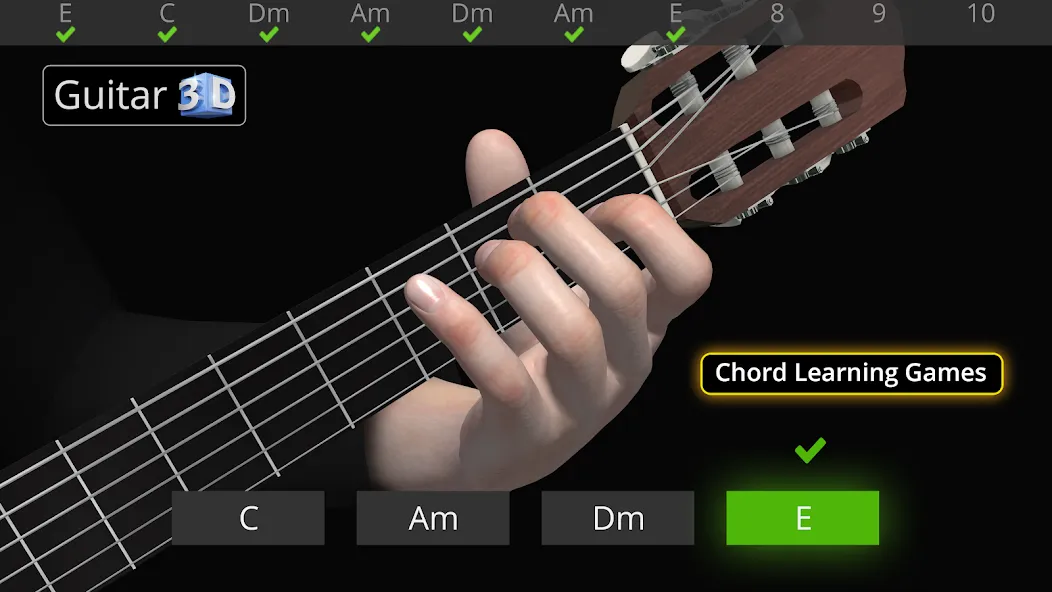
Guitar 3D is a learning tool designed specifically for guitar enthusiasts. It offers detailed tutorials on chords and fingerstyle techniques, while also allowing users to edit their musical creations to enhance their sound and share them across various social media platforms. The app features 25 training mini-games of varying difficulty levels, making the learning process entertaining and engaging. Additionally, it offers extensive customization options, enabling users to adjust guitar colors and chord settings to create a more comfortable playing experience.
How it works:
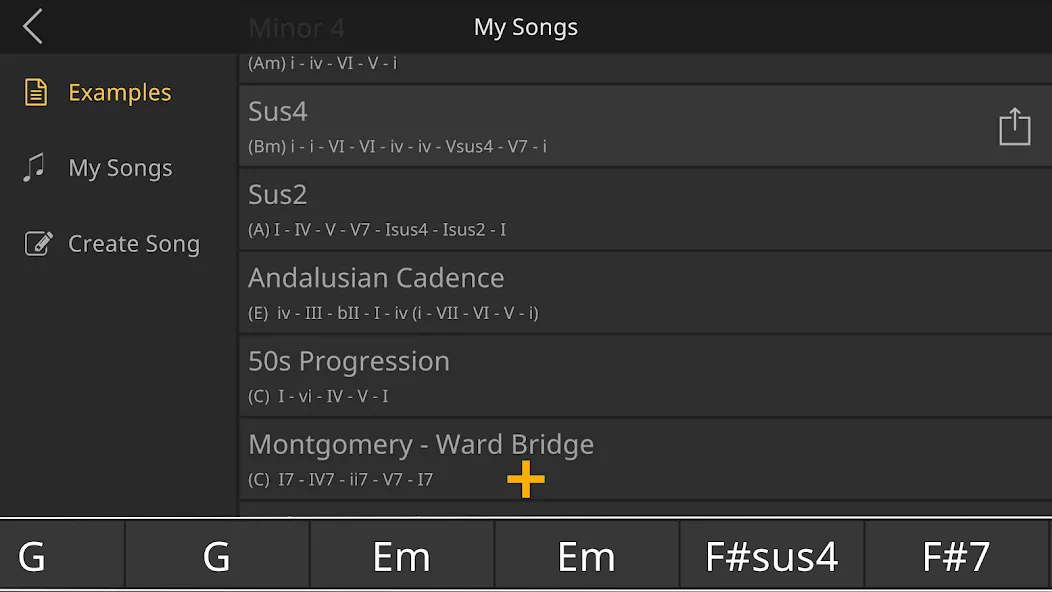
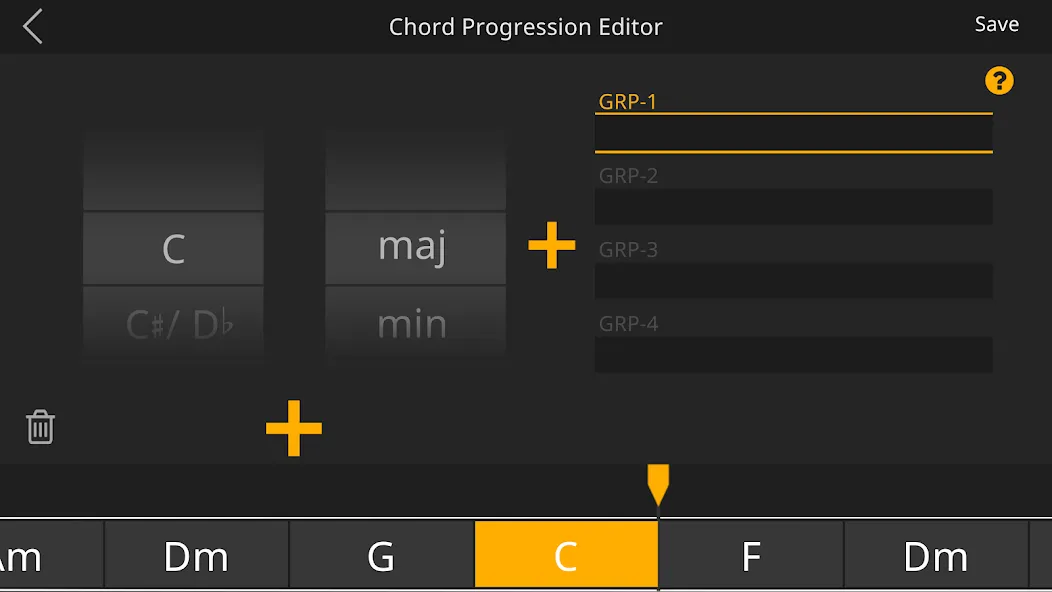
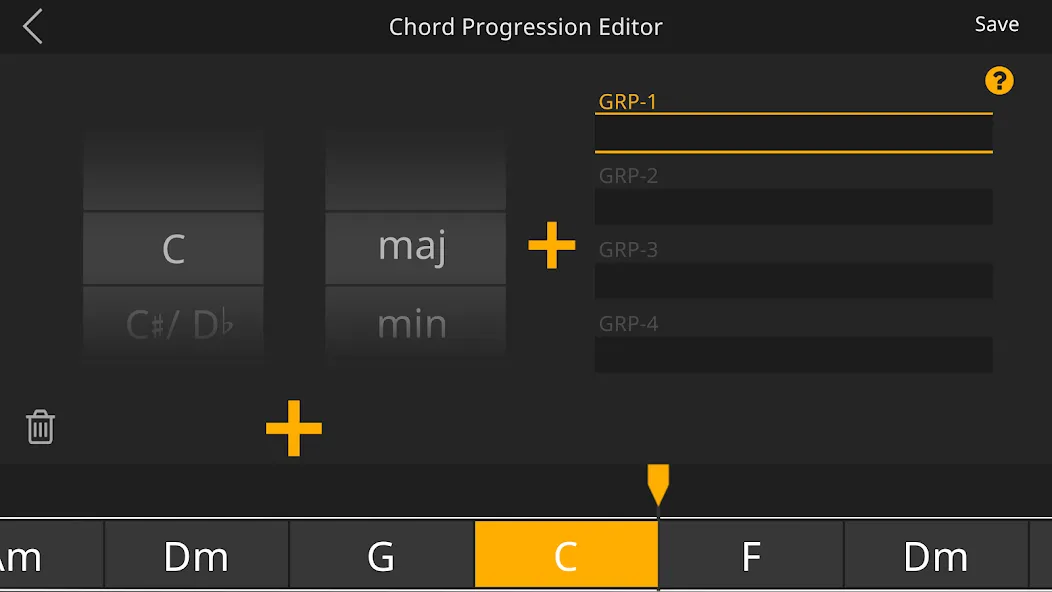
Simply select the chords you wish to learn and add them to the timeline. Watch as the virtual guitarist plays the chord sequences you've put together using either strumming or fingerpicking techniques. With the intuitive chord progression editor, crafting chord sequences and composing music becomes a seamless process that takes just a few minutes. It offers an enjoyable and user-friendly approach to learning guitar chords and creating songs.
All chords featured in Guitar 3D are meticulously crafted by recording each note from real guitars. The animations are developed in collaboration with renowned academic musicians and education experts.
Features of Guitar 3D:
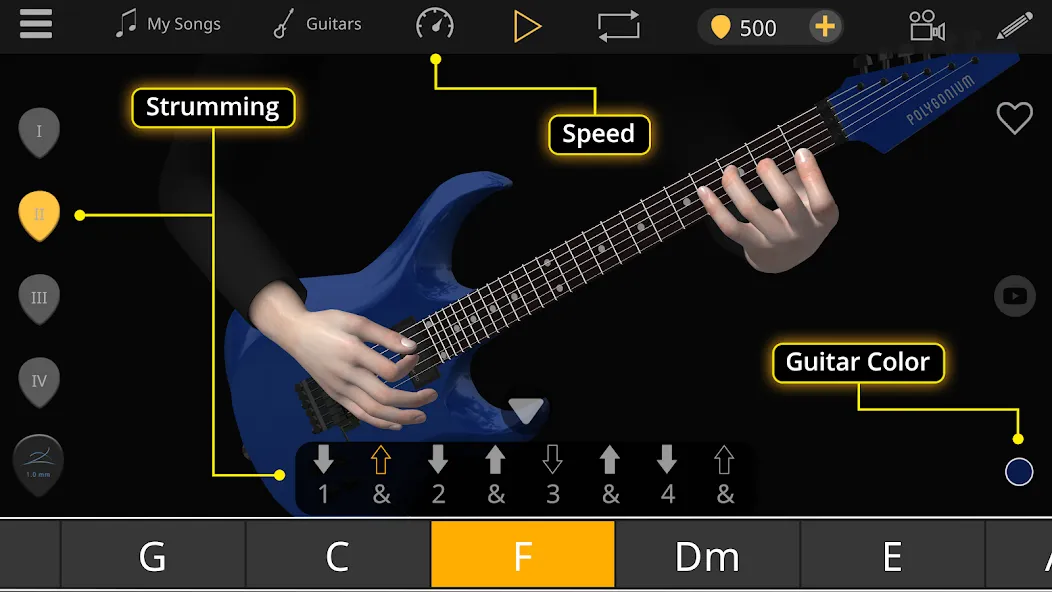
The composition editor starts with acoustic guitar, clean electric guitar, or distorted electric guitar. Players can build chord chains, then apply strumming, fingerpicking, or rhythm-picking techniques. More than 300 patterns are available across those categories, while bass and drum presets fill out the arrangement.
This pattern-based method lowers the barrier to writing a complete piece. A mixer controls the guitar, bass, and drums, and automation recording handles combinations among them. Finished work can be saved in the app's G3D format or exported as WAV and MP3 audio. It isn't a replacement for a full digital audio workstation, but it has a clearer purpose: move quickly from a chord idea to something that can be heard and practiced.
Guitar 3D best suits beginning and intermediate guitarists who want to experiment with composition while learning chord shapes and picking patterns. More experienced players may also appreciate it as a compact arrangement notebook, although the preset-driven editor will feel more restrictive than free-form recording software.
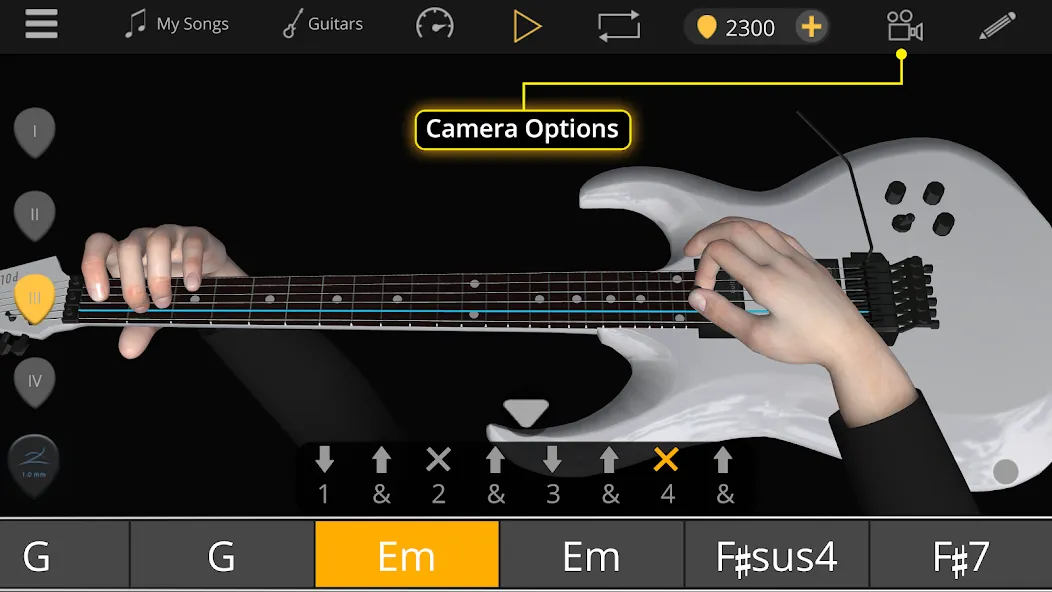
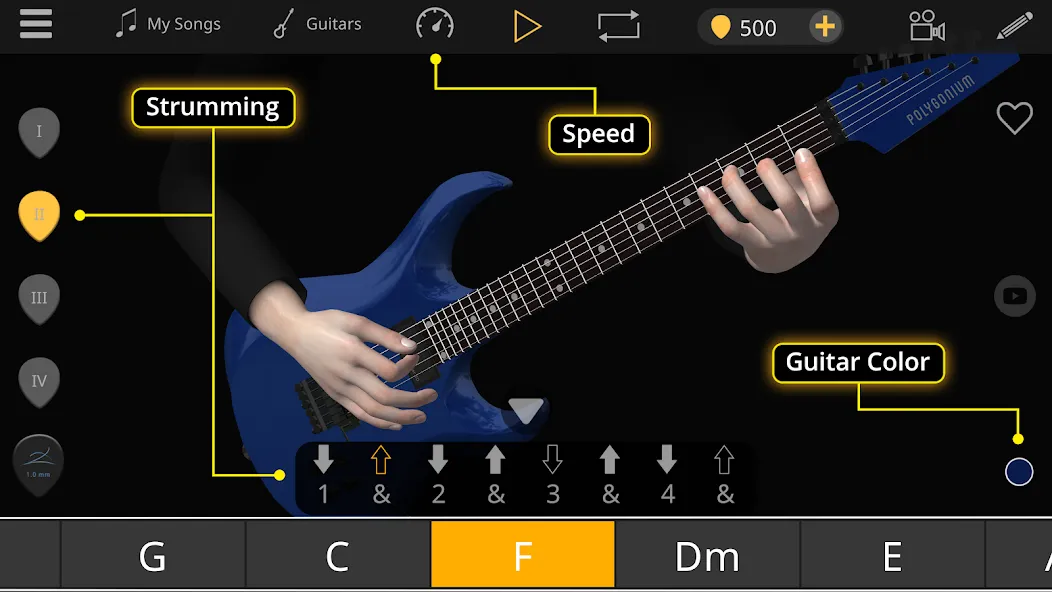
Once a piece is ready, the virtual guitarist demonstrates it with animated movements for both hands. Multiple camera positions, including first-person views, let learners inspect fingering from different directions. Training mode can loop a selected passage, reduce the tempo, and display guides, which makes a difficult transition easier to study than it would be in a fixed video.
Complete left-handed support is especially valuable. The app adapts its demonstrations and chord diagrams rather than treating left-handed playing as an afterthought, and users have responded positively to that attention. The developer also claims its sampled instruments and custom audio engine produce highly realistic guitar sounds. Regardless of how closely they match a live instrument, using distinct acoustic, clean electric, and distorted tones helps connect each exercise to the intended playing technique.
User Reviews of Guitar 3D:
This is a pretty decent app. I'm an experienced musician and I even find this very useful. Even us experienced musicians for get the basics or intermediate stuff. Alot of the times you hit a plateau with your playing. And sometimes refreshing helps you get past that slump. I teach my students that and also add on to hand position "home position" for your picking hands and open their eyes up to different techniques of playing to improve their playing. This app is definitely a fun one. Great job.
So far, I am finding this very useful. Need some time with it really to comment anymore. Would have been nice to have an easy way to exit the app (but I haven't read the instructions yet, so they might be in there. The 3D adjustable viewing angle feature makes it very easy to get your finger positions correct fast.
I'm in my 20's and I'm a complete beginner with guitar. I wasn't sure what to expect with this app but I have to say so far I'm super impressed! At the moment I'm practicing different chords, before I was using YouTube but the problem I have is that is I have to keep pausing the videos to make sure your fingers are placed correctly. The great thing about this app is that not only can you learn and practice so many different chords but the 3D image helps so much! No pausing or YouTube ads!
Very good trainer for learning chords. Wide variety of chords are covered and app has controls for setting speed, viewing the player from several angles, etc.. I think it even has a setting for left-handed players. I've sampled several chord apps and this, by far, is the best. Additionally, this is a very well designed app; never buggy, doesn't freeze up, no obnoxious ads, etc...give it a try. You can really learn with this app if you put in the time.
Final Thoughts:
Guitar 3D is the best way to learn guitar chords and melodies. It is designed for beginners and advanced users. It is a fun and easy way to learn guitar chords. The virtual guitarist in the application plays the chord sequences you have composed. You can play the chords with the correct finger movements.
More Information
- Size:47.19MB
- Version:2.8.6
- Requirements:Android 7.1.1+
- Votes:576
- Package Name:com.polygonium.basicchords
- Signature:385055a4f84d98fb62e5d5bcacdaaad1
Related topics
-
Educational software are emerging in an endless stream on the market, so which one can stand out? It should not only be simple and convenient to use but also helpful for our study. Below, Xiaohei.com brings you a very comprehensive and practical summary of educational software downloads. Come and download it, there is always one that suits you.
-
![Teuida]()
Teuida
-
![NDM-Ukulele Learn Music Notes]()
NDM-Ukulele Learn Music Notes
-
![HelloChinese]()
HelloChinese
-
![Gizmo]()
Gizmo
-
![Wiser]()
Wiser
-
![Buddy4Study]()
Buddy4Study
-
![Stimuler AI]()
Stimuler AI
-
![Pydroid 3]()
Pydroid 3
-








Latest Updated




Popular Apps








Popular News
More+-
![Tomie Wants to Get Married Full Walkthrough, All Choices and Ending Guide]()
Tomie Wants to Get Married Full Walkthrough, All Choices and Ending Guide
2026-05-22
-
![Karryn’s Prison Gameplay Walkthrough & Strategy Guide]()
Karryn’s Prison Gameplay Walkthrough & Strategy Guide
2025-10-28
-
![Life in Santa County Game Guide & Complete Walkthrough]()
Life in Santa County Game Guide & Complete Walkthrough
2025-10-28
-
![Dreams of Desire Complete Walkthrough and Game Guide]()
Dreams of Desire Complete Walkthrough and Game Guide
2025-10-28
-
![Era Hunter Gameplay Guide & Full Walkthrough]()
Era Hunter Gameplay Guide & Full Walkthrough
2025-10-28




