

Dmss
Download for Android This app is available for Android only.- Category:Tools
- Rating: 4.7
- Language:English
- Updated:2026-10-20
Screenshots
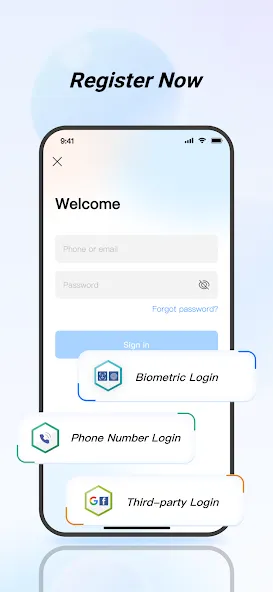
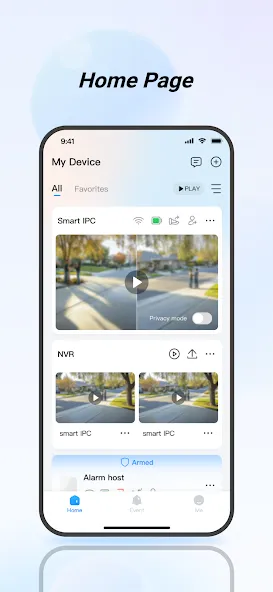
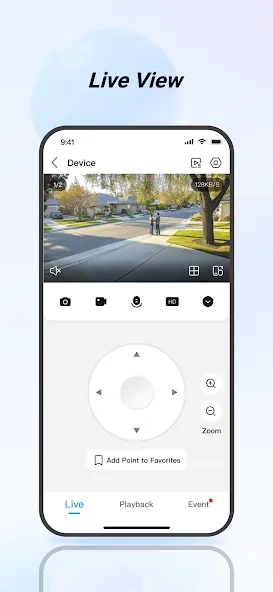
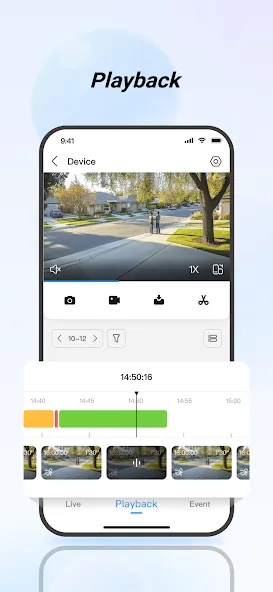
Introduction
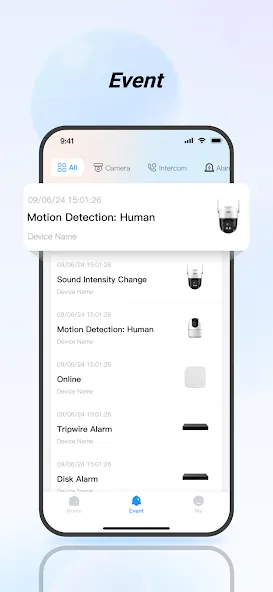
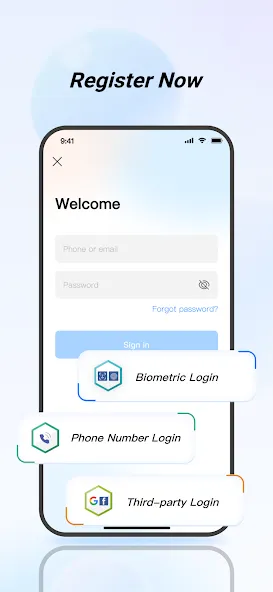
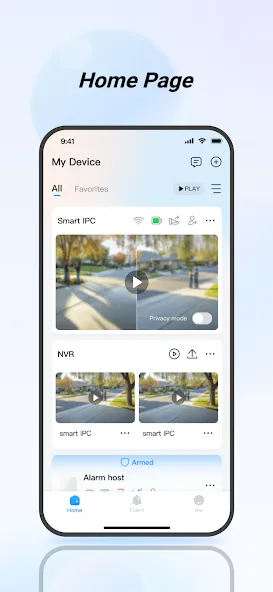
DMSS is a management tool designed specifically for home security. Users can add a variety of devices—such as intercoms, access control systems, and surveillance cameras—enabling remote control and real-time video monitoring to better safeguard their homes. The software automatically archives past video footage, which users can filter and play back as needed, providing greater insight into daily life at home. Furthermore, users can share device access permissions with family members; in the event of a break-in or other emergencies, the system will immediately send alerts to family members, ensuring that help can be summoned without delay.
Features of DMSS:
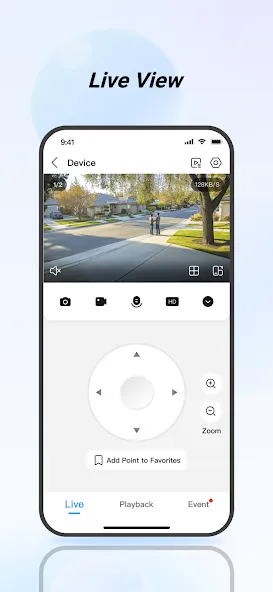
Real-time Live View: Watch camera feeds in the moment over Wi-Fi or cellular data, whether you’re down the street or across the country.
Smart Playback: Jump straight to the action with quick filtering by date and event type, then replay the exact clips you need.
Instant Alerts: Choose which events you care about—motion, doorbell rings, and more—and get immediate push notifications when they happen.
Device Sharing with Permissions: Share access with family or coworkers and set different permission levels so everyone sees only what they should.
Alarm Hub Support: Connect sensors and accessories to detect potential break-ins, fire, water leaks, and other risks. If something’s off, the app can trigger alarms and send urgent alerts right away.
Visual Intercom: Add compatible intercom devices to start two-way video calls from your phone. You can even lock or unlock supported doors from the call screen.
Pros and Cons of DMSS:
Pros:
User-friendly interface that simplifies navigation and usage.
Offers remote access capabilities through mobile and desktop applications.
Provides real-time notifications for motion detection and system alerts.
Includes features like digital zoom, bookmark management, and video playback options.
Regular updates to improve functionality and security.
Cons:
Can experience occasional connectivity issues, especially in low-bandwidth scenarios.
Some users report a steep learning curve for advanced features.
May require significant system resources for optimal performance.
Limited customer support options leading to slow response times.
User Reviews of DMSS:
I've been using DMSS since purchasing my first Dahua NVR and cameras in mid-2024. Despite some negative reviews, my experience has been excellent. I regularly use IVS features, notifications, scheduling, playback and remote viewing, and the app has been reliable and stable. Recent updates have improved navigation with useful shortcuts. Streaming performance depends heavily on proper setup and network quality, but when configured correctly, DMSS works flawlessly.
I have 17 pro max I phone when I go to application to play video first time is clear when I enter again to play video the resolution is so bad but in android device is so clear please thats a seruis problem fix it please.
DMSS is a very useful and reliable app for CCTV monitoring. The video quality is excellent, live view works smoothly, and remote access is very helpful. Easy to use and perfect for security monitoring.
Very Powerful app for DMSS owners. But acquiring your devices when you first login with the QR code is very difficult and takes more than an hour. Also talking a snapshot or video of a zoomed in area is impossible because it only captures zoomed out macro video that cannot be zoomed in once shared on WhatsApp. There are some flaws.The same goes for snapshots. You have to take a screenshot to get the zoomed in view. App should be able to capture the zoomed in view.Zoomed in area cannot be shared.
FAQs of DMSS:
Alarm notification cannot be received?
If the device does not support alarm notification push, then your mobile phone cannot receive alarm notifications.
Make sure that the device connects to the network correctly and live view is available.
Make sure that the device or channel has a subscribed alarm notification.
If all of the above operations are proper, make sure that the device port mapping is correct. Otherwise, you can change the http port for mapping.
Alarm notification cannot be subscribed?
The device does not support an alarm notification subscription.
Make sure that the device connects to the network correctly and live view is available.
Change the device HTTP port, and then map again to prevent port conflict or occupation, otherwise, the improper device might be connected, which does not support alarm notification subscription.
The device can be connected to the App through Wi-Fi but not cellular data?
When the device can be used in a Wi-Fi network, its configuration is correct. If you need to play with cellular data, you need to:
Add a fixed Internet IP to your device.
Connect the device to a router with an Internet IP, and map the http port.
Connect the device to an Internet network. If the device supports P2P and can be registered through P2P, you can add the device through P2P.
Failed to play back videos and snapshots?
Enable recording/snapshot plan for the device.
For picture playback, you need to set motion detection mode or timing mode for snapshot.
If the problem still exists, check if the device storage component is loose, or the disk is damaged.
Conclusion:
With DMSS, you receive a multi-faceted tool that not only fortifies your surveillance resources but also integrates swift communication and access management, all through the convenience of your mobile device. Enjoy the confidence that comes from advanced control and instantaneous notifications, keeping you alert and in charge no matter where you are.
More Information
- Size:356.08MB
- Version:2.6.22
- Requirements:Android
- Votes:530
- Package Name:com.mm.android.DMSS
- Signature:285ec259251c9d03295c41eb07c4c3f8
Related topics
-
Utility apps are indispensable in our lives, making our daily routines more convenient. To help you find these apps more easily, this site has created a collection. This collection brings together a series of practical tools covering various aspects of life, work, and education, meeting all your needs. What are you waiting for? Try these apps now and make your life easier!
-
![Auto Clicker app for games]()
Auto Clicker app for games
-
![UltData]()
UltData
-
![Super Charge]()
Super Charge
-
![InSeen]()
InSeen
-
![Sketchware Projects]()
Sketchware Projects
-
![Instaup Hashtags]()
Instaup Hashtags
-
![AetherSX2]()
AetherSX2
-
![VPN 1111]()
VPN 1111
-
-
With the development of mobile hardware and software, many practical tool software have emerged, covering a wide range of aspects and becoming a good helper for everyone in work and life. Today, the editor provides you with a list of useful tool software downloads. These tools are not particularly complex types, and after reading them, everyone can quickly learn how to use them. Proper use can bring great convenience to life and work.
-
![Super Charge]()
Super Charge
-
![TrackView Viewer]()
TrackView Viewer
-
![Instaup Hashtags]()
Instaup Hashtags
-
![Termux]()
Termux
-
![Voicemod]()
Voicemod
-
![Ridmik Classic Keyboard]()
Ridmik Classic Keyboard
-
![Call recorder for WhatsApp]()
Call recorder for WhatsApp
-
![Panda Gamepad Pro]()
Panda Gamepad Pro
-










Latest Updated

Popular Apps








Popular News
More+-
![Tomie Wants to Get Married Full Walkthrough, All Choices and Ending Guide]()
Tomie Wants to Get Married Full Walkthrough, All Choices and Ending Guide
2026-05-22
-
![Karryn’s Prison Gameplay Walkthrough & Strategy Guide]()
Karryn’s Prison Gameplay Walkthrough & Strategy Guide
2025-10-28
-
![Life in Santa County Game Guide & Complete Walkthrough]()
Life in Santa County Game Guide & Complete Walkthrough
2025-10-28
-
![Dreams of Desire Complete Walkthrough and Game Guide]()
Dreams of Desire Complete Walkthrough and Game Guide
2025-10-28
-
![Era Hunter Gameplay Guide & Full Walkthrough]()
Era Hunter Gameplay Guide & Full Walkthrough
2025-10-28




