

AetherSX2
Download for Android This app is available for Android only.- Category:Tools
- Rating: 4.8
- Language:English
- Updated:2026-10-19
Screenshots
Introduction
AetherSX2 is a powerful emulator that offers a wide range of customizable settings designed to boost frame rates, reduce latency, and optimize graphical performance. Compatible with various gaming hardware, it allows users to fine-tune their gaming experience while monitoring system performance in real time. With the AetherSX2, users can play their favorite games directly on their portable devices without carrying physical discs or relying on external game consoles. you don’t need extensive technical knowledge to enhance your gaming experience, as the software provides built-in presets and automatic optimization features.
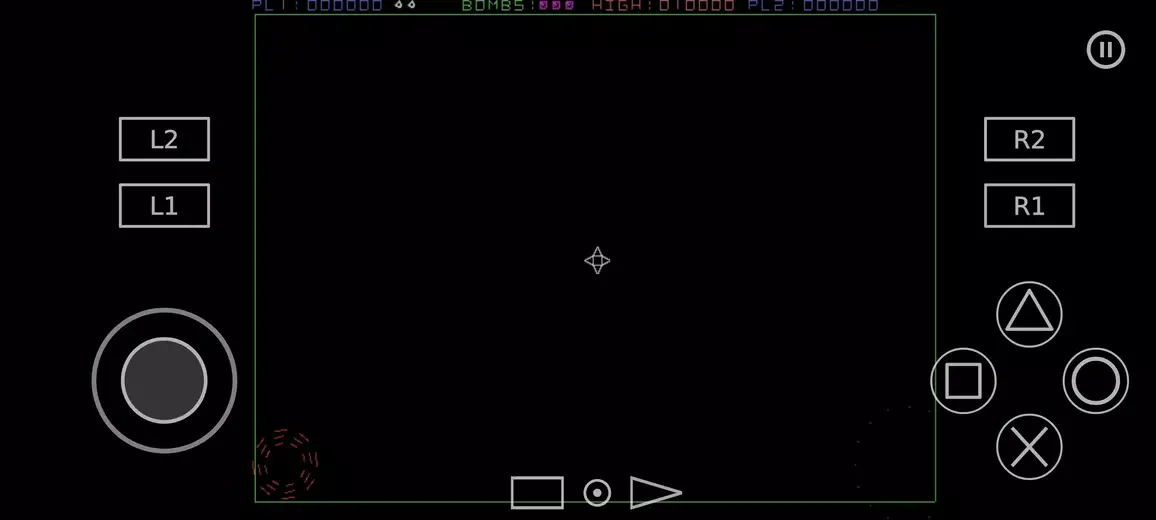
Highlights:
Authentic PS2 system simulation for reliable compatibility across many titles.
OpenGL, Vulkan, and software renderers to match device and game needs.
Upscaling to 1080p or higher for cleaner detail on modern screens.
Widescreen patches for games without native aspect ratio support built-in.
Save states for fast progress snapshots and quick resume anywhere.
Touch controls and Bluetooth controller support for flexible play styles.
Load games from ISO, CHD, or CSO disc images you created.
Per game settings to fine tune performance and visuals per title.
Features:
A LIBRARY, NOT A FILE PICKER
Point the app at a folder and it builds a proper library. Titles appear as a coverflow of box art you can swipe through, with the artwork downloaded automatically and cached on device. Search by name, sort alphabetically or by most recently opened, and long-press any title to jump straight into its own settings or set a custom cover of your own.
SAVE STATES AND MEMORY CARDS
Save state slots let you capture the exact moment you are in and return to it instantly - useful for tricky sections, or just for stopping mid-way without hunting for a save point. Alongside them, AetherSX2 Emulator gives you full virtual memory card management: create cards, switch between them, assign a separate card per title, and browse what is stored on each one.
GRAPHICS YOU CONTROL
Choose between Vulkan and OpenGL rendering, or let the app pick automatically. Scale the original output up to a resolution that suits your display, adjust blending accuracy, pick an aspect ratio, and toggle vertical sync. Widescreen patches stretch supported titles to a modern 16:9 frame, and a no-interlacing option cleans up the shimmer that older output produces on flat panels.
TEXTURE PACKS
Browse and install community-made HD texture packs from inside the app. Downloads are handled in the background with progress you can watch, and installed packs are managed from one screen - load them, precache them, or turn them off per title.
Tips and Tricks:
Dump Your Own Games: To comply with legal requirements and ensure a seamless gaming experience, it's important to dump your own disc images using a homebrew application like ImgBurn. This way, you can play games that you own and have legal access to.
Optimize Performance: If your device has fewer cores (e.g., Snapdragon 700 series SoCs), avoid enabling multi-threaded VU as it may result in reduced performance. Adjust the settings according to your device's capabilities to ensure smooth gameplay.
Customize Game Settings: AetherSX2 allows per-game settings, giving you the flexibility to fine-tune each game's performance. Experiment with different settings to enhance graphics, control options, and overall gaming experience.
Pros & Cons:
Pros
Ad-free, clean interface that is easy to navigate
Vulkan/OpenGL renderers with internal resolution upscaling
Save states and classic memory card support
Per-game profiles for fine-tuned performance
Strong controller and launcher integration
Cons
Requires a valid PS2 BIOS to run
Best results need a relatively powerful device
Per-game tuning can take time for heavy titles
Conclusion:
AetherSX2 is an excellent PS2 emulator for Android that lets you enjoy hundreds and hundreds of video games, many of which are classics, anytime and anywhere. Often, you will also even be able to improve the picture quality of the original games. And all of this on your Android. If you have doubts about this post or the emulator, drop your thoughts into the below comments box. We will be glad to hear your response and try to help as soon as possible.
More Information
- Size:20.62MB
- Version:2.2n-4248
- Requirements:Android
- Votes:232
- Package Name:xyz.aethersx2.android
- Signature:45c6c5efecf00b717aeb40f5ef090d0b
Related Versions



Related topics
-
Utility apps are indispensable in our lives, making our daily routines more convenient. To help you find these apps more easily, this site has created a collection. This collection brings together a series of practical tools covering various aspects of life, work, and education, meeting all your needs. What are you waiting for? Try these apps now and make your life easier!
-
![AetherSX2]()
AetherSX2
-
![VPN 1111]()
VPN 1111
-
![Task Manager Pro]()
Task Manager Pro
-
![Softonic Helper]()
Softonic Helper
-
![Android System WebView Dev]()
Android System WebView Dev
-
![Termux]()
Termux
-
![Android Accessibility Suite]()
Android Accessibility Suite
-
![Ridmik Classic Keyboard]()
Ridmik Classic Keyboard
-
-
Transform your mobile device into a powerhouse of efficiency with these handpicked essential tools. Whether you need professional-grade photo editing, seamless file organization, smart task management, or real-time weather updates, our curated selection of premium apps delivers unbeatable performance. Streamline your daily routine, automate repetitive tasks, and boost your productivity with intuitive interfaces and powerful features. Designed for both professionals and casual users, these editor-approved applications will revolutionize how you work and play. Don't settle for an ordinary phone - upgrade your digital experience today and unlock your device's full potential!
-
![AetherSX2]()
AetherSX2
-
![Task Manager Pro]()
Task Manager Pro
-
![Softonic Helper]()
Softonic Helper
-
![Android System WebView Dev]()
Android System WebView Dev
-
![Voicemod]()
Voicemod
-
![Android Accessibility Suite]()
Android Accessibility Suite
-
![WO Mic]()
WO Mic
-
![Call recorder for WhatsApp]()
Call recorder for WhatsApp
-









Latest Updated


Popular Apps








Popular News
More+-
![Tomie Wants to Get Married Full Walkthrough, All Choices and Ending Guide]()
Tomie Wants to Get Married Full Walkthrough, All Choices and Ending Guide
2026-05-22
-
![Karryn’s Prison Gameplay Walkthrough & Strategy Guide]()
Karryn’s Prison Gameplay Walkthrough & Strategy Guide
2025-10-28
-
![Life in Santa County Game Guide & Complete Walkthrough]()
Life in Santa County Game Guide & Complete Walkthrough
2025-10-28
-
![Dreams of Desire Complete Walkthrough and Game Guide]()
Dreams of Desire Complete Walkthrough and Game Guide
2025-10-28
-
![Era Hunter Gameplay Guide & Full Walkthrough]()
Era Hunter Gameplay Guide & Full Walkthrough
2025-10-28




