

Realme Link
Download for Android This app is available for Android only.- Category:Lifestyle
- Rating: 4.8
- Language:English
- Updated:2026-11-02
Screenshots
Introduction
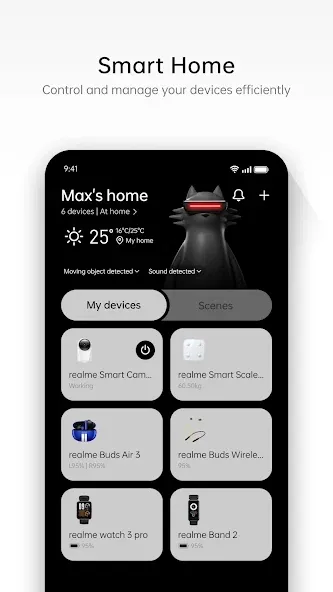
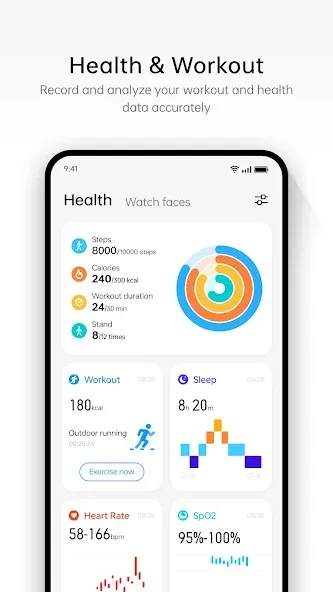
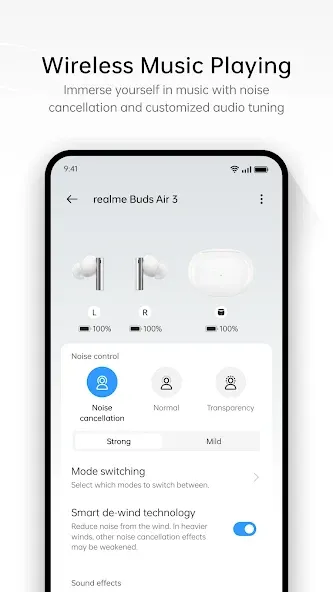
Realme Link is a device management tool designed specifically for Realme users. Through this app, users can connect various smart devices—such as watches and earbuds—and view real-time information, including incoming calls, message notifications, fitness data, and sleep duration. All data is presented in the form of charts, helping users gain a better understanding of their personal health. The app also allows users to update the firmware of their smart devices, adjust settings (such as toggling noise cancellation or transparency modes), and customize watch faces, ensuring the devices meet the user's needs across different scenarios.
Features of Realme Link:
Health tracking and personal profile: For wearables such as smartwatches and fitness trackers, realme Link collects exercise and sleep data in one place. The app presents this information in a way that helps you follow activity trends and rest patterns, which can support healthier daily habits.You can also personalize your profile with a picture, username, date of birth, height, and weight. These details are especially relevant when you connect a realme smart scale, since accurate body measurements depend on that basic information.
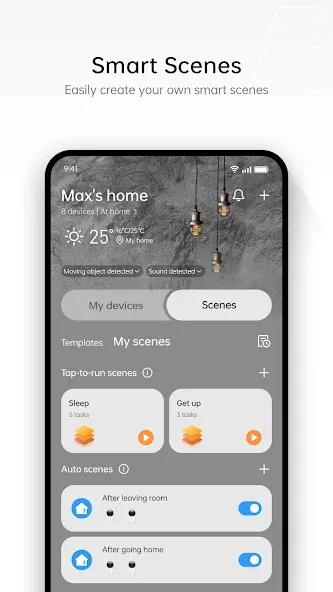
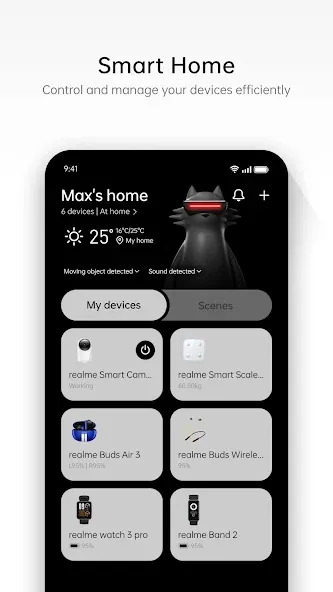
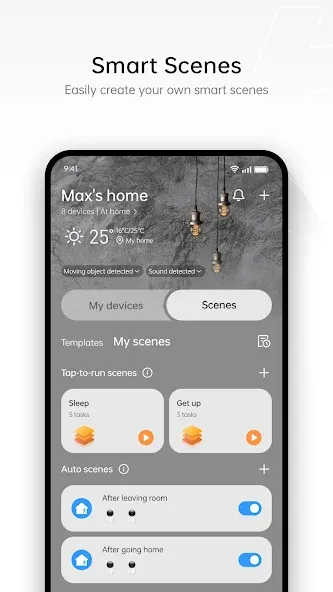
Smart home automation with Scenes: A major highlight of realme Link is its automation system, called Scenes. Scenes let you trigger multiple actions on compatible smart devices with a single tap. For example, the popular “Leaving Home” scene can switch off all connected lights, activate your surveillance camera, and start the robot cleaner at once.Scenes work with a variety of realme smart home products such as smart bulbs, security cameras, air purifiers, and robot vacuum cleaners. Used well, they can simplify daily routines and reduce the number of manual adjustments you make throughout the day. The tradeoff is that these automations rely on having realme-branded hardware throughout your setup.
Audio controls and everyday use: realme Link also doubles as a tuning tool for supported audio devices. With earbuds like the Realme Buds T310, you can adjust volume, bass levels, noise cancellation, and other sound parameters from within the app. This level of control lets you tailor audio to your preferences instead of sticking to a fixed factory profile.Users generally describe the interface as clean, with straightforward navigation between the different device sections. Managing multiple gadgets, checking health stats, and tweaking audio profiles can be done in a few taps, which helps the app feel approachable even if you are new to smart home ecosystems.
Highlights of Realme Link:
Dozens of compatible devices: The realme Link compatibility list is enormous. The widest variety of compatible devices is found in the Audio and Watches tabs. With the app you can synchronize and configure Realme Buds Air7, Realme Buds T200, Realme Buds Q, DIZO GoPods, DIZO Buds Z, Realme Buds T100, Realme Buds T300, and many more. Similarly, you can synchronize the entire Realme Watch range and the entire DIZO Watch Pro range with ease. To do so, just keep it within range of your Android device.
Use realme Link on PC: Although there is no official realme Link client for PC, it's easy to use the app on a desktop. Simply install the Android app on an emulator. This way, you can use it as you normally would with your cell phone, but from the comfort of your PC. Also bear in mind that the same user account can be used for both the Android and iOS apps. This means that if you also have an iPhone, you can use the same login details.
The best way to configure your Realme devices: Download the realme Link APK if you have Realme branded devices and want them all to be perfectly synchronized and linked to your account. This app makes it easy to manage all your gadgets. You will need to make sure, however, that you always have the latest version of the app. Older versions of the app may not work correctly or recognize certain devices. If you have any trouble linking a device, try a newer version.
User Reviews of Realme Link:
OnePlus phones connection issue resolved; this recent update fixed the existing users login. Appreciated that they fixed it immediately.
Absolutely amazing app. It connects seamlessly with all my Realme smart devices. The UI is clean, smooth, and very user friendly. Time to Time Best Software Updates. Nice Hard Work Team Realme. Health tracking and device management work perfectly without any lag. Highly recommended.
this application is fantastic it helps to maintain my health and anylisis my daily activities and remind me the time of exercise and drink water my personal opinion is this application is fantastic.
Great upgrade in terms of noice cancellation control and Equalizer control specifically for the realme neckband.
Exceeded all my expectations! The audio quality is truly mind-blowing, and the features integrated through the realme Link app make the experience seamless. The Noise Cancellation and Transparency modes work way beyond my imagination. 10/10 recommendation!
Summary:
Realme Link offers all its users realme Link Android, an official app designed to control all the brand's smart gadgets from a mobile phone. This means we will be able to access the additional functions on the devices and even track daily activity and health.
More Information
- Size:194.13MB
- Version:5.8.811.2814
- Requirements:Android 4.4+
- Votes:169
- Package Name:com.realme.link
- Signature:e48edb2a42ab820d5794c7727fcbacc8
Related Versions
-
 Download
Version:4.9.915.4515Size:148MB
Related topics
-
A healthy lifestyle is about more than just proper nutrition and consistent exercise. Getting enough sleep, taking care of your body and mind, and managing things like medications and doctor’s appointments also play important roles in staying healthy. A good app can be a great way to manage it all. That’s why Healthline tested a variety of different healthy lifestyle apps. We chose the year’s best based on content, reliability, and user reviews.
-
![V-App]()
V-App
-
![SomaShare]()
SomaShare
-
![Realme Link]()
Realme Link
-
![Meu INSS]()
Meu INSS
-
![AlfaOBD]()
AlfaOBD
-
![Spirit Talker]()
Spirit Talker
-
![Weather Live Wallpapers]()
Weather Live Wallpapers
-
![AccuWeather]()
AccuWeather
-
-
Take charge of your daily routine with the most innovative lifestyle apps of 2024. Elevate your fitness, mindfulness, and nutrition with cutting-edge workout, meditation, and meal-planning tools. Boost productivity with smart scheduling apps that simplify time management, or unwind with curated entertainment, news, and reading platforms. Whether you want to stay organized, energized, or inspired, these handpicked apps help you achieve balance effortlessly. Download now and transform your work, wellness, and free time-your best life is just a tap away!
-
![SomaShare]()
SomaShare
-
![Realme Link]()
Realme Link
-
![Meu INSS]()
Meu INSS
-
![Spirit Talker]()
Spirit Talker
-
![AccuWeather]()
AccuWeather
-
![Fabulous Daily Routine Planner]()
Fabulous Daily Routine Planner
-
![Zoom Earth]()
Zoom Earth
-
![Sleep as Android]()
Sleep as Android
-








Latest Updated

Popular Apps




Popular News
More+-
![Tomie Wants to Get Married Full Walkthrough, All Choices and Ending Guide]()
Tomie Wants to Get Married Full Walkthrough, All Choices and Ending Guide
2026-05-22
-
![Karryn’s Prison Gameplay Walkthrough & Strategy Guide]()
Karryn’s Prison Gameplay Walkthrough & Strategy Guide
2025-10-28
-
![Life in Santa County Game Guide & Complete Walkthrough]()
Life in Santa County Game Guide & Complete Walkthrough
2025-10-28
-
![Dreams of Desire Complete Walkthrough and Game Guide]()
Dreams of Desire Complete Walkthrough and Game Guide
2025-10-28
-
![Era Hunter Gameplay Guide & Full Walkthrough]()
Era Hunter Gameplay Guide & Full Walkthrough
2025-10-28




