

Streaming Community
Download for Android This app is available for Android only.- Category:Media & Video
- Rating:
- Language:English
- Updated:2026-11-04
Screenshots
Introduction
Streaming Community is a streaming application designed for Android devices. It aggregates detailed information, allowing users to view plot summaries, cast lists, trailers, and more. The app supports account synchronization, ensuring data remains consistent across multiple devices and providing relevant notifications. Users can quickly access the shows they want to watch. Featuring an intuitive interface, the app is easy to navigate from the start and automatically detects streaming sources.
Features
Explore a rich catalog powered by TMDB
Streaming Community organizes public data from TMDB into clear detail pages. You can view full synopses, cast lists, official trailers, seasons and episodes, financial information, image galleries, and where to watch information. Results are easy to scan, and details update as data changes on the source. This helps you evaluate what to watch before adding anything to a list.
Personal lists and account sync
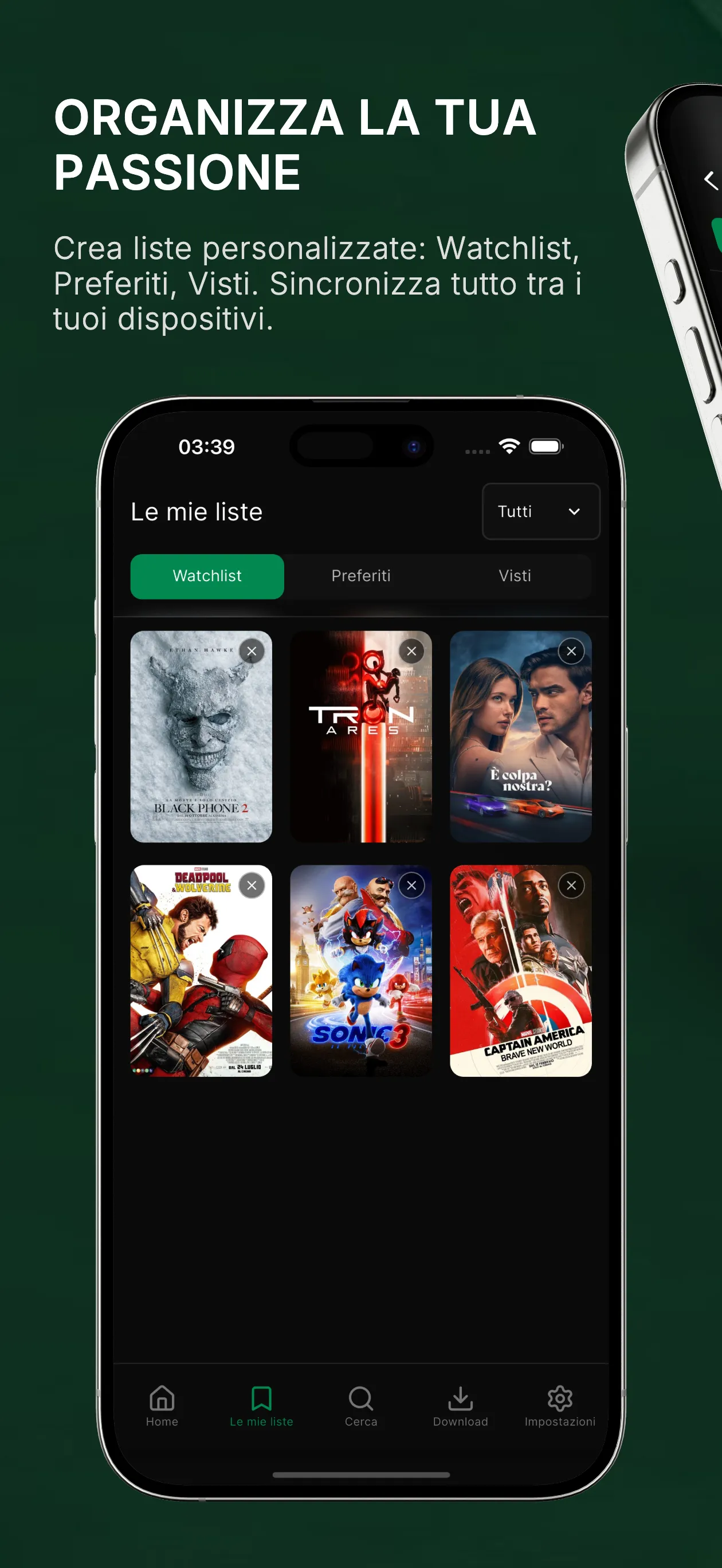
Create your own Watchlist, Favorites, and Watched lists to keep track of titles. If you sign in with Google or Apple, your selections sync across devices, so your lists stay consistent when you switch phones or use another screen. You can move items between lists at any time, and sorting helps you find what matters first. This makes everyday tracking straightforward.
Release alerts that keep you on schedule
Set notifications for upcoming movies or new episodes and get a reminder on the release day. Alerts can be tailored to the titles you follow, so you only receive notices you care about. This is useful if you follow multiple shows and want a gentle nudge when the next episode drops. As plans change, you can adjust or remove alerts in a few taps.
Optional Link Host with integrated web viewer
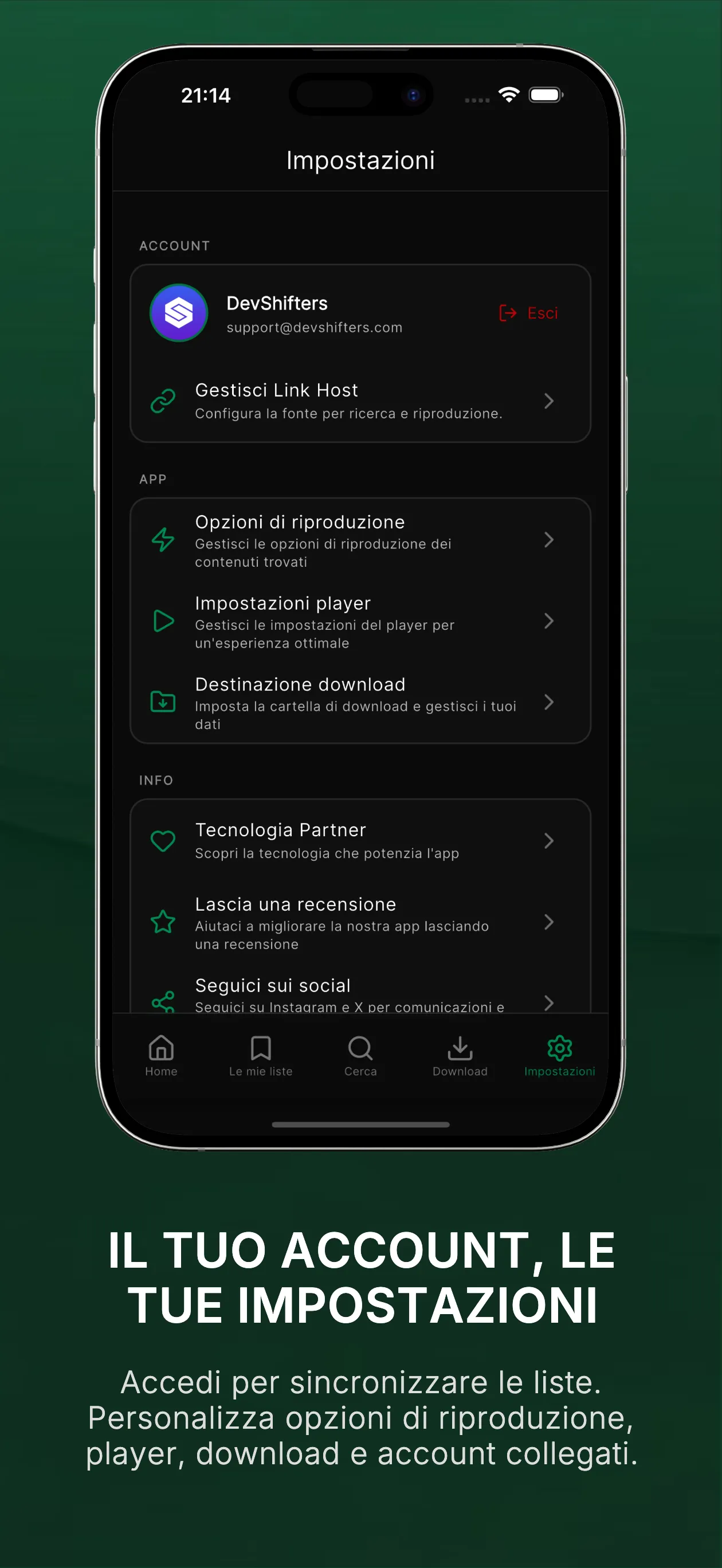
Streaming Community does not provide or host any content. If you choose, you can configure Link Host to open your preferred external sites and tap Play directly from title pages. The integrated web viewer blocks invasive ads automatically, which helps with smoother navigation. You are responsible for the sources you add, so only use legal and trusted sites that respect your region’s rules and the rights of creators.
How to Use
Upon opening the app, you can choose to browse as a guest or sign in using your Google or Apple account to enable cross-device synchronization.
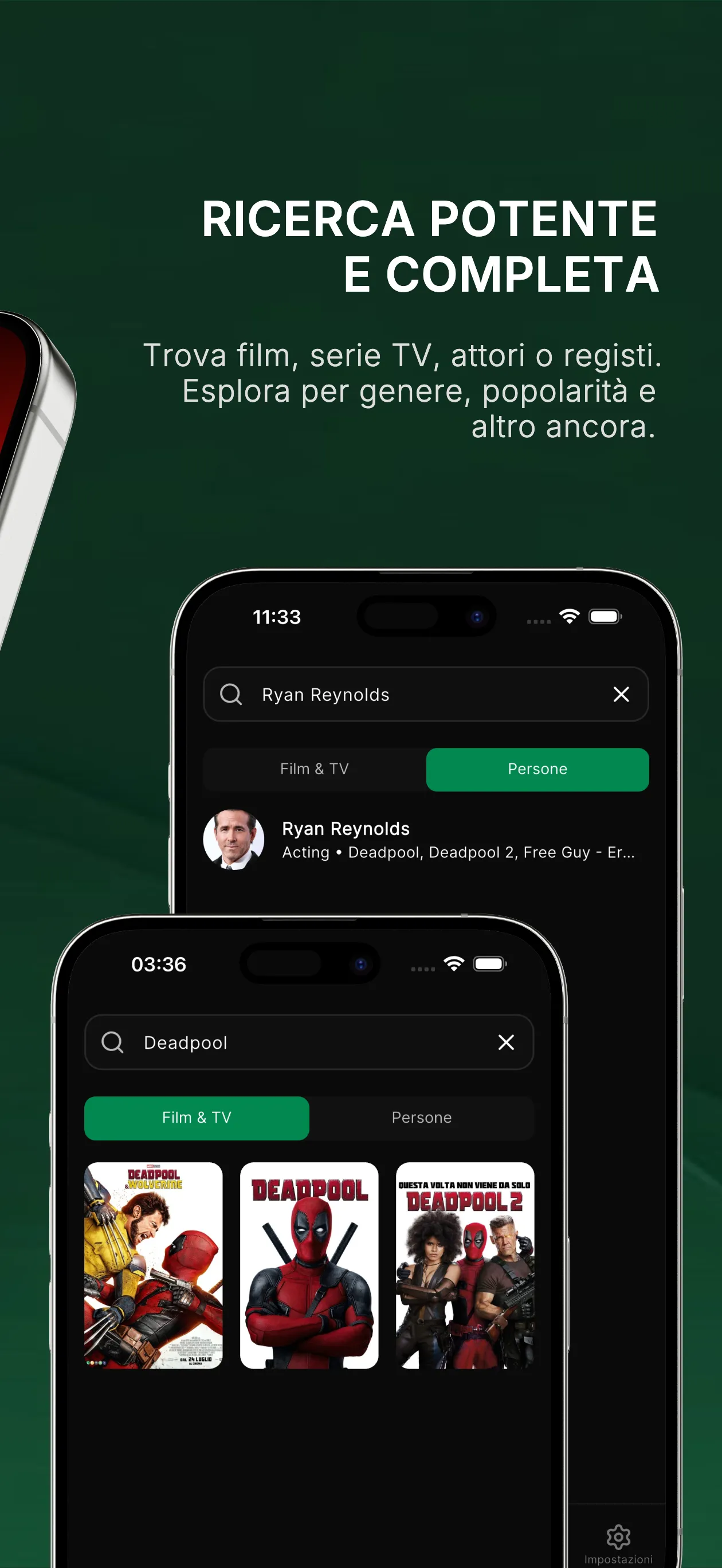
Search for movies or TV shows and navigate to their respective detail pages to view synopses, cast and crew information, trailers, and available streaming platforms.
You can add titles to your "Watchlist" or "Favorites." To receive notifications for premieres or the release of new episodes, you can enable release alerts.
To use external links, go to the "Settings" page and configure your preferred, trusted sources under "Link Host." Once set up, return to the title's detail page and tap "Play."
When a streaming source is detected, you can watch the content via Streaming Community. Depending on the source, you may also be able to save content for offline viewing.
FAQS
What is Streaming Community APK used for?
Streaming Community APK is used to track movies and TV series in a structured and organized way. The app helps users manage watchlists, follow episode progress, check upcoming releases, and stay updated without relying on memory or multiple apps.
Does Streaming Community APK stream or host movies and TV shows?
No. Streaming Community APK does not host or stream movies or TV shows. It works as an entertainment tracking and management tool, focusing on organizing viewing activity, progress tracking, and release information rather than media playback.
Can I track both movies and TV series with Streaming Community APK?
Yes. Streaming Community APK allows you to track both movies and TV series in one place. You can manage watched status, create watchlists, follow episode progress, and organize content based on your personal viewing habits.
Summarize
Streaming Community is a movie and TV guide app that helps you discover what to watch, track favorites, and play videos from your own links or local files. Search a large catalog to see trailers, cast, synopsis, and release info in seconds. Save titles to a personal Watchlist, and browse trending and upcoming picks from cinema or television. A built-in web viewer and dedicated player make it simple to open a host link or press play on files stored on your device.
More Information
- Size:284.48MB
- Version:3.1.0
- Requirements:Android 4.4+
- Package Name:com.devshifters.streamingcommunity
- Signature:d2c350ee41c5b8c29e586157d92f9c05
Related topics
-
Today, many popular movie streaming apps like Netflix, Disney+, and Hulu have reached millions of viewers. And they have done this without relying heavily on additional promotions. People no longer need to stick to some random, specific TV schedules to enjoy their favorite shows and movies. Thanks to the internet, viewers can easily find new and entertaining content without any hassle. Not to mention, the leading movie streaming solution like Netflix has become incredibly popular because they understand and cater to audience preferences worldwide.
-
![Streaming Community]()
Streaming Community
-
![Folaplay]()
Folaplay
-
![FreeFlix HQ]()
FreeFlix HQ
-
![Cine Filmes]()
Cine Filmes
-
![YTDLnis]()
YTDLnis
-
![PlayPlus]()
PlayPlus
-
![Dutafilm App Guide]()
Dutafilm App Guide
-
![Kwai Lite]()
Kwai Lite
-
-
A video streaming service is a type of on-demand online entertainment source for TV shows, movies, and other streaming media. In need of Android movie apps? you can watch your favorite shows or movies any time anywhere Streaming means listening to music or watching video in ‘real time’, instead of downloading a file to your Android device and watching it later. Whether you're looking to watch movies, TV shows, or videos on your Android device, you'll need a good video player app. Beyond just playing content, these apps now offer features such as seamless playback, format versatility, subtitle support, advanced controls, VR integration, online video streaming, and enhanced privacy. This article delves into the best free and paid Android video player apps in 2024, guiding both casual viewers and cinephiles to their ideal choice.
-
![Streaming Community]()
Streaming Community
-
![VidStream]()
VidStream
-
![Khatrimaza]()
Khatrimaza
-
![Video Bokeh Museum]()
Video Bokeh Museum
-
![FreeFlix HQ]()
FreeFlix HQ
-
![BTV App]()
BTV App
-
![DotMovies]()
DotMovies
-
![SionsFlix]()
SionsFlix
-
-
Streaming software allows you to broadcast your content live across the internet. It processes the raw feed that comes from your camera and converts it into a digital format that is suitable for internet streaming, in real-time. In 2024, 41% of internet users have already watched at least one live stream in their lifetime. And 27.6% of them are expected to watch at least one live broadcast every week. Hence, it is needless to say that the live streaming market is seeing a massive boom. As the market is growing, the number of live streaming software is also increasing. And it is becoming extremely difficult to choose one. In this guide, we will tell you what are the parameters to decide the best live streaming software, like what features they should have and what factors you need to consider. And finally, we will tell you about the top 10 live-streaming software that our experts have handpicked for you! So, let’s get started.
-
![Streaming Community]()
Streaming Community
-
![WatchFlix]()
WatchFlix
-
![Folaplay]()
Folaplay
-
![Cine Filmes]()
Cine Filmes
-
![YouTube]()
YouTube
-
![DotMovies]()
DotMovies
-
![YTDLnis]()
YTDLnis
-
![PlayPlus]()
PlayPlus
-















Latest Updated






Popular Apps







Popular News
More+-
![Tomie Wants to Get Married Full Walkthrough, All Choices and Ending Guide]()
Tomie Wants to Get Married Full Walkthrough, All Choices and Ending Guide
2026-05-22
-
![Karryn’s Prison Gameplay Walkthrough & Strategy Guide]()
Karryn’s Prison Gameplay Walkthrough & Strategy Guide
2025-10-28
-
![Life in Santa County Game Guide & Complete Walkthrough]()
Life in Santa County Game Guide & Complete Walkthrough
2025-10-28
-
![Dreams of Desire Complete Walkthrough and Game Guide]()
Dreams of Desire Complete Walkthrough and Game Guide
2025-10-28
-
![Era Hunter Gameplay Guide & Full Walkthrough]()
Era Hunter Gameplay Guide & Full Walkthrough
2025-10-28




