
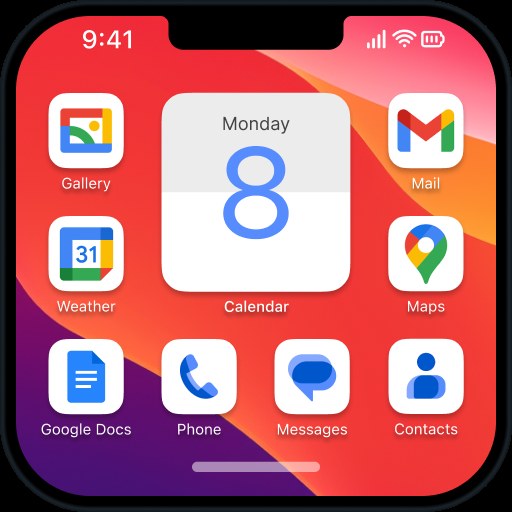
Launcher iOS 16
Download for Android This app is available for Android only.- Category:Theme
- Rating:
- Language:English
- Updated:2026-11-07
Screenshots
Introduction
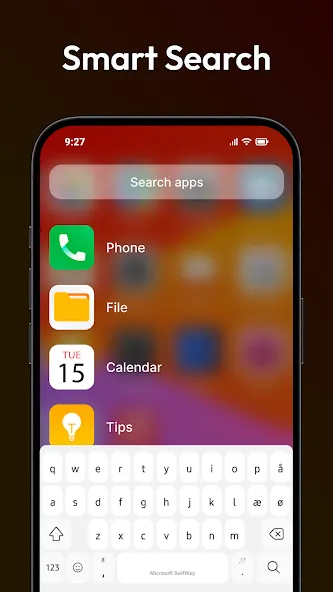
Launcher iOS 16 is a theme application designed specifically for Android devices. Packed with powerful features, it transforms your Android phone into a highly capable and intelligent device, allowing you to experience a new standard for the Android mobile operating system and unlock endless possibilities. With Launcher iOS 16, you can significantly enhance your phone's performance and utility, giving it a fresh new look and superior functionality. Additionally, the app offers features such as a Control Center and AssistiveTouch, and it supports changing wallpapers just as you would on an actual iOS device.
Highlights:
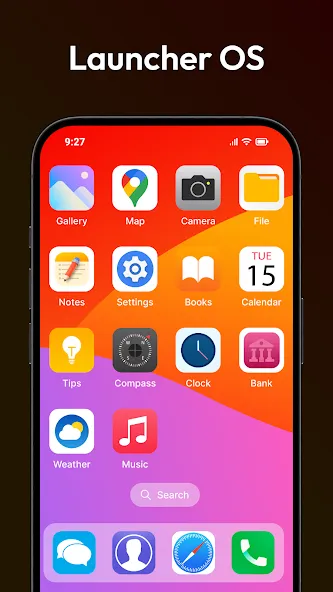
Apps Library
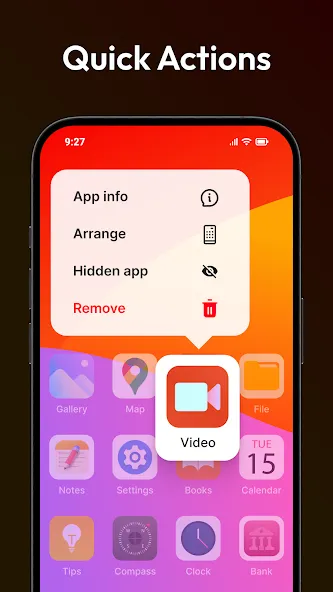
3D Touch like to iOS 16: Long press 1s to open shortcut, long press 2s to rearrange or uninstall app.
Change Icon from Gallery, Icon Pack: App settings > Change icon > Choose icon from Gallery or Icon Pack.
Auto Rearrange Apps: Open app settings > Utilities > Enable Auto Rearrange Apps
Change Name for application.
Hide application use 3D touch or add in app settings.
Get Weather information with current location, hourly and daily forecast.
Features:
Easy-to-use and user-friendly UI: The app has a simple and intuitive interface, making it easy for users to navigate and use all its features.
Speedy and customizable themes: Users can personalize their phone's appearance by choosing from a variety of themes and customizing them according to their preferences.
iOS 16 style wallpapers: The app offers a collection of stunning wallpapers in the style of iOS 16, allowing users to give their phone a fresh and modern look.
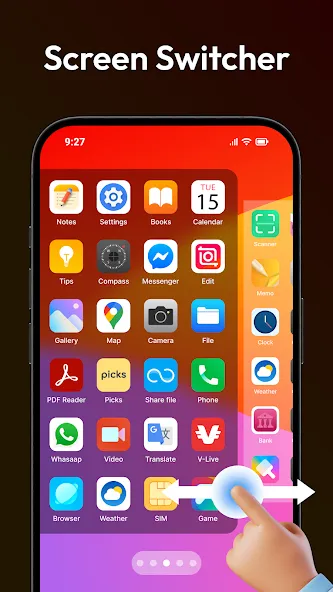
Notification Center and Control Center: Experience the convenience and functionality of iOS 16 Launcher with its Notification Center and Control Center, providing quick access to essential settings and notifications.
App Library: All your apps are organized and accessible in one place, arranged in a visually pleasing manner, similar to the iOS 16 App Library.
App Privacy: The app allows users to hide and secure their apps, providing an added layer of privacy and control over their personal data.
Pros & Cons:
Pros
Convincing iPhone-inspired home-screen presentation
Swipe-access Control Center for common functions
Quick shortcuts to favorite apps and actions
Supports wallpaper personalization
Cons
Does not replicate the full iOS experience
Some animated wallpaper and icon effects may conflict
Changelog:
THIS UPDATE:
- Fixes other issue reported by user.
NEXT ACTIONS:
- Add new widgets.
- Improve performance.
- Fixes issue.
So sorry with some ads in iOS Launcher settings only.
I must add some ads to keep working and support user quickly.
THANK YOU SO MUCH FOR USING MY APPS!
IF YOU HAVE ANY THE PROBLEM, PLEASE SEND EMAIL TO ME WITH VIDEO OR SCREENSHOT.
Final Words:
In the setup options on Launcher iOS 16 you'll find a lot of variety. You can adjust the size of the icons to fit more or fewer in each row and column, as well as configure gesture shortcuts or even set the blur you'll see when you open your app drawer. Launcher iOS 16 is a powerful Android launcher that gives a very elegant look to your Android by 'disguising' it as an iPhone with some very interesting features and a good number of pretty wallpapers.
More Information
- Size:13.37MB
- Version:6.2.5
- Requirements:Android 4.2+
- Package Name:com.luutinhit.ioslauncher
- Signature:bcbd08bbac4d94515386df69a08d6e02
Related topics
-
The Ultra HD Wallpaper app allows you to find a wide range of clear wallpapers, which can be displayed with great clarity on any phone screen. You no longer have to worry about unclear wallpapers when changing devices. Today, the editor has compiled a complete app for ultra HD wallpapers, which you can choose and use according to your own needs. Generally, wallpapers are classified in great detail within software, and you can find wallpapers of any style you like. At the same time, there are super rich dynamic wallpapers for you to choose from, using cool wallpapers to make your phone desktop and lock screen stand out. Friends who like to collect ultra high definition wallpapers, welcome to download related software and experience it on this website!
-
![Launcher iOS 16]()
Launcher iOS 16
-
![Samsung Good Lock]()
Samsung Good Lock
-
![Pixly Limitless]()
Pixly Limitless
-
![Recticons]()
Recticons
-
![CUTE Iconpack]()
CUTE Iconpack
-
![PastelLine IconPack]()
PastelLine IconPack
-
![ThemeApp]()
ThemeApp
-
![XOS Launcher]()
XOS Launcher
-
-
These software have the most comprehensive collection of wallpaper themes, and you can update your phone or computer wallpaper at any time. There are various styles of wallpapers with complete classifications, and you can search freely. Moreover, all wallpapers are high-definition images that can be freely adapted to your screen and support downloading and saving locally. The theme wallpaper application software recommends the hottest, latest, and best wallpapers for you. Millions of ultra high definition wallpapers are updated in real-time every day, with a wide variety of themed wallpapers available. There are no samples for changing wallpaper every day.
-
![Launcher iOS 16]()
Launcher iOS 16
-
![Samsung Good Lock]()
Samsung Good Lock
-
![Wallpaper 4K HD]()
Wallpaper 4K HD
-
![Pixly Limitless]()
Pixly Limitless
-
![CUTE Iconpack]()
CUTE Iconpack
-
![ThemeApp]()
ThemeApp
-
![WallpapersCraft]()
WallpapersCraft
-
![Quick Launcher for Android 17]()
Quick Launcher for Android 17
-




Latest Updated

Popular Apps





Popular News
More+-
![Tomie Wants to Get Married Full Walkthrough, All Choices and Ending Guide]()
Tomie Wants to Get Married Full Walkthrough, All Choices and Ending Guide
2026-05-22
-
![Karryn’s Prison Gameplay Walkthrough & Strategy Guide]()
Karryn’s Prison Gameplay Walkthrough & Strategy Guide
2025-10-28
-
![Life in Santa County Game Guide & Complete Walkthrough]()
Life in Santa County Game Guide & Complete Walkthrough
2025-10-28
-
![Dreams of Desire Complete Walkthrough and Game Guide]()
Dreams of Desire Complete Walkthrough and Game Guide
2025-10-28
-
![Era Hunter Gameplay Guide & Full Walkthrough]()
Era Hunter Gameplay Guide & Full Walkthrough
2025-10-28




