

Howbout
Download for Android This app is available for Android only.- Category:Social
- Rating:
- Language:English
- Updated:2026-11-15
Screenshots
Introduction
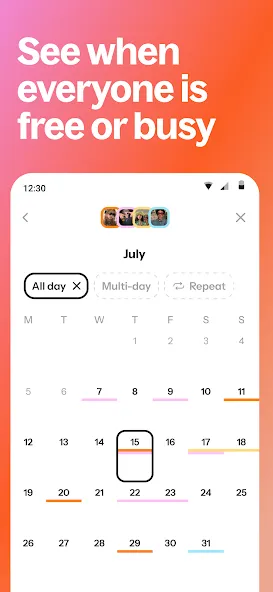
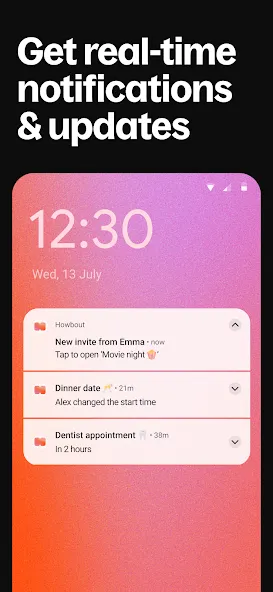
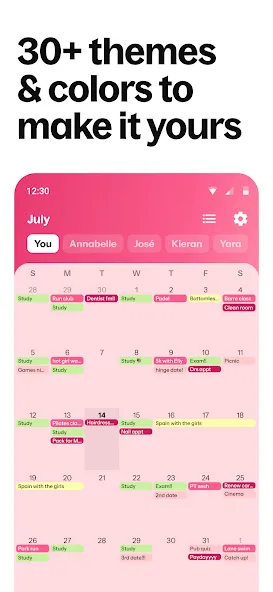
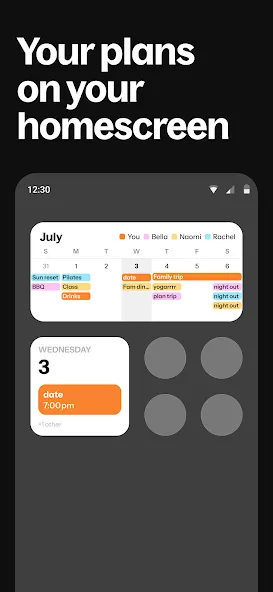
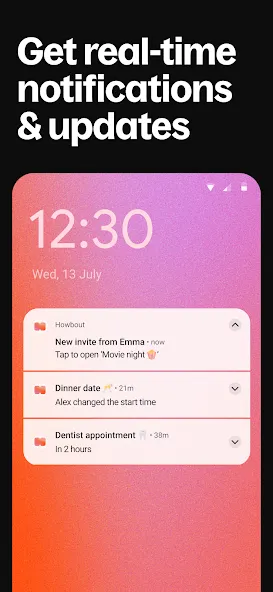
Howbout is a lifestyle tool that allows users to sync their schedules—for the current day and the days ahead—with friends and family. Users can easily check each other’s availability, making it simple to coordinate get-togethers. The app also integrates with various calendar platforms, providing timely reminders so that users can arrive at their scheduled events on time. Furthermore, Howbout offers a range of customization options, such as color-coding calendar entries and the ability to display widgets on your screen, ensuring the app adapts to your specific needs.
Features of Howbout:
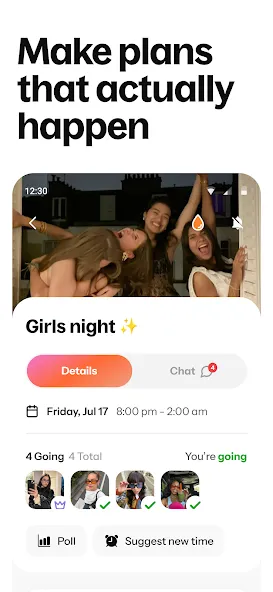
Effortless Group Planning: This platform redefines how individuals organize shared experiences, making it incredibly simple to bring friends together. Whether it’s coordinating a weekend getaway, a casual dinner, or a significant celebration, the tool centralizes all planning aspects. Users can easily set up events, specify details, and invite their circle, ensuring everyone is on the same page without the usual back-and-forth communication.
Visually Engaging Interface: Beyond its functional prowess, the application boasts a design crafted for clarity and appeal. Its eye-catching interface ensures that navigating through planned events, creating new ones, or checking friend availability is a smooth and enjoyable process. This thoughtful visual presentation not only makes the experience intuitive but also adds a layer of delight to managing your social calendar.
Dynamic Event Management: What sets this experience apart is its ability to infuse dynamism into group plans. It allows for more than just static event creation; users can adapt and evolve their gatherings with ease. From suggesting multiple time slots for a meet-up to quickly updating locations or activities, the platform ensures that group decisions are reflected promptly, keeping everyone informed and engaged as plans solidify.
Connecting Friends Seamlessly: At its core, Howbout is about strengthening social bonds by simplifying shared moments. It acts as a central hub where all collaborative activities reside, ensuring that no one misses out on opportunities to connect. By providing a clear overview of upcoming shared events, this tool fosters a sense of community, making it easier for friends to coordinate their schedules and create lasting memories together.
Strengths of Howbout:
Privacy Settings: Decide who can see your events—choose all friends, just Close Friends, or no one at all.
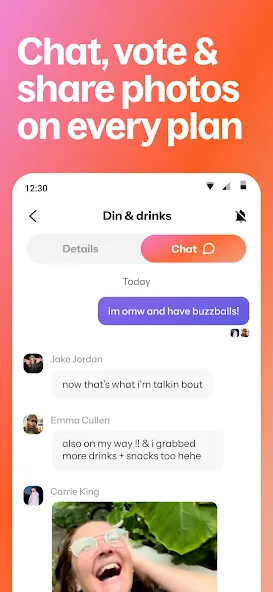
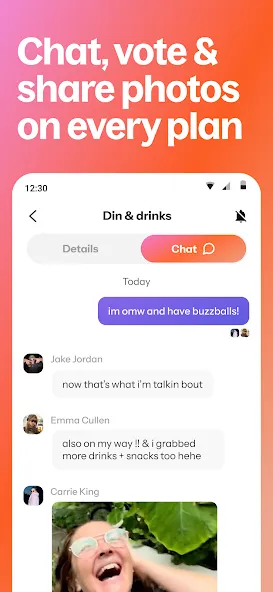
Chat and Interact: React to events, DM pals, or use the group chat to discuss plans.
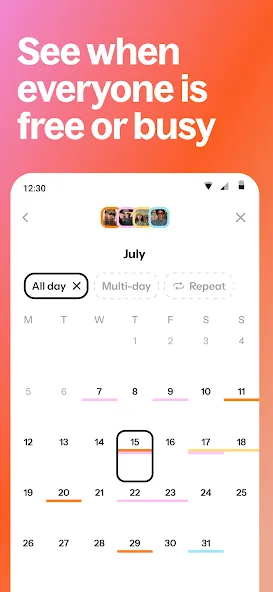
Find Free Time: See when everyone’s available for a meetup with ease.
Vote with Polls: Decide on activities or dates with simple polls.
Countdown to Plans: Pin events to your home screen and count down the days.
Keep Memories: Add photos to events and revisit your cherished moments.
User Reviews of Howbout:
Super easy to use app, keeps iy very organized. Very satisfied wow the best calendar apps out there, whether personal calendar or a shared one. Beyond amazing.
Easy to use, easy to set and remove reminders, you can link up with friends and family, share with everyone, just some or only yourself.
I've been using this app for over a year, and it is amazing it helps me plan my time which I've always struggled with, I recommend it to everyone I know.
Great for self managing my calendar and connecting with others! I appreciate the easy calendar migration tool as well, making the switchover was pretty easy! Once you connect with a few friends, colour coordinating becomes an option which further enhances how easy it is to use! Grouping friends together makes for easy planning sessions too (Christmas event planning has been a breeze this year!). All together, I'm very impressed!
It really is everything I was looking for. My friends and I have been hanging out for a long time, and this is really well made. Everything you need is free, but you can also pay for more customization.
FAQs of Howbout:
How do time zones work on Howbout?
Howbout always reflects the current time zone of your device — so every time you travel to a new time zone, we’ll update your calendar automatically. For individual events, we use locations as a way to understand what time zone to show them in.
How do I add a Howbout Widget to my iPhone home screen?
On your iPhone home screen, touch and hold an empty space until apps start jiggling
Tap the '+' icon in the top left corner
Scroll or search for Howbout, then tap it
Tap 'Add Widget' to place it on your home screen
While apps are still jiggling, drag the widget to your preferred location
Tap 'Done' to save your layout
The widget shows your upcoming plans and makes it easier to stay on top of your updates at a glance.
How do I sync my phone calendar with Howbout?
To connect your device's calendars to Howbout:
Head to the Calendar tab
Tap the Settings icon in the top right corner
Under 'Calendar', select 'Synced calendars'
Follow the prompt to allow calendar access
If you previously denied access, select 'Go to Settings' when prompted
In your device's Settings, go to Calendar permissions and give Howbout 'Full Access'.
How do I bulk-add work shifts, rotas & schedules to Howbout?
To add the same event to multiple non-consecutive dates at once:
Long-press on a date on your monthly calendar to enter multi-add mode.
Select the dates you’d like to add your events on - they don’t need to be consecutive!
Choose a suggested event from the bottom of the screen or tap to create a new one.
Add in your event details, such as time, location, or specific preferences.
Hit ‘Save’ to apply the event to every date you selected.
Final Verdict:
Download the Howbout and get the most out of this efficient and intuitive shared calendar app for your smartphone. Add all your group events and send invitations to your friends so easily plan your leisure time with ease.Within each event, you can start a chat to exchange opinions with the attendees. Without having to resort to other messaging apps, Howbout: Social calendar provides all the necessary tools to discuss any issue in real-time.
More Information
- Size:83.32MB
- Version:16.7.2
- Requirements:Android
- Package Name:app.zyng.app
- Signature:d6b368af39d13ea9bc8ad7c3ca2d79b9
Related topics
-
Virtual dating apps are digital platforms that allow users to connect, socialize, and build relationships in immersive online environments. By leveraging cutting-edge technologies like VR (virtual reality), AR (augmented reality), live video chat, and gamified interactions, these apps create engaging and lifelike dating experiences. Whether through virtual dates in digital worlds, interactive games, or AI-powered matchmaking, they offer a fresh and exciting way to meet new people. Ready to explore? Dive into the virtual dating scene and discover meaningful connections in a whole new way!
-
![Vava]()
Vava
-
![MeetMe]()
MeetMe
-
![CorrLinks]()
CorrLinks
-
![Howbout]()
Howbout
-
![Chatiw!]()
Chatiw!
-
![Camfrog]()
Camfrog
-
![AskChat]()
AskChat
-
-
In today's digital era, many people find dating apps to be an incredibly effective way to expand their social networks. As one of the most convenient tools for modern socializing, these platforms offer users diverse opportunities to connect with others. Our curated selection of dating apps provides high-quality matching services, helping users quickly find like-minded people for meaningful interactions. Whether you're looking for friendship or romance, these apps empower you to meet new people in ways that suit your personal preferences and social style, making the journey of connection both enjoyable and rewarding!
-
![Vava]()
Vava
-
![CorrLinks]()
CorrLinks
-
![Howbout]()
Howbout
-
![Chatiw!]()
Chatiw!
-
![Camfrog]()
Camfrog
-
![Talkatone]()
Talkatone
-
![Instagram Aero]()
Instagram Aero
-
-
With the continuous development of the internet, the times have also undergone earth shaking changes. There are numerous social apps, which have high flexibility and lower costs compared to traditional SMS communication methods. Nowadays, there are a wide variety of social apps on the market, and people don't know which one is suitable. Today, we recommend several popular social apps for you. Here, you can find like-minded friends and also find like-minded partners.
-
![Harry Potter Fan Club]()
Harry Potter Fan Club
-
![Kosmi]()
Kosmi
-
![Cantina]()
Cantina
-
![Robokiller]()
Robokiller
-
![CorrLinks]()
CorrLinks
-
![Howbout]()
Howbout
-
![Zangi]()
Zangi
-
![PDing]()
PDing
-













Latest Updated






Popular Apps








Popular News
More+-
![Tomie Wants to Get Married Full Walkthrough, All Choices and Ending Guide]()
Tomie Wants to Get Married Full Walkthrough, All Choices and Ending Guide
2026-05-22
-
![Karryn’s Prison Gameplay Walkthrough & Strategy Guide]()
Karryn’s Prison Gameplay Walkthrough & Strategy Guide
2025-10-28
-
![Life in Santa County Game Guide & Complete Walkthrough]()
Life in Santa County Game Guide & Complete Walkthrough
2025-10-28
-
![Dreams of Desire Complete Walkthrough and Game Guide]()
Dreams of Desire Complete Walkthrough and Game Guide
2025-10-28
-
![Era Hunter Gameplay Guide & Full Walkthrough]()
Era Hunter Gameplay Guide & Full Walkthrough
2025-10-28




