

Planboard
Download for Android This app is available for Android only.- Category:Education
- Rating:
- Language:English
- Updated:2026-11-18
Screenshots
Introduction
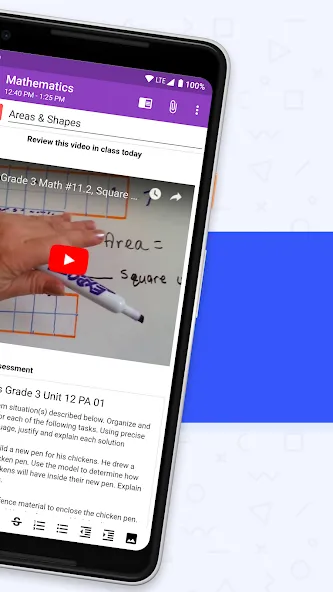
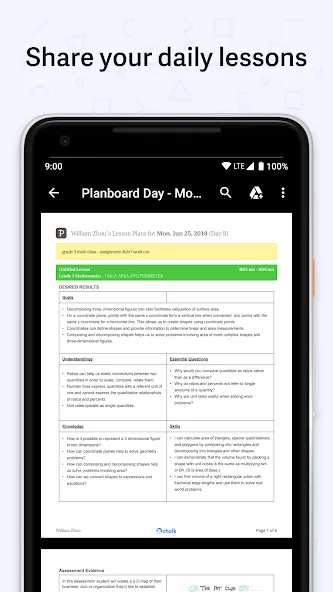
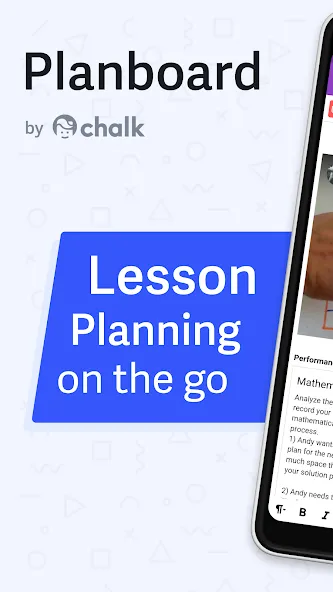
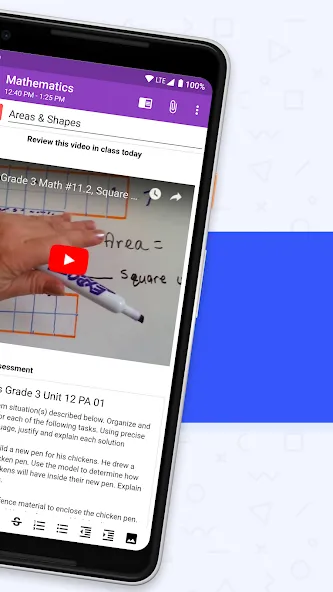
Planboard is a lesson-planning tool designed specifically for teachers. Using its editor, educators can create new lessons—incorporating images, videos, and text—and share these lesson plans with their classes. Users can log in to their accounts across multiple devices, with the software automatically syncing their work so they can easily access their materials wherever they are teaching. Most importantly, the software is completely free for teachers, allowing them to create lessons and adjust their class schedules as needed.
Features of Planboard:
100% free for Teachers!
Create, edit, and share lesson plans.
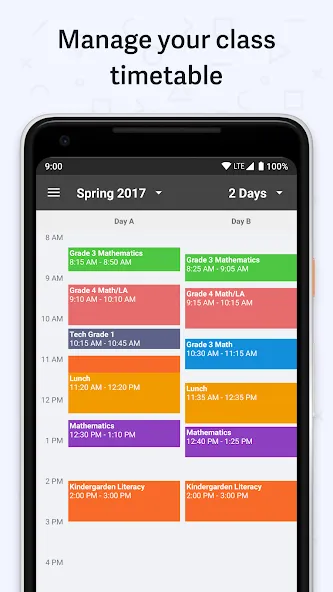
Organize your timetable, subjects, and semesters.
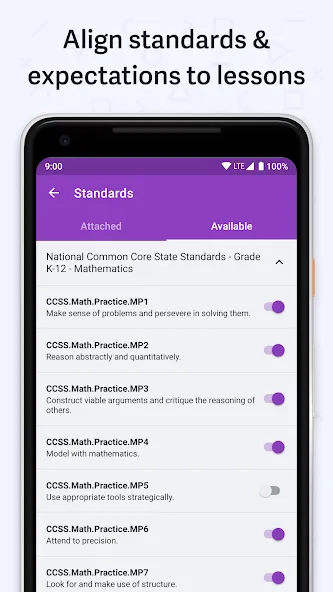
Manage curriculum standards.
Take photos and add files to lesson plans.
Syncs with Planboard on the web.
Fast and easy to get set up.
User Reviews of Planboard:
Had a very positive experience do far. This is my second year using the program. It does take a little work to set up the schedule, but once it's set up it makes my life so easy. I can edit lessons on my phone, make notes etc. Then go to my computer and work on them there. I like that I can easily print off clear lesson plans when I have a supply teacher in as well. Big fan. Highly recommend.
Love, love, love this app! It has made organizing lesson plans so easy with the color coded subjects, ability to easily copy lessons from one class to another, built in, drop-down standards (even the NEW library standards)! Add in that it's FREE! I've been telling everyone about Planboard! Try it, you'll love it!
I really LOVE this app. I use it for my Sunday School class and it works sooooo efficiently! I love how you can send your lessons via PDF format or you can send it as a link. I only wish when you can keep track of two different classes that run at the same time with the same account. This way I can keep up ir publish things for my other Sunday School Teachers without having to create a new account. And I wish it had a tutorial so I know I am truly using this app to its full potential. LOVE IT!
Planboard is a simple and helpful way to plan. It's nice having your plans in multiple places. I am a Math Interventionist and work with multiple groups of students from grades 1-4. Planboard makes it easy to plan and differentiate for each individual student/group. I love how I can have it on my phone, tablet and chromebook so I can plan anywhere/anytime. Love it!
FAQs of Planboard:
Can teachers collaborate with other educators using Planboard?
Yes, Planboard allows teachers to collaborate with colleagues by sharing lesson plans and schedules.
Does Planboard offer templates for lesson plans?
Yes, Planboard provides templates and customizable options for creating lesson plans to suit different teaching styles and subjects.
Can teachers import/export lesson plans in Planboard?
Yes, teachers can import existing lesson plans or export their plans to share with others using Planboard's import/export feature.
Is there a calendar view in Planboard to see lessons at a glance?
Yes, Planboard offers a calendar view that allows teachers to see their lessons and schedules at a glance for better organization.
Can teachers track student progress or assessment in Planboard?
Yes, teachers can track student progress and assessment within Planboard by adding notes, observations, and grades to their lesson plans.
Conclusion:
What’s nice is it’s made for teachers, but it doesn’t box you into one style of planning. Someone can set it up quickly and then just use it their own way, whether it’s keeping detailed plans or just jotting down a few notes and links.
More Information
- Size:7.87MB
- Version:1.12.13
- Requirements:Android
- Package Name:com.chalk.planboard
- Signature:ad92891b2d3a5b0e576860cc29c85dcd
Related topics
-
Educational software are emerging in an endless stream on the market, so which one can stand out? It should not only be simple and convenient to use but also helpful for our study. Below, Xiaohei.com brings you a very comprehensive and practical summary of educational software downloads. Come and download it, there is always one that suits you.
-
![Pathshala Classes Jaipur]()
Pathshala Classes Jaipur
-
![UniConnect]()
UniConnect
-
![Knowt]()
Knowt
-
![Unacademy]()
Unacademy
-
![Next Toppers]()
Next Toppers
-
![Udemy - Online Courses]()
Udemy - Online Courses
-
![UC LIVE]()
UC LIVE
-
![Ryan School OS]()
Ryan School OS
-






Latest Updated

Popular Apps





Popular News
More+-
![Tomie Wants to Get Married Full Walkthrough, All Choices and Ending Guide]()
Tomie Wants to Get Married Full Walkthrough, All Choices and Ending Guide
2026-05-22
-
![Karryn’s Prison Gameplay Walkthrough & Strategy Guide]()
Karryn’s Prison Gameplay Walkthrough & Strategy Guide
2025-10-28
-
![Life in Santa County Game Guide & Complete Walkthrough]()
Life in Santa County Game Guide & Complete Walkthrough
2025-10-28
-
![Dreams of Desire Complete Walkthrough and Game Guide]()
Dreams of Desire Complete Walkthrough and Game Guide
2025-10-28
-
![Era Hunter Gameplay Guide & Full Walkthrough]()
Era Hunter Gameplay Guide & Full Walkthrough
2025-10-28




