
Google Home
Download for Android This app is available for Android only.- Category:Lifestyle
- Rating:
- Language:English
- Updated:2026-11-13
Screenshots
Introduction
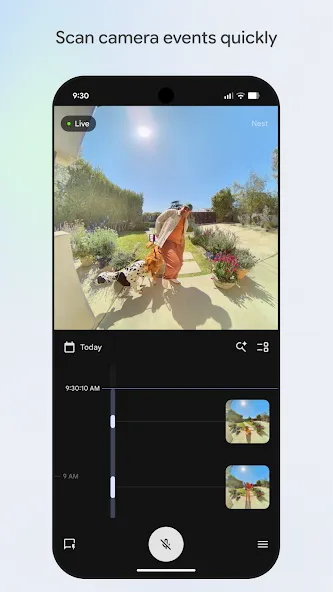
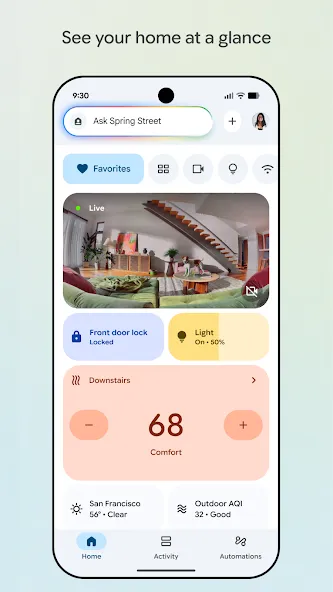
Google Home is a powerful smart home tool. The app offers advanced features for managing a wide range of connected devices and cameras, consolidating all the equipment in your home into a clear, well-organized interface. With Google Home, you can quickly check the status of your home’s lights, speakers, cameras, Wi-Fi, and more—all at a glance—while also keeping track of important alerts and recent household events. Additionally, you can view live camera feeds and historical footage to stay informed about what is happening in your home.
Highlights:
A menu with shortcuts to the most frequently used actions, such as controlling the thermostat, turning on the music, or changing the light intensity.
You can set up Nest and Google Wi-fi in minutes and manage any aspect of the Wi-fi connection, such as passwords, bandwidth usage priorities, or guest networks.
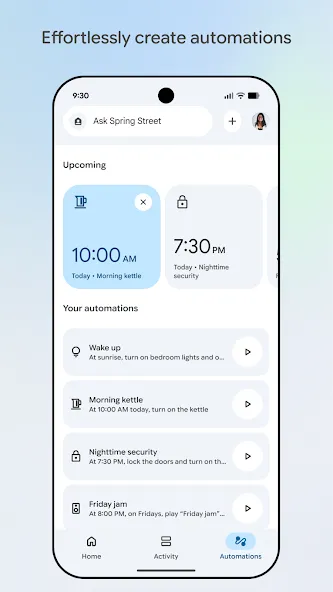
The user can create daily routines for common actions, such as listening to the news, watching the weather forecast, or turning lights on and off.
You can adjust the volume, switch tracks, or change the speaker, among other things, when using audio devices.
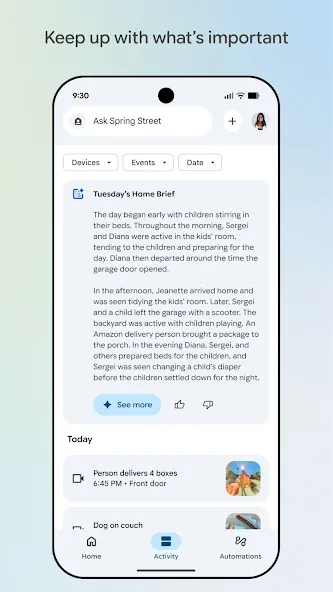
Some devices contain events (such as cameras) and summaries of recent activity that can be quickly consulted.
Google includes highly advanced security to protect any sensitive user data.
Features:
Clear home snapshot: Get a quick read on what’s on, what’s off, and what needs attention—lights, locks, climate, and more—without hunting through menus.
Smart dashboards: Organize devices by room or by what you actually do, like “bedtime” or “movie night.” The refreshed layout makes settings and favorite controls easy to reach.
Cameras made simple: Jump straight into live views, then scrub through a clean timeline to catch the exact moment something happened. Skim event highlights when you don’t have time to watch everything.
Voice control with Gemini for Home: Talk naturally to manage your place. Ask to turn off lights, warm up the living room, or run a routine, and let Gemini for Home do the rest.
Fast search across your home: Find that one bulb, camera clip, or setting in seconds with built-in search—no more scrolling through endless lists.
Check in from anywhere: Whether you’re on the couch or across town, you can peek at your home and make quick changes.
Works with your setup: Pair compatible devices and personalize how your home behaves. Features and product availability may vary by region. Compatible devices required.
Tips and Tricks:
You'll need a Google user account to use Google Home. Once you have logged in with your email address, you can open the app and start adding your devices.
Note that although the app will ask you to add at least one device the first time you set it up, this is not actually necessary.
You can add as many devices as you want later, using any of the three typical methods: scanning the Matter logo, using the "Seamless Setup", or searching the list of products labeled "Works With Google Home".
One of Google Home's most useful tools is the option to add devices to your Favorites list.
Thanks to this list you can have the devices you use the most closer at hand.
This option is particularly useful to help you quickly manage speakers, light bulbs, cameras and other commonly used devices.
Pros & Cons:
Pros
Wirelessly control thousands of compatible products
Supports Google Nest and Chromecast devices
Create routines and automations
Cons
Limited functionality without compatible devices
Reported command and thermostat issues
Final Words:
Download the Google Home APK and control your home from anywhere, anytime. You can turn the lights on and off while you are on vacation, turn on the air conditioning before you get home, or receive alerts when your surveillance camera picks up some movement. And you can manage all this with the utmost convenience, with just a single tap.
More Information
- Size:79.56MB
- Version:4.38.26.0
- Requirements:Android 10.0+
- Package Name:com.google.android.apps.chromecast.app
- Signature:ec34dea4eb870c0dcc3b057bdd1fc2e9
Related topics
-
A healthy lifestyle is about more than just proper nutrition and consistent exercise. Getting enough sleep, taking care of your body and mind, and managing things like medications and doctor’s appointments also play important roles in staying healthy. A good app can be a great way to manage it all. That’s why Healthline tested a variety of different healthy lifestyle apps. We chose the year’s best based on content, reliability, and user reviews.
-
![Google Home]()
Google Home
-
![Anime Profile Picture girl]()
Anime Profile Picture girl
-
![H Band]()
H Band
-
![Share & Earn]()
Share & Earn
-
![KetoBL]()
KetoBL
-
![My V3 Ads]()
My V3 Ads
-
![myIM3]()
myIM3
-
-
Take charge of your daily routine with the most innovative lifestyle apps of 2024. Elevate your fitness, mindfulness, and nutrition with cutting-edge workout, meditation, and meal-planning tools. Boost productivity with smart scheduling apps that simplify time management, or unwind with curated entertainment, news, and reading platforms. Whether you want to stay organized, energized, or inspired, these handpicked apps help you achieve balance effortlessly. Download now and transform your work, wellness, and free time-your best life is just a tap away!
-
![Google Home]()
Google Home
-
![Botão de Memes]()
Botão de Memes
-
![Anime Profile Picture girl]()
Anime Profile Picture girl
-
![H Band]()
H Band
-
![Share & Earn]()
Share & Earn
-
![KetoBL]()
KetoBL
-
![My V3 Ads]()
My V3 Ads
-
![myIM3]()
myIM3
-







Latest Updated

Popular Apps








Popular News
More+-
![Tomie Wants to Get Married Full Walkthrough, All Choices and Ending Guide]()
Tomie Wants to Get Married Full Walkthrough, All Choices and Ending Guide
2026-05-22
-
![Karryn’s Prison Gameplay Walkthrough & Strategy Guide]()
Karryn’s Prison Gameplay Walkthrough & Strategy Guide
2025-10-28
-
![Life in Santa County Game Guide & Complete Walkthrough]()
Life in Santa County Game Guide & Complete Walkthrough
2025-10-28
-
![Dreams of Desire Complete Walkthrough and Game Guide]()
Dreams of Desire Complete Walkthrough and Game Guide
2025-10-28
-
![Era Hunter Gameplay Guide & Full Walkthrough]()
Era Hunter Gameplay Guide & Full Walkthrough
2025-10-28




