

Stellarium Mobile
Download for Android This app is available for Android only.- Category:Education
- Rating:
- Language:English
- Updated:2026-11-25
Screenshots
Introduction
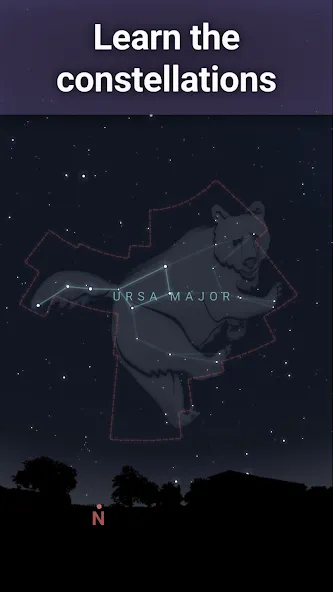
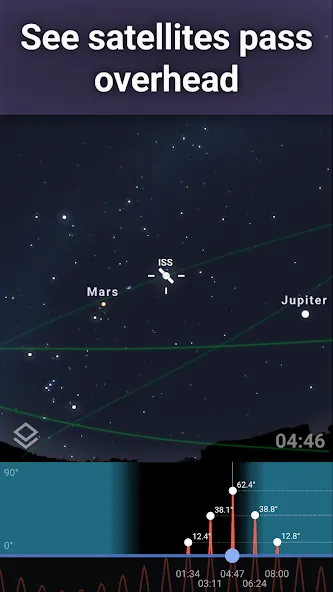
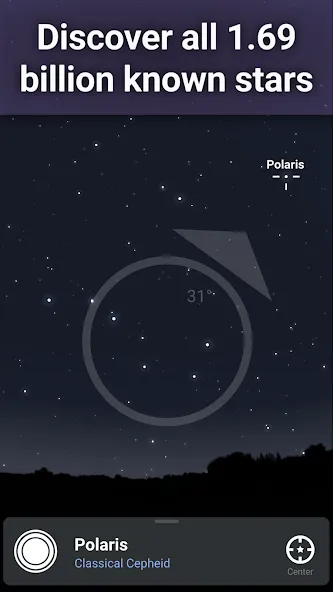
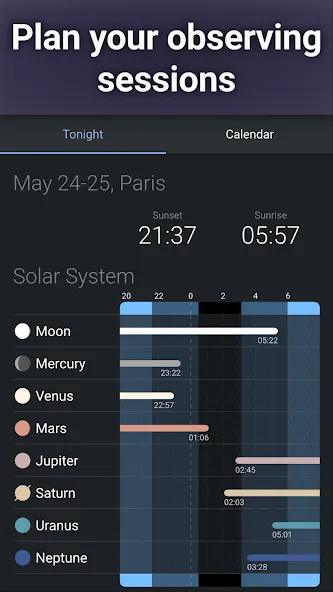
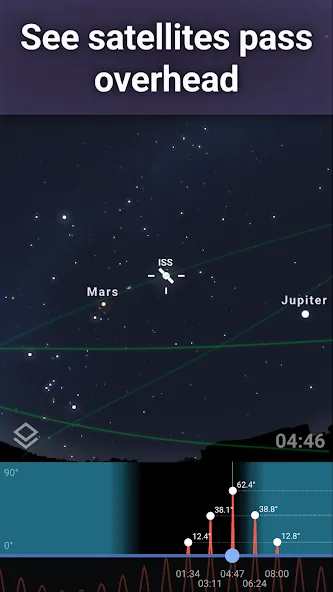
Stellarium Mobile is an astronomy software that allows users to explore various celestial bodies in the vast night sky, view simulated celestial images, and learn about the vastness and mystery of the cosmos, as well as gain more knowledge about astronomy. Through the software, users can track the real-time position changes and detailed information of artificial satellites and space stations on Earth's surface, and even simulate sunrise and sunset scenes in their current location, immersing themselves in the experience. The software also provides offline datasets containing data on millions of stars, celestial bodies, and asteroids, allowing users to explore the night sky regardless of their location or internet access.
Features of Stellarium Mobile:
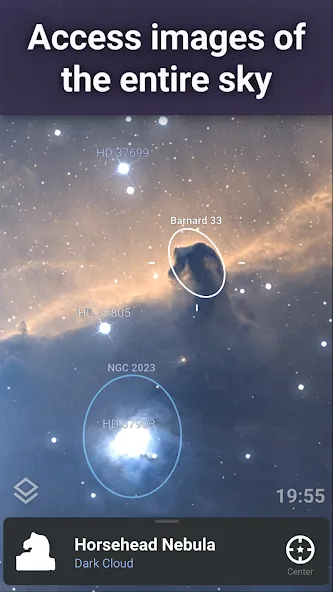
Stellarium Mobile offers you the best images of the night skies captured with accuracy and detail. This feature is essential because some areas may not have a starry night sky. The user will be able, during the entire experience, to locate many stars, their exact location, and even their travels, because modern science is now able and developed many stars. You can be assured that all images are genuine.
Stellarium Mobile will amaze you with its beauty. You can explore them freely and in full detail. The application offers many options that can be tailored to suit your viewing preferences. You can access a huge number of elements that are in the sky.
Take your smartphone and go outside to find a good place to observe the stars. This stargazing does not stop with counting the stars. You will also identify them. The names of the glowing stars appear on your screen in just a few moments. You will be curious to see if any other stars are visible in your area.
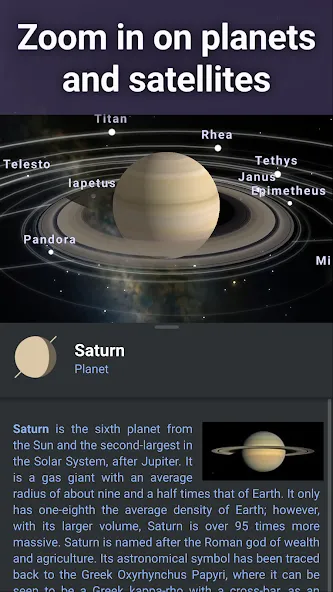
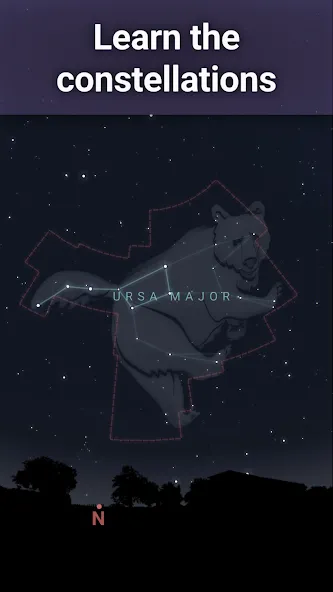
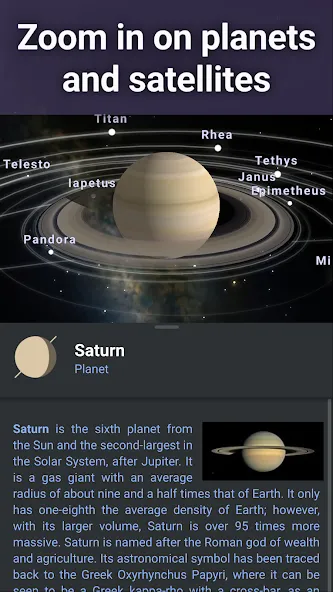
After you have a good understanding of the features that Stellarium Mobile has to offer, you can take the time and explore all it offers. The application has a huge collection that includes billions of galaxies, countless planets and millions of scientifically documented stars. Zoom in to get a better look at the shape of what you’re looking at. The quality of the images is also high, which will help to satisfy your curiosity.
Stellarium Mobile allows you to adjust your view to the environment. The sensor is the most important factor when it comes to deciding whether or not your viewing position will change when you move the device. Night mode will help you to see the sky at night and protect your eye.
Changelog:
Glad to announce the release of Stellarium 26.3 for all platforms. This is our third release in 2026 with exciting features and many bug fixes.
The major changes of this version:
Added Potawatomi skyculture
Added new plugin: Object visibility
Many improvements in plugins
Many improvements in Core and GUI
Many updates in sky cultures
Improvements in scripting engine
Thanks to all the developers, testers, and users who made this release possible with your contributions and feedback.
Full list of changes:
Added new plugin ‘Object visibility’ (GH: #4933)
Added distance to label of geo targets in ArchaeoLines plugin (GH: #4903)
Added support for Alpha-5 TLE format in Satellites plugin (GH: #5054)
Added Scenery3D endpoints to openAPI specification in Remote Control plugin (GH: #5108)
Added new polygons and adjust period across all skycultures (GH: #5062)
Added slant and ground distance to aircraft info panel (GH: #5110)
Added tool to follow the location changes and return to back in AstroCalc/Eclipses tools (GH: #5096)
Added small speedup for filling the data in AstroCalc/WUT tool
Added sky culture loader to SCM (GH: #5019)
Added Potawatomi sky culture (GH: #4869)
Added dome mode for core.moveToSelectedObject() method
Added dome mode for core.moveToObject() method
Added ability to jump to specific circumstances for transit of planets in AstroCalc/Eclipses tool
Added ability to jump to specific circumstances for local eclipses in AstroCalc/Eclipses tool (GH: #5099)
Added NASA / Espenak terms for eclipse timings into AstroCalc/Eclipses tool (GH: #5093)
Added OpenAPI (SwaggerUI) into Remote Control plugin (GH: #5086)
Added context for Hydra (GH: #5089)
Added 2 bright novae
Added option to reposition toolbars in other corners (GH: #5022)
Added context for few UI elements
Added new tab “Twilight map” to Object Visibility plugin (GH: #5047)
Added Nova Tauri 2026
Added SN 2026sqf
Added ability to hiding the marker of CCD center in Oculars plugin (GH: #5072)
Added OHOS platform detection module (GH: #5065)
Added ability to finding the selected SSO in list of celestial bodies in AstroCalc/Ephemeris tool (GH: #5060)
Added new tab ‘Twilight limits’ to Object Visibility plugin (GH :#5041)
Added Tibetan spelling, transliteration and IPA for Tibetan sky culture (GH: #5036)
Added TCP transport for LX200 protocol in Telescope Control plugin (GH: #5030)
Added ability compiling via pkgsrc on Darwin platform without patches
Added sky HiPS display controls (GH: #5021)
Fixed axial rotation of Phoboes and Deimos 3D models (GH: #5112)
Fixed support for Alpha-5 TLE format in Satellites plugin in case where these data already in our JSON catalog
Fixed openAPI documentation in Remote Control plugin
Fixed documentation of Calendars plugin (GH: #4975)
Fixed SC time slider in ViewDialog can be more than currentYear (GH: #5111)
Fixed labels in Romanian sky culture (GH: #5010)
Fixed stupid typo in AstroCalc GUI
Fixed localization support of Remote Control plugin
Fixed localized output the list of sky cultures in Remote Control plugin (GH: #5109)
Fixed tool to getting a system info
Fixed sorting periodic comets in AstroCalc/WUT tool
Fixed sorting HIP-like stars (standard modern designation: CAT XXXXX)] in AstroCalc/WUT tool
Fixed sorting deep-sky objects in AstroCalc/WUT tool
Fixed sorting minor planets in AstroCalc/WUT tool
Fixed transit line in AstroCalc/Graphs/AltVsTime tool
Fixed missing translations
Fixed localization support for Potawatomi sky culture
Fixed Remote Control plugin
Fixed visual style for 3 buttons in Configuration dialog
Fixed saving/retrieving stored main window size on scaled screens (GH: #5082)
Fixed typos in sky cultures
Fixed deleting asteroids through Solar Sistem Editor plugin (GH: #5056)
Fixed link error when –as-needed linker flag set in Telescope Control plugin (GH: #5067)
Fixed leaking glow of active icon into the inactive one
Fixed build on Qt 5.12
Fixed asteroids with shortened names (GH; #5053)
Fixed close/cancel behaviour of Constellation Editor in SCM plugin
Fixed LX200 protocol incompatinilities in Telescope Control plugin (GH: #5029)
Fixed segmenation fault for INDI/INDIGO drivers without UNPARK item in Telescope Control plugin (GH: #5024)
Fixed init sequence
Fixed missing headers
Fixed map regression in AstroCalc/Positions (GH: #4900)
Fixed localization support of Object Visibility plug-in
Fixed bookmarks for Solar System Editor plugin
Fixed translatability of new plugin
Fixed context for lunar mansions in JK sky cultures (GH: #5033)
Fixed translatability the description of script
Fixed removes nebulae images when program language is not English when core.clear() is called (GH: #5014)
Fixed compiling with QXlsx and Qt 6.10+
Fixed the ability to translation of calendars
Fixed build on macOS and Windows
Fixed uninitialized flags
Changed core: Improve legibility of text esp. in screenshots (GH: #5113)
Changed core: Make Lightweight atmosphere model the default
Changed core: Avoid duplicate computation
Changed core: Implement removal of tiles that go out of the viewport
Changed core: Update HiPS text & controls when a survey is changed
Changed core: Don’t use long int to guarantee width, use qint64
Changed core: Set desktop file name for the application (GH: #5032)
Changed core: Replace an old-style connect in a commented out line
Changed core: New connect syntax for main program (GH: #5037)
Changed core: Use new connect syntax for gui classes (GH: #4984)
Changed core: Allow custom azimuth for lookZenith and lookNadir in alt-azimuthal mount mode
Changed core: Avoid downcasting GimbalOrbit to KeplerOrbit
Changed core: Avoid dereferencing invalid pointer
Changed core: Use the same rounding for window size as Qt does
Changed core: Remove useless static_cast(M_PI) and the like
Changed core: Don’t create a projector just to learn current FoV
Changed core: Force Nomenclature update on FOV change
Changed GUI: Compactification the tables in AstroCalc/Eclipses tool (GH: #5097)
Changed GUI: The “Use decimal degrees” option split into 2 new options (GH: #4992)
Changed GUI: Let’s use same script sort order in GUI and Remote Control plugin (GH: #5075)
Changed GUI: Fix computation of physical canvas size in MapWidget
Changed GUI: Simplify layout in SC Exploration tab of the View dialog
Changed GUI: use regionKey() for sky culture region matching to avoid CJK substring issues (GH: #5031)
Changed GUI: Compactify View dialog
Changed SolarSystem: initialize compute pos algorithm choice inline
Changed SolarSystem: Remove grouping of marker display
Changed SolarSystem: initialize data with constants inline
Changed SolarSystem: Update gimbal position also when time is stopped (GH: #4963)
Changed Bright Novae plugin: nova light curve continuity (GH: #5069)
Changed Calendars plugin: Make Maya correlation date configurable
Changed Object Visibility plugin: Improve two first tabs (GH: #5081)
Changed GUI of Remote Control plugin
Changed Remote Control plugin: Extend script limits
Changed Remote Control plugin: Extend OpenAPI specs to adapt to latest changes in master
Changed Remote Control plugin: Further improve OpenAPI specs
Changed Sky Culture Maker plugin: Refactor constellation display name lookup (GH: #5101)
Changed Sky Culture Maker plugin: keep illustration names
Updated FastFloat to v8.2.0
Updated GCVS catalog
Updated messier_marathon.ssc script (GH: #5020
Updated CPM to version 0.42.3
Updated QXlsx to version 1.5.1.1
Updated table in AstroCalc/Eclipses/Transits tool
Updated Lokono sky culture: Upload artworks and update index.json (GH: #5105)
Updated definitions and artwork in Egyptian (Dendera) sky culture
Updated Balinese sky culture
Updated identifiers for periodic comets
Updated discovery circumstances for comets and minor planets
Updated default list of exoplanets
Updated list of planetary features
Updated list of contributors
Updated default list of locations
Updated translations
Updated photometry data of satellites
Removed global SC beginTime and endTime (GH: #5070)
Removed XLSX support for Windows/Qt5 packages
Removed references to core.getSkyLanguage and core.setSkyLanguage (GH: #5013)
User Reviews of Stellarium Mobile:
A fantastic app which is free and easy to use. It shows all the constellations, stars and planets, labelled clearly with their names and showing their accurate positions, along with landscape horizons and their positions on the compass, with an option to view them in real time if you want that. Any constellations and planets not showing in the sky are labelled and shown as dimmed but visible "shadows", so you even have some idea when they'll appear above the horizon.
Stellarium is one of the most impressive astronomy apps I have ever used. If you are interested in stars, planets, constellations, or space, this app is definitely worth trying. It makes exploring the night sky much easier and more exciting, especially for students and beginners who want to learn astronomy in an interactive way. One of my favorite things about Stellarium is its realistic sky map. When I point my phone toward the sky, the app can show me what objects are in that part of the sky.
I absolutely love this app. It has remarkable attributes for star and planet gazing, also the one time lifetime payment of only $19.99 I believe it was. well worth the money, it's only a one time payment, not a monthly payment, just to be clear and you'll get extra perks in the app then you will in the standard app. you'll be able to see so many stars, constellations, planets, and much much more. this is one of the greatest apps I've ever come across, please download this app you'll love it.
this is awesome!! I've been wanting to use an AR for my viewing experience! this will make stars and planets so much easier to find! I've been using the free version so far, but I may get the paid version if I'm really serious about it. I would recommend this app if you have trouble finding stars and constellations.
FAQs of Stellarium Mobile:
How do I change the default window size?
There is no GUI option specifying your default window size in the menu, in case you don't run fullscreen mode. Resize the window by dragging a lower corner (you must grab accurately!) and press "Save Settings" in the configuration window. Alternatively, you can open the config.ini file with a text editor, and find the screen_w and screen_h values. Set the numbers to the desired dimensions, save the file and restart Stellarium: enjoy the view!
How do I use other constellation art in Stellarium Mobile?
Want to use other drawings than the ones included in Stellarium Mobile, like your own drawings, or antique drawings from the Uranographia?You will need to change the constellation textures, and possibly adjust their coordinates in the constellationsart.fab file. If they're not burdened by restrictive copyrights, you can share the set you made with the rest of the community. See the User Guide for details.
Is Stellarium Mobile any good for historical/archaeoastronomical simulation?
Versions before 1.0 (all releases with numbers starting with 0.*) generally lack some critical astronomical models. Appendix F in the User Guide describes applicability for historical simulation and research. Apart from a so far unsolved problem stellar proper motion (mentioned in Appendix F), accuracy since version 1.0 should be good for scientific use. But scientists should also always try to get a second result from other sources. We are interested to hear of systematic errors when compared with "reference data", if you can find those. Better yet, help us make Stellarium more accurate by solving remaining issues.
Where can I download Stellarium Mobile?
Via the top icons on the homepage or here on the releases page. Stellarium Mobile is now hosted on Github servers. Do not download from freeloader sites who may add "safe downloader" apps with adware. And do not fall into the trap of some dealers on ebay who sell rebranded software. Such individuals betray developers and deceive their customers.
Where can I provide feedback?
Your ideas and comments are invaluable to Stellarium. Have a look at the homepage to see where you can get personal support, ask for new features, report bugs and even submit your own patches.
Conclusion:
Stellarium Mobile opens up a treasure related to astronomy for users as they gain access to many things in the sky that have been recorded by science. Their number is entirely diverse, and the image quality can appeal to any user. At the same time, some auxiliary factors such as equatorial, meridian, or adjust some aspects related to the sky for convenience in observation.
More Information
- Size:277.90MB
- Version:1.16.7
- Requirements:Android
- Package Name:com.noctuasoftware.stellarium_free
- Signature:72af42f03e8ed6a9e6f4282ecb715002
Related Versions
-
 Download
Version:1.15.6Size:108.1MB
Related topics
-
Educational software are emerging in an endless stream on the market, so which one can stand out? It should not only be simple and convenient to use but also helpful for our study. Below, Xiaohei.com brings you a very comprehensive and practical summary of educational software downloads. Come and download it, there is always one that suits you.
-
![ArtWorkout]()
ArtWorkout
-
![ClassIn]()
ClassIn
-
![Utkarsh]()
Utkarsh
-
![Chhaya]()
Chhaya
-
![PictoBlox]()
PictoBlox
-
![English Speaking App- Stimuler]()
English Speaking App- Stimuler
-
![iThong]()
iThong
-
![Mundo IM]()
Mundo IM
-








Latest Updated

Popular Apps








Popular News
More+-
![Tomie Wants to Get Married Full Walkthrough, All Choices and Ending Guide]()
Tomie Wants to Get Married Full Walkthrough, All Choices and Ending Guide
2026-05-22
-
![Karryn’s Prison Gameplay Walkthrough & Strategy Guide]()
Karryn’s Prison Gameplay Walkthrough & Strategy Guide
2025-10-28
-
![Life in Santa County Game Guide & Complete Walkthrough]()
Life in Santa County Game Guide & Complete Walkthrough
2025-10-28
-
![Dreams of Desire Complete Walkthrough and Game Guide]()
Dreams of Desire Complete Walkthrough and Game Guide
2025-10-28
-
![Era Hunter Gameplay Guide & Full Walkthrough]()
Era Hunter Gameplay Guide & Full Walkthrough
2025-10-28




