

Stash
Download for Android This app is available for Android only.- Category:Social
- Rating:
- Language:English
- Updated:2026-11-19
Screenshots

Introduction
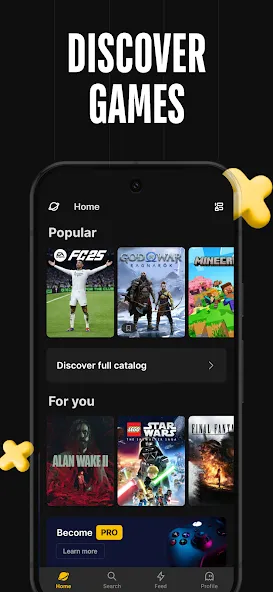
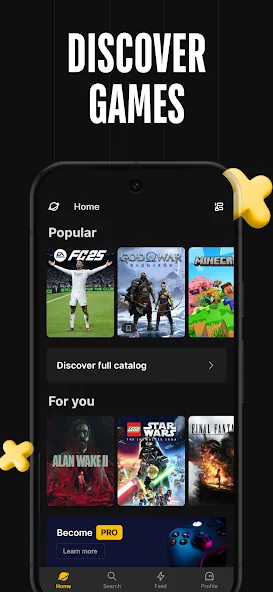
Stash is a mobile tool designed specifically for gaming enthusiasts. It allows you to manage all your downloaded games and ensures you’re the first to know about new releases, helping you make the most of your gaming time. The app connects to a wide range of popular gaming platforms, enabling you to organize and manage your collection by categorizing games for easy access whenever you need them. Beyond its extensive library, Stash offers personalized recommendations based on your preferences, making it simple to discover new titles that align with your interests. The app also features an active community where you can discuss trending games, share gameplay tips and memorable moments, and engage with others through likes and comments.
Features of Stash:
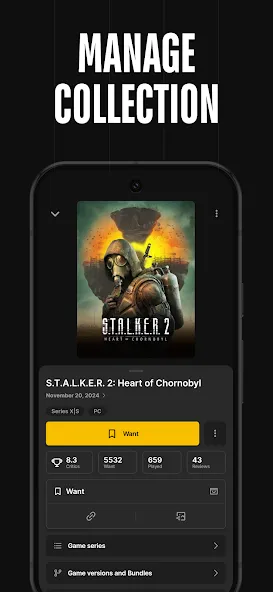
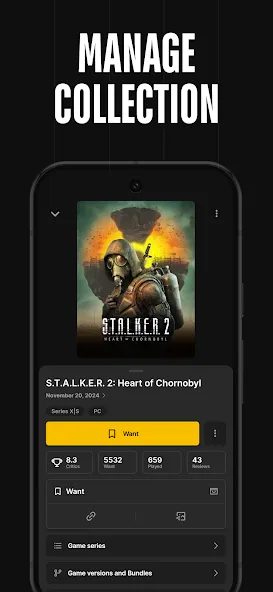
Game Collection Tracking: Keep your gaming backlog in check by easily adding games to your collection. Mark them as played, beaten, or even just “want to play”—it’s all about your preferences.
Personalized Wishlists: Spot a title that’s not out yet or one you just discovered? Slip it onto your wishlist for quick access later.
Discover New Titles: Need something new? Explore a huge database with hundreds of thousands of games, complete with screenshots and videos to help you pick your next adventure.
Multi-Platform Management: All your favorites, all in one spot. Stash organizes games whether you’re on Xbox, PlayStation, PC, Nintendo Switch, or even classic consoles.
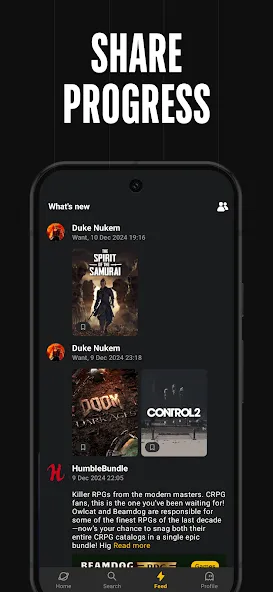
Community & Social Features: Want to see what your friends are playing or compare collections? Follow other users, check out profiles, and start some gaming conversations.
Custom Collections: Build your own curated lists any way you like, whether that’s “Top RPGs” or “Party Games I’ll Actually Play.”
Import from Steam: Steam users, you’re covered—easily pull your full game collection straight into Stash.
User Reviews of Stash:
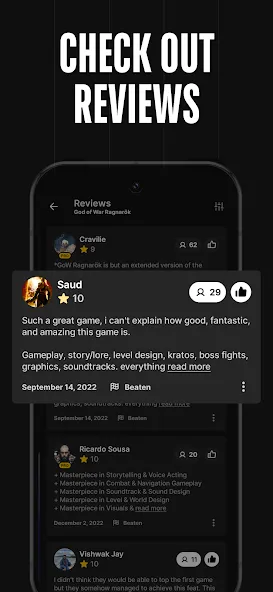
Resubmitting my review to emphasize how great of an app this has been over the years. I love using it as a kind of video game letterboxd, allowing me to see and like my friends reviews on games they've completed. My only gripe with the app is how, at least on Android, I am unable to use decimal points in my ratings for games I've completed, and it feels like an itch that never gets scratched whenever I'm logging something. It's a nitpick in the grand scheme of how great the app is already though.
ive used this app for over a year and i absolutely love it. ive tracked every game i played this year and last year and plan to continue to use it. the only feature i wish was on the app that isnt is the ability to relog games if you replayed them, on replay some opinions of games have changed and i dont wanna get rid of my original thoughts and feelings, maybe as theres a leveling system maybe you cant gain points from games youve already reviewed so people dont exploit it?
I absolutely love Stash! It's been a great motivator for me to work through my backlog, and it makes it so much more satisfying to track all my games. I do have an idea that I think would be brilliant: A photo gallery! As many gamers like to take screenshots in-game, it would be fantastic if we could upload our screenshots to Stash. You could organise them into what game they're from, could add a caption, and could be visible on our account!
Just got the app and this is exactly what I was looking for! This is by far the best game tracking app out there and is very polished. The only two suggestions that I have that would make this app even better is: 1) Add the ability to sort my own created lists just like how games can be sorted or even better, being able to freely move my lists up or down by dragging them where I want them. 2) When searching for games, have the results be in a grid instead of a long horizontal list.
FAQs of Stash:
How to share game review on social media?
Stash includes a feature that lets you quickly share your game review on social media.Open the game page and tap the “Share image” button (see screenshot).Share image button on the Stash game pageChoose the image format, background color, and the social network you want to share to.Tap the “Share” button.
How can I delete my account?
We are sorry to see you go! Follow these steps to delete your account:1. Open the Settings screen2. Select the "Account" section3. Click on the “Delete Personal Data” button.Kindly note that deleting your personal account in the application will not cancel your subscription, but all your data will be erased.
How to fix the Steam authorization issue? (Android)
If you see a screen like this after successfully logging into Steam, it means your system browser intercepted the callback before the Stash app. This issue sometimes occurs on some devices.Steam sign-in callback intercepted by the Android browser.To resolve this issue, you can try the following steps.First of all, you need to check in the system settings which links the Stash application can open by default.
It should be specified there: "stash.games".Android settings for links opened by StashAndroid supported links settings for stash.games
After that, you can try to log in again.If the first step did not help solve this problem, then try copying the link from the browser to some other location and opening this link by clicking on it.
Conclusion:
Now you have the opportunity to easily discover and organize a collection and wishlist. Track and manage all of your video games, decide what to play next, and discover new games. Manage all your gaming experience across multiple platforms (PlayStation, Xbox, PC, Nintendo Switch, Steam, retro consoles and another) in one place.
More Information
- Size:30.10MB
- Version:2.51.0
- Requirements:Android
- Package Name:io.stashteam.games.tracker.stashapp
- Signature:85f632972854c3fa16b1eb1347360aaf

Related topics
-
Virtual dating apps are digital platforms that allow users to connect, socialize, and build relationships in immersive online environments. By leveraging cutting-edge technologies like VR (virtual reality), AR (augmented reality), live video chat, and gamified interactions, these apps create engaging and lifelike dating experiences. Whether through virtual dates in digital worlds, interactive games, or AI-powered matchmaking, they offer a fresh and exciting way to meet new people. Ready to explore? Dive into the virtual dating scene and discover meaningful connections in a whole new way!
-
![Stash]()
Stash
-
![GizmoHub]()
GizmoHub
-
![OVO Chat]()
OVO Chat
-
![MateMet]()
MateMet
-
![imo beta]()
imo beta
-
![Vava]()
Vava
-
![Vyke]()
Vyke
-
![Mumu]()
Mumu
-
-
In today's digital era, many people find dating apps to be an incredibly effective way to expand their social networks. As one of the most convenient tools for modern socializing, these platforms offer users diverse opportunities to connect with others. Our curated selection of dating apps provides high-quality matching services, helping users quickly find like-minded people for meaningful interactions. Whether you're looking for friendship or romance, these apps empower you to meet new people in ways that suit your personal preferences and social style, making the journey of connection both enjoyable and rewarding!
-
![Stash]()
Stash
-
![Tigo-Live Video Chat&More]()
Tigo-Live Video Chat&More
-
![GizmoHub]()
GizmoHub
-
![OVO Chat]()
OVO Chat
-
![Vava]()
Vava
-
![Vyke]()
Vyke
-
![Mumu]()
Mumu
-
![CorrLinks]()
CorrLinks
-
-
Android mobile dating is one of the social channels for many otaku and beautiful women. Everyone likes to stay at home, lie on the sofa, chat with that person, share pictures, and communicate their feelings. Faced with the abundance of mobile dating apps in the Android market, do you often feel overwhelmed when choosing? Which Android mobile dating app is the best and most convenient? Our website has collected and organized a variety of mobile dating apps with different functions and designs for you to download and use for free.
-
![Stash]()
Stash
-
![OneStream Live]()
OneStream Live
-
![WeLive]()
WeLive
-
![Chavara Christian Matrimony]()
Chavara Christian Matrimony
-
![SoLive]()
SoLive
-
![Honeycam Chat-Live Video Chat]()
Honeycam Chat-Live Video Chat
-
![Kutumb]()
Kutumb
-
![imo beta]()
imo beta
-















Latest Updated






Popular Apps








Popular News
More+-
![Tomie Wants to Get Married Full Walkthrough, All Choices and Ending Guide]()
Tomie Wants to Get Married Full Walkthrough, All Choices and Ending Guide
2026-05-22
-
![Karryn’s Prison Gameplay Walkthrough & Strategy Guide]()
Karryn’s Prison Gameplay Walkthrough & Strategy Guide
2025-10-28
-
![Life in Santa County Game Guide & Complete Walkthrough]()
Life in Santa County Game Guide & Complete Walkthrough
2025-10-28
-
![Dreams of Desire Complete Walkthrough and Game Guide]()
Dreams of Desire Complete Walkthrough and Game Guide
2025-10-28
-
![Era Hunter Gameplay Guide & Full Walkthrough]()
Era Hunter Gameplay Guide & Full Walkthrough
2025-10-28




