
TABS
Download for Android This app is available for Android only.- Category:Simulation
- Rating: 4.8
- Language:English
- Updated:2026-09-04
Screenshots
Introduction
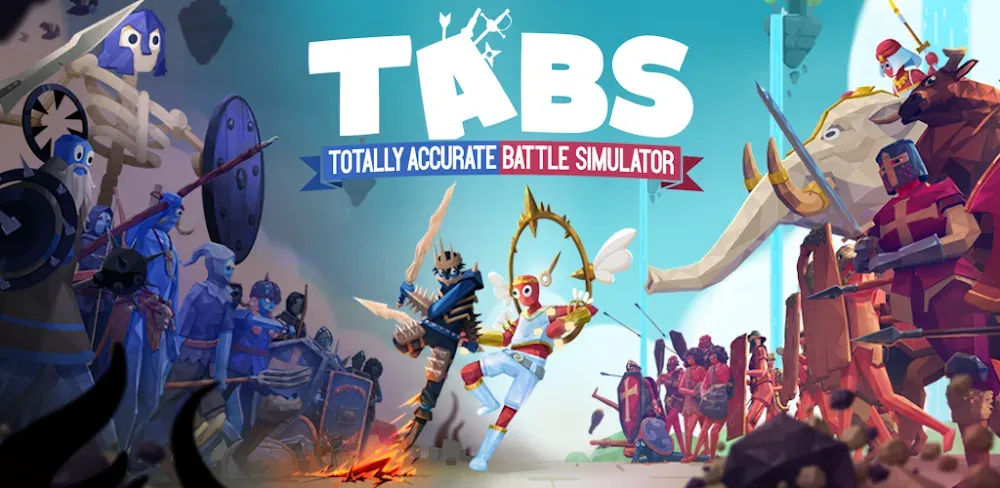
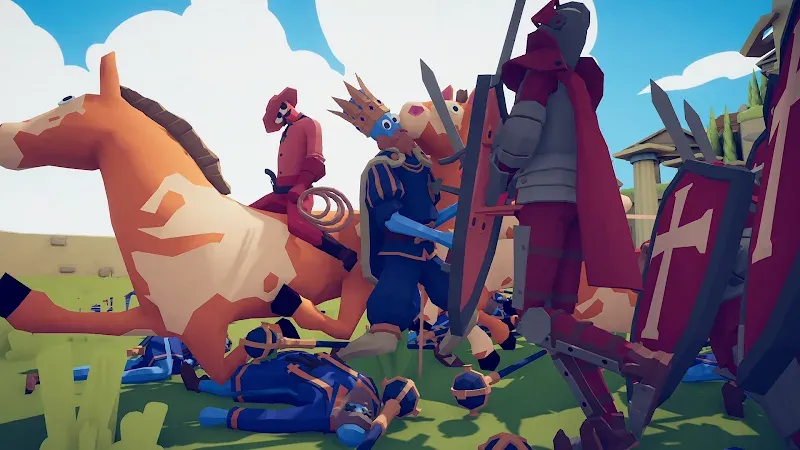
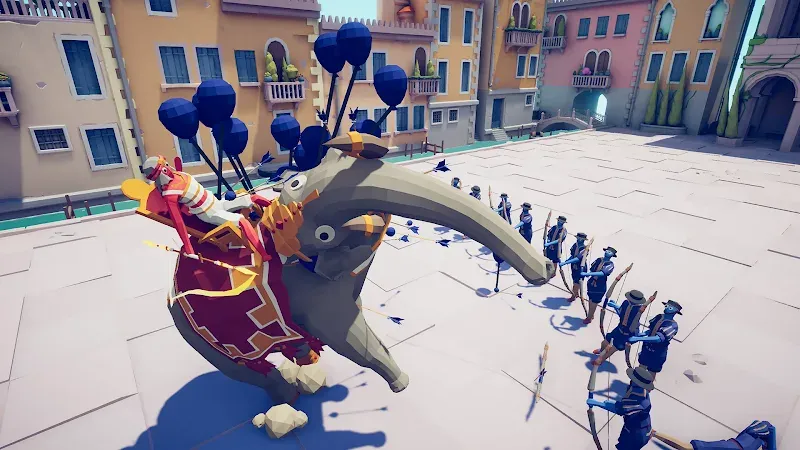
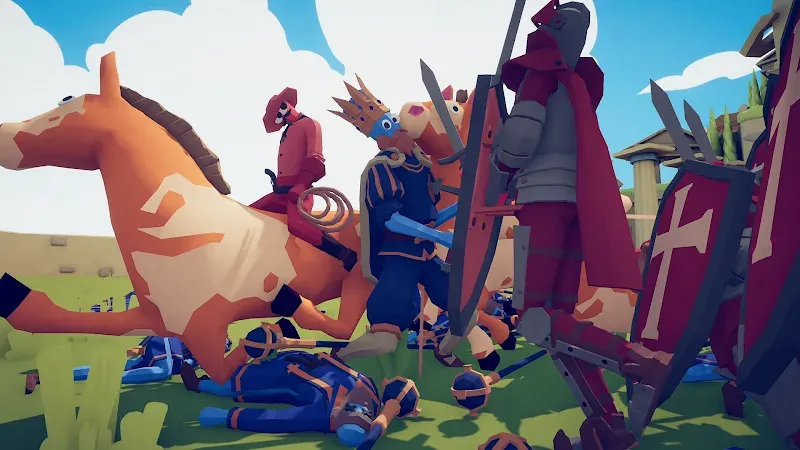
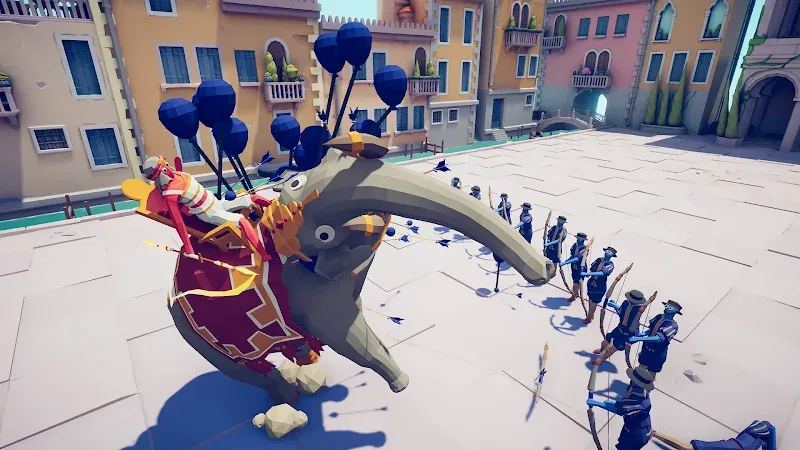
TABS is a popular simulation strategy game where players lead red and blue units from different eras and worlds into massive wars. You can freely deploy different unit types and numbers, watching them clash and see who emerges victorious. The game supports multiplayer mode, allowing you to invite friends to join the battle, deploying armies to see who understands the opponent best and using strategy to defeat them. The game also boasts a vibrant community, offering a wealth of new unit options for download and allowing players to interact, share ideas, and draw inspiration to create even grander scenarios.
Features of TABS:
Total Sandbox Freedom: Experiment without limits in the sandbox mode. Place any unit against another and watch the glorious chaos unfold in real-time.
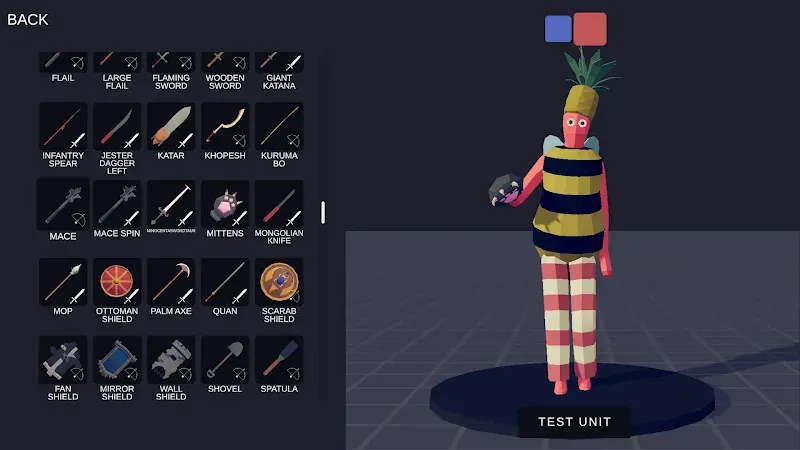
Advanced Unit Creator: Design your own wobbly warriors! Customize their appearance, stats, and unique abilities to build the ultimate fighting force that reflects your style.
Wobbly Physics System: Experience a one-of-a-kind physics engine that makes every collision, swing, and fall uniquely entertaining and unpredictable.
Online Multiplayer Battles: Challenge friends or compete against tactical geniuses worldwide. Prove your strategic prowess in competitive online play and climb the ranks.
Vast Campaign Missions: Journey through different eras and themes, solving tactical puzzles and overcoming increasingly difficult army compositions across new lands.
Infinite Replayability: No two battles are ever the same. Experiment with different unit combinations and formations to find the perfect strategy and achieve perfect results.
Useful Tips of TABS:
Use The Battlefield Space Efficiently: Whilst the battlefield you get to play on isn't the biggest and most players will just dump everything in a line in front of you for one big melee, being smart with your unit placement could make you unstoppable.For example, on some of the city maps such as The Renaissance or the Simulation levels, there are tight streets and corners that are perfect for bottling troops up in for maximum damage from artillery. There are also a few that contain rivers that can be used as natural barriers. So try to use the landscape to your advantage when you're placing units.
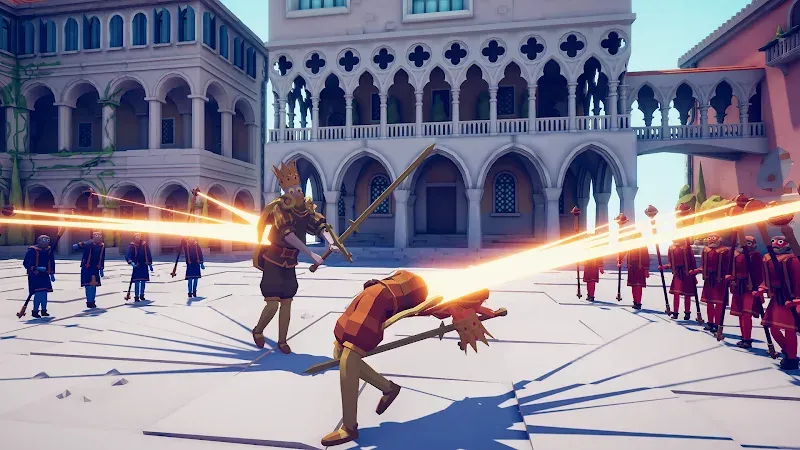
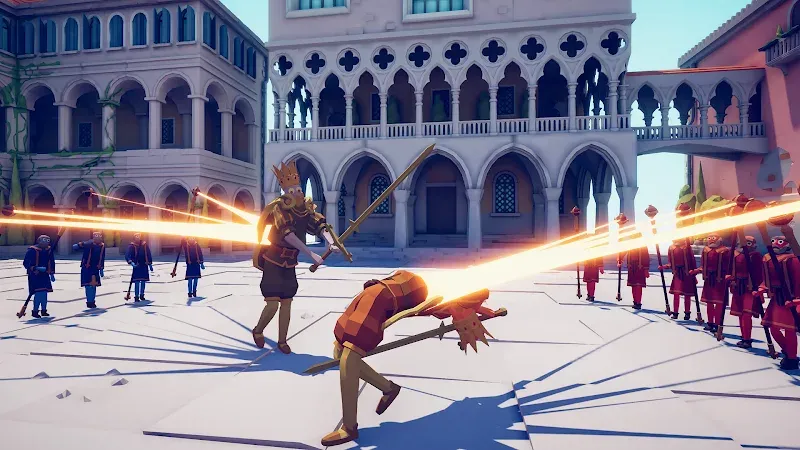
Bring A Healer: Every MMO player will tell you the importance of having a healer, they keep everyone (especially the tank) alive. In TABS this helpful role is performed by the Medieval support unit The Healer, formerly known as The Priest.This staff-carrying Clergyman will release a big gold beam onto nearby tank units, keeping them alive as they decimate the opposition. Although one is enough, an ideal setup is to have one per tank that way you can maximize your ability to keep your army alive. Also, considering they're the only healer on the roster they're a mandatory pick regardless.
Cavalry Can Be Your Best Friend: The majority of players you will encounter online tend to favor a big block of units tightly packed together or a solid infantry line that will push through your forces. A good way to counter this is with cavalry such as the jouster, or the Raptor Riders.Having something that can push through that dense line and scatter everyone beyond it can be crucial to that first opening charge. A good tip to use is to manually control some of them once they breakthrough to take down key targets behind enemy lines like healers or particularly tough ranged units.
Be Smart With Your Unit Selections: When you first start playing the multiplayer in TABS on a console or with a PC through Steam or another launcher, your initial instinct will be to pick the biggest and strongest units or as much infantry as possible. Whilst this may work for a little while, eventually, you might encounter someone with a better setup.Try to get a combination that compliments each other. An example would be a solid line of shield-bearers to block arrows and hold back infantry whilst archers or muskets fire volleys from the rear. Then have a healer or two mixed with a large tank that can then smash through foes and cause chaos. Sometimes less is more when it comes to winning a fight.
Don't Be Afraid To Take Control: Battles in TABS don't last very long, with most burning out within a minute or so since all the AI of the units is so aggressive. But during this short space of anarchic time, taking control of a unit or two could work out in your favor.Manually running around with a large sword or finding the perfect sniper spot can lead to a lot of damage being done to the enemy team. Plus, with the AI so blinkered with hunting you down, sometimes you can trick it into running into rivers to be swept away if you get in the right position. So don't be afraid to jump into the melee now and then.
Player Comments of TABS:
Absolute peak! Never expected this to actually have an official mobile version! I find no issues upon launching the game, both on my samsung phone & tablet. A simple google sign in, very good customizable graphics for low-end devices, and decent controls that don't ruin the game like few other pc game mobile ports. There are a few things lacking such as a Steam integration and crossplay, as well as having more slow mode options and a faster switch to slow-mo. Nevertheless, it's still very fun!
I am using this review to hopefully make the devs aware of a couple bugs I have experienced. Firstly, the bombs on the bomb thrower and the pirate queens bomb throw attack both do not collide with the ground upon impact and instead just phase through the ground, often not causing an explosion at all. Second, the ice giant, on the pc and xbox version the ice giant has its arms spread out but what I experienced when placing it, it immediately folds in its arms towards its chest upon placement.
Great game, pretty much exactly like the PC and Console versions, haven't encountered any major issues or bugs. Gameplay is how you expect it, inconsistent and goofy (in a good way) and there's plenty of challenging levels to test your strategies. One thing that I'd like to mention is the lack of a way to give my custom units a description, it's a small detail but for the sake of story telling n such I'd like to be able to have that feature, thanks, overall an amazing game, is worth the money.
TABS is a great game! it has high-quality, cool character customizations , an online feature, and campaigns. But there are some bugs and improvements for the game ,firstly,sometimes when I try to customise the colour of the outfit the colour wheel doesn't show. Secondly, more accessories could be really fun as the PC version has around 100-200 more accessories than the Pocket Edition,but I get it mobile isn't as strong as a PC but maybe overtime the game can add more. Lastly, add more body size.
FAQs of TABS:
How to download factions or single units?
From the main menu, select Workshop and then Browse. From here you can use the icons at the top to look for Battles, Campaigns, Units, Factions or Maps. You can use the filters to sort by popularity, rating and so on. Once you find something you’re interested in, click on it and then click the bell icon to install and subscribe. You can also click the cloud icon to download an editable copy to your Custom Content, which will allow you to edit the item you downloaded.
How to use a unit that you’ve created or subscribed to in the workshop?
Units must be added to a faction before you can use them in battles. Go to the Factions tab in Custom Content and then add the unit to a new or existing faction. Select the Downloaded tab to see your workshop subscriptions.
How to use a faction that you’ve created or subscribed to in the workshop?
To use a faction that you’ve downloaded from the workshop or that you’ve created yourself, go into a battle and click on the plus sign near the bottom. This will open the “More factions” tab where you can add custom factions to the bar.If you are using the radial interface or are playing on console, go into a battle and open the wheel where you select factions, here you should see an option to edit factions. Select the plus sign to add custom factions to the wheel.To use custom factions in campaigns, go to Settings > Gameplay > Unlock all units in campaign levels > Make sure it’s turned on. Keep in mind that it’s not possible to use custom factions in Landfall campaigns on console.
How to play campaigns and battles that you’ve subscribed to?
To play a campaign you’ve subscribed to, select Campaign from the main menu and then select the Downloaded tab.To play a battle you’ve subscribed to, go to Custom Content from the main menu, select the Battles tab at the top and then the Downloaded tab.
Conclusion:
TABS will bring you extremely attractive and interesting adventures. You will become a leader and lead your army to new lands. New lands with attractive missions and challenges will always bring you the most wonderful and relaxing moments of entertainment. What attractive levels will the game bring you? Come to this game and explore quickly.
More Information
- Size:1.23GB
- Version:1.1.05
- Requirements:Android
- Votes:600
- Package Name:com.xd.tabs.google
- Signature:bf66c1065fdd5595926d9f2713f32895
Related topics
-
Carefully strategize every possibility, transforming the unknown into a calculated certainty. Every step you take, every decision you make, is meticulously woven into your grand plan. However, in this battle of wits, foresight is key-your move may be clever, but my next move will be even more ingenious! The game is not just about action but about outthinking your opponent, anticipating their strategy, and staying one step ahead at all times. Will you be able to predict and counter every twist and turn, or will you be caught off guard by an even more brilliant maneuver?
-
![State of Survival]()
State of Survival
-
![The Ants Underground Kingdom]()
The Ants Underground Kingdom
-
![TABS]()
TABS
-
![Bahubali The Game]()
Bahubali The Game
-
![Zombie Towers]()
Zombie Towers
-
![Stickman War : Defense Battle]()
Stickman War : Defense Battle
-
![Battle Strategy: Tower Defense]()
Battle Strategy: Tower Defense
-
![Idle Theme Park Tycoon]()
Idle Theme Park Tycoon
-
-
No one wishes to live in the shadow of another; everyone aspires to be a one-of-a-kind presence, standing out in their own way. This philosophy extends to the world of gaming, where some titles break free from conventional formulas, embracing originality and innovation. These games refuse to be mere imitations, instead offering fresh mechanics, distinctive art styles, and captivating narratives that set them apart. Whether through groundbreaking gameplay, immersive storytelling, or revolutionary design, they carve their own path, delivering truly unique experiences that leave a lasting impression on players.
-
![State of Survival]()
State of Survival
-
![The Ants Underground Kingdom]()
The Ants Underground Kingdom
-
![TABS]()
TABS
-
![Bahubali The Game]()
Bahubali The Game
-
![Zombie Towers]()
Zombie Towers
-
![Stickman War : Defense Battle]()
Stickman War : Defense Battle
-
![Idle Theme Park Tycoon]()
Idle Theme Park Tycoon
-
![World War 2: Strategy Games WW2]()
World War 2: Strategy Games WW2
-
-
Master strategy to achieve victory with minimal effort. The legendary Thirty-Six Stratagems of ancient China reveal the boundless power of tactical brilliance. True strategy is not mere cunning-it is the art of foresight, adaptability, and profound wisdom. Yet before strategy comes courage, for only the bold dare to engage in this battle of wits. Are you ready to step onto the battlefield and prove your brilliance? The game awaits.
-
![State of Survival]()
State of Survival
-
![The Ants Underground Kingdom]()
The Ants Underground Kingdom
-
![TABS]()
TABS
-
![Bahubali The Game]()
Bahubali The Game
-
![TFT PBE Mobile]()
TFT PBE Mobile
-
![Zombie Towers]()
Zombie Towers
-
![Stickman War : Defense Battle]()
Stickman War : Defense Battle
-
![Idle Theme Park Tycoon]()
Idle Theme Park Tycoon
-




Latest Updated





Popular Games





Popular News
More+-
![Tomie Wants to Get Married Full Walkthrough, All Choices and Ending Guide]()
Tomie Wants to Get Married Full Walkthrough, All Choices and Ending Guide
2026-05-22
-
![Karryn’s Prison Gameplay Walkthrough & Strategy Guide]()
Karryn’s Prison Gameplay Walkthrough & Strategy Guide
2025-10-28
-
![Life in Santa County Game Guide & Complete Walkthrough]()
Life in Santa County Game Guide & Complete Walkthrough
2025-10-28
-
![Dreams of Desire Complete Walkthrough and Game Guide]()
Dreams of Desire Complete Walkthrough and Game Guide
2025-10-28
-
![Era Hunter Gameplay Guide & Full Walkthrough]()
Era Hunter Gameplay Guide & Full Walkthrough
2025-10-28




