

Funimate Video Editor & Maker
Download for Android This app is available for Android only.- Category:Tools
- Rating: 4.9
- Language:English
- Updated:2026-04-23
Screenshots
Introduction
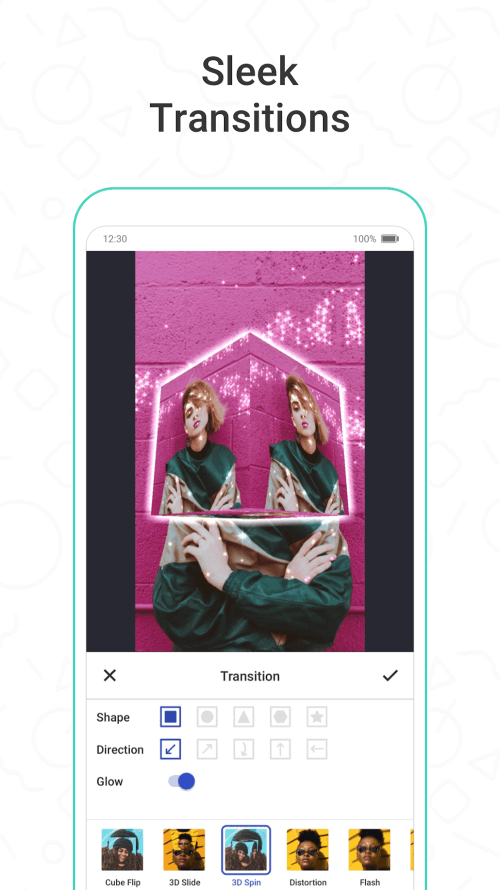
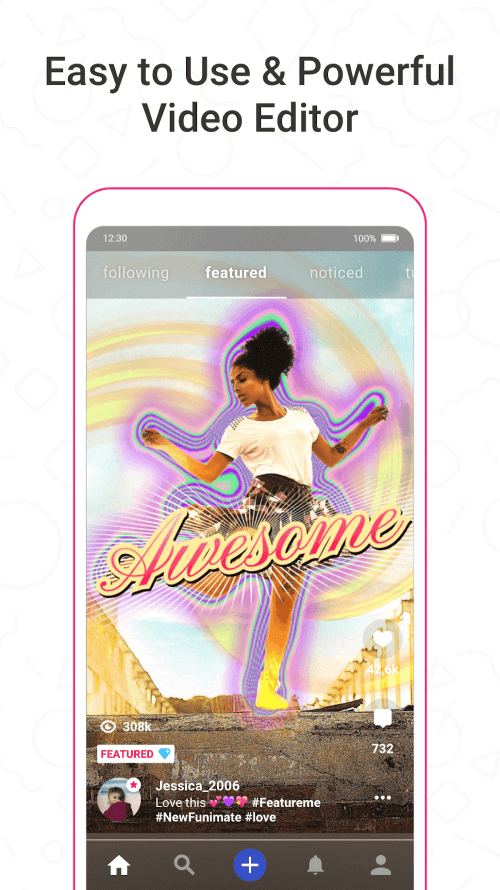
Funimate Video Editor & Maker is an intuitive and user-friendly video editing application. It boasts powerful features, offering a wealth of filters and effects, allowing users to easily create their own works. With Funimate Video Editor & Maker, you can easily trim video clips, adjust playback speed, and add music from a vast music library. Thanks to its intuitive interface and user-friendly interface, even novice users can easily get started and create their own unique works of art.
Highlights:
Enhanced AI-powered video editing tools for automatic scene detection and content tagging.
New customizable templates for various themes like travel, events, and social media challenges.
Improved audio editing features, including a library of licensed music tracks and sound effects.
Advanced color grading and correction options with one-click presets.
Collaborative editing capabilities for real-time teamwork on video projects.
Integration with popular social media platforms for seamless sharing.
Enhanced stabilizer and slow-motion effects for smoother footage.
User-friendly interface updates for easier navigation and editing.
Features:
Effects & Transitions: Over 100 video effects and transitions to enhance creativity.
Music Library: Extensive collection of royalty-free music to complement videos.
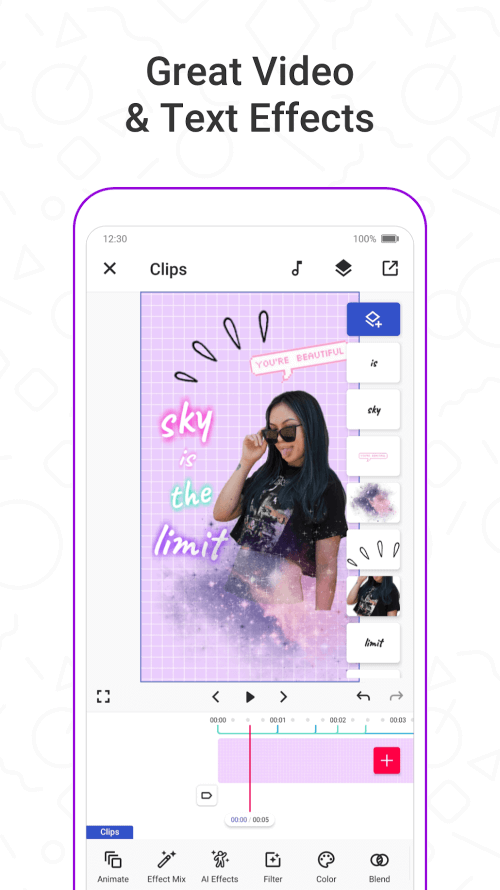
Text Animation: Options to add and animate text for titles and captions.
Animation Tools: Ability to create stunning animations and bring videos to life.
Social Sharing: Direct sharing options to popular social media platforms.
Tips for Users:
Open Funimate and start a new project, then import your clips. Choose the canvas ratio that matches where you plan to share.
Next, arrange clips on the timeline and trim the edges for clean cuts. Add a music track and align your main beats with key moments.
After that, insert transitions between clips and apply a few effects. Use preview playback to check timing and adjust intensity if needed.
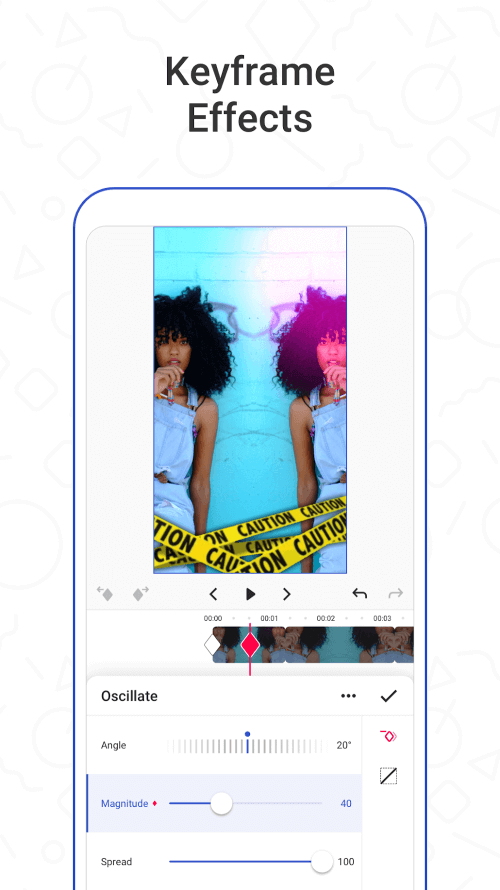
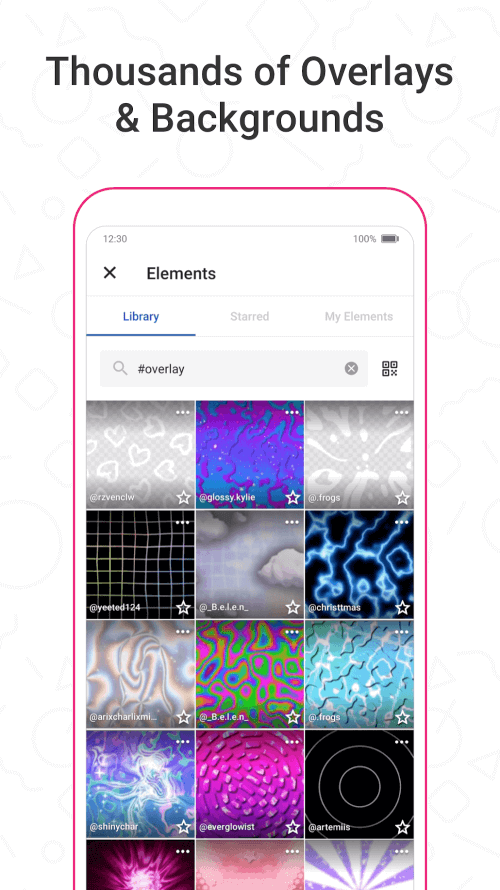
Then, add text for captions or lyrics and place stickers or overlays. Use keyframes to animate position or scale for emphasis on beats.
Finally, apply Smart Motion Blur on fast moves and run a full preview. When everything looks correct, export the video and share or save it.
Pros & Cons:
Pros
Funimate Video Editor & Maker makes it easy to produce shareable edits and participate in community challenges to boost visibility.
Powerful AI features and a large effects library help creators craft distinctive fan edits, dance clips and stylized videos.
Intuitive interface and one-tap effects speed up production so you can finish polished clips on your phone.
Includes complete editing tools—text effects, intro/outro animations and music support—for end-to-end video creation.
Cons
Some advanced tools and custom animations may take time to master for new users.
Discovery and featuring depend on community activity, so exposure is not guaranteed for every creator.
Conclusion:
Funimate Video Editor & Maker emerges as a versatile video editing application that caters to diverse creative needs with its advanced features and intuitive interface. Whether you're creating music videos, social media content, or personal vlogs, Funimate equips you with the tools to unleash your creativity and produce stunning videos effortlessly. Elevate your video editing experience with Funimate and discover a world of endless possibilities at your fingertips.
More Information
- Size:232.3MB
- Version:14.0.9
- Requirements:Android
- Votes:151
- Package Name:com.avcrbt.funimate
- Signature:e6a73af179e101e9450456e668c198a8a2e4e0fa
Related Versions
-
 Download
Funimate Video Editor & Maker Mod
Version:13.3.4Size:189.1MB
Related topics
-
Transform your smartphone into a powerful editing studio with the best video editing apps for Android! Whether you're a content creator, social media enthusiast, or just looking to polish personal videos, these apps offer professional-grade tools right at your fingertips. Enjoy intuitive interfaces, advanced features like multi-track editing and filters, and seamless exporting options - all optimized for mobile devices. Download now and start creating stunning videos anytime, anywhere!
-
![Funimate]()
Funimate
-
![Dream Face]()
Dream Face
-
![VN - Video Editor & Maker]()
VN - Video Editor & Maker
-
![Faceplay Face Swap Video]()
Faceplay Face Swap Video
-
![NodeVideo]()
NodeVideo
-
![Edits Video Editor]()
Edits Video Editor
-
![Storybeat]()
Storybeat
-
![All Video Downloader]()
All Video Downloader
-
-
Mobile video editing tools are highly popular, with complete functions and professional tools that provide a strong atmosphere for various materials. Rich video templates can be operated with just one click, saving time and without too high a threshold. So what are the free versions of mobile video editing software? Editing software should have high popularity, but most of them require membership. Next, I recommend several platforms that can be used for free.
-
![Vidmix]()
Vidmix
-
![Funimate]()
Funimate
-
![Venlow]()
Venlow
-
![Adobe Lightroom]()
Adobe Lightroom
-
![Faceplay Face Swap Video]()
Faceplay Face Swap Video
-
![NodeVideo]()
NodeVideo
-
![Edits Video Editor]()
Edits Video Editor
-
![Storybeat]()
Storybeat
-











Latest Updated








Popular Apps








Popular News
More+-
![Tomie Wants to Get Married Full Walkthrough, All Choices and Ending Guide]()
Tomie Wants to Get Married Full Walkthrough, All Choices and Ending Guide
2026-05-22
-
![Karryn’s Prison Gameplay Walkthrough & Strategy Guide]()
Karryn’s Prison Gameplay Walkthrough & Strategy Guide
2025-10-28
-
![Life in Santa County Game Guide & Complete Walkthrough]()
Life in Santa County Game Guide & Complete Walkthrough
2025-10-28
-
![Dreams of Desire Complete Walkthrough and Game Guide]()
Dreams of Desire Complete Walkthrough and Game Guide
2025-10-28
-
![Era Hunter Gameplay Guide & Full Walkthrough]()
Era Hunter Gameplay Guide & Full Walkthrough
2025-10-28




