

Vidmix
Download for Android This app is available for Android only.- Category:Photography
- Rating: 4.7
- Language:English
- Updated:2026-08-25
Screenshots

Introduction
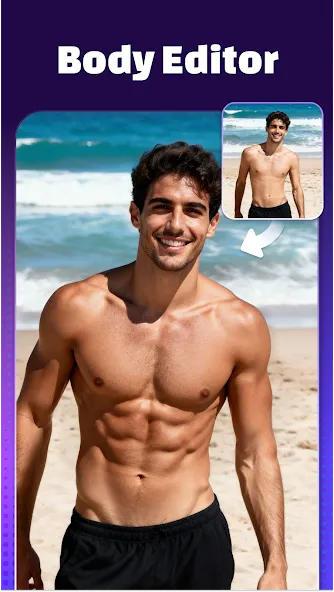
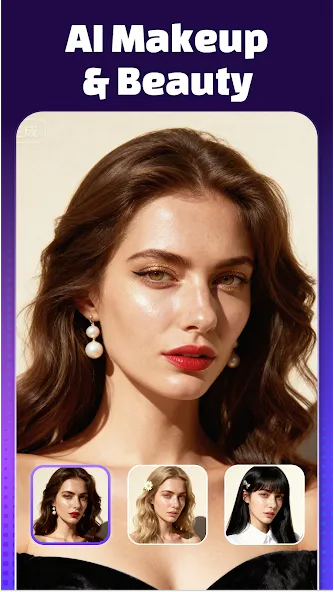
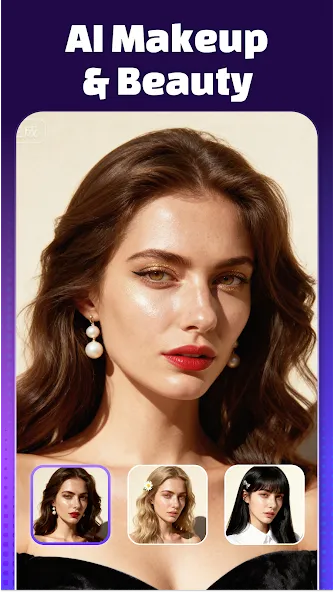
Vidmix is a video editing tool. Users simply upload their photos or text requests to the software, then select from a variety of templates to generate videos and animations in corresponding styles. Users can precisely remove irrelevant elements and backgrounds from videos and add various filters, effects, transitions, and music to create high-quality works. The software also includes AI beautification tools to further enhance details such as facial features, skin, and muscle lines, highlighting the subject and making it more appealing.
Features of Vidmix:
AI Video Generator: Turn photos, selfies, or text into cinematic AI videos with realistic motion and animation. Choose trending templates to create viral short videos — perfect for Reels, Shorts, and TikTok. With Vidmix, anyone can make professional AI videos in seconds.
AI MV Maker: Create your own AI music videos (AI MVs) effortlessly with Vidmix. Simply upload photos or clips, and the AI MV Maker syncs visuals to beats, adds stylish transitions, and generates cinematic motion automatically. Choose from trending templates to make viral short videos — perfect for Reels, Shorts, and TikTok. Whether romantic, dynamic, or creative, every AI MV is crafted with precision for stunning, professional results.
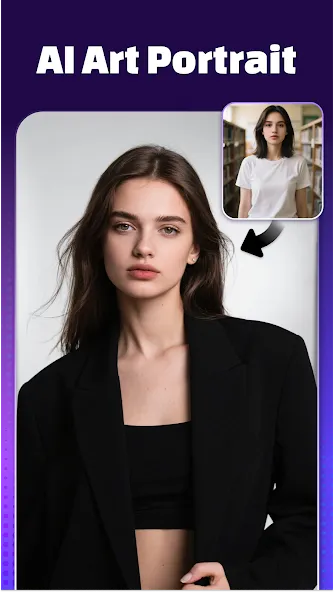
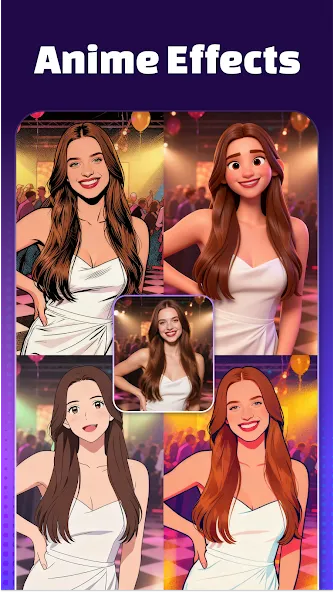
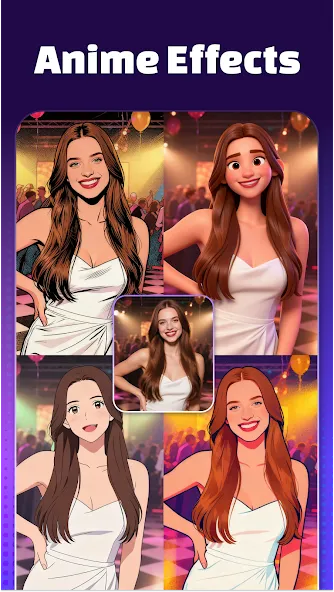
AI Portrait: Turn your selfies or photos into elegant, artistic AI portraits that look straight out of a dream.Choose from trending art styles — realistic, anime, cinematic, or fantasy — and let AI recreate your image with breathtaking detail and expression.With Vidmix, every AI portrait becomes a visual story — perfect for profile pictures, digital art collections, or sharing your creative identity with the world.
AI Video Remover: Easily remove unwanted people, backgrounds, or distractions with precision. The AI Video Remover keeps your AI videos clean, focused, and professional — no manual editing needed.
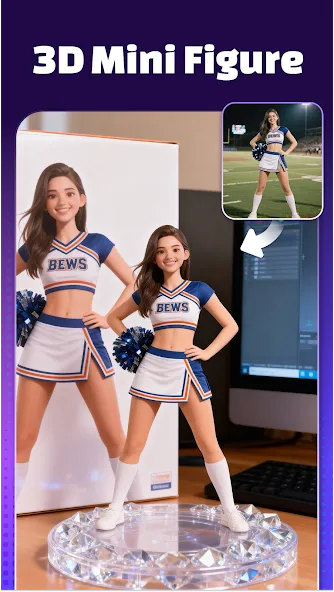
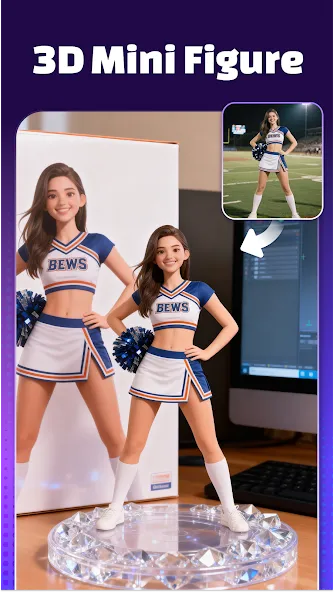
3D Mini Figure: Bring your selfies to life with Vidmix’s AI 3D Mini Figure feature, powered by Nano Banana Engine. Upload your portrait or group photo, and AI instantly generates a cute, collectible 3D mini version of you. Customize, save, and share your mini figures — a fun, AI-driven way to turn memories into interactive digital art.
Highlights of Vidmix:
Vidmix brings templates and unique content for users to create new videos with available resources rather than build everything from scratch. The template uses pre-built structures and allows users to import personal content such as videos, images, and more to complete the final thing. The variety of templates is also wide, promising to meet many styles or contexts needed for users to create high-quality music videos.
Adding visual effects is essential if users want to attract more attention to their videos in various segments. Besides, transition effects are also helpful and will help people make a lot of difference when using a lot of content at once or matching the tones of a song. Managing the effects is also complicated and has many different stages, but the results are desirable and can significantly improve the atmosphere in the video.
The final stage in Vidmix is adding music to the video and making everything more gorgeous through some professional editing. The convenient thing is that adding music can be done instantly, and users can use any music from any source to add to the video to make everything perfect. Moreover, users can synchronize the sound and images through a special tool, making the video quality stable and creating more emotions for viewers.
Besides music, users can insert content such as text or artistic fonts to emphasize essential content in videos. The wide variety of font or text options is also an advantage of the application as it will stimulate everyone’s creativity when designing perfect videos. Users will also have free and in-depth customization of each content or text with absolute precision to create fascinating results variations for videos.
How to Use Vidmix:
Even if you’ve never edited a video before, Vidmix makes the process simple.
Download & Install: Ensure your Android device runs on version 5.0 or higher.
Choose a Template or AI Effect: Browse through categories like lyric, love, cartoon, or trending AI themes.Select the AI Kiss Effect if you want to turn a selfie into a romantic clip.
Import Media: Add photos, selfies, or video snippets from your gallery.Mix up to four images for lyric-style templates or combine clips for storytelling.
Add Music: Choose a trending beat from the built-in library.You can also upload your own soundtrack for a personal touch.
Apply Effects & Edit: Experiment with 3D transitions, filters, and AI options like Hug or Muscle.Insert text overlays or captions to highlight key moments.
Preview & Adjust: Watch your draft before exporting.Adjust playback speed, refine cuts, or tweak effects as needed.
Export & Share: Export your video in 720p/1080p HD without losing quality.Share directly to TikTok, Instagram Reels, YouTube Shorts, or save it.
With this workflow, many creators report saving up to 45% more time compared to using desktop editors.
User Reviews of Vidmix:
Really good app easy to make really excellent vids you just need to choose photos and songs one thing is if you use your own song the lyrics doesn't change that's the only problem overall 11/10.
Its good for me cause i don't like buying things. This has no limits on how much you can make except that it has ads. All around ads but its better than most.
very nice application I try it from Last 2 months But there is no problem. The videos are created in a very nice way. It is a very cool app. You must install it.
Its needed load guys for me its nedeed to me cause ay espic its not need a load den after download its need load so download now its needed in wondweful and for now on im happy now cause i have Vidmix music video Editor with music. I RATE THIS APPS IN 5 STAR OK BYEE.
Its very nice but tge problem is it may have been glitching on my phone saying it crash when the signal is ok everything is fine with my phone but that does not mean its the apps phone its always like this i really really really nice thank you.
Conclusion:
Vidmix offers numerous high-quality filters and special 3D transitions that make your video creations distinct and engaging. Users benefit from multiple shot support, allowing seamless switching between filters. With stylish face stickers and a wide-screen mode, Vidmix ensures your creative endeavors meet various aesthetic needs.
More Information
- Size:89.16MB
- Version:2.35.614
- Requirements:Android
- Votes:176
- Package Name:com.vidmix.music.maker
- Signature:08d0d50b12f5e4ce4eedba3f491983fc
Related Versions




Related topics
-
Video Editor is a powerful software tool designed for crafting, refining, and enhancing video content. It enables users to transform raw footage into compelling visual narratives or effective communication platforms. As digital media continues to evolve, video editing has grown in significance - no longer just a professional necessity but also an accessible skill for everyday creators. Modern editing tools now offer intuitive interfaces, AI-powered features, and cross-platform compatibility, making high-quality video production achievable for both experts and casual users alike.
-
![Vidmix]()
Vidmix
-
![Funimate]()
Funimate
-
![Vivavideo]()
Vivavideo
-
![Faceplay Face Swap Video]()
Faceplay Face Swap Video
-
![NodeVideo]()
NodeVideo
-
![Edits Video Editor]()
Edits Video Editor
-
![Storybeat]()
Storybeat
-
![MVideo]()
MVideo
-
-
Mobile video editing tools are highly popular, with complete functions and professional tools that provide a strong atmosphere for various materials. Rich video templates can be operated with just one click, saving time and without too high a threshold. So what are the free versions of mobile video editing software? Editing software should have high popularity, but most of them require membership. Next, I recommend several platforms that can be used for free.
-
![Vidmix]()
Vidmix
-
![Funimate]()
Funimate
-
![Venlow]()
Venlow
-
![Adobe Lightroom]()
Adobe Lightroom
-
![Faceplay Face Swap Video]()
Faceplay Face Swap Video
-
![NodeVideo]()
NodeVideo
-
![Edits Video Editor]()
Edits Video Editor
-
![Storybeat]()
Storybeat
-
-
In the era of popular short videos, it seems that everyone can edit, which has become an essential skill. The editor brings you a ranking of video editing software that is good. Editing videos seems to be a daily routine, used by both internet celebrities and daily life recorders. The editing techniques are also different. The videos edited by professional personnel are more shocking and beautiful, while those edited by non professional personnel are ordinary. Below, the editor will organize some useful video editing software.
-
![Vidmix]()
Vidmix
-
![Funimate]()
Funimate
-
![VN - Video Editor & Maker]()
VN - Video Editor & Maker
-
![Edits Video Editor]()
Edits Video Editor
-
![Storybeat]()
Storybeat
-
![MVideo]()
MVideo
-
![Face Me]()
Face Me
-
![Wink by Meitu]()
Wink by Meitu
-












Latest Updated






Popular Apps








Popular News
More+-
![Tomie Wants to Get Married Full Walkthrough, All Choices and Ending Guide]()
Tomie Wants to Get Married Full Walkthrough, All Choices and Ending Guide
2026-05-22
-
![Karryn’s Prison Gameplay Walkthrough & Strategy Guide]()
Karryn’s Prison Gameplay Walkthrough & Strategy Guide
2025-10-28
-
![Life in Santa County Game Guide & Complete Walkthrough]()
Life in Santa County Game Guide & Complete Walkthrough
2025-10-28
-
![Dreams of Desire Complete Walkthrough and Game Guide]()
Dreams of Desire Complete Walkthrough and Game Guide
2025-10-28
-
![Era Hunter Gameplay Guide & Full Walkthrough]()
Era Hunter Gameplay Guide & Full Walkthrough
2025-10-28




