

VN - Video Editor & Maker
Download for Android This app is available for Android only.- Category:Media & Video
- Rating: 4.9
- Language:English
- Updated:2026-08-24
Screenshots
Introduction
VN is a simple and easy-to-use video editing application. It offers a range of quick-editing tools, professional-grade features, and a user-friendly interface, allowing anyone—regardless of prior experience—to easily get started and create their own stunning videos. With VN, users can edit footage and produce a variety of videos on their mobile devices, achieving precise, creative control. The app also features a multi-track timeline and supports the addition of Picture-in-Picture (PiP) elements, videos, photos, stickers, and text, helping you craft truly personalized creations.
Highlights:
Easy to learn: VN is user-friendly and perfect for beginners looking to learn basic video editing skills.
Powerful tools: The app offers powerful tools that can turn an ordinary video into a masterpiece.
Customizable soundtrack: Users can easily add and customize background soundtracks to their videos.
Cool visual effects: VN provides a wide range of cool visual effects for overlaying on videos.
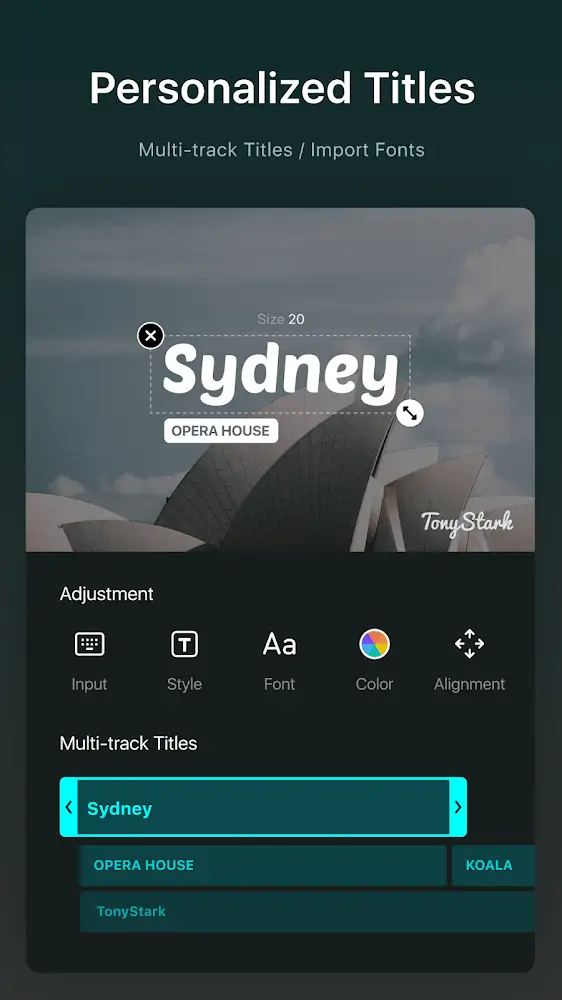
Subtitle tool: The app has a handy tool for working with subtitles, making it easy to add text to videos.
Social sharing: Users can easily share their finished videos with loved ones on popular social networks.
Features:
Multi track timeline with precise control
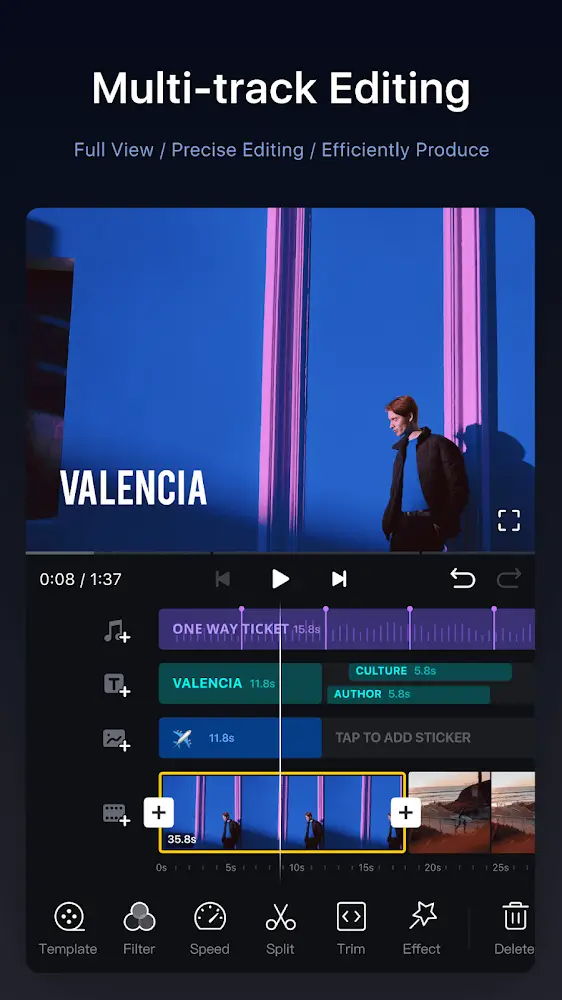
VN uses a timeline that lets you place video, images, text, and audio on separate tracks. You can reorder clips by dragging them and make fine timing changes down to 0.05 seconds. Edits are non destructive, so undo and redo returns you to earlier versions without losing work. This setup is friendly for beginners and still flexible for experienced editors, also known as VlogNow users.
Keyframing, speed curve, and advanced motion tools
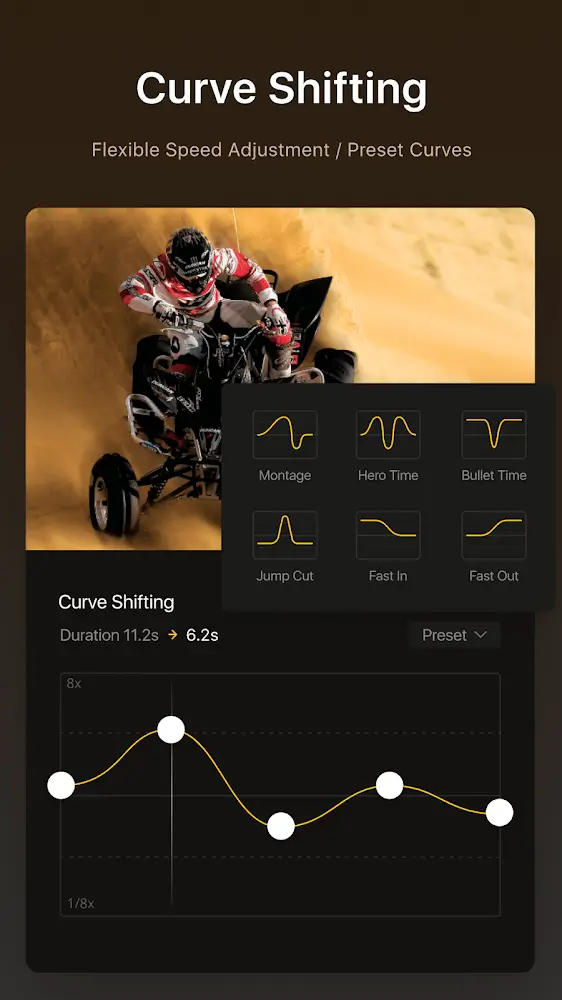
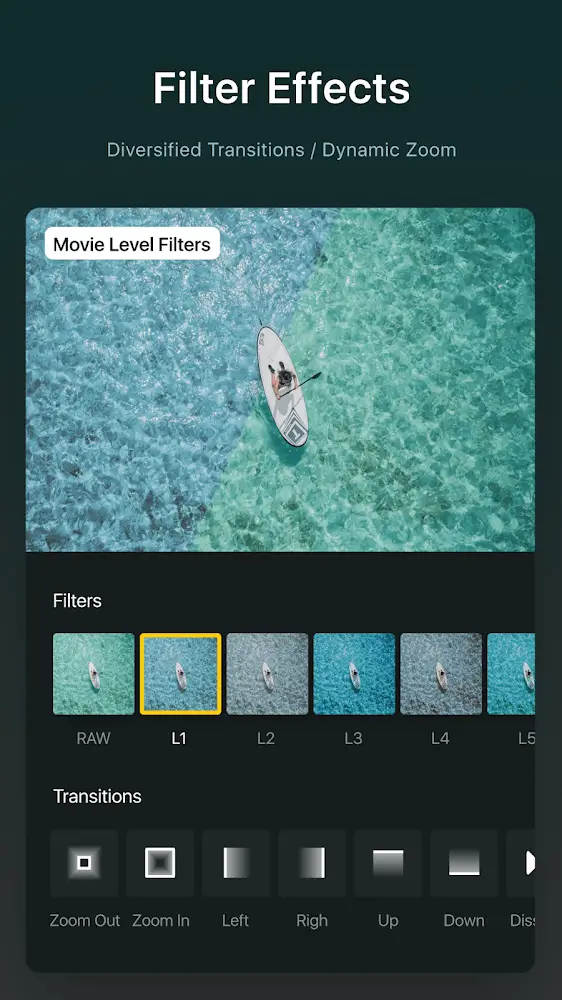
You can animate properties with keyframes to control position, scale, opacity, and more across time. Speed Curve supports time remapping for smooth slow motion or ramped speed changes. Reverse, zoom, freeze frame, transitions, and picture in picture help you build sequences that match your storyboard. These tools work together, so you can combine motion with timing edits without switching apps.
Color grading with filters and LUT import
For color work, VN includes filters for quick looks and supports LUT import in .cube format. This lets you apply consistent film style grading across multiple clips. You can adjust tone and color to balance different shots and keep a clean result. With LUTs and filters available, it is easier to match footage from various cameras.
Audio tools and AI assisted text
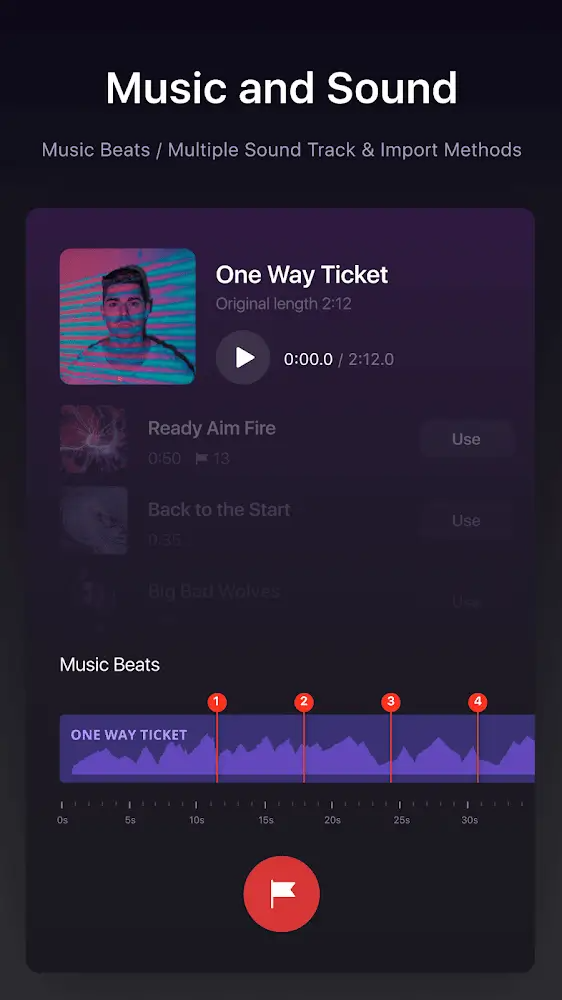
VN adds beat markers so you can align cuts to music without guessing. You can record voice over directly in the timeline and adjust levels to keep speech clear. Auto Text Caption converts speech to on screen text, which saves time on subtitles. Text to Speech offers multiple AI voices for narration, so you can produce drafts even when recording is not possible.
Materials, templates, export, and project protection
Import fonts and stickers through common channels such as WiFi, messaging apps, or zip files, then keep assets organized in the material library. Templates help you save and share repeatable edits for fast setup on new projects. When you export, VN supports custom settings up to 4K at 60 FPS, and HDR workflows are available for supported footage. Protection Mode secures drafts and templates to reduce the risk of unwanted changes when collaborating.
Tips and Tricks:
Drag-and-drop material management for seamless workflow.
Customizable animations and full-screen preview for enhanced editing experience.
Non-destructive editing with unlimited drafts.
User-friendly audio recording for engaging voiceovers.
Supports diverse multimedia integration for creative video projects.
Changelog:
Video editing: Added video stabilization, 9 mask shapes, and keyframe adjustments with custom curves.
Added photo editing.
Improved Story creation workflow.
Fixed audio waveform out of sync with playback.
Improved video editing performance and other bug fixes.
Conclusion:
VN app is an excellent video editing tool that offers an intuitive interface, advanced editing features, trendy effects, and flexible material use. Whether you are a professional or an amateur video editor, this app provides all the necessary features to create high-quality videos. With its easy-to-use music beats and seamless collaboration options, users can create and share their videos effectively and securely. Download now and start creating amazing videos!
More Information
- Size:305.90MB
- Version:2.18.1
- Requirements:Android
- Votes:176
- Package Name:com.frontrow.vlog
- Signature:1ca418d59e834d321164726e1cacafc3

Related topics
-
Transform your smartphone into a powerful editing studio with the best video editing apps for Android! Whether you're a content creator, social media enthusiast, or just looking to polish personal videos, these apps offer professional-grade tools right at your fingertips. Enjoy intuitive interfaces, advanced features like multi-track editing and filters, and seamless exporting options - all optimized for mobile devices. Download now and start creating stunning videos anytime, anywhere!
-
![Funimate]()
Funimate
-
![Dream Face]()
Dream Face
-
![VN - Video Editor & Maker]()
VN - Video Editor & Maker
-
![Faceplay Face Swap Video]()
Faceplay Face Swap Video
-
![NodeVideo]()
NodeVideo
-
![Edits Video Editor]()
Edits Video Editor
-
![Storybeat]()
Storybeat
-
![All Video Downloader]()
All Video Downloader
-
-
In the era of popular short videos, it seems that everyone can edit, which has become an essential skill. The editor brings you a ranking of video editing software that is good. Editing videos seems to be a daily routine, used by both internet celebrities and daily life recorders. The editing techniques are also different. The videos edited by professional personnel are more shocking and beautiful, while those edited by non professional personnel are ordinary. Below, the editor will organize some useful video editing software.
-
![Vidmix]()
Vidmix
-
![Funimate]()
Funimate
-
![VN - Video Editor & Maker]()
VN - Video Editor & Maker
-
![Edits Video Editor]()
Edits Video Editor
-
![Storybeat]()
Storybeat
-
![MVideo]()
MVideo
-
![Face Me]()
Face Me
-
![Wink by Meitu]()
Wink by Meitu
-











Latest Updated








Popular Apps





Popular News
More+-
![Tomie Wants to Get Married Full Walkthrough, All Choices and Ending Guide]()
Tomie Wants to Get Married Full Walkthrough, All Choices and Ending Guide
2026-05-22
-
![Karryn’s Prison Gameplay Walkthrough & Strategy Guide]()
Karryn’s Prison Gameplay Walkthrough & Strategy Guide
2025-10-28
-
![Life in Santa County Game Guide & Complete Walkthrough]()
Life in Santa County Game Guide & Complete Walkthrough
2025-10-28
-
![Dreams of Desire Complete Walkthrough and Game Guide]()
Dreams of Desire Complete Walkthrough and Game Guide
2025-10-28
-
![Era Hunter Gameplay Guide & Full Walkthrough]()
Era Hunter Gameplay Guide & Full Walkthrough
2025-10-28




