

C Locker
Download for Android This app is available for Android only.- Category:Theme
- Rating: 4.7
- Language:English
- Updated:2026-09-08
Screenshots
Introduction
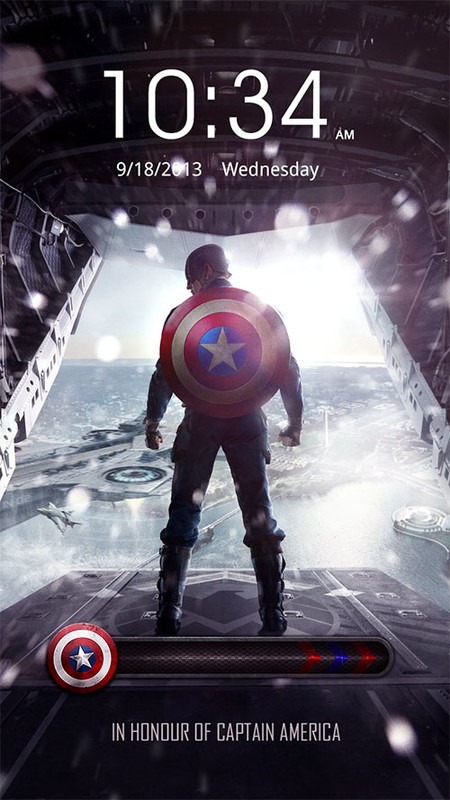
C Locker is a lock screen tool designed specifically for Android devices. It offers multiple unlocking methods and allows users to set their favorite wallpapers as the lock screen. App notifications are displayed on the lock screen in real time. It provides various lock screen options and quick access methods for easy navigation. The app is small in size, compatible with many devices, and supports over 30 customizable shortcuts. It supports multiple touch screen controls and allows users to add various widgets to their phones. It's a powerful tool that users can quickly get started with.
Features
C-Locker is a sizable lock screen package.
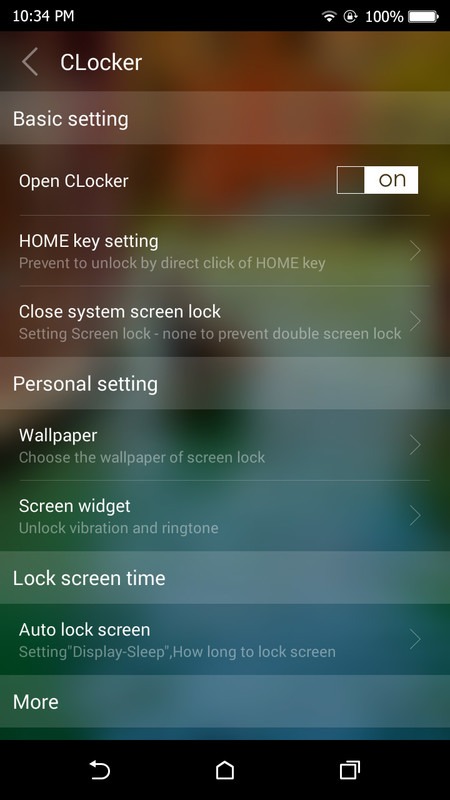
Different methods for options to unlock your phone.
You can control your music directly from lock screen.
It enables you to change lock screen from photos you like.
Access your favorite apps quickly.
You can set your phone albums photo, home screen wallpapers or default wallpapers as your phone lock screen wallpapers.
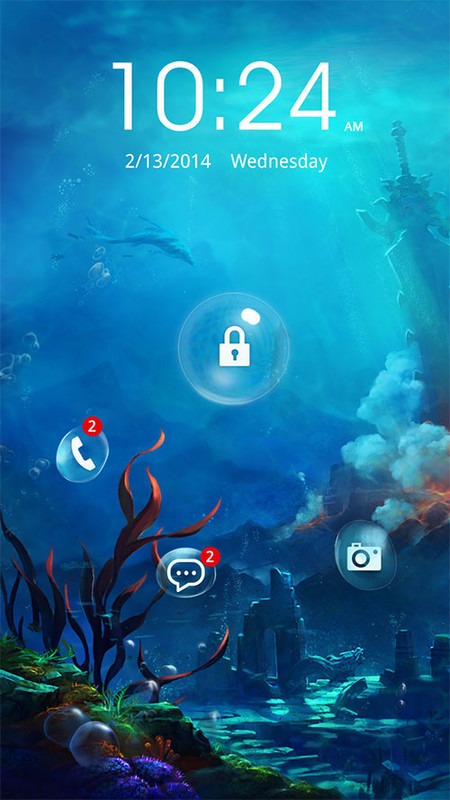
Notifications of apps will be showed on the lock screen.
Advantages and disadvantages
Pros:
You can choose lock screen at your will.
Different design of lock screen interface for options.
App shortcuts to access apps quickly.
Cons:
There are too many advertisements.
No PIN or pattern code for options.
Advantages
Adding Multiple app Widgets for 3 Profiles: default, music, location
Volume Rocker Control, long press to play/skip (next/prev) music.
Locker screen sliding gesture actions with 4 directions (Up, Down, Left, Right) X 2 fingers
Double/Triple Tap to turn off screen and other shortcut actions
More than 30 custom shortcuts your can set to launch apps, direct call, direct sms
RSS update interval and other settings
Security PIN for shortcuts and unlock
Summarize
C Locker introduces a new level of customization and personalization to your Android lock screen. By allowing you to design your lock screen with widgets and customizable actions, it adds quick access to preferred features. Its advanced functionalities include a pattern unlock option and a security selfie function, offering a modernized lock screen experience. Additionally, its compatibility with Samsung Galaxy S Series Fingerprint Unlock provides an added layer of security and convenience.
More Information
- Size:7.35MB
- Version:8.3.6.8
- Requirements:Android 4.1+
- Votes:485
- Package Name:com.ccs.lockscreen
- Signature:f6141126216c3064fab6fc7962420ed9
Related topics
-
Utility apps are indispensable in our lives, making our daily routines more convenient. To help you find these apps more easily, this site has created a collection. This collection brings together a series of practical tools covering various aspects of life, work, and education, meeting all your needs. What are you waiting for? Try these apps now and make your life easier!
-
![Color Effect]()
Color Effect
-
![Oxford Dict of English & Thes]()
Oxford Dict of English & Thes
-
![Any.do]()
Any.do
-
![Find My Lost Phone!]()
Find My Lost Phone!
-
![Framaroot]()
Framaroot
-
![C Locker]()
C Locker
-
![Device Id Changer]()
Device Id Changer
-
![Eye Color Studio]()
Eye Color Studio
-
-
Transform your mobile device into a powerhouse of efficiency with these handpicked essential tools. Whether you need professional-grade photo editing, seamless file organization, smart task management, or real-time weather updates, our curated selection of premium apps delivers unbeatable performance. Streamline your daily routine, automate repetitive tasks, and boost your productivity with intuitive interfaces and powerful features. Designed for both professionals and casual users, these editor-approved applications will revolutionize how you work and play. Don't settle for an ordinary phone - upgrade your digital experience today and unlock your device's full potential!
-
![Color Effect]()
Color Effect
-
![Oxford Dict of English & Thes]()
Oxford Dict of English & Thes
-
![Any.do]()
Any.do
-
![Find My Lost Phone!]()
Find My Lost Phone!
-
![Framaroot]()
Framaroot
-
![C Locker]()
C Locker
-
![Device Id Changer]()
Device Id Changer
-
![Eye Color Studio]()
Eye Color Studio
-
-
With the development of mobile hardware and software, many practical tool software have emerged, covering a wide range of aspects and becoming a good helper for everyone in work and life. Today, the editor provides you with a list of useful tool software downloads. These tools are not particularly complex types, and after reading them, everyone can quickly learn how to use them. Proper use can bring great convenience to life and work.
-
![Color Effect]()
Color Effect
-
![Oxford Dict of English & Thes]()
Oxford Dict of English & Thes
-
![Any.do]()
Any.do
-
![Find My Lost Phone!]()
Find My Lost Phone!
-
![Framaroot]()
Framaroot
-
![C Locker]()
C Locker
-
![Device Id Changer]()
Device Id Changer
-
![Eye Color Studio]()
Eye Color Studio
-




Latest Updated







Popular Apps







Popular News
More+-
![Tomie Wants to Get Married Full Walkthrough, All Choices and Ending Guide]()
Tomie Wants to Get Married Full Walkthrough, All Choices and Ending Guide
2026-05-22
-
![Karryn’s Prison Gameplay Walkthrough & Strategy Guide]()
Karryn’s Prison Gameplay Walkthrough & Strategy Guide
2025-10-28
-
![Life in Santa County Game Guide & Complete Walkthrough]()
Life in Santa County Game Guide & Complete Walkthrough
2025-10-28
-
![Dreams of Desire Complete Walkthrough and Game Guide]()
Dreams of Desire Complete Walkthrough and Game Guide
2025-10-28
-
![Era Hunter Gameplay Guide & Full Walkthrough]()
Era Hunter Gameplay Guide & Full Walkthrough
2025-10-28




