

Runkeeper
Download for Android This app is available for Android only.- Category:Sports
- Rating: 4.9
- Language:English
- Updated:2026-09-18
Screenshots
Introduction
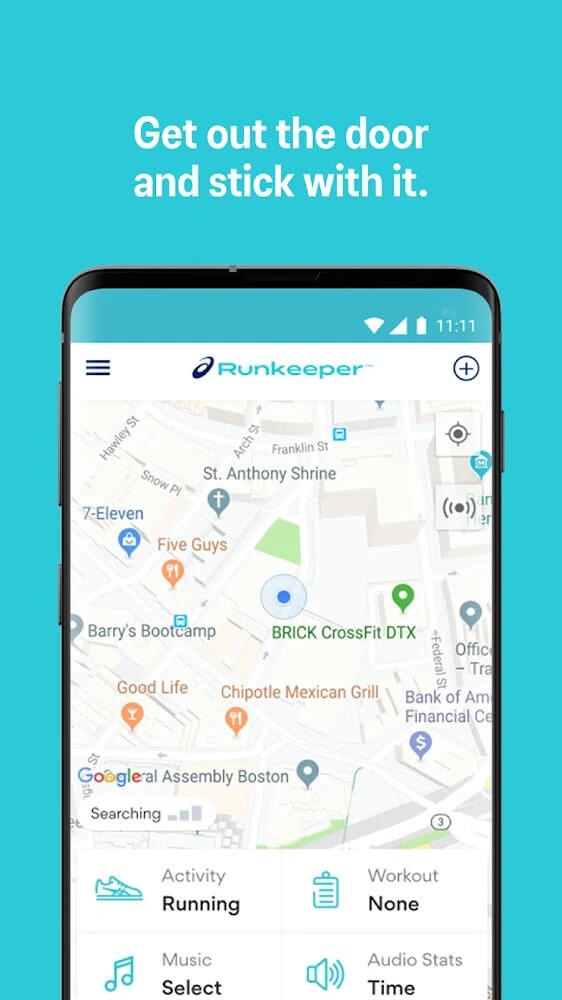
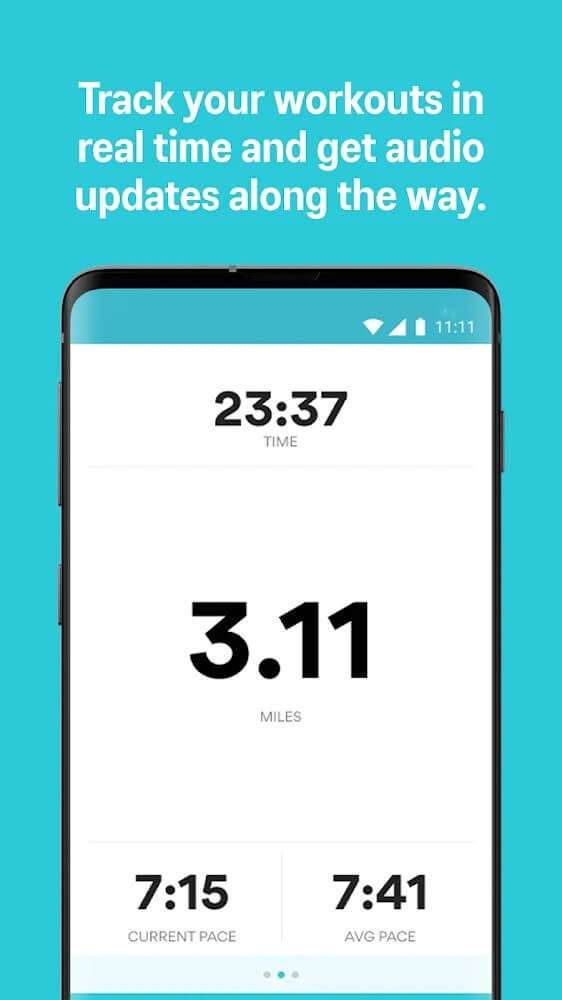
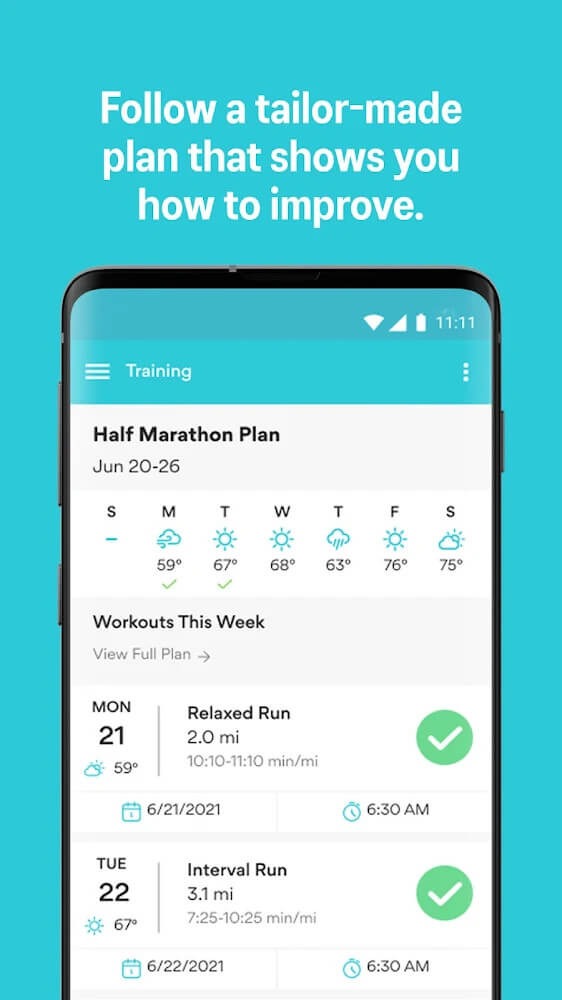
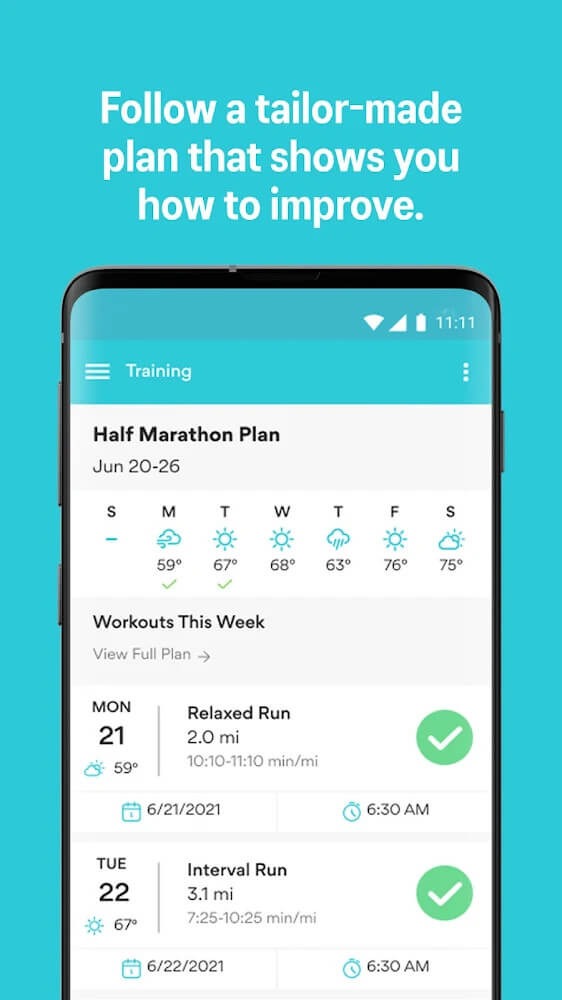
Runkeeper is a fitness community app designed specifically for running enthusiasts. It not only creates personalized fitness plans based on the user's physical condition but also features an active community where users can share their running mileage and exchange tips. As users work out, the app tracks their routes in real-time and generates detailed analyses—displaying metrics such as pace and heart rate—for easy review. Users can also create groups and invite friends to join running challenges, encouraging one another through chat and interaction to stay motivated and build a lasting running habit.
Features of Runkeeper:
Running Groups: Create a custom challenge, invite friends, track each other’s progress, and use the chat to cheer each other on.
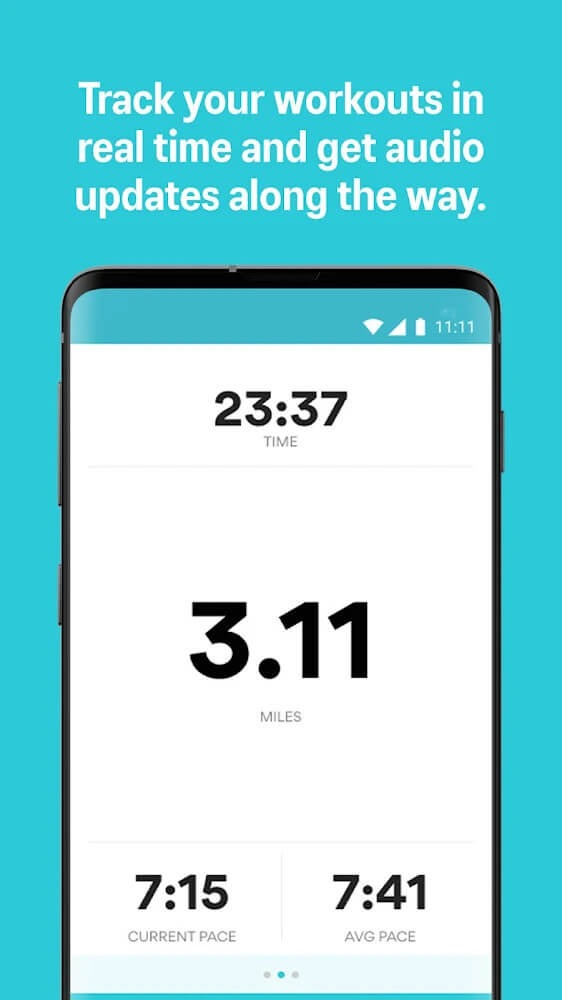
Audio Cues: Hear your pace, distance, splits, and time as you run.
Partner Apps: Listen to music with Spotify and Apple Music integrations, sync with Garmin watches, and connect with health apps like Fitbit and MyFitnessPal so you can track running and fitness with your wearables.
Indoor Tracking: Track treadmill, elliptical and gym workouts in stopwatch mode.
Social Sharing: Share snapshots of your activities, or run club activities, to any app, from social media to messaging platforms.
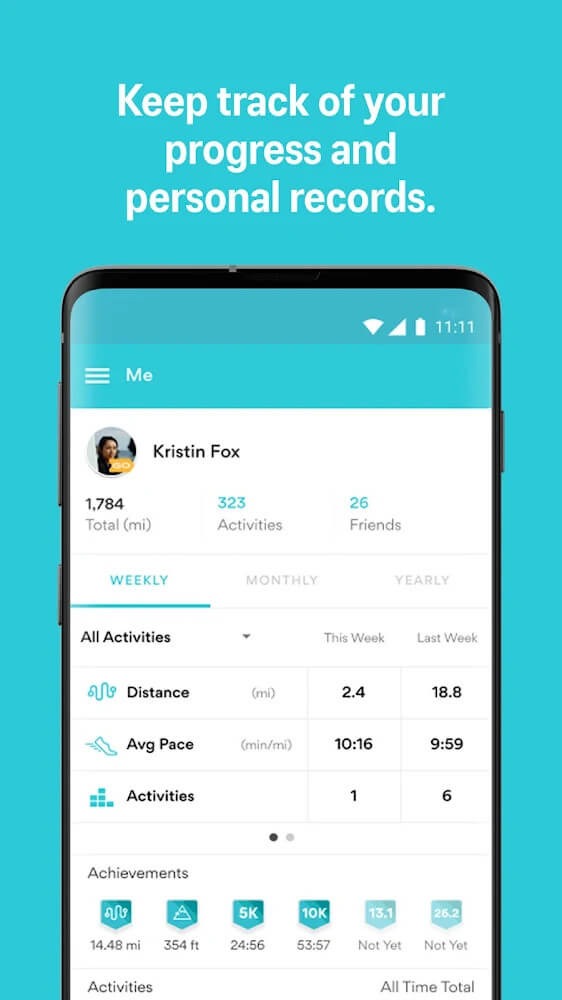
Activity Insights: Track running activities to see how your runs improve and get a full view of your fitness journey.
Live Tracking: Share your live location with your approved contacts.
Join the running community that helps you get out the door and reach your running goals! Download the ASICS Runkeeper app today.
Highlights of Runkeeper:
Hundreds of workouts have already been created and saved in Runkeeper for your convenience. It is your responsibility to research and select the most appropriate running-related exercises for you. Following your selection, it is your responsibility to track the travel you have completed. We will assist you in recalling what you have practiced in a specific top-secret archive, if necessary.
Runkeeper also allows users to set a specific goal without stopping there. The user may or may not achieve that goal. However, by setting goals, you become more focused, putting more energy into the exercise in the hope of overcoming difficulties to achieve the set goal. If the user can complete the goal, pages of applause, words of encouragement, or even medals come to you. On the contrary, you will receive more words of encouragement and feelings of sadness.
If you think this app is only for runners, you are wrong. When you arrive at Runkeeper, you can experience many different activities. It can be walking or jogging, as many people know; besides, the application can be applied if you have a need to cycle or do cardio exercises,… From smart GPS, we can tell you how your training is going.
Depending on your initial goals, Runkeeper will certainly give you suitable schedules. This schedule is designed for you by the application only. All will be personalized to suit your busy daily work better but still ensure your health is fine. After designing the perfect schedule, we keep sending you reminders and notifications. Thanks to that, you will never forget your exercise time. This application is like your veteran assistant.
User Reviews of Runkeeper:
This is the only app for exercise I would use. It is simple and straightforward to use and reliable. I use it for running and walking, it logs my route, cadence, miles/ km and pace. I can also use it with a music app. It gives you challenges both in running, walking (+ wheelchair activities) also providing motivational or mindfulness audios. If there have been any glitches, the Runkeeper Team solve these pretty quickly. It really is a joy to use. Highly recommended.
It would be nice if using a route could tell me when to turn, otherwise I don't see the point of routes, the screen turns off, so I am constantly unlocking to see where I am going when I am cycling, and it's strapped to my arm, when I am running. Update: March 2025: There is a bug with challenges, the first day of the week selection doesn't apply, it always uses Sunday. I am also happy that they added pause and stop buttons that work from the lock screen.
When I go for a walk or run it's always nice to know how far I went or if I decide to take a detour from my normal path Runkeeper records the time, my distance and the path I took. Thus is very nice because at the end of my workout Runkeeper allows me to add notes about who I was with or my adventures.
Best app, and love I got a 3 month premium as a birthday gift! I'm very grateful for this app! And the settings for a run is so nice, I got the drill sarge as the voice over! Reminds me of my old gym teacher and I love that! Keep it up, amazing running app! Edit: I no longer got premium, and the app is running really well! I'm quite pleased by how nice it is. plus I have never been able to hold a routine this well, but it's just really nice and easy to use!
FAQs of Runkeeper:
How elevation and climb are calculated on Runkeeper?
Elevation: Our elevation data is imported from a third-party service called Topocoding. Once your GPS tracked data is synced to our servers, the elevation data we receive is attached to your GPS points. This data is then used to calculate the climb!
Climb: Total Climb is calculated by adding all of the ascents during your trip. Essentially, this tells you how far uphill you have travelled! We want to note here that the 'Elevation' graph you see on your mobile device is the same as the 'Total Climb' graph on the website!
Climb and Splits: When we calculate the climb that you see in your splits, it is calculated a bit differently than the total climb. The climb you see below is the difference in elevation from the start of your split to the end of your split. In the chart below, for example, the climb for the first mile is -15 feet. This means that during the first mile, the elevation decreased by 15 feet overall.
What should I do if my activity history is missing?
Did you log onto your phone, or maybe check out your web account, only to discover that all your activities are missing? Not to worry, let's figure out where your activities went and get you back out there.
First, it's possible that you've just created a new account by mistake!
There are a couple of ways to determine whether you've created two accounts:
If your activities don't appear on the Runkeeper website
Check the "Settings" menu in the phone app, and look at the email address listed there. If that's a different address than what you're logging into the website with, that's why your activities are not visible in your account. Just log out of the website and log back in with the address shown on the app, and you should be all set!
If your activities are no longer visible in the app
Check out the Settings menu of the app to see what email address is listed there. Then, log out the app, and keep trying to log in with any and all email addresses you have. This should include the ones you use for Facebook, Google Play, or your Apple ID. People often think they signed up with a different email address, and when prompted to log back in or sign up, it's easy to get confused and use the wrong one!
How to delete a photo?
To delete a photo, just follow these easy steps:
iPhone
1. From the Me tab, click into your Activities view and then click into the activity you want.
2. Swipe left over the activity map until you reach the photo you want to delete.
3. Click on the photo to enter the full-screen photo view.
4. Tap once again on the photo so that you see the blue bar appear at the bottom.
5. Tap the three dots on the bottom right, then select "Remove picture."
6. You're all set, and you'll be redirected back to the activity view!
From the web
Visit the activity page from the runkeeper.com website.
Click on the photo you'd like to delete. The photo will be located on your activity map at the GPS point where you took the picture!
Hit the Remove button located bottom right of the photo.
Confirm the delete by hitting the green Remove button.
And, just like that, say goodbye to your photo.
Conclusion:
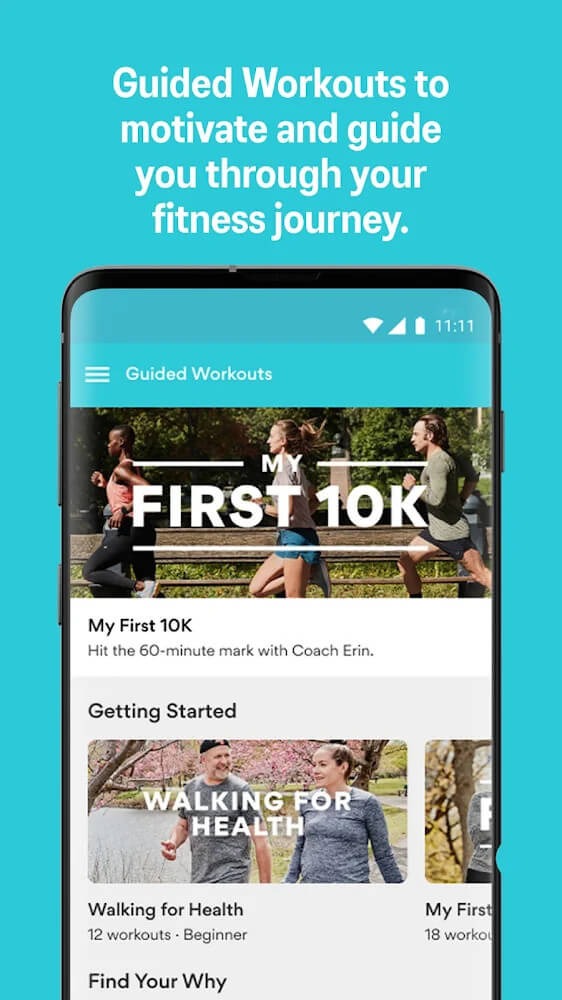
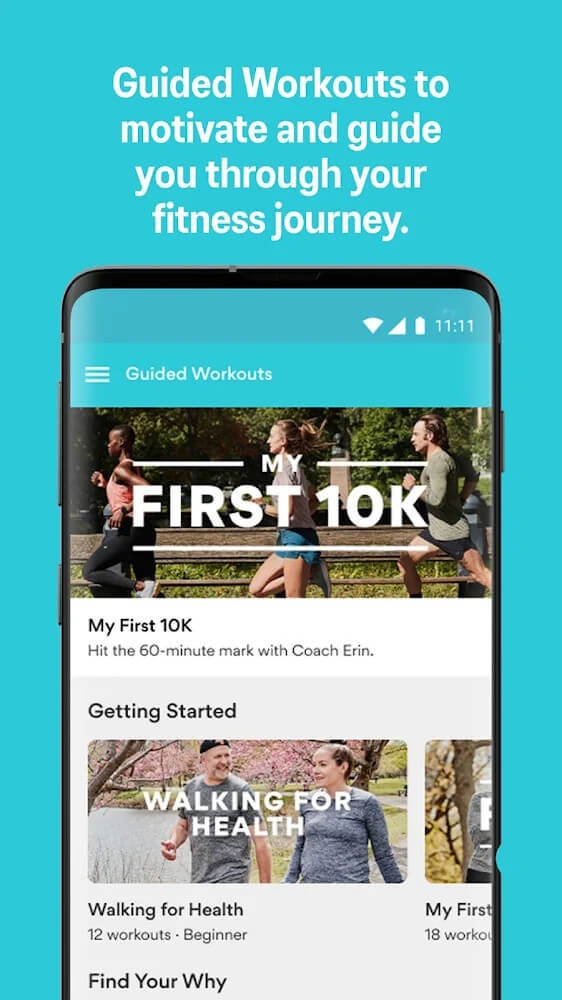
Training plans, guided workouts, monthly running challenges and more will help you run further, run faster and run longer. Set running and training goals, track your progress and share your journey with our community. From your first run to your next 5K, 10K, half or full marathon, the ASICS Runkeeper app can help you do it. Trusted by 5k runners to those running marathons.
More Information
- Size:5.62MB
- Version:3.1.0
- Requirements:Android 6.0+
- Votes:113
- Package Name:com.fitnesskeeper.runkeeper.pro
- Signature:b09b9b3de012262b5f3d20c7b7fdb076

Related topics
-
Fit Apps offers smart health tools that help you track exercise, nutrition, and daily activity. Easy to use and works across devices. Reach your fitness goals with motivation and clarity.
-
![Fitness Point]()
Fitness Point
-
![Noom Coach]()
Noom Coach
-
![My Diet Coach]()
My Diet Coach
-
![Runkeeper]()
Runkeeper
-
![Six Pack in 30 Days]()
Six Pack in 30 Days
-
![Nike Run Club]()
Nike Run Club
-
![Sweatcoin]()
Sweatcoin
-
![21 Days Challenge]()
21 Days Challenge
-
-
In the rapidly evolving world of technology, sports and fitness apps have become essential tools for enhancing our health and performance. As we move into 2024, several apps stand out for their innovative features and user-friendly interfaces. This article explores the top sports and fitness apps for 2024, providing insights into how they can support your fitness journey and help you achieve your goals.
-
![Fitness Point]()
Fitness Point
-
![My Diet Coach]()
My Diet Coach
-
![7 Minute Workout]()
7 Minute Workout
-
![Runkeeper]()
Runkeeper
-
![Six Pack in 30 Days]()
Six Pack in 30 Days
-
![Nike Run Club]()
Nike Run Club
-
![All Football - News & Scores]()
All Football - News & Scores
-
![21 Days Challenge]()
21 Days Challenge
-
-
Sports competitions have been an integral part of human history for centuries, showcasing skill, endurance, and the spirit of competition. Each sport offers its own unique thrills-whether it's the speed and agility of soccer, the strategic depth of basketball, or the sheer power of weightlifting. While experiencing these activities in real life is exhilarating, stepping into the world of virtual sports can be just as exciting. Games allow you to immerse yourself in different sports, refine your techniques, and enjoy the thrill of victory-all from the comfort of your own space. Why not dive into the action and experience the joy of sports in a whole new way?
-
![Runkeeper]()
Runkeeper
-
![RBLive77]()
RBLive77
-
![eFHUB 26]()
eFHUB 26
-
![All Football - News & Scores]()
All Football - News & Scores
-
![Sweatcoin]()
Sweatcoin
-
![CREX: Cricket Exchange]()
CREX: Cricket Exchange
-
![Sport365]()
Sport365
-
![BetMines Mod]()
BetMines Mod
-











Latest Updated




Popular Apps



Popular News
More+-
![Tomie Wants to Get Married Full Walkthrough, All Choices and Ending Guide]()
Tomie Wants to Get Married Full Walkthrough, All Choices and Ending Guide
2026-05-22
-
![Karryn’s Prison Gameplay Walkthrough & Strategy Guide]()
Karryn’s Prison Gameplay Walkthrough & Strategy Guide
2025-10-28
-
![Life in Santa County Game Guide & Complete Walkthrough]()
Life in Santa County Game Guide & Complete Walkthrough
2025-10-28
-
![Dreams of Desire Complete Walkthrough and Game Guide]()
Dreams of Desire Complete Walkthrough and Game Guide
2025-10-28
-
![Era Hunter Gameplay Guide & Full Walkthrough]()
Era Hunter Gameplay Guide & Full Walkthrough
2025-10-28




