

Musicolet Music Player
Download for Android This app is available for Android only.- Category:Media & Video
- Rating: 4.9
- Language:English
- Updated:2026-11-02
Screenshots
Introduction
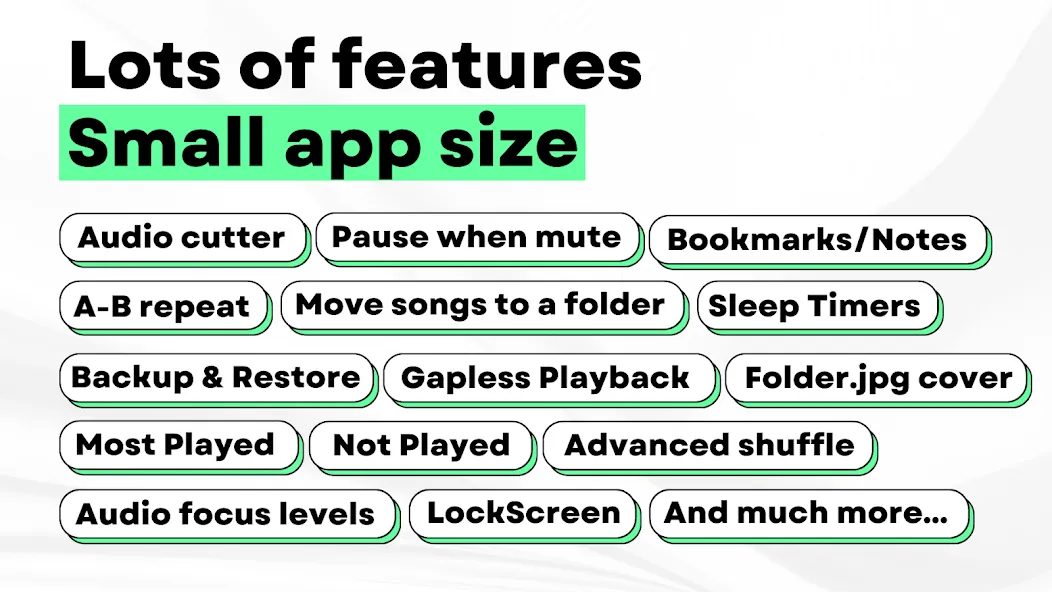
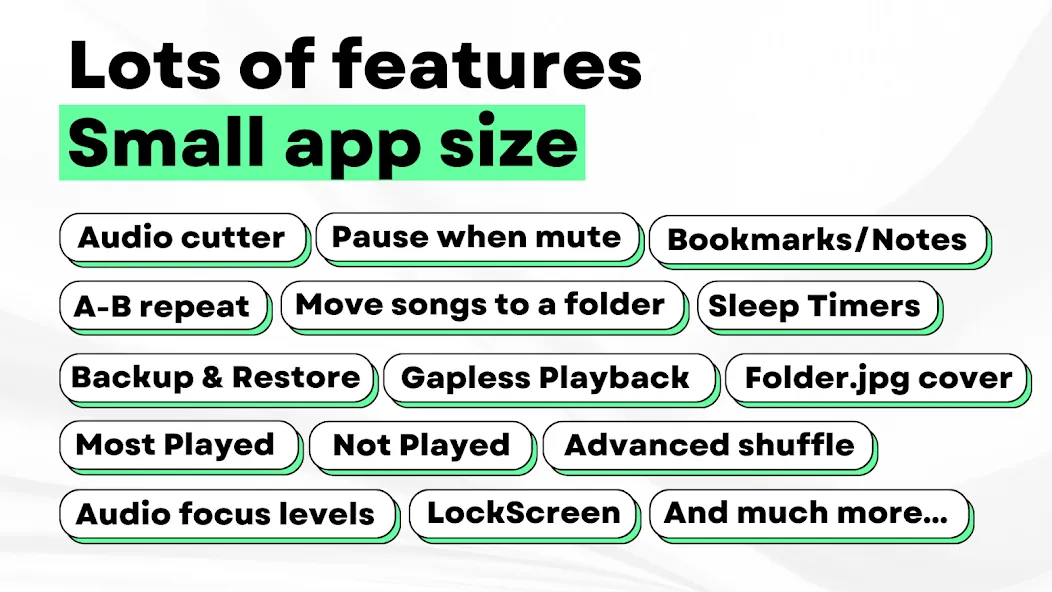
Musicolet Music Player is a versatile music app that allows users to import audio files in various formats. You can create up to 20 separate playback queues and add your favorite tracks to them, ensuring your music is always ready to play. While listening, the app can automatically generate lyrics, and you can also control playback via home screen widgets. A powerful built-in equalizer lets you fine-tune sound effects and audio quality to suit your personal preferences, creating an optimal listening experience. Additionally, you can set a sleep timer—the app will play soothing music until the time runs out, helping to conserve your phone's battery.
Features of Musicolet Music Player:
Offline and ad-free by design: Musicolet Music Player runs without internet permissions, which means no streaming, no online search, and no background data activity. Playback and browsing stay local to your device’s storage, so your library remains private. You avoid ads and online prompts, and the app keeps its focus on quick access to your files.
Multiple queues with quick navigation: You can maintain different queues for folders, albums, artists, and playlists, and switch between them as needed. Musicolet Music Player uses a single-row navigation approach that places essential actions one tap away. This helps you jump back to a queue or resume positions without digging through menus, especially when managing a large collection.
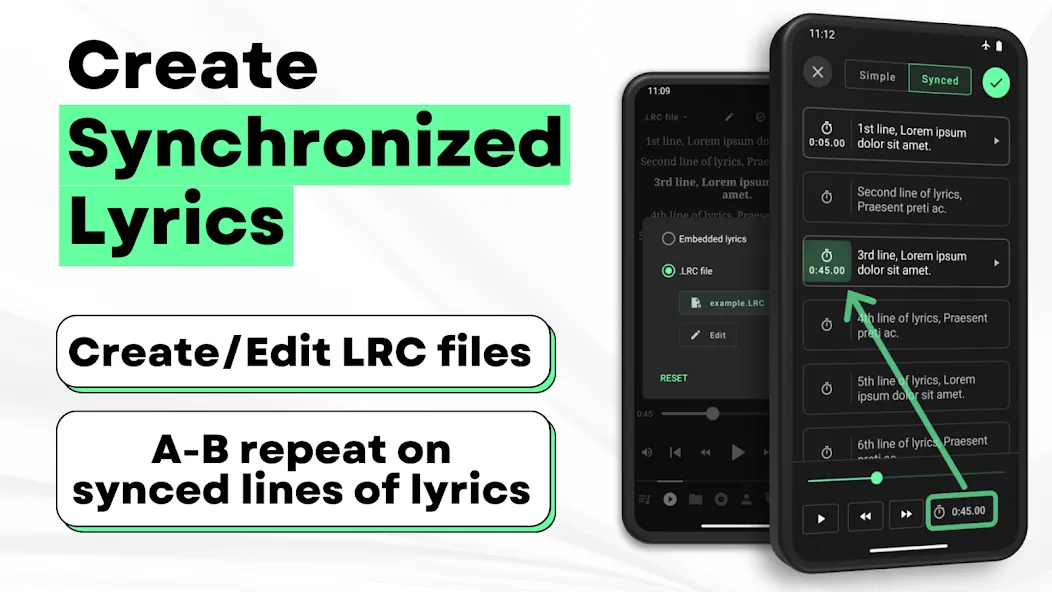
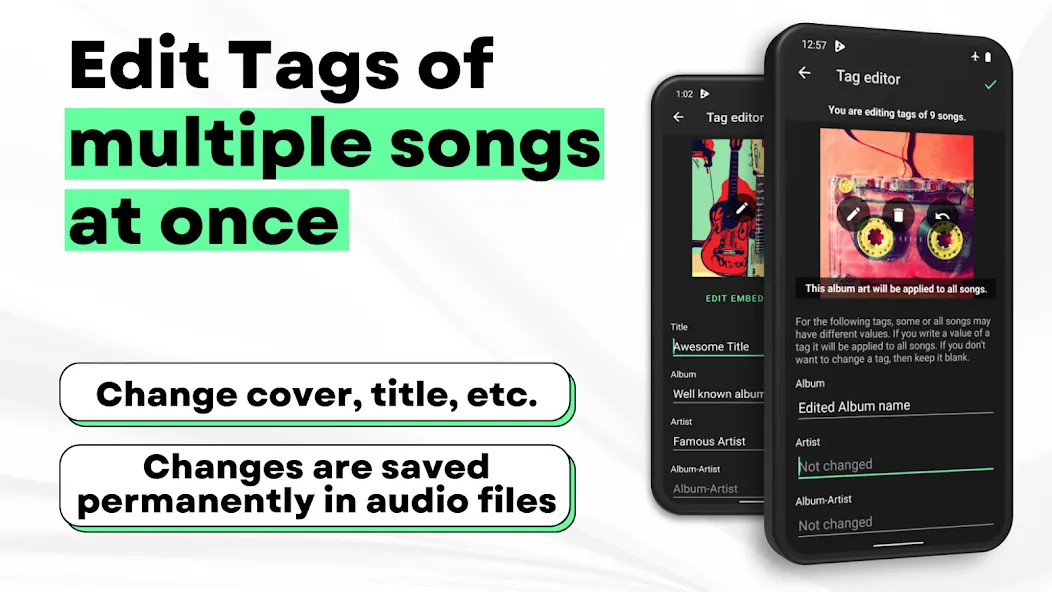
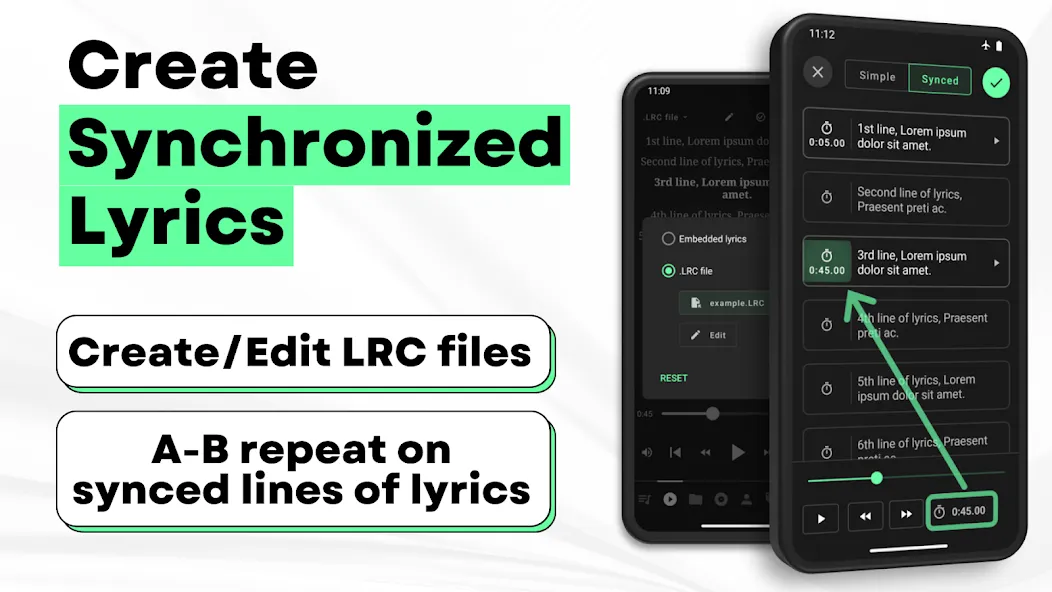
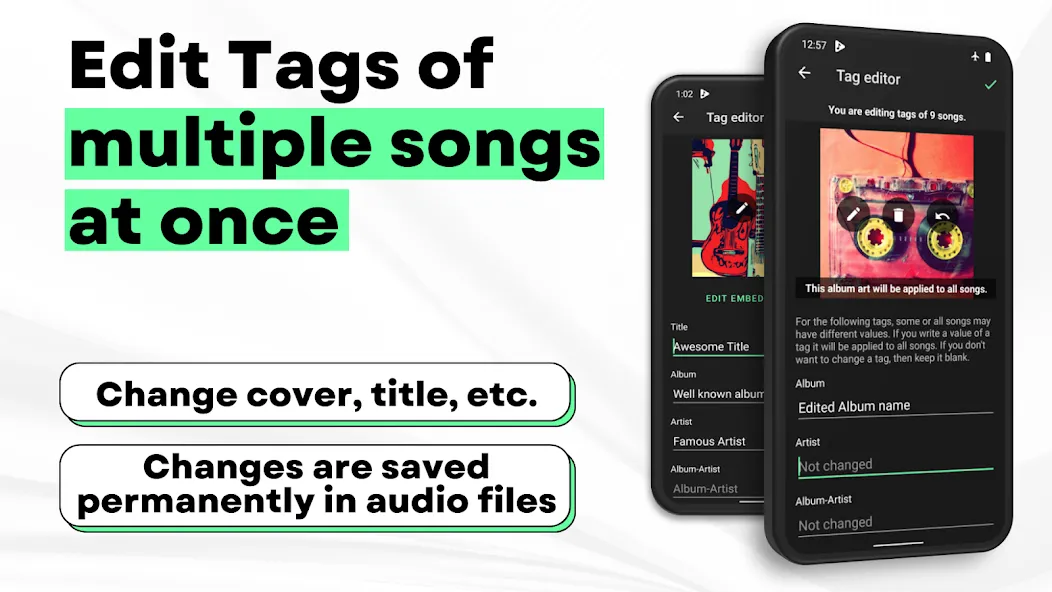
Tag editor and lyrics support: Musicolet Music Player lets you batch-edit tags and album art to keep metadata consistent across your library. For lyrics, you can use embedded tags or add synchronized .lrc files for time-based display. The app reads embedded lyrics where available and can show line-by-line sync when you provide matching .lrc files.
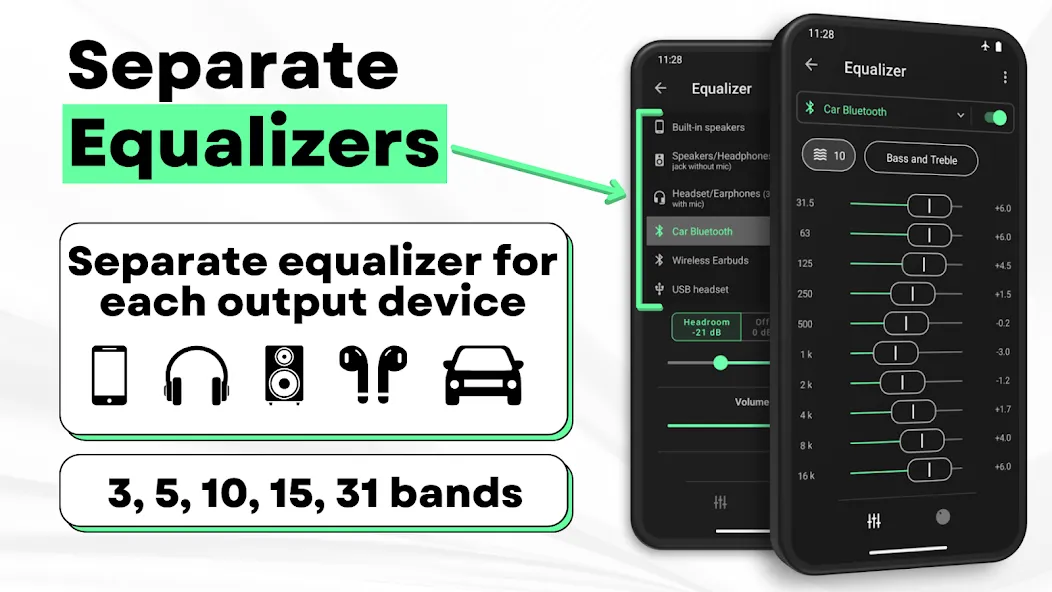
Audio controls that matter: Musicolet Music Player includes an equalizer with separate presets for speakers, headphones, and Bluetooth outputs. Gapless playback helps tracks transition smoothly, and earphone click controls make it practical to manage playback without unlocking your phone. These controls aim for reliable handling of everyday listening situations.
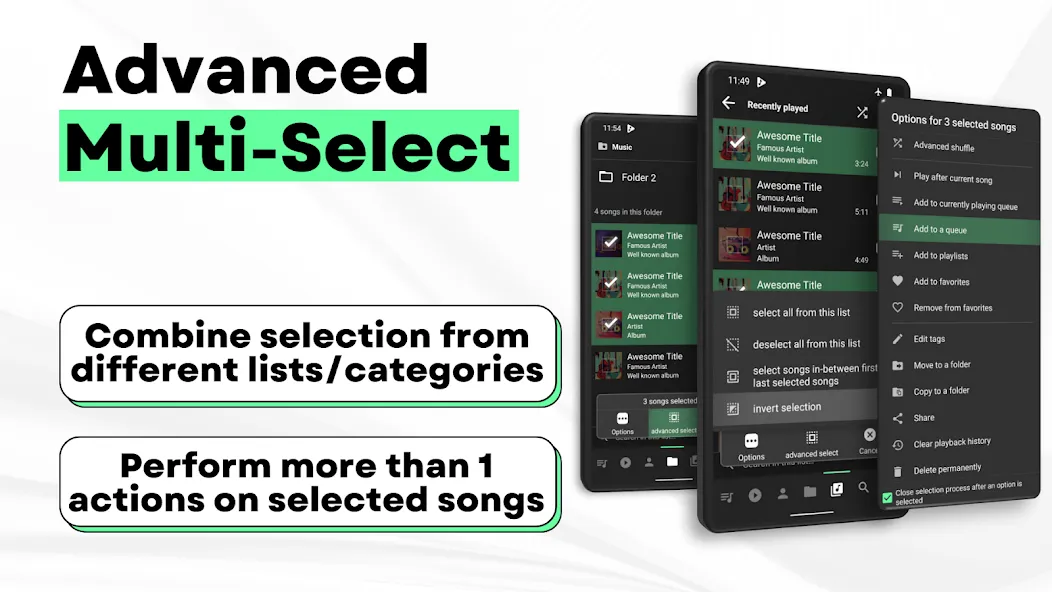
File and library management: Musicolet Music Player can move or copy songs and rename folders from within the app, which reduces switching to a file manager. You can browse folders in a linear view or a hierarchical structure depending on your preference. Advanced multi-select keeps actions efficient when organizing large batches of files.
How to Create a Playlist in Musicolet Music Player:
In Musicolet Music Player, there are several ways to create a playlist, which, in my opinion, is very convenient. You can add songs one by one or in batches right away.
This is, probably, the most common and fastest way.
Open The Application. Make sure Musicolet Music Player has scanned all your music files.
Go To The Library of Songs, Albums, or Folders. All these tabs are at the bottom of the screen.
Start Multi–Select Mode. To do this, you just need to press and hold your finger on any song in the list until it is highlighted.
Select The Desired Tracks. After highlighting the first song, you can simply tap on the remaining songs, albums, or even whole folders to select all of them.
Click The “Options” or “Add” Button. Usually, a button with a plus sign or an options menu appears in the bottom bar. Click on it.
Select “Add To Playlist”. A list of existing playlists will appear, and at the very top – the option “+ New Playlist”.
Come Up With A Name. Enter a name for your new playlist and click OK or Create.
All the tracks you have selected will immediately appear in the new playlist. Simple, right?
User Reviews of Musicolet Music Player:
Why did it take me so long the find this App. With the streaming only available, and Google Music disappearing and taking my collection of albums away. With no help I eventually managed to discover my music and upload it but unable to put any music onto an MP3 player as the like to swim with bone conduction headphones or the other types . Musicolet discovery and the help of Gemini, I can now get at my catalogue of music. It the and reading this who uses these type on devices I highly recommend.
EASILY the BEST app ive ever used for music. No adds at all for one. Not a single one. The customization is solid, the settings are easily the best from any music app. theres a feature that allows you to set when your music will go off, and if it takes priority over certain things. I can finally listen to music while taking pictures! plus it doesnt randomly stop whenever I open any apps. Its incredibly reliable. I wohld say more but my words are limited. DOWNLOAD THIS APP.
I have been struggling with yt music having ads and no background play and Spotify not having ANY freedom after picking 20 songs and unskipable ads after 2-3 songs, so I decided to try it out, I haven't had this much joy for listening to music since the old Android Music app and a few months of yt/Spotify premium which are not worth the money. I suggest using this app, they have no ads, I checked the files and it doesn't even have the ability to use your wifi to give your info to buyers. USE IT!
Absolutely the Best Music player for a cellular device ever created. No other player would ever be able to come close to its ability and its simplicity. I've been using it since around 2019 and never saw a single add, or "in your face, get premium" locked features. it's super powerful and also customizable, honestly as a DJ who spends a lot of time listening and looking for music its a fantastic tool. Probably the Best that'll ever be.
FAQs of Musicolet Music Player:
Does Musicolet Music Player support equalizer settings?
Yes, Musicolet Music Player supports equalizer settings to customize the audio output.
Can I listen to music offline with Musicolet Music Player?
Yes, you can listen to your downloaded music offline without an internet connection using Musicolet Music Player.
Is Musicolet Music Player easy to use?
Yes, Musicolet Music Player has a user-friendly interface that makes it easy to navigate and use.
Does Musicolet Music Player support multiple audio formats?
Yes, Musicolet Music Player supports a wide range of audio formats including MP3, AAC, FLAC, and more.
Can I customize the interface of Musicolet Music Player?
Yes, you can customize the interface of Musicolet Music Player with different theme options.
Final Verdict:
Musicolet Music Player suits listeners who want full control over offline music on Android. It is especially useful for people with downloaded songs, lossless audio collections, audiobook files, long playlists, or SD card storage. Students, commuters, drivers, and anyone with unreliable internet may find it especially handy.
More Information
- Size:18.13MB
- Version:6.14.1build540
- Requirements:Android
- Votes:183
- Package Name:in.krosbits.musicolet
- Signature:e5e79ea0dda2dff7dca5de5a2f57e5b7
Related Versions
-
 Download
Musicolet Music Player v6.11.1
Version:6.11.1Size:23.8MB
-
 Download
Version:6.11.1build481Size:23.3MB
Related topics
-
Music Player is a tool designed to play audio files, available as both software applications and dedicated hardware devices. It can be installed on electronic devices like smartphones, tablets, and computers, allowing users to stream or play locally stored music in various formats. Additionally, standalone hardware devices, such as MP3 players and digital audio players, are specifically built for high-quality music playback. Many modern music players support advanced features like equalizers, playlists, offline playback, and streaming service integration, enhancing the overall listening experience.
-
![Electro Drum Pads]()
Electro Drum Pads
-
![WeDJ]()
WeDJ
-
![Musify]()
Musify
-
![Simple Radio]()
Simple Radio
-
![Musicolet Music Player]()
Musicolet Music Player
-
![AudioRelay]()
AudioRelay
-
![GOM Audio Plus]()
GOM Audio Plus
-
![JioSaavn Music & Radio]()
JioSaavn Music & Radio
-
-
Music is an indispensable part of our lives, not only as a seasoning for our dull lives, but also as our spiritual nourishment. Without music, life lacks color. In this article, the editor recommends the best sound quality music app rankings. Good sound quality is important for us to enjoy music. These best sound quality music apps will bring you a different experience and add a bright color to your dull life.
-
![Pixel+]()
Pixel+
-
![Garage Ringtones]()
Garage Ringtones
-
![Musicolet Music Player]()
Musicolet Music Player
-
![Joytify]()
Joytify
-
![CallerTunes]()
CallerTunes
-
![DJ Name Mixer]()
DJ Name Mixer
-
![Youtify]()
Youtify
-
![Boomplay]()
Boomplay
-
-
Nowadays, many people choose to listen to music in their daily lives to release their emotions. So, a very music listening app is very necessary, but there are still many people who are not clear about what Android free music listening apps are. Next, the editor brings you a very useful free music listening app. The following APP recommendation is compiled by the editor for everyone. It must be a masterpiece among this APP. If you find something you are interested in, you can click on the link below to download it.
-
![Electro Drum Pads]()
Electro Drum Pads
-
![Pixel+]()
Pixel+
-
![Garage Ringtones]()
Garage Ringtones
-
![Musicolet Music Player]()
Musicolet Music Player
-
![Joytify]()
Joytify
-
![SoundSeeder]()
SoundSeeder
-
![Ghosts Prank]()
Ghosts Prank
-
![CallerTunes]()
CallerTunes
-











Latest Updated





Popular Apps








Popular News
More+-
![Tomie Wants to Get Married Full Walkthrough, All Choices and Ending Guide]()
Tomie Wants to Get Married Full Walkthrough, All Choices and Ending Guide
2026-05-22
-
![Karryn’s Prison Gameplay Walkthrough & Strategy Guide]()
Karryn’s Prison Gameplay Walkthrough & Strategy Guide
2025-10-28
-
![Life in Santa County Game Guide & Complete Walkthrough]()
Life in Santa County Game Guide & Complete Walkthrough
2025-10-28
-
![Dreams of Desire Complete Walkthrough and Game Guide]()
Dreams of Desire Complete Walkthrough and Game Guide
2025-10-28
-
![Era Hunter Gameplay Guide & Full Walkthrough]()
Era Hunter Gameplay Guide & Full Walkthrough
2025-10-28




