

Network Stream (Video) Player
Download for Android This app is available for Android only.- Category:Media & Video
- Rating:
- Language:English
- Updated:2026-11-03
Screenshots
Introduction
Network Stream (Video) Player is a versatile video player that supports a wide range of audio and video file formats. It offers various customization options—including playback modes, subtitle settings, and video quality adjustments—to ensure an optimal viewing experience. The app also supports gesture controls, allowing users to easily adjust screen brightness and playback volume. Furthermore, it is highly energy-efficient; it consumes minimal power and prevents the device from overheating during playback, ensuring a smooth and reliable viewing experience.
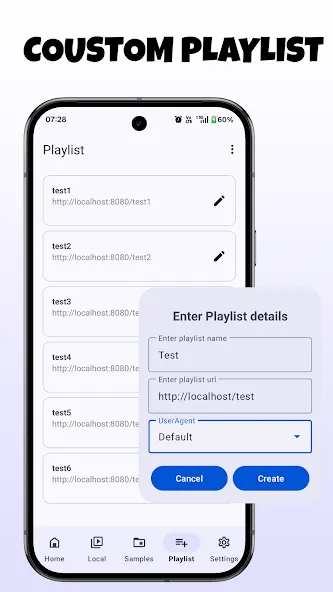
Features of Network Stream (Video) Player:
Compatible with Every Format: You will no longer need to convert any files. Network Stream Player allows playback for virtually every audio and video file format, including MP4, MKV, MOV, AVI, FLV and more.
Play Ultra-HD and 4K Videos: Get the most out of the high-quality display of your device. This application is designed for playback in high-definition, including 4K and 8K with no lagging.
Advanced Controls: Enjoy more control with this application designed for a more tactile experience with touch controls. Adjust the volume or brightness with a vertical swipe, or seek to your desired playback position with a horizontal swipe.
Picture-in-Picture Mode: Stay productive and enjoy the convenience of watching videos in a window that you can move around. This mode allows you to continue your video call or chat while your video is streaming.
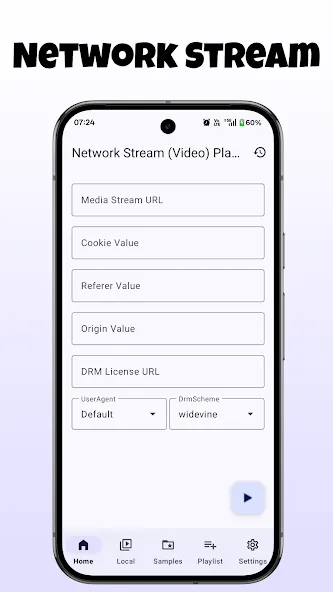
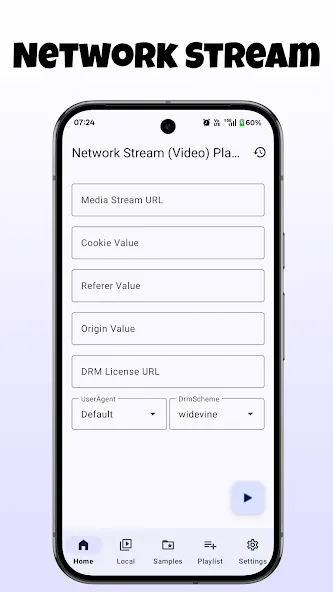
Network Streaming Support: Direcly stream content from the internet or local servers. Network Streaming Player (Video) Player allows you to access video files from the internet without downloading them by just entering the URL.
Strengths of Network Stream (Video) Player:
In addition to the large community, the app’s interactive interface is flexible and convenient for users to easily switch between channels. In addition, each layout has a sophisticated design, so you can use all the familiar functions of the TV and see the contents of each playlist more clearly. If the user is streaming to a range TV or output device, the entire interface becomes a quick remote control.
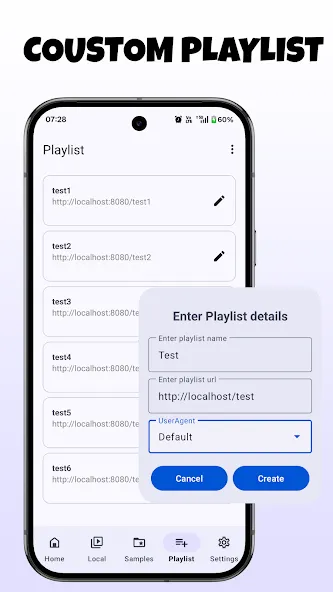
The Network Stream (Video) player may not contain any content on the system, but users can download their favorite channels directly from the playlist. Through it, everyone can create their own playlists and freely watch any content without any restrictions. At the same time, each channel presents additional programs and programs for users and schedules the time to prepare the episodes they are interested in.
If the user has children, they can effectively use the parental control feature built into the system to manage all the viewing time. This includes locking and unlocking apps at specific times so kids can watch the shows they want. Plus, they’ll have tons of fine-tuning options to create more user profiles, target specific audiences, and age-safely target all content.
As countless programs are broadcast worldwide, Network Stream (Video) Player will introduce the function of downloading user-defined programs. Interestingly, this feature is automatically activated as per the schedule and users can conveniently watch any program they missed earlier. However, any downloads need to be scheduled and users can set the feature to repeat for many different shows or channels.
User Reviews of Network Stream (Video) Player:
Simple, easy to use and gets the job done perfectly! Even gives you extra functions to boost audio and automatically detects the different resolutions from the link you want to stream.
You make a superb app. All Videos and playlist work without any problem. I have only one suggestion- Add a option to fav a channel or pin a channel somthing like that so we can easily access that frequently use.
Nice app which take little space in phone storage. One can watch m3u streams, lists for which can also be added to player. Seems for its small size it lacks button for casting, returning to list & playback of local videos when their list is added.
My huge request is please make this app can open through another app I mean as I use this app as external player for my iptv and now when I click on external player option then it's name is not showing in external player option as it used show before and while playing some videos it shows playback error while other players can play that video easily, so I mean to say here that, let it not be remain an exo based player, so please make these issues fix as soon as possible and yourappwillbebest.
FAQs of Network Stream (Video) Player:
What does Network Stream (Video) Player do?
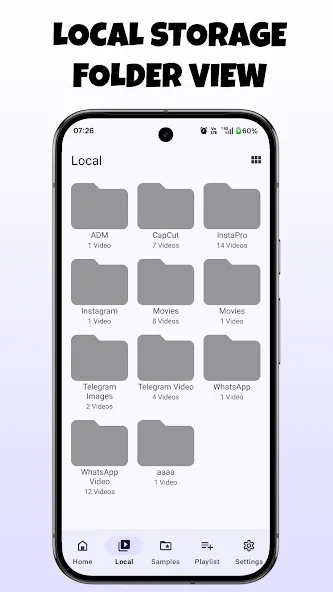
It is a native Android video player built on the AndroidX Media library with the ffmpeg extension, so it plays local and remote video and audio files and streams such as HLS, DASH, SmoothStreaming, RTMP and RTSP. It includes gesture controls for brightness and volume, audio, video and subtitle track selection, stream history, and picture-in-picture mode.
Does the app come with any videos or content?
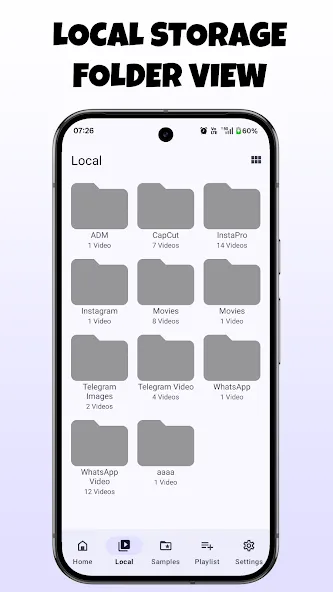
No. The app does not supply or include any media, so you need to provide your own content from local storage, a remote location, or another media source you own.
Does the app collect or share my data?
According to the developer's Google Play declarations, no data is collected and no data is shared with third parties. Data is encrypted in transit, and the developer states that data cannot be deleted.
Final words:
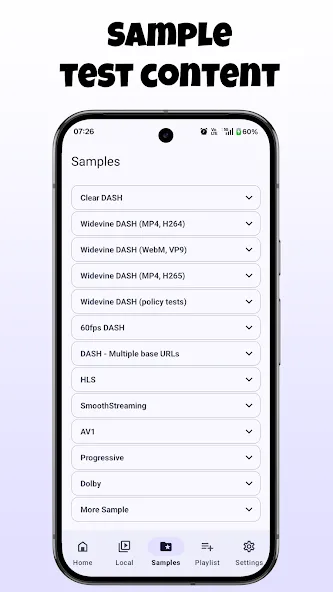
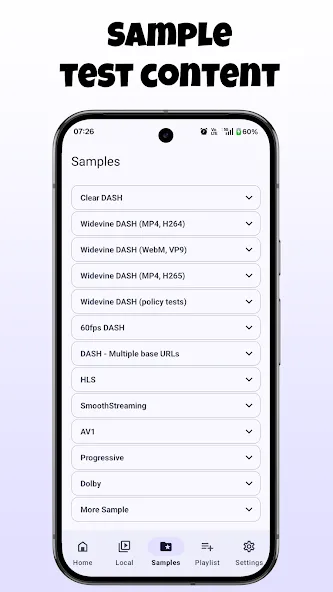
If you are looking for the right application for you to play your videos, then you should consider installing this application called Network Stream (Video) Player. Network Stream (Video) Player has awesome yet functional features for you to explore and discover like seamless interface that prevents you from experiencing issues and difficulties in the long run, sample contents, custom playlists, customization, and more.
More Information
- Size:8.79MB
- Version:7.7
- Requirements:Android
- Package Name:com.genuine.leone
- Signature:bf9e4f251982b894f627ee5239bc2c29
Related topics
-
Is it safe to say the movies are back? Admittedly, they never really left. But it seems in this decade where every year throws up new challenges and hiccups in the industry, folks become convinced the sky is falling and cinema’s days are numbered. Still, here we are back at the end of the year. And once again, there seems plenty to be thankful for as new cinematic images burrow their way into the collective subconscious for years to come. Whether it’s the sight of Muad’Dib standing before a nation of radicalized disciples as if he were a space-aged T.E.
-
![Pluto TV]()
Pluto TV
-
![LenoTV]()
LenoTV
-
![Mega Flix]()
Mega Flix
-
![BTV App]()
BTV App
-
![SHOOT TV]()
SHOOT TV
-
![SionsFlix]()
SionsFlix
-
![FuzzTv]()
FuzzTv
-
![Tubi TV]()
Tubi TV
-
-
A truly outstanding movie is not just about an engaging plot-it also requires seamless transitions between scenes. When these transitions are natural and fluid, they help the audience stay immersed in the story without feeling disconnected. The same principle applies to video games. Games that ensure smooth, uninterrupted gameplay, whether through well-designed animations, intuitive controls, or seamless scene changes, create a more immersive and enjoyable experience for players. A game that flows effortlessly from one moment to the next demonstrates a level of craftsmanship that deserves recognition and admiration.
-
![SHOOT TV]()
SHOOT TV
-
![Odeon VOD]()
Odeon VOD
-
![K+ Live TV & VOD]()
K+ Live TV & VOD
-
![Samsung Video Player]()
Samsung Video Player
-
![Network Stream (Video) Player]()
Network Stream (Video) Player
-
![nPlayer]()
nPlayer
-
![Float Tube- Float Video Player]()
Float Tube- Float Video Player
-
![HDx Video Player]()
HDx Video Player
-
-
The software boasts a sleek, user-friendly interface designed for effortless navigation, enabling seamless browsing and quick searches across a diverse range of video content. Its extensive library is continuously updated with the newest releases, including blockbuster movies, trending TV series, entertaining variety shows, captivating animations, and insightful documentaries. With this ever-expanding collection, users can enjoy high-quality, up-to-date entertainment anytime and anywhere, catering to all tastes and preferences.
-
![Network Stream (Video) Player]()
Network Stream (Video) Player
-
![Video to MP3 Converter]()
Video to MP3 Converter
-
![Insaver]()
Insaver
-
![Video Downloader For Instagram]()
Video Downloader For Instagram
-
![Eros Now]()
Eros Now
-
![SnapTik]()
SnapTik
-
![AirPlay/DLNA Receiver]()
AirPlay/DLNA Receiver
-
![Archos Video Player]()
Archos Video Player
-











Latest Updated



Popular Apps







Popular News
More+-
![Tomie Wants to Get Married Full Walkthrough, All Choices and Ending Guide]()
Tomie Wants to Get Married Full Walkthrough, All Choices and Ending Guide
2026-05-22
-
![Karryn’s Prison Gameplay Walkthrough & Strategy Guide]()
Karryn’s Prison Gameplay Walkthrough & Strategy Guide
2025-10-28
-
![Life in Santa County Game Guide & Complete Walkthrough]()
Life in Santa County Game Guide & Complete Walkthrough
2025-10-28
-
![Dreams of Desire Complete Walkthrough and Game Guide]()
Dreams of Desire Complete Walkthrough and Game Guide
2025-10-28
-
![Era Hunter Gameplay Guide & Full Walkthrough]()
Era Hunter Gameplay Guide & Full Walkthrough
2025-10-28




