

Sideline
Download for Android This app is available for Android only.- Category:Social
- Rating:
- Language:English
- Updated:2026-11-12
Screenshots
Introduction
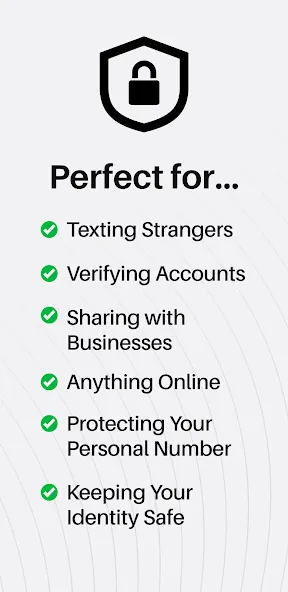
Sideline provides users with a second phone number, allowing them to separate their professional and personal lives and enjoy greater privacy. Users can select the area code for their second number and use it to send and receive text and multimedia messages, as well as make and take calls. The app also offers features like automated replies and auto-callback options to suit various needs. Furthermore, Sideline provides extensive customization tools—you can add notes to contacts, manage a blacklist, and use the same number across multiple devices.
Features of Sideline:
Pick Your Own Local Number: Choose a second number with the area code you want, whether it’s local to you or anywhere else you like. No randomness—just pick what fits.
Call and Text Without Wi-Fi: All calls and texts run on your actual cellular service, so you’re not stuck hunting for a Wi-Fi connection or worried about call drops.
Unlimited Calling & Texting: Unlimited minutes and messages, so you can text and call as much as you need with your new number, no extra fuss.
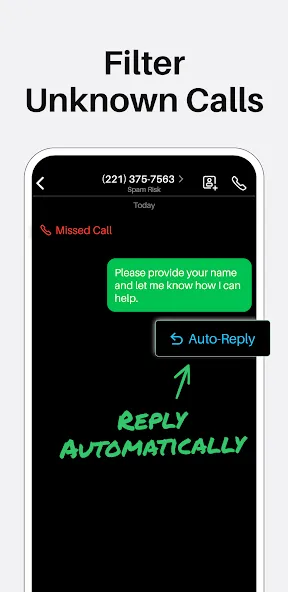
Automatic Replies to Missed Calls: Set up custom texts that get sent automatically when you miss a call—perfect for when you’re busy or on the move.
Share Photos, Videos, and GIFs: Keep your conversations lively—even on your second line—with the ability to send images, videos, and GIFs easily.
Favorites and Contact Notes: Mark your most important contacts for easy access, add notes about conversations, and keep things organized.
Strengths of Sideline:
Custom Voicemail: Set up a personalized greeting for your second phone number.
Call Forwarding: Forward calls from your second to your primary number for convenience.
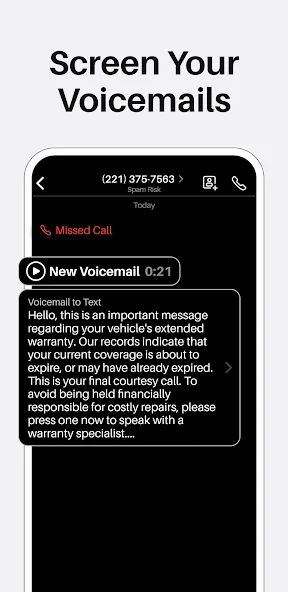
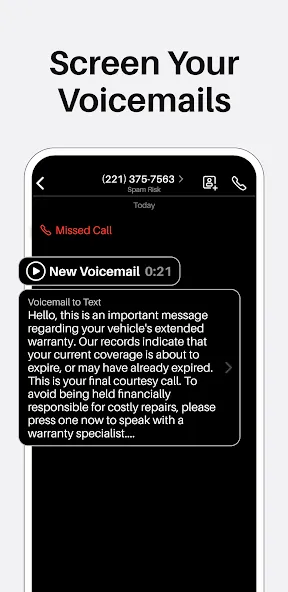
Voicemail Transcription: Get text transcripts of your voicemails for easy reading.
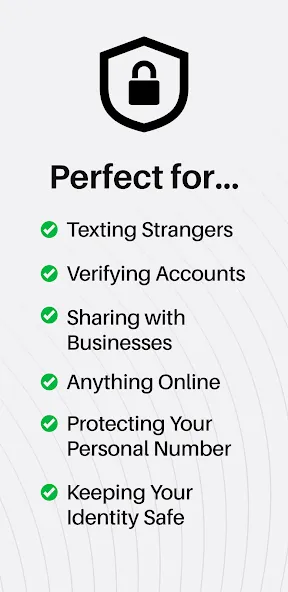
Contact Integration: Seamlessly integrate your existing contacts with your second phone number.
International Calling: Make international calls at affordable rates using your second number.
Group Messaging: Create group chats with your second number for accessible communication.
User Reviews of Sideline:
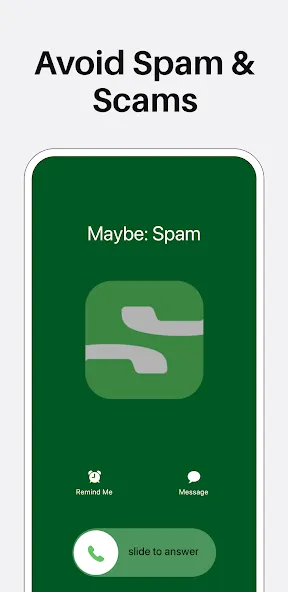
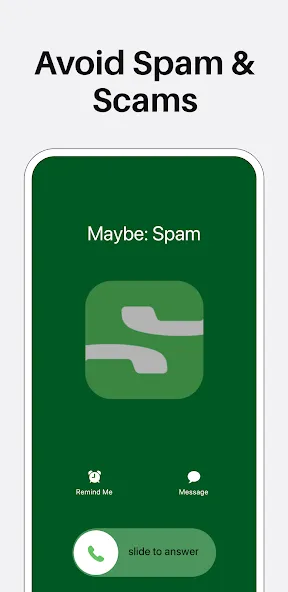
I’ve tried just about all the phone apps out there - seriously. Sideline is by far the best designed, most intuitive, and straightforward of the bunch. If you’re solo or have just a small team, and you don’t need AI or another CRM, Sideline is perfect. It’s got what you need and nothing you don’t. You can make and receive calls and text - what else do you need? The service is reliable and calls are high quality. You can tell it’s built by no nonsense people who are probably their own customers. Setup is a breeze and the app feels like it was designed by Apple. That was refreshing given how bad these apps tend to look and feel. Do you want your team members to be able to answer your sideline when you’re not available? Team sharing is built in at no additional charge. Best of all, you can automatically block spam calls with a toggle. As far as I know, it’s the only app that offers this. All around great service and app. Thank you to the team!
I love Sideline. Having a business number is important to me as I am on the go between 5 different sites. I find that texting is the most convenient way of communication for most. I do not want to give out my personal number and Sideline is a great alternative. I only have to have ONE phone. Love it.
I have been a Sideline user for years, and I will never switch. I use it as my business line and it has everything I need. Great features, contact management, superior call quality and convenient features like auto-reply.
I have been using Sideline for over 10yrs. So long in fact, I think I am one of the original customers. My account says “early adopter” on it. Anyway, this has been incredible for me. You get a 2nd line on your phone (I use it as my business number) so I have my main line and the 2nd line. The best part of this app imo is the fact that you text and call from the same app and you can see all of the communications in one place. Particularly helpful if someone says they haven’t heard from you or they claim you are not responding to them. All the calls and texts are in one place. You can set calls and texts to have different ringers so you know when your sideline is ringing vs your main line. You can set out of office messages and have them respond to every call and text. Mine usually say I am out of the office for a week or so and who to call in my absence. It just does everything you need it to.
FAQs of Sideline:
How do I change my Sideline phone number?
While Sideline numbers are designed to be long-term, you can change your Sideline phone number to a new one in the app if needed.Please note:
You can change your number in the Sideline app once every 24 hours. For example, if you change it at noon, you cannot change it again until noon the next day.
You have 30 seconds to choose a new number before the session times out.
You do not need to delete or cancel your account to change your number.
After you change your number, calls and messages sent to your old Sideline number will not be received by your account. Sideline cannot forward calls from one Sideline number to another.
What happens to my account when I cancel my subscription?
Sideline requires an active subscription to use the service. Once your subscription is canceled and has reached the renewal date, your account will enter into a limited state (where you have limited access to Sideline) and you will not be able to perform the following actions in Sideline:
send messages.
place phone calls.
see your existing messages, communication history, or contact information.
see contact information from incoming calls.
If you decide to close your account, you will also need to cancel your subscription to stop future charges and be removed from our system.
How does Privacy Protection work?
Upon enrolling, Privacy Protection starts finding your personal information on people-finder and data broker websites and submitting removal requests on your behalf.
These sites can make it easier for someone to connect your Sideline number to personal details about you. Privacy Protection uses the information you provide during setup—such as your name, age, city, and state—to find matching listings and request their removal.
This can help limit what someone finds when searching for your Sideline number. It also offers broader privacy benefits by making personal details, like your home address or personal phone number, harder to find online.
Privacy Protection is available with eligible Sideline subscriptions. To get started, open the Privacy Center in the app and complete the setup form.
Final Verdict:
Get a second phone number with an area code of your choice, send unlimited texts, and manage calls with powerful tools—all from one app. Sideline works over your carrier network (not VoIP), so your second number is as reliable as your first.
More Information
- Size:56.95MB
- Version:13.30
- Requirements:Android
- Package Name:com.sideline.phone.number
- Signature:c37ef25d67cd608ccf5e77392ed560b7
Related topics
-
Today, I would like to recommend several adult social chat apps that have a large user base. You can find friends from all over the world, open the same city to meet strangers nearby, interact and chat with them, and become friends. They provide various chat functions and can communicate through text, voice, video and other means. If you want to meet more opposite sex friends, download them now.
-
![Chatous]()
Chatous
-
![TeamSpeak 3]()
TeamSpeak 3
-
![Sideline]()
Sideline
-
![Wizz App]()
Wizz App
-
![Insta Thunder]()
Insta Thunder
-
![Linky AI]()
Linky AI
-
![Talkatone]()
Talkatone
-
![Instagram Aero]()
Instagram Aero
-
-
Nowadays, various social media apps are constantly being launched, enriching people's ways of making friends in their daily lives. People can meet people from all over the world online without leaving their homes. At the same time, the software adopts real name authentication, allowing everyone to make safe friends. This collection integrates numerous popular social media apps. Interested friends, come and download it now!
-
![Chatous]()
Chatous
-
![TeamSpeak 3]()
TeamSpeak 3
-
![Sideline]()
Sideline
-
![Wizz App]()
Wizz App
-
![Insta Thunder]()
Insta Thunder
-
![Talkatone]()
Talkatone
-
![ChatBlink]()
ChatBlink
-
![Google Messages]()
Google Messages
-
-
With the continuous development of the internet, the times have also undergone earth shaking changes. There are numerous social apps, which have high flexibility and lower costs compared to traditional SMS communication methods. Nowadays, there are a wide variety of social apps on the market, and people don't know which one is suitable. Today, we recommend several popular social apps for you. Here, you can find like-minded friends and also find like-minded partners.
-
![Cantina]()
Cantina
-
![Robokiller]()
Robokiller
-
![CorrLinks]()
CorrLinks
-
![Zangi]()
Zangi
-
![PDing]()
PDing
-
![Sideline]()
Sideline
-
![Camfrog]()
Camfrog
-
![setlog]()
setlog
-
















Latest Updated




Popular Apps








Popular News
More+-
![Tomie Wants to Get Married Full Walkthrough, All Choices and Ending Guide]()
Tomie Wants to Get Married Full Walkthrough, All Choices and Ending Guide
2026-05-22
-
![Karryn’s Prison Gameplay Walkthrough & Strategy Guide]()
Karryn’s Prison Gameplay Walkthrough & Strategy Guide
2025-10-28
-
![Life in Santa County Game Guide & Complete Walkthrough]()
Life in Santa County Game Guide & Complete Walkthrough
2025-10-28
-
![Dreams of Desire Complete Walkthrough and Game Guide]()
Dreams of Desire Complete Walkthrough and Game Guide
2025-10-28
-
![Era Hunter Gameplay Guide & Full Walkthrough]()
Era Hunter Gameplay Guide & Full Walkthrough
2025-10-28




