

My Verizon
Download for Android This app is available for Android only.- Category:Tools
- Rating:
- Language:English
- Updated:2026-11-10
Screenshots
Introduction
My Verizon is a mobile tool designed specifically for Verizon users. Users can join the Verizon membership program through the app and enjoy daily surprises and regularly held benefits. The app provides a range of lifestyle functions, allowing users to quickly manage their Verizon devices, change data and broadband plans, check remaining data allowances in real time, and pay bills through the app, improving their efficiency. The app also features a built-in real-time online customer service team, allowing users to communicate with customer service for any complaints or service requests, obtaining appropriate feedback and assistance.
Features of My Verizon:
Switch to Verizon in minutes (and bring your phone), thanks to auto-detection of your device and the ability to scan your ID for quick setup.
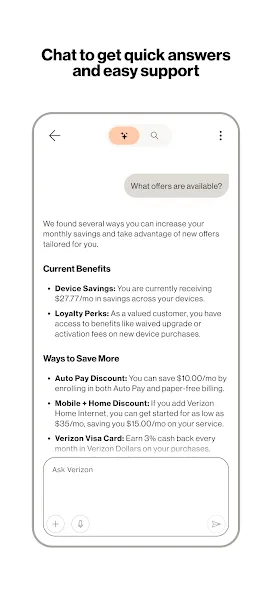
Check to see which offers you're eligible for.
View your account in one seamless feed.
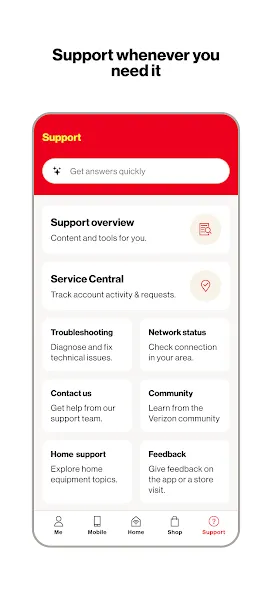
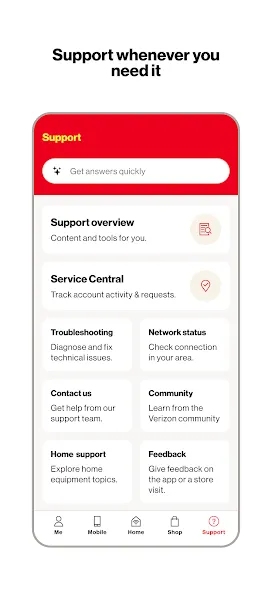
Get on-demand support tools, such as Live Chat and step-by-step troubleshooting instructions as needed.
Monitor data usage via a control center that lets you see how much data is being used, who is using it and how to get more when you need it.
Make secure payments quickly. Manage and pay your bills easily, or simply enroll in Auto Pay.
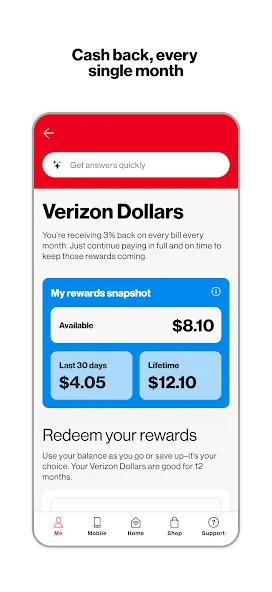
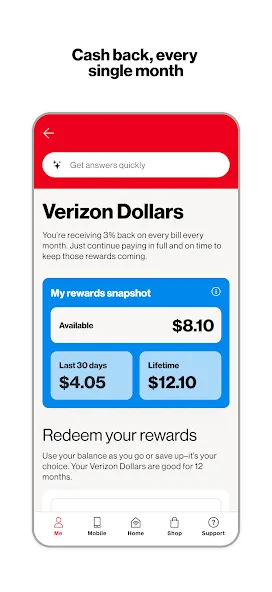
Score rewards, once-in-a-lifetime experiences and exclusive perks from your favorite brands when you register for Verizon Up.
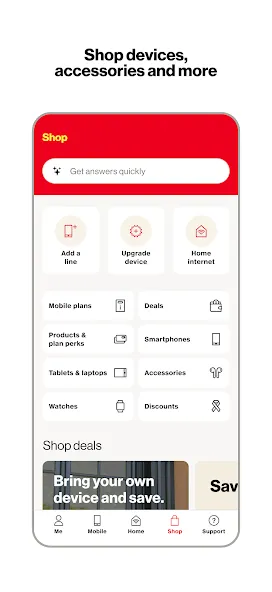
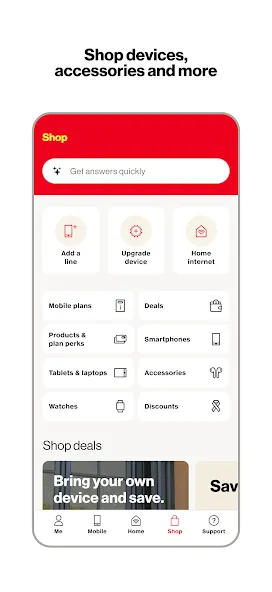
Shop phones, wearables, smart devices and accessories, and get delivery as quickly as the same day.
Functions of My Verizon:
Switch to a different plan easily or go Unlimited right from your device.
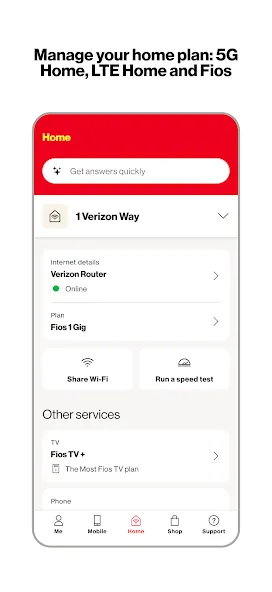
Oversee all your accounts in one place—both your mobile plan and Home plans including Fios or 5G Home Internet.
Keep track of your TravelPass days before your next big trip.
Score the latest deals and find accessories made for your devices, smart home and Fios.
Bring your own device and check your device’s compatibility using our IMEI Check, ensuring a smooth transition to our network with your favorite device.
Shop the newest phones, wearables, smart devices and accessories and get delivery as quickly as the same day.
User Reviews of My Verizon:
The My Verizon app is pretty easy to navigate and use. I always suggest locking your phone and/or not putting this app on your homescreen to maintain privacy. Access to the app varies if depending if you’re an “account owner, manager or member” When entering the app you’ll get a quick overview of your data usage (both in gigs and percentages) . It also tells you if you have a payment due (or not). You can even check if you’re due for an upgrade.The overview tab of the Data Hub section of the app shows you what kind of plan you have (Verizon plans go by sizes: Small, Medium, Large) and how much of the data you’ve used. It also tells you if you have any carryover data from the month before (it carries over for one month only). If you go into the details tab of the data hub it gives you a breakdown of where the data is going which is pretty cool. Certain things you will need to enter the password for like when you try to pensonalize the details of your wireless plan.
The app is relatively good to get things situated. I used it to get headphones from a Verizon locker, to paying bills. Customer service is always fast, efficient and very friendly to the point they will help with what resources they have. Making purchases and adding a line is very straight forward. You will get your device in a day or so, but its better to pick it up at the nearest store.
Great for checking account status, balance, and charges for my account. I'm also enjoying Verizon Shine and have scored free concert tickets, gift cards, and discounts for various stores and I appreciate being rewarded as a customer.
Best experience I've had with a mobile/wifi company by far. My internet bill and cell phone bill are consolidated. I can also consolidate my streaming services which is very convenient and I even get a couple of them for free. Paying my bill is easy and upgrades are just as easy. I was able to come in with an S23 and after a year I have the new s24 ultra. I highly recommend. update: im iPhone 18 ready its been 3 years. my opinion has not altered. I highly recommend in 2026.
FAQs of My Verizon:
What is My Verizon?
The My Verizon website and app let you securely manage your Verizon mobile account. You can view and pay bills, manage devices, change plans, transfer a number and more.
Who can manage my mobile account in My Verizon?
Anyone on the account who is over age 18 can create a My Verizon account. However, each user’s "account role" determines what they can view, buy, and manage.
What permissions are needed to run the My Verizon app on my device?
When installed, the My Verizon app has access to many different device functions, including your device's calendar, microphone, storage and more.
What's a push notification? How do I turn on push notifications in the My Verizon app?
Push notifications are notices that pop up on your phone screen and disappear when you acknowledge them. You get push notifications directly from apps on your phone.You can get push notifications from your My Verizon app about Verizon offers, rewards, data alerts, bill notices, account sign in and much more. These notifications are in addition to the email and text alerts and notifications you can opt in to through your My Verizon Communication Preferences.
What's a device nickname?
Each line on your Verizon mobile account is listed by its mobile number. To make your devices easier to recognize, you can give each line a nickname (e.g., "Susan's phone", "John's tablet").
How do I add or change the name of the devices in My Verizon?
To add or change your device nickname(s), go to the Manage devices page in My Verizon and tap or click Edit device nickname.
Conclusion:
In summary, My Verizon simplifies the management of your Verizon services by offering comprehensive features designed to improve your connectivity experience. The app not only makes it easier to handle mobile and home accounts but also provides instant access to the latest devices and efficient support systems.
More Information
- Size:116.76MB
- Version:22.2.5
- Requirements:Android
- Package Name:com.vzw.hss.myverizon
- Signature:457226876b1fcb91e9f7e41f99cd6086
Related topics
-
Utility apps are indispensable in our lives, making our daily routines more convenient. To help you find these apps more easily, this site has created a collection. This collection brings together a series of practical tools covering various aspects of life, work, and education, meeting all your needs. What are you waiting for? Try these apps now and make your life easier!
-
![My Verizon]()
My Verizon
-
![Sass Browser]()
Sass Browser
-
![AirConsole Hero]()
AirConsole Hero
-
![Earth VPN]()
Earth VPN
-
![Update Software]()
Update Software
-
![J2ME Loader]()
J2ME Loader
-
![Unlock-r]()
Unlock-r
-
![Android System Intelligence]()
Android System Intelligence
-
-
Transform your mobile device into a powerhouse of efficiency with these handpicked essential tools. Whether you need professional-grade photo editing, seamless file organization, smart task management, or real-time weather updates, our curated selection of premium apps delivers unbeatable performance. Streamline your daily routine, automate repetitive tasks, and boost your productivity with intuitive interfaces and powerful features. Designed for both professionals and casual users, these editor-approved applications will revolutionize how you work and play. Don't settle for an ordinary phone - upgrade your digital experience today and unlock your device's full potential!
-
![My Verizon]()
My Verizon
-
![Sass Browser]()
Sass Browser
-
![AirConsole Hero]()
AirConsole Hero
-
![Proxy Server]()
Proxy Server
-
![NetMiner]()
NetMiner
-
![gCMOB]()
gCMOB
-
![Unlock-r]()
Unlock-r
-
![Android System Intelligence]()
Android System Intelligence
-






Latest Updated


Popular Apps








Popular News
More+-
![Tomie Wants to Get Married Full Walkthrough, All Choices and Ending Guide]()
Tomie Wants to Get Married Full Walkthrough, All Choices and Ending Guide
2026-05-22
-
![Karryn’s Prison Gameplay Walkthrough & Strategy Guide]()
Karryn’s Prison Gameplay Walkthrough & Strategy Guide
2025-10-28
-
![Life in Santa County Game Guide & Complete Walkthrough]()
Life in Santa County Game Guide & Complete Walkthrough
2025-10-28
-
![Dreams of Desire Complete Walkthrough and Game Guide]()
Dreams of Desire Complete Walkthrough and Game Guide
2025-10-28
-
![Era Hunter Gameplay Guide & Full Walkthrough]()
Era Hunter Gameplay Guide & Full Walkthrough
2025-10-28




