

App Hider
Download for Android This app is available for Android only.- Category:Social
- Rating:
- Language:English
- Updated:2026-11-11
Screenshots

Introduction
App Hider is an Android tool designed to hide applications and media files on your device. It allows you to conceal apps and files, and even disguise its own icon as a calculator, providing a comprehensive solution for keeping your information private. The app supports password protection and includes a cloning feature, allowing you to run separate instances of your applications. It also features a built-in video player, enabling you to view hidden photos and videos directly within the app. With its simple interface and minimal memory footprint, it is suitable for all users.

Features
Hide applications from your system launcher
Import selected apps into App Hider, verify that they open correctly within the tool, and then remove the original apps from your home screen. Once hidden, these apps can only be launched via App Hider, ensuring they do not appear elsewhere on your device. You can also disable notifications for hidden apps through the settings.
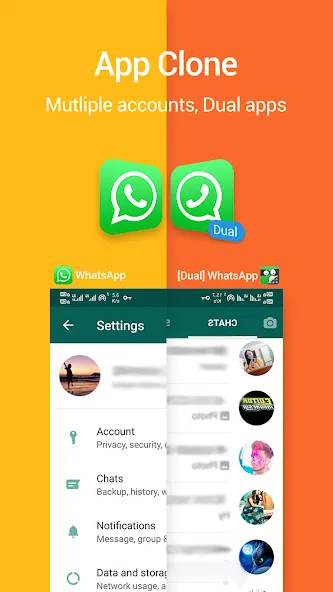
Clone applications to support multiple accounts
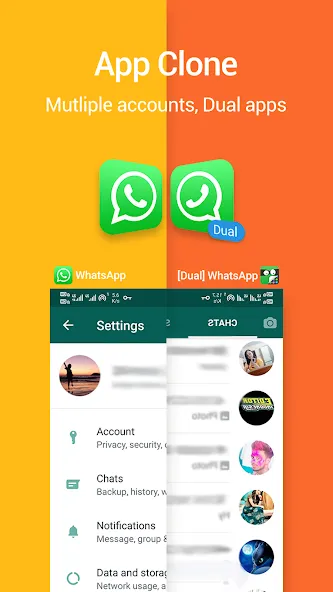
App Hider can create independent copies of various social media and messaging apps, such as WhatsApp, Instagram, Facebook Messenger, and Telegram. This allows you to log in with a different account and use both instances simultaneously without the need for constant re-logging. Cloned versions operate independently, meaning the original app does not need to remain installed. Note that some 64-bit messaging apps may require additional support components to function.
Private photos and videos
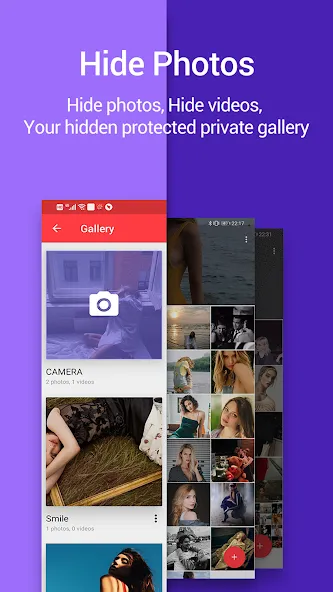
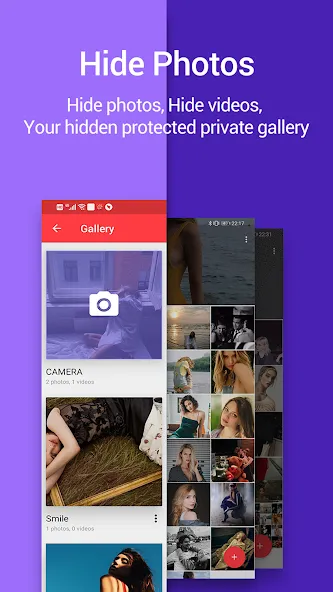
Import photos and video clips into a hidden gallery.
View images and play videos directly within App Hider.
Exclude imported files from your system’s main photo gallery.
Disguise App Hider as a calculator
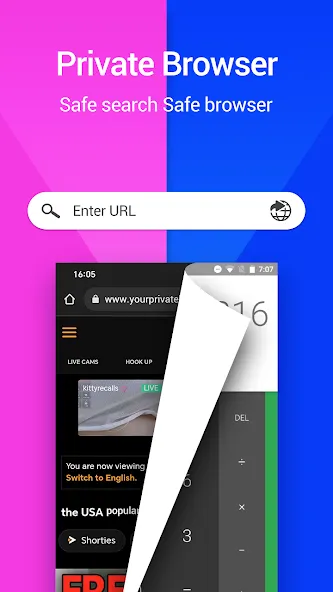
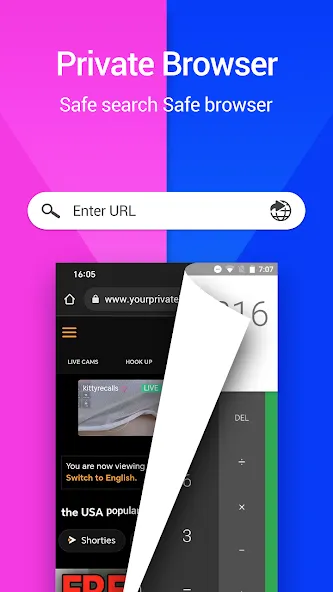
You can transform App Hider into a functional calculator to secure access. Simply set a password within the app; you can then enter this password on the calculator screen to unlock and access App Hider. This adds an extra layer of privacy, especially when sharing a device with others.
Pros and Cons
Pros:
Disguises itself with a fake calculator icon.
Prevents hidden apps from opening or running in the background.
Allows for the restoration of apps from the protected hidden list.
Supports application cloning.
Keeps apps and media hidden behind a password-protected interface.
Cons:
Forgetting your password may result in permanent loss of access.
FAQs
Why am I receiving notifications from hidden or cloned WhatsApp instances?
You can disable notifications for hidden apps within the "App Hider" settings.
How do I hide an app?
Import the app you wish to hide into App Hider.
Launch the cloned app within App Hider to ensure it functions correctly.
Uninstall the original app from your device. You will now only be able to launch the app through App Hider.
How do I hide the App Hider app itself?
On the App Hider home screen, tap the "Protect App Hider" icon to set a password. After a few moments, App Hider will transform into a calculator. Open the calculator, enter your password, and the App Hider home screen will appear.
Conclusion
App Hider is a free, practical tool that offers a range of convenient features—most notably, the ability to hide private apps from your device's home screen.
More Information
- Size:28.43MB
- Version:3.5.2_95bdbad81
- Requirements:Android
- Package Name:com.app.hider.master.pro
- Signature:b31087f7c8468911de0e7345ce5b76d5
Related topics
-
Utility apps are indispensable in our lives, making our daily routines more convenient. To help you find these apps more easily, this site has created a collection. This collection brings together a series of practical tools covering various aspects of life, work, and education, meeting all your needs. What are you waiting for? Try these apps now and make your life easier!
-
![Ubisoft Connect]()
Ubisoft Connect
-
![App Hider]()
App Hider
-
![My Verizon]()
My Verizon
-
![Galaxy Wearable]()
Galaxy Wearable
-
![AirDroid Cast]()
AirDroid Cast
-
![FreePrints]()
FreePrints
-
![DroidCam Webcam]()
DroidCam Webcam
-
![Sass Browser]()
Sass Browser
-
-
Transform your mobile device into a powerhouse of efficiency with these handpicked essential tools. Whether you need professional-grade photo editing, seamless file organization, smart task management, or real-time weather updates, our curated selection of premium apps delivers unbeatable performance. Streamline your daily routine, automate repetitive tasks, and boost your productivity with intuitive interfaces and powerful features. Designed for both professionals and casual users, these editor-approved applications will revolutionize how you work and play. Don't settle for an ordinary phone - upgrade your digital experience today and unlock your device's full potential!
-
![App Hider]()
App Hider
-
![My Verizon]()
My Verizon
-
![Galaxy Wearable]()
Galaxy Wearable
-
![AirDroid Cast]()
AirDroid Cast
-
![FreePrints]()
FreePrints
-
![DroidCam Webcam]()
DroidCam Webcam
-
![emuOS Emupedia Explanation]()
emuOS Emupedia Explanation
-
![Sass Browser]()
Sass Browser
-
-
With the development of mobile hardware and software, many practical tool software have emerged, covering a wide range of aspects and becoming a good helper for everyone in work and life. Today, the editor provides you with a list of useful tool software downloads. These tools are not particularly complex types, and after reading them, everyone can quickly learn how to use them. Proper use can bring great convenience to life and work.
-
![Ubisoft Connect]()
Ubisoft Connect
-
![App Hider]()
App Hider
-
![Galaxy Wearable]()
Galaxy Wearable
-
![AirDroid Cast]()
AirDroid Cast
-
![FreePrints]()
FreePrints
-
![DroidCam Webcam]()
DroidCam Webcam
-
![emuOS Emupedia Explanation]()
emuOS Emupedia Explanation
-
![Sass Browser]()
Sass Browser
-








Latest Updated








Popular Apps








Popular News
More+-
![Tomie Wants to Get Married Full Walkthrough, All Choices and Ending Guide]()
Tomie Wants to Get Married Full Walkthrough, All Choices and Ending Guide
2026-05-22
-
![Karryn’s Prison Gameplay Walkthrough & Strategy Guide]()
Karryn’s Prison Gameplay Walkthrough & Strategy Guide
2025-10-28
-
![Life in Santa County Game Guide & Complete Walkthrough]()
Life in Santa County Game Guide & Complete Walkthrough
2025-10-28
-
![Dreams of Desire Complete Walkthrough and Game Guide]()
Dreams of Desire Complete Walkthrough and Game Guide
2025-10-28
-
![Era Hunter Gameplay Guide & Full Walkthrough]()
Era Hunter Gameplay Guide & Full Walkthrough
2025-10-28




