

Soni Typing Tutor
Download for Android This app is available for Android only.- Category:Education
- Rating:
- Language:English
- Updated:2026-11-13
Screenshots
Introduction
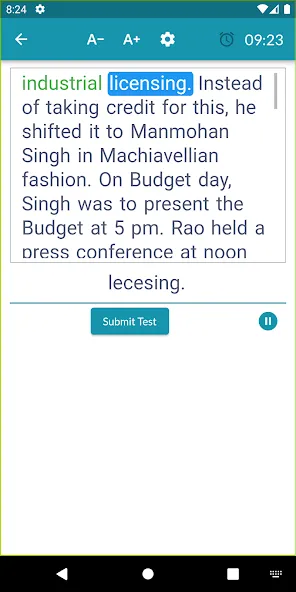
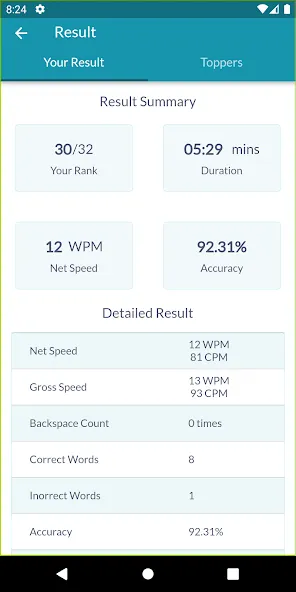
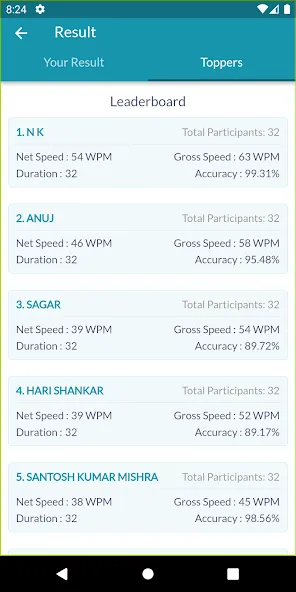
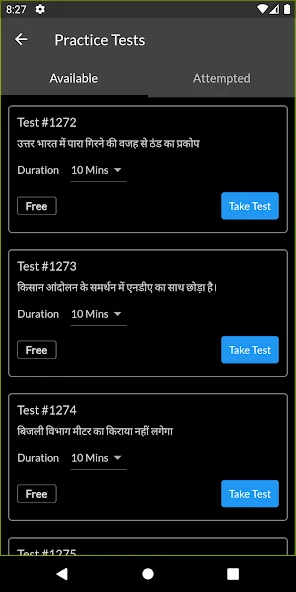
Soni Typing Tutor is a typing practice application designed for the Android platform. It is an ideal tool for users preparing for typing examinations. The software supports a wide variety of fonts, allows for custom keyboard layout configurations, and enables seamless switching between languages. It also includes an extensive collection of tutorials that provide guidance and techniques for effective keyboard use. Furthermore, the app offers various typing tests, allowing users to evaluate their progress at any time. With its clean and intuitive interface, the software provides an excellent environment for practice.
Features
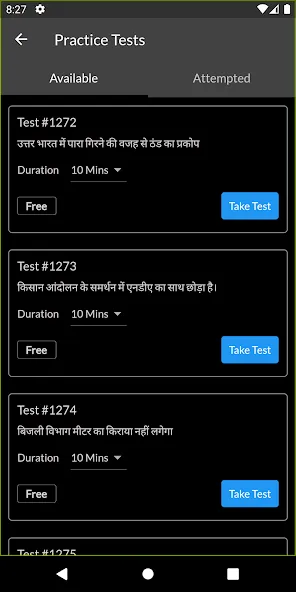
Bilingual Support
Switch between English and Hindi typing courses whenever you like. You can choose to focus on one language or practice both—the choice is yours.
Learn Using Popular Hindi Fonts
Typing in Hindi? The app comes with built-in support for fonts such as Krutidev and Mangal, as well as various keyboard layouts, including Remington GAIL, Inscript, and Remington CBI.
Rapid Progress
Dedicate just a little time to practice each day—improving your speed and accuracy is entirely achievable, sometimes in as little as a week.
All-in-One Typing Practice
Everything is handled within the app, eliminating the need for complex software or switching between different platforms. The experience is smooth and seamless, especially if you are accustomed to desktop-based typing software.
Tips
Stay consistent—practice every day.
Avoid looking at the keyboard if you want to increase your typing speed.
Maintain your commitment and gradually increase the frequency of your practice.
Learn from your mistakes and strive to avoid repeating them.
Press the keys firmly to help improve your typing speed.
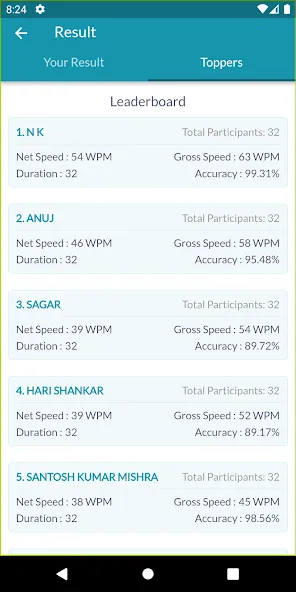
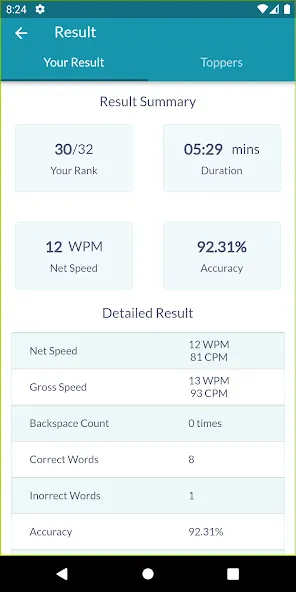
Review your scores and correct your errors.
Take short breaks when necessary.
Don’t rush.
Avoid putting pressure on yourself by comparing your progress to others.
Don’t chase success; let success come to you.
Approach your typing practice with a clear, curious, and focused mindset.
Pros and Cons
Pros:
Supports typing practice in both English and Hindi.
Includes Krutidev, Mangal, and several other Hindi keyboard layouts.
Offers over 500 typing tests.
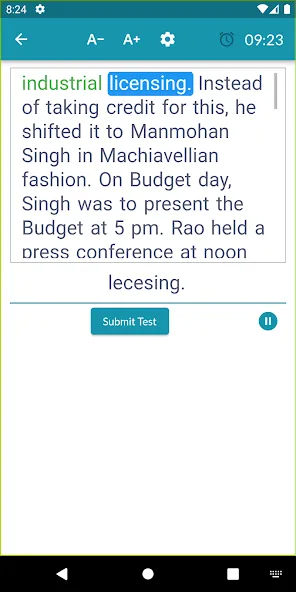
Provides on-screen guidance for keystrokes and finger placement.
Tailored for Indian government typing examinations.
Cons:
Users have reported inconsistencies in the calculation of speed and accuracy.
It can be difficult to view previously typed text while taking a test.
Conclusion
Soni Typing Tutor is particularly well-suited for those preparing for government typing examinations, offering reliable resources that align with the requirements of various tests. Simply connect any physical keyboard to begin practicing—boost your typing efficiency and confidence to meet the demands of your professional and personal life.
More Information
- Size:13.63MB
- Version:1.1.2
- Requirements:Android
- Package Name:com.dsspl.soni_typing_tutor
- Signature:eb64e3e59f1055ebb3330c8fed6c7711
Related topics
-
Educational software are emerging in an endless stream on the market, so which one can stand out? It should not only be simple and convenient to use but also helpful for our study. Below, Xiaohei.com brings you a very comprehensive and practical summary of educational software downloads. Come and download it, there is always one that suits you.
-
![Soni Typing Tutor]()
Soni Typing Tutor
-
![EXAM BROWSER CLIENT]()
EXAM BROWSER CLIENT
-
![Kids A-Z]()
Kids A-Z
-
![RG Vikramjeet]()
RG Vikramjeet
-
![Kautilya Classes]()
Kautilya Classes
-
![nLearn]()
nLearn
-
![Minecraft Education]()
Minecraft Education
-
![Erlangga Book Reader]()
Erlangga Book Reader
-






Latest Updated


Popular Apps








Popular News
More+-
![Tomie Wants to Get Married Full Walkthrough, All Choices and Ending Guide]()
Tomie Wants to Get Married Full Walkthrough, All Choices and Ending Guide
2026-05-22
-
![Karryn’s Prison Gameplay Walkthrough & Strategy Guide]()
Karryn’s Prison Gameplay Walkthrough & Strategy Guide
2025-10-28
-
![Life in Santa County Game Guide & Complete Walkthrough]()
Life in Santa County Game Guide & Complete Walkthrough
2025-10-28
-
![Dreams of Desire Complete Walkthrough and Game Guide]()
Dreams of Desire Complete Walkthrough and Game Guide
2025-10-28
-
![Era Hunter Gameplay Guide & Full Walkthrough]()
Era Hunter Gameplay Guide & Full Walkthrough
2025-10-28




