

Fender Guitar Tuner
Download for Android This app is available for Android only.- Category:Media & Video
- Rating:
- Language:English
- Updated:2026-11-28
Screenshots
Introduction
Fender Guitar Tuner is a tuning app designed specifically for guitar enthusiasts. It offers a variety of tuning modes that users can select based on their skill level, helping them play and create beautiful music. The app provides a wide range of tuning presets—covering styles such as classical, high-pitch, folk, and Celtic—and also features a built-in configuration tool for custom tuning, catering to diverse creative needs. In addition to supporting offline use, the app is continuously updated and optimized, with new tuning presets and support for additional instruments being added regularly to ensure it remains both practical and fresh.
Modes of Fender Guitar Tuner:
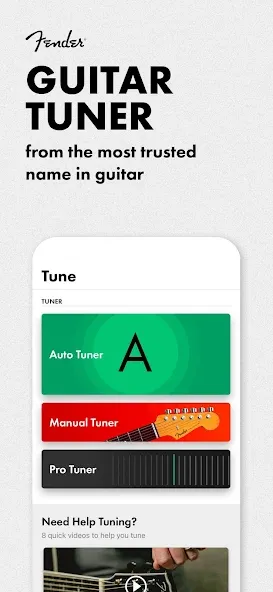
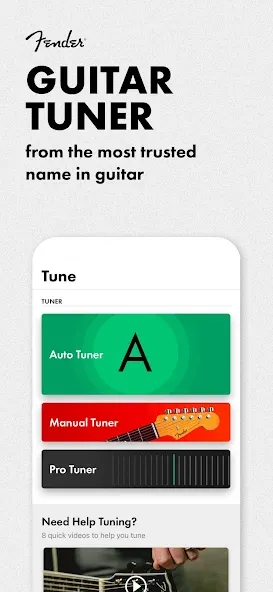
Auto-Tune Mode: Simply pluck a string and let the tuner guide you to the perfect pitch based on the note it hears. It provides a string-by-string diagram for the selected tuning.
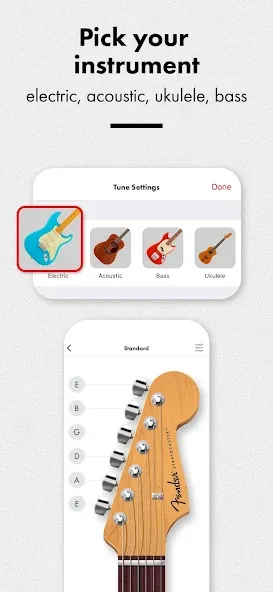
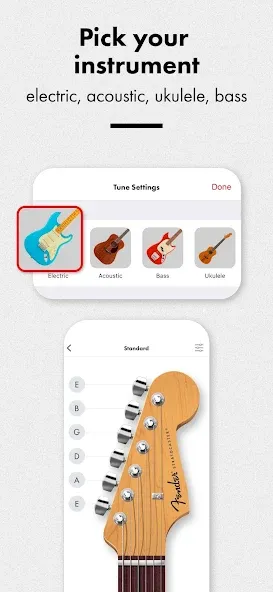
Manual Tune Mode: Tap on a string on the interactive Fender headstock to hear the note and tune your acoustic guitar, electric guitar, bass, or ukulele.
Chromatic Mode: This mode recognizes all 12 chromatic steps of the equal-tempered scale, enabling you to tune to any note in the scale.
Alternate Tunings: Choose from 26 available tunings, including Standard (EADGBE), Open G, Drop D, Open D, and Drop C.
Custom Tunings: Design and save your custom tunings to your personal Fender Connect profile for easy access.
Features of Fender Guitar Tuner:
Transform your music practice sessions with professional-grade tools included free:
Custom Tuning Profiles: Create, save, and organize unlimited personalized tunings for your unique playing style and instrument collection.
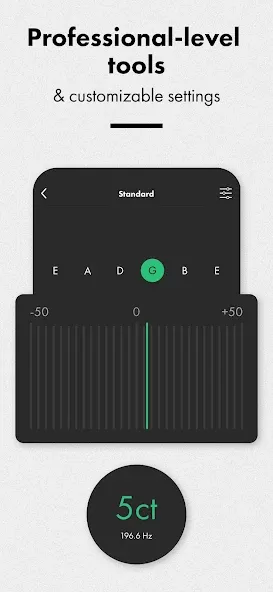
Pro Tuner with Scientific Precision: See exact tuning measurements in cents and hertz for meticulous instrument setup and professional recording sessions.
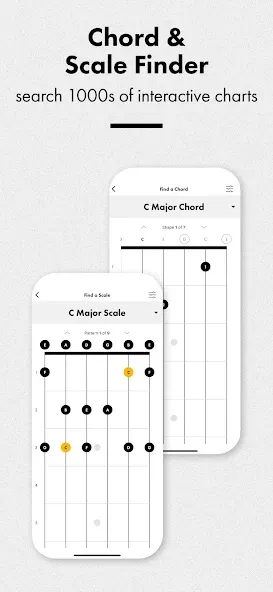
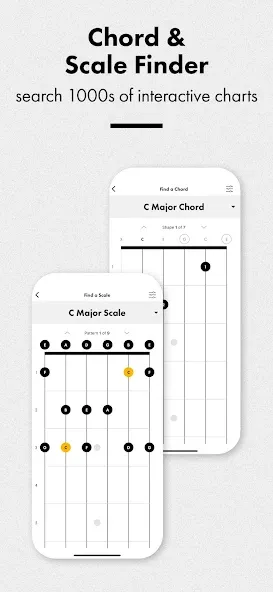
Interactive Chord Library: Master over 5000 guitar chords with multiple fingering variations, audio playback, and visual fretboard diagrams. Perfect chord finder for songwriting and learning new songs.
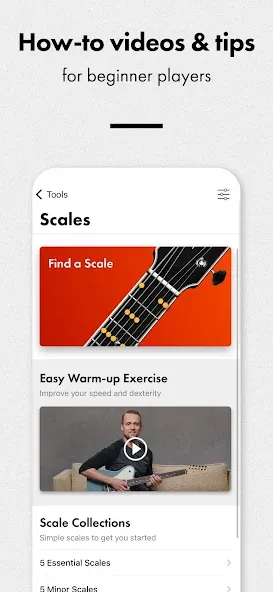
Scale Library: Explore 2000+ guitar scales across all keys and positions. Learn modes, pentatonics, blues scales, and exotic scales with interactive fretboard visualization and audio examples.
Advanced Metronome: Build rock-solid timing with our professional metronome featuring customizable tempo (40-200 BPM), multiple time signatures, and visual beat indicators.
Drum Machine: Practice with 65 authentic drum patterns across 7 genres including Rock, Blues, Jazz, Metal, Funk, R&B, Country, Folk, and World music. Each pattern professionally recorded and tempo-adjustable.
User Reviews of Fender Guitar Tuner:
This app really surprised me. I love the minimalist UI, the ad less interface, and the reliability. I have been playing guitar for many months now without a reliable tuner, and I found this. This made me tune my guitar accurately and reliably. Recommended 100%. And apart from the tuning system and modes, there are chord and scale finders! It also has drum beats and metronome! And not to mention, you can also learn a few songs! Great and outstanding.
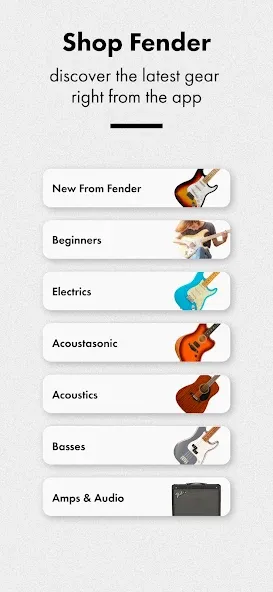
It's very useful. the chromatic tuner alone keeps this app on my phone, let alone the chord scale reference and other useful details. I even browse the shop occasionally to check out the latest Fender products and offers. Great app!
I've been using this app for YEARS!! absolutely outstanding! definitely recommend. I've had no issues literally for years. started using it during the early 2020's for reasons of the time and self taught myself guitar from the Internet. I use the app regularly.
Great app always works doesn't cause trouble in my phone. that was my short term review it's been at least 5 yrs since I got this app and it works fantastic on this Motorola this app is amazing free and versatile fender did this right.
FAQs of Fender Guitar Tuner:
Where can I find the tuner in Play?
You can access the tuner by going to the Fender Play website and clicking on the tuning fork icon in the top right, next to your Streak count. To dismiss the tuner and go back to your lesson, simply click the “X” in the upper right corner. This icon appears on any screen, so use it whenever you need to get in tune!
Please note that right now the tuner is not available on the mobile app (yet!). If you’d like a mobile app tuner, please check out our tuning app Fender Tune on iOS and Android.
How do I use the tuner?
Use the tuner at any point in your Play session to get back into tune. Follow the steps below to ensure a great tuning experience!
Before Tuning
If using an electric instrument, make sure you are amplified, as this will vastly help the tuner register the correct note. If you are using an acoustic instrument, just make sure to pluck the string at a reasonable volume.
Make sure you are in a quiet location if possible, as competing noise from fans, TVs, etc. can interfere with the tuner’s ability to pick up a note.
Using The Tuner
After opening the tuner in Play, make sure to click the “Turn Microphone On” button to begin; this should pop up a message up from your browser asking you to allow microphone access. If you do not allow permissions, the microphone will not work. If you are having trouble with this step, see the tips below.
When tuning, make sure to let a note ring out so the tuner can accurately give feedback. If a note is not being picked up correctly by the tuner, try another string and come back later.
Always tune up or down in small increments, then check the note again. For further tips on how to tune and use tuning apps, see https://playapp.fender.com/guitar/collections/troubleshoot-your-playing/course/troubleshooting-tuning.
Recommended Browsers:
For optimal performance, we recommend using Chrome or Safari browsers.
Due to software limitations, if you are using Firefox on Windows, you may experience difficulty using the tuner. If you do not want to use Chrome or Safari, we recommend downloading our free tuning app Fender Tune on your phone.
I didn’t see the microphone access prompt and the tuner is not working?
When you launch the tuner and click the “Turn Microphone On” button, this should prompt your browser to ask you to allow microphone permission; make sure to select “allow” when this message appears. However if this does not occur you can do this manually:
Chrome users: click on “settings”, and then click on “privacy and security”. At the bottom of the list click on “site settings”. From there, click on “microphone”, and make sure you see “playapp.fender.com” on the list of “allowed to use your microphone”. Also ensure that you don’t have “don’t allow sites to use your microphone” selected.
Safari: Click “safari” in the menu, then “settings”. Once in settings, click on the “websites” tab, and then click “microphone” on the list on the left. Ensure that the “ask” option is selected on the bottom right.
Conclusion:
Fender Guitar Tuner includes a library of more than 5,000 guitar chords with different fingerings, audio playback, and fretboard diagrams. There are also over 2,000 scales organized across different keys and positions. For rhythm practice, the app provides a metronome adjustable from 40 to 200 BPM and a drum machine with 65 patterns spanning several musical genres.
More Information
- Size:141.16MB
- Version:4.11.0
- Requirements:Android
- Package Name:com.fender.tuner
- Signature:22acc4b307ff7db647c5659775db195c
Related topics
-
Music Player is a tool designed to play audio files, available as both software applications and dedicated hardware devices. It can be installed on electronic devices like smartphones, tablets, and computers, allowing users to stream or play locally stored music in various formats. Additionally, standalone hardware devices, such as MP3 players and digital audio players, are specifically built for high-quality music playback. Many modern music players support advanced features like equalizers, playlists, offline playback, and streaming service integration, enhancing the overall listening experience.
-
![Jamendo Music]()
Jamendo Music
-
![Offline Music Player- Weezer]()
Offline Music Player- Weezer
-
![Fender Guitar Tuner]()
Fender Guitar Tuner
-
![Medhut]()
Medhut
-
![Real Guitar]()
Real Guitar
-
![Volume Booster]()
Volume Booster
-
![JBL Portable]()
JBL Portable
-
![Equalizer Pro & Bass Booster]()
Equalizer Pro & Bass Booster
-
-
The emergence of various digital music platforms provides people with a massive music library covering a wide range of music genres, such as pop, classical dj、 You can find your favorite songs and singers on the platform, such as electronic music, and enjoy high-quality music. Today we bring you the ranking list of music listening software. Listening to music is a very unique enjoyment that relieves stress and relaxes the body and mind. Professional recommendations to make people's lives more enjoyable, today we recommend several popular software for you.
-
![Jango Radio]()
Jango Radio
-
![Jamendo Music]()
Jamendo Music
-
![Fender Guitar Tuner]()
Fender Guitar Tuner
-
![Real Guitar]()
Real Guitar
-
![JBL Portable]()
JBL Portable
-
![Mivi :Music & Beat Video Maker]()
Mivi :Music & Beat Video Maker
-
![Electro Drum Pads]()
Electro Drum Pads
-
![WeDJ]()
WeDJ
-
-
Nowadays, many people choose to listen to music in their daily lives to release their emotions. So, a very music listening app is very necessary, but there are still many people who are not clear about what Android free music listening apps are. Next, the editor brings you a very useful free music listening app. The following APP recommendation is compiled by the editor for everyone. It must be a masterpiece among this APP. If you find something you are interested in, you can click on the link below to download it.
-
![Jango Radio]()
Jango Radio
-
![SpotMate]()
SpotMate
-
![Mp3Juices Mp3 Juice Downloader]()
Mp3Juices Mp3 Juice Downloader
-
![Genius]()
Genius
-
![Y2mate music downloader]()
Y2mate music downloader
-
![LiveMixtapes]()
LiveMixtapes
-
![Fender Guitar Tuner]()
Fender Guitar Tuner
-
![YouMp3]()
YouMp3
-














Latest Updated







Popular Apps








Popular News
More+-
![Tomie Wants to Get Married Full Walkthrough, All Choices and Ending Guide]()
Tomie Wants to Get Married Full Walkthrough, All Choices and Ending Guide
2026-05-22
-
![Karryn’s Prison Gameplay Walkthrough & Strategy Guide]()
Karryn’s Prison Gameplay Walkthrough & Strategy Guide
2025-10-28
-
![Life in Santa County Game Guide & Complete Walkthrough]()
Life in Santa County Game Guide & Complete Walkthrough
2025-10-28
-
![Dreams of Desire Complete Walkthrough and Game Guide]()
Dreams of Desire Complete Walkthrough and Game Guide
2025-10-28
-
![Era Hunter Gameplay Guide & Full Walkthrough]()
Era Hunter Gameplay Guide & Full Walkthrough
2025-10-28




