
Dual Space Lite
Download for Android This app is available for Android only.- Category:Tools
- Rating:
- Language:English
- Updated:2026-11-18
Screenshots
Introduction
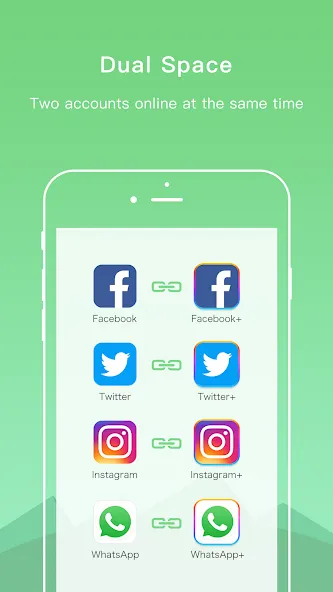
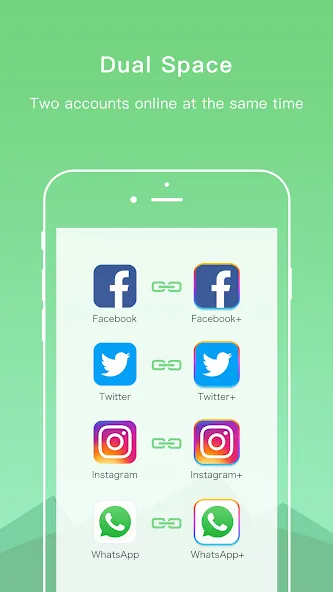
Dual Space Lite is a social account management tool for Android. It allows users to log into multiple social media accounts simultaneously and supports a wide range of social media applications. Data for each account is kept separate, ensuring there is no overlap or confusion between your various social profiles. The app also features an "app cloning" function, which provides a secure, discreet way to manage accounts, while allowing for quick switching between them. The interface is clean and minimalist; furthermore, the app is highly efficient, so you don’t have to worry about it placing a heavy burden on your phone’s resources—even when using the cloning feature.
Features
Log into multiple social media accounts simultaneously
Balance personal and work accounts
Supports almost all social media applications
Data isolation between different accounts
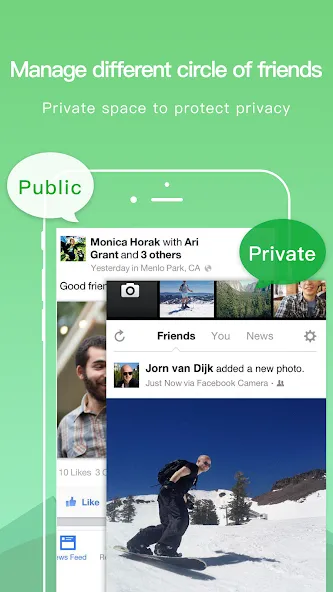
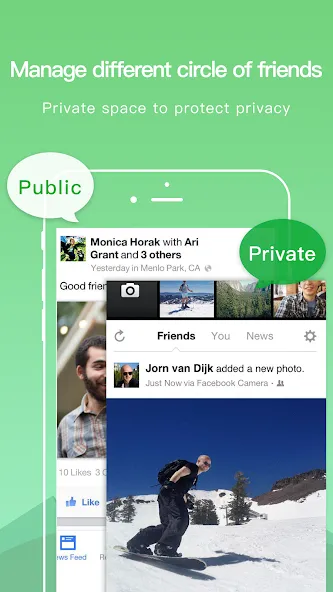
Private zone and app cloning for secure, discreet account management
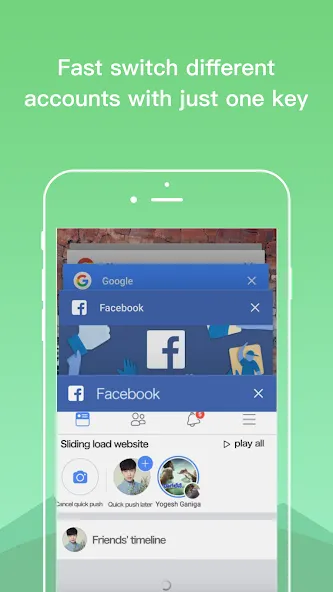
Quickly switch between accounts with a single tap
Built on years of development expertise to ensure stable performance
User-friendly interface
Small file size, low CPU usage, and low power consumption
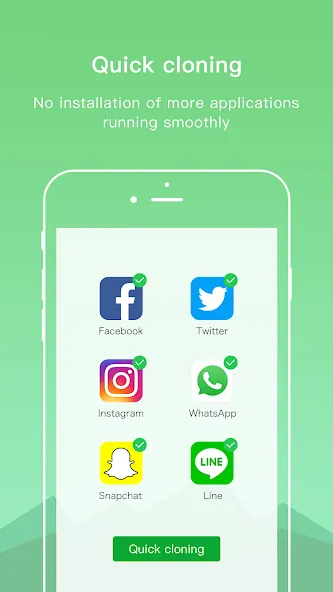
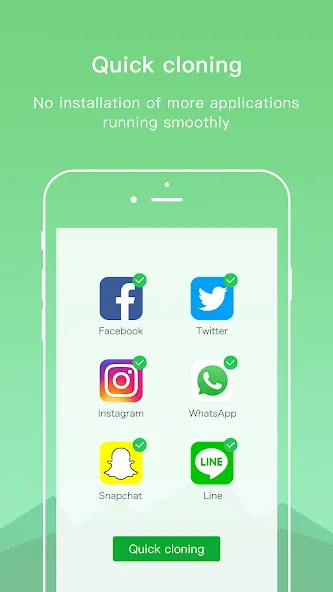
Rapidly clone any application to run multiple instances
Pros and Cons
Pros:
Allows you to run multiple accounts for supported applications on a single device.
Ideal for separating work and personal profiles—for example, using WhatsApp on a dual-SIM phone.
Lightweight design with a small installation footprint and minimal resource consumption.
Clean, intuitive interface.
Private zone enhances privacy by hiding cloned apps and allowing them to run discreetly.
Core features are free, with affordable premium upgrade options available to remove ads.
Cons:
Limited to a specific range of applications.
Occasional random crashes can affect reliability.
FAQs
Can Dual Space Lite be used with social media apps?
Yes, you can create separate accounts within Dual Space Lite for social media apps such as Facebook, WhatsApp, Instagram, and more.
Is my data secure when using Dual Space Lite?
Yes, Dual Space Lite prioritizes privacy and ensures that your data remains secure within the application.
Will using Dual Space Lite affect my device's performance?
Dual Space Lite is designed to be lightweight and will not significantly impact your device's performance.
Do I need to root my device to use Dual Space Lite? No, you do not need to root your device to use Dual Space Lite.
Conclusion
In short, if you are looking for a way to run multiple email, social media, or other accounts, why not give Dual Space Lite a try?
More Information
- Size:6.52MB
- Version:5.0.3
- Requirements:Android
- Package Name:com.ludashi.dualspace
- Signature:92efb05082968e884514b99aa889ff19
Related topics
-
Utility apps are indispensable in our lives, making our daily routines more convenient. To help you find these apps more easily, this site has created a collection. This collection brings together a series of practical tools covering various aspects of life, work, and education, meeting all your needs. What are you waiting for? Try these apps now and make your life easier!
-
![Dual Space Lite]()
Dual Space Lite
-
![Lovense Connect]()
Lovense Connect
-
![Firedown]()
Firedown
-
![MagTapp]()
MagTapp
-
![MixerBox Chat AI Browser]()
MixerBox Chat AI Browser
-
![ITS App]()
ITS App
-
![Govee Home]()
Govee Home
-
![Offline Notepad]()
Offline Notepad
-
-
Transform your mobile device into a powerhouse of efficiency with these handpicked essential tools. Whether you need professional-grade photo editing, seamless file organization, smart task management, or real-time weather updates, our curated selection of premium apps delivers unbeatable performance. Streamline your daily routine, automate repetitive tasks, and boost your productivity with intuitive interfaces and powerful features. Designed for both professionals and casual users, these editor-approved applications will revolutionize how you work and play. Don't settle for an ordinary phone - upgrade your digital experience today and unlock your device's full potential!
-
![Seal Downloader]()
Seal Downloader
-
![Dual Space Lite]()
Dual Space Lite
-
![Starlink]()
Starlink
-
![Lovense Connect]()
Lovense Connect
-
![G-Form Tools]()
G-Form Tools
-
![CineJugaad]()
CineJugaad
-
![Govee Home]()
Govee Home
-
![TCGplayer]()
TCGplayer
-
-
With the development of mobile hardware and software, many practical tool software have emerged, covering a wide range of aspects and becoming a good helper for everyone in work and life. Today, the editor provides you with a list of useful tool software downloads. These tools are not particularly complex types, and after reading them, everyone can quickly learn how to use them. Proper use can bring great convenience to life and work.
-
![Seal Downloader]()
Seal Downloader
-
![Dual Space Lite]()
Dual Space Lite
-
![Starlink]()
Starlink
-
![Firedown]()
Firedown
-
![G-Form Tools]()
G-Form Tools
-
![ITS App]()
ITS App
-
![CineJugaad]()
CineJugaad
-
![Govee Home]()
Govee Home
-












Latest Updated






Popular Apps








Popular News
More+-
![Tomie Wants to Get Married Full Walkthrough, All Choices and Ending Guide]()
Tomie Wants to Get Married Full Walkthrough, All Choices and Ending Guide
2026-05-22
-
![Karryn’s Prison Gameplay Walkthrough & Strategy Guide]()
Karryn’s Prison Gameplay Walkthrough & Strategy Guide
2025-10-28
-
![Life in Santa County Game Guide & Complete Walkthrough]()
Life in Santa County Game Guide & Complete Walkthrough
2025-10-28
-
![Dreams of Desire Complete Walkthrough and Game Guide]()
Dreams of Desire Complete Walkthrough and Game Guide
2025-10-28
-
![Era Hunter Gameplay Guide & Full Walkthrough]()
Era Hunter Gameplay Guide & Full Walkthrough
2025-10-28




