

Intel® Unison™
Download for Android This app is available for Android only.- Category:Productivity
- Rating:
- Language:English
- Updated:2026-11-21
Screenshots
Introduction
Intel® Unison™ is an excellent cross-platform productivity tool. This application offers powerful features that allow users to break down barriers and connect their mobile devices to their PCs, delivering an exceptional multi-device experience. With Intel® Unison™, users can enjoy the freedom of seamless collaboration across different operating systems, empowering them to fully unlock their potential. Whether on a PC or a mobile device, the application provides an intuitive, user-friendly interface, with clear, step-by-step guidance to help you get started with ease.
Highlights:
One of the Intel Unison's main advantages is its intuitive and easy-to-use configuration.
With a couple of taps on the screen, you can connect your devices and enjoy a seamless connectivity experience.
Whether you want to share files, synchronize apps, or make video calls, Intel Unison takes care of the entire process, eliminating the need for multiple apps or more complicated configurations.
In addition to its simplicity, Intel Unison also offers great flexibility.
The app is compatible with Android and iOS devices, so it doesn't matter which device you connect to your Evo laptop to start using the tool.
This cross-platform compatibility ensures you can switch devices without time-consuming setup or data transfer.
Features:
Unified messaging: Send and receive texts right on your PC, so conversations stay in one tidy spot.
Calls on your PC: Start or answer calls from the desktop, with quick access to your contacts and recent history.
Notifications, organized: Mirror alerts from your companion device and manage them on your PC—read, dismiss, or snooze without breaking focus.
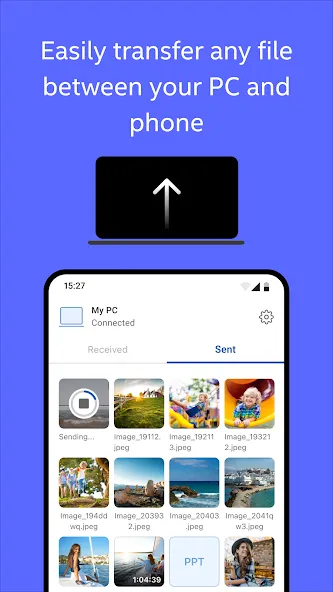
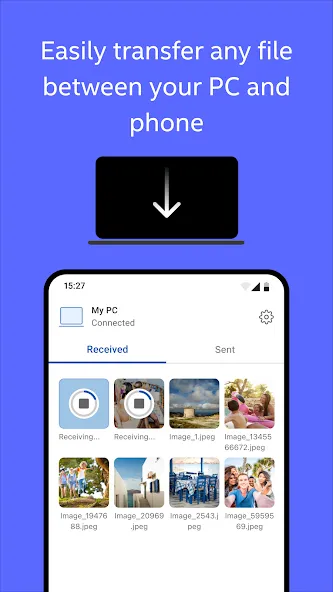
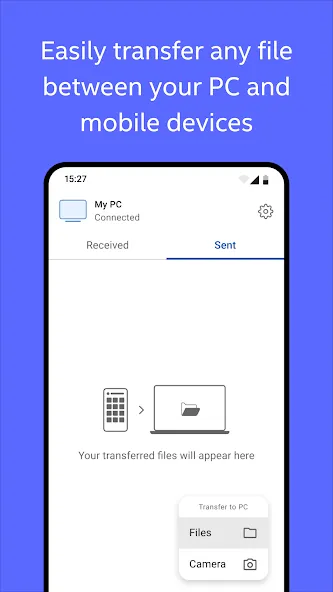
Fast file transfer: Drag and drop documents, photos, and videos between devices—no cables, no cloud shuffle, no email-to-self.
Photos on demand: Browse your gallery from the PC, save favorites, or share shots without unlocking another screen.
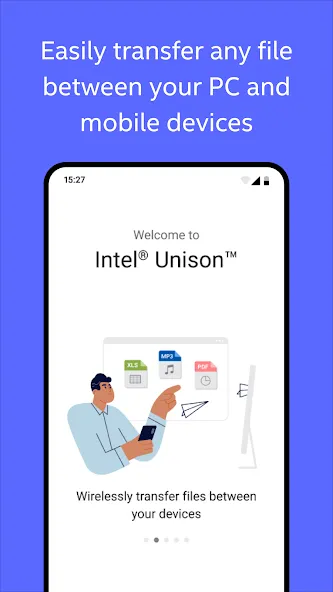
Simple pairing: Connect with the Windows companion app in a few quick steps and create a secure link over Wi‑Fi or Bluetooth.
Cross-OS convenience: Work across operating systems without friction, keeping your setup flexible and familiar.
Status at a glance: See connection strength and battery levels for your linked device right from the desktop.
Designed for supported systems: Works with approved Windows PC configurations and supported OS versions for reliable performance.
Tips and Tricks:
Create an Account: Begin by creating an account on the platform. You can choose between individual and business plans, depending on your needs.
Invite Team Members: Invite your team members to join your organization within the app. Specify their roles and permissions.
Start Collaborating: Use Intel Unison's document collaboration features to create, edit, and share documents in real-time. Utilize task management to assign and monitor project progress.
Schedule Meetings: Host video meetings within the software. Share your screen, chat with participants, and record sessions for future reference.
Analyze Data: Take advantage of Intel Unison's analytics dashboard to gain insights into your team's performance and project progress.
Pros & Cons:
Pros
Calls, texts, contacts, and notifications on the PC
Simple file, photo, and video transfers
Free and approachable interface
Cons
Notifications and connections can lag
Requires an Intel EVO-generation processor
Final Words:
In short, Intel® Unison™ is a comprehensive solution for synchronizing and connecting your devices, offering an intuitive, fast, and seamless user experience. Intel Unison is an essential tool for those looking for an efficient and flexible solution to keep their devices connected and in sync.
More Information
- Size:58.72MB
- Version:20.35.9472
- Requirements:Android 9.0+
- Package Name:com.intel.mde
- Signature:8c0d835374af8110fcce648b79c28bae
Related topics
-
Feeling that there aren’t enough hours in the day? That you’re fighting a losing battle with your agenda? That each time you look up from your desk another year has rolled by? Well don’t worry, you’re not alone, and in today’s hyperconnected world, people are busier than ever before. On Android, there are countless productivity apps to help take control of your time and make your work more efficient. From a simple plugin for Chrome to a full-fledged app, picking the right productivity apps on Android can mean the difference between having a clear to-do list at the end of the day or having it overflowing with missed deadlines and projects that are off schedule. Productivity apps aren’t just about work, though. Using a productivity app in your personal life can keep you on top of deadlines for vacations, home repairs, and other family responsibilities.
-
![Google Assistant]()
Google Assistant
-
![CamScanner]()
CamScanner
-
![Intel® Unison™]()
Intel® Unison™
-
![Flipd]()
Flipd
-
![PortoDB Database]()
PortoDB Database
-
![BOL Mail]()
BOL Mail
-
![Trello]()
Trello
-
![JDoodle]()
JDoodle
-
-
Office Apps is a comprehensive and user - friendly platform that aggregates a wide array of office - related applications, catering to the diverse needs of modern professionals, students, and anyone who engages in office - based tasks. Whether you're working on a crucial business project, preparing academic papers, or handling daily administrative work, this aggregation page serves as your one - stop - shop.
-
![Google Assistant]()
Google Assistant
-
![CamScanner]()
CamScanner
-
![Intel® Unison™]()
Intel® Unison™
-
![Flipd]()
Flipd
-
![BOL Mail]()
BOL Mail
-
![Trello]()
Trello
-
![JDoodle]()
JDoodle
-
![HiDrive]()
HiDrive
-







Latest Updated

Popular Apps







Popular News
More+-
![Tomie Wants to Get Married Full Walkthrough, All Choices and Ending Guide]()
Tomie Wants to Get Married Full Walkthrough, All Choices and Ending Guide
2026-05-22
-
![Karryn’s Prison Gameplay Walkthrough & Strategy Guide]()
Karryn’s Prison Gameplay Walkthrough & Strategy Guide
2025-10-28
-
![Life in Santa County Game Guide & Complete Walkthrough]()
Life in Santa County Game Guide & Complete Walkthrough
2025-10-28
-
![Dreams of Desire Complete Walkthrough and Game Guide]()
Dreams of Desire Complete Walkthrough and Game Guide
2025-10-28
-
![Era Hunter Gameplay Guide & Full Walkthrough]()
Era Hunter Gameplay Guide & Full Walkthrough
2025-10-28




