
Microsoft SwiftKey
Download for Android This app is available for Android only.- Category:Theme
- Rating:
- Language:English
- Updated:2026-11-25
Screenshots
Introduction
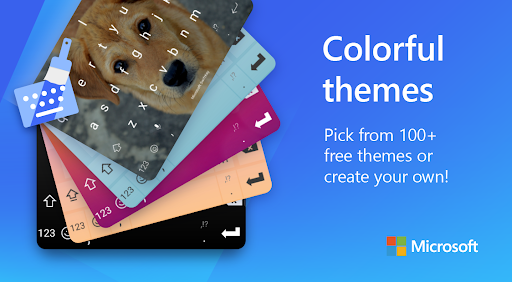
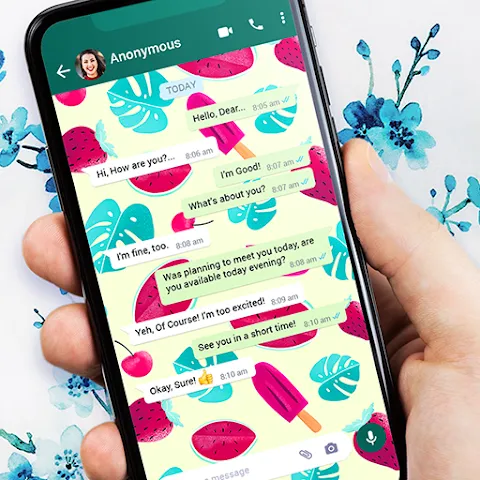
Microsoft SwiftKey is an input method tool designed for Android devices. It learns your frequently used slang, nicknames, and even your preferred emojis, making every interaction more engaging and comfortable. With Microsoft SwiftKey, you can say goodbye to dull, default system keyboards; choose from a wide variety of free themes to create a personalized keyboard style and elevate your overall typing experience. The app also features built-in stickers, GIFs, and emojis, adding a vibrant touch to your conversations.
Highlights:
The integration of Microsoft Autopilot transforms the keyboard from a simple input method into a comprehensive writing assistant. Users can access Tone and Rewrite functions directly from the toolbar, allowing them to instantly transform a casual thought into a professional draft or a friendly greeting.
Furthermore, the Compose feature enables the generation of entire emails or posts based on brief prompts, all without leaving the active application. Despite the expansion of AI tools and Copilot integration leading to a larger installation size, these tools are powered by a combination of on-device processing and cloud-based AI to offer a level of sophistication previously reserved for desktop word processors.
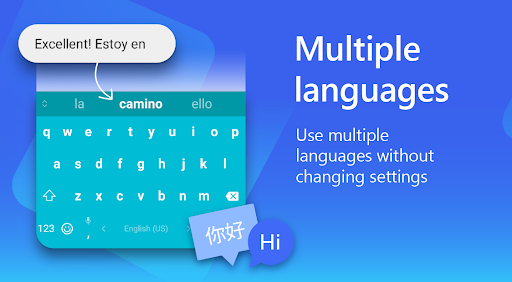
SwiftKey supports an expansive library of over 700 languages, with an engine that allows for the simultaneous activation of up to five languages, with an auto-detect feature that seamlessly switches dictionaries that have been centralized. This unified account system ensures that learned words, custom themes, and typing statistics are instantly accessible across all devices to provide a consistent experience for polyglots and multi-device power users.
Features:
Microsoft keyboard for Android devices with intelligent prediction based on the user's typing style.
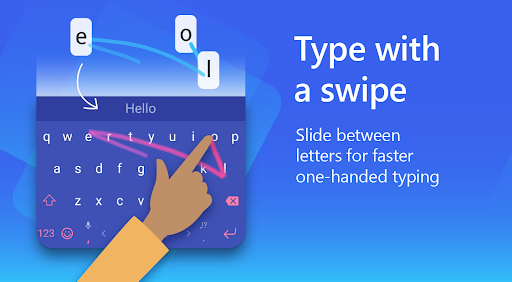
Sliding or classic touch typing.
Support for over 400 languages and multilingual writing.
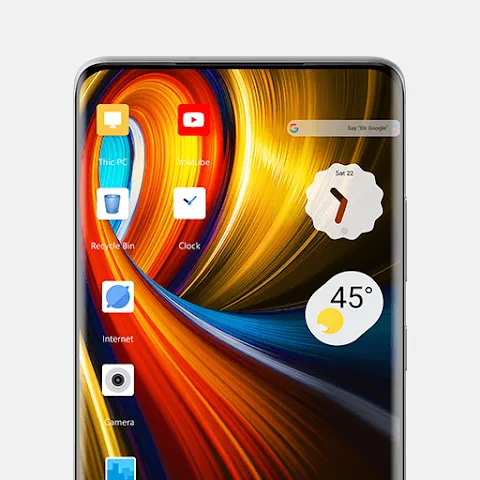
Customization with themes, colors, and key sizes.
Incognito mode for privacy protection.
Support for emojis, GIFs, and integrated stickers.
Tips and Tricks:
Enable Personalization: Allow Microsoft SwiftKey Keyboard to adapt to your typing style by granting access to your communication patterns.
Explore Stickers and Emoji: Add fun and creativity to your messages by exploring the vast collection of stickers, GIFs, and emoji available.
Customize Your Keyboard: Select themes that match your personality and make your keyboard visually appealing.
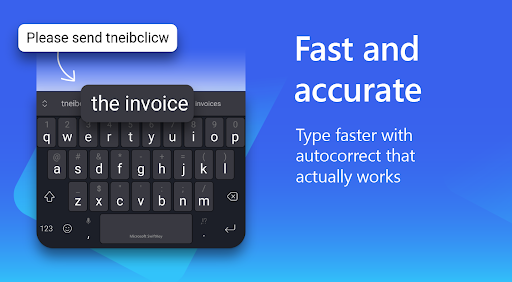
Utilize Auto-correction and Hints: Take advantage of the auto-correction feature and hints provided to type efficiently and accurately.
Pros & Cons:
Pros
Fully featured keyboard with multiple input modes
Effective at optimizing typing speeds for individual users
Settings can be customized in various ways
Cons
Keyboard doesn't function as well on lesser hardware
Final Words:
Download the SwiftKey Keyboard APK for Android and take advantage of the modern and easy-to-use features of one of the best smartphone keyboards. Write freely and quickly, taking advantage of the predictive text and the intelligent database that you'll build as you train the tool.
More Information
- Size:230.56MB
- Version:9.13.21.3
- Requirements:Android 8.0+
- Package Name:com.touchtype.swiftkey
- Signature:409e5b14c469247804285e32a4decbbf
Related topics
-
The Ultra HD Wallpaper app allows you to find a wide range of clear wallpapers, which can be displayed with great clarity on any phone screen. You no longer have to worry about unclear wallpapers when changing devices. Today, the editor has compiled a complete app for ultra HD wallpapers, which you can choose and use according to your own needs. Generally, wallpapers are classified in great detail within software, and you can find wallpapers of any style you like. At the same time, there are super rich dynamic wallpapers for you to choose from, using cool wallpapers to make your phone desktop and lock screen stand out. Friends who like to collect ultra high definition wallpapers, welcome to download related software and experience it on this website!
-
![Wallpapers for WhatsApp]()
Wallpapers for WhatsApp
-
![Microsoft SwiftKey]()
Microsoft SwiftKey
-
![Bling Launcher]()
Bling Launcher
-
![Poco Theme Store]()
Poco Theme Store
-
![Notification Bar]()
Notification Bar
-
![Launcher iOS 16]()
Launcher iOS 16
-
![Hola Launcher]()
Hola Launcher
-
![Samsung Good Lock]()
Samsung Good Lock
-
-
There must be many friends who decorate their phones with theme wallpapers, etc. So which theme stores are free? The editor has selected a variety of free and easy-to-use mobile theme software for everyone, providing a massive amount of exquisite wallpapers in various styles, dynamic and static, to meet everyone's download needs. Fine classification helps users quickly find their favorite themes, and supports users to preview application effects!
-
![Microsoft SwiftKey]()
Microsoft SwiftKey
-
![Police Siren Ringtones]()
Police Siren Ringtones
-
![Keys Cafe]()
Keys Cafe
-
![PastelLine IconPack]()
PastelLine IconPack
-
![XOS Launcher]()
XOS Launcher
-
![True Liquid Glass]()
True Liquid Glass
-
![Nova Launcher Lifetime Prime]()
Nova Launcher Lifetime Prime
-
![Pixel Launcher]()
Pixel Launcher
-




Latest Updated
Popular Apps




Popular News
More+-
![Tomie Wants to Get Married Full Walkthrough, All Choices and Ending Guide]()
Tomie Wants to Get Married Full Walkthrough, All Choices and Ending Guide
2026-05-22
-
![Karryn’s Prison Gameplay Walkthrough & Strategy Guide]()
Karryn’s Prison Gameplay Walkthrough & Strategy Guide
2025-10-28
-
![Life in Santa County Game Guide & Complete Walkthrough]()
Life in Santa County Game Guide & Complete Walkthrough
2025-10-28
-
![Dreams of Desire Complete Walkthrough and Game Guide]()
Dreams of Desire Complete Walkthrough and Game Guide
2025-10-28
-
![Era Hunter Gameplay Guide & Full Walkthrough]()
Era Hunter Gameplay Guide & Full Walkthrough
2025-10-28




