
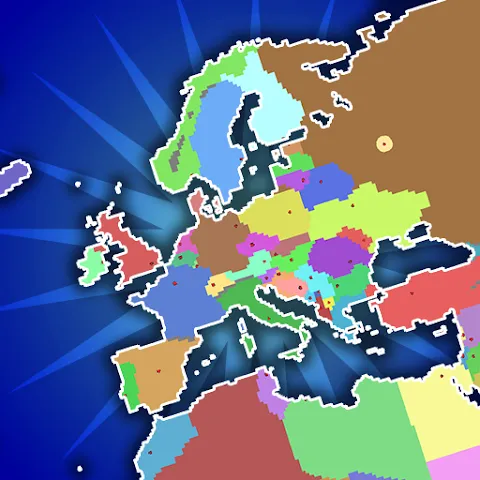
Ages of Conflict World War Sim
Download for Android This app is available for Android only.- Category:Simulation
- Rating: 4.8
- Language:English
- Updated:2026-11-02
Screenshots
Introduction
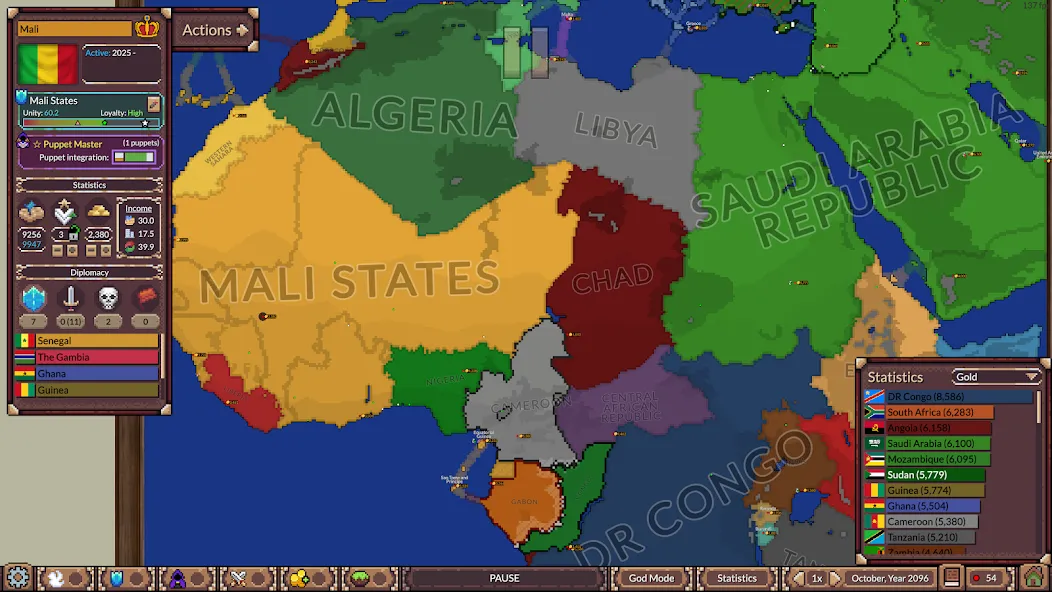
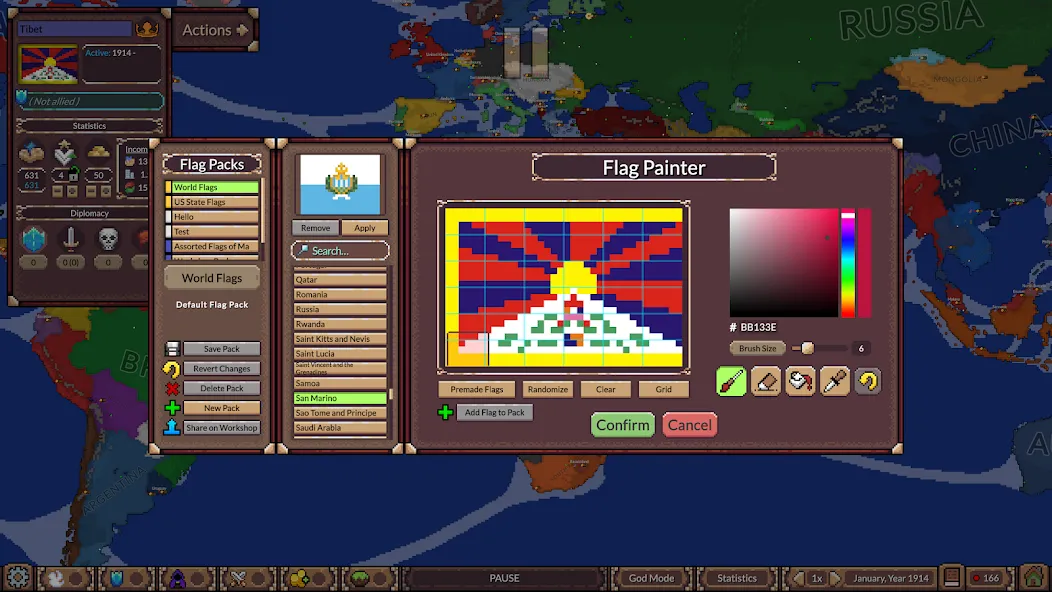
Ages of Conflict World War Sim combines simulation and strategy elements, allowing players to create world maps of various scales, define the number of nations, and set the intelligence level of the AI—all while observing these states as they vie for continental dominance. The game’s customization options go even further: you can toggle diplomatic systems, enable the possibility of betrayal during conflicts, and fine-tune specific attributes for each nation—such as their flags and cultures—making the struggle for supremacy all the more engaging and entertaining. The game is also subject to continuous updates and optimizations; as new, compelling gameplay features are introduced, the AI’s intelligence is also being refined to ensure an even better experience for players.
Features of Ages of Conflict World War Sim:
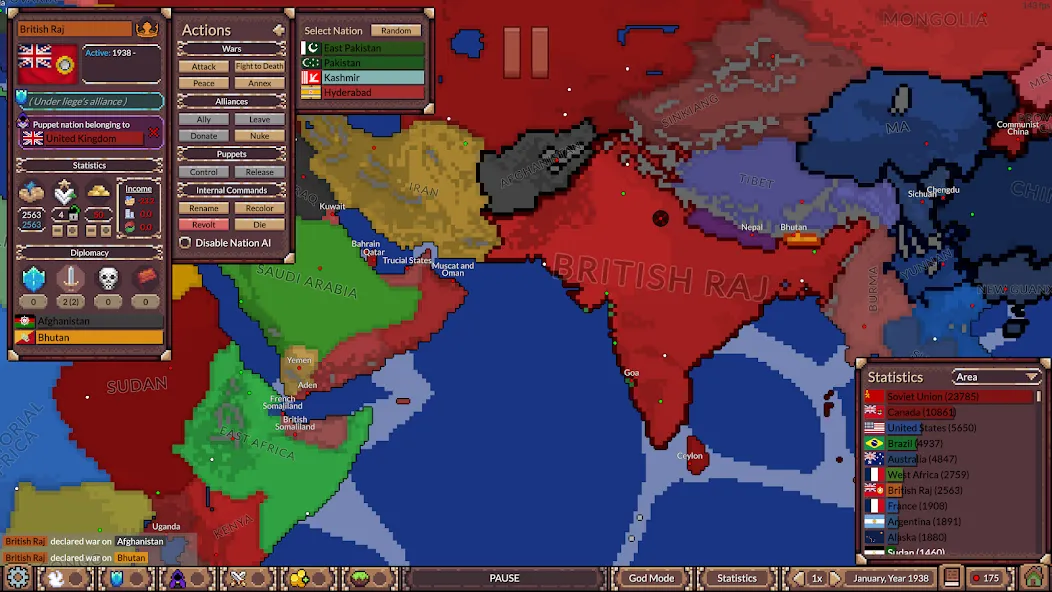
You can place custom nations, paint maps, adjust borders, and start scenarios before turning events over to the AI. Premade maps provide a quicker route into the simulation, while the map creator supports more elaborate experiments. Once events begin, countries compete for territory, respond to rivals, form political ties, create puppet states, and sometimes break apart.
This structure suits players interested in history, geography, map painting, or speculative questions such as how a differently divided continent might develop. It also works well as a casual background simulation: watching an apparently secure power buckle under revolts can be more entertaining than carefully steering it to victory.
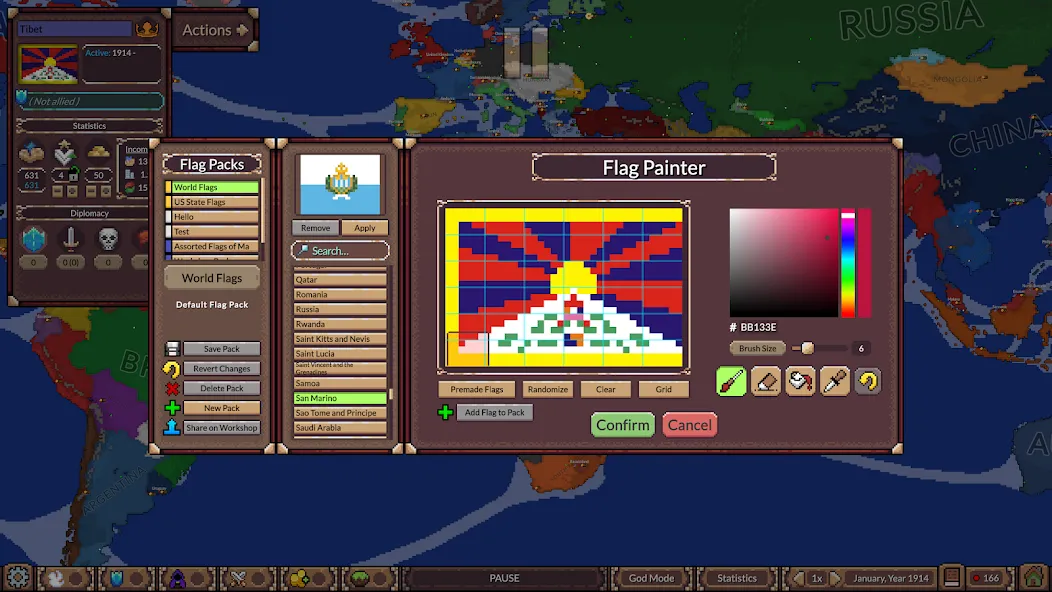
The player doesn't have to remain completely detached. God Mode tools can edit terrain, borders, national statistics, and AI behavior during a simulation. Nations can also be controlled directly, allowing events to be nudged toward a preferred outcome. These tools give the sandbox purpose beyond simply pressing start and waiting.
But direct intervention shouldn't be confused with the command structure of a conventional strategy game. Players looking for detailed army management, sophisticated peace negotiations, or deep diplomacy may find the systems too light. The game's strategic value comes mainly from designing a situation, altering variables, and interpreting the resulting chaos. If creating scenarios doesn't sound appealing, there isn't much else to carry the experience.
How to play Ages of Conflict World War Sim:
On Android, Ages of Conflict starts quickly with clear controls and tools. The steps below outline a basic flow to set up a world and watch outcomes. To begin with the Ages of Conflict latest version, follow simple actions in sequence.
First, launch the app and choose a premade map, or open the scenario editor to build a custom world.
Next, tap play to start time, then pinch to zoom and drag to pan across regions as nations expand or collapse.
Then, open God Mode to adjust borders, stats, terrain, rename nations, set alliances, or force war and peace as needed.
After that, disable AI for a chosen nation if you want to roleplay direct control while other nations remain simulated.
Finally, save your scenario or switch to a different map to compare outcomes and refine settings.
Useful Tips of Ages of Conflict World War Sim:
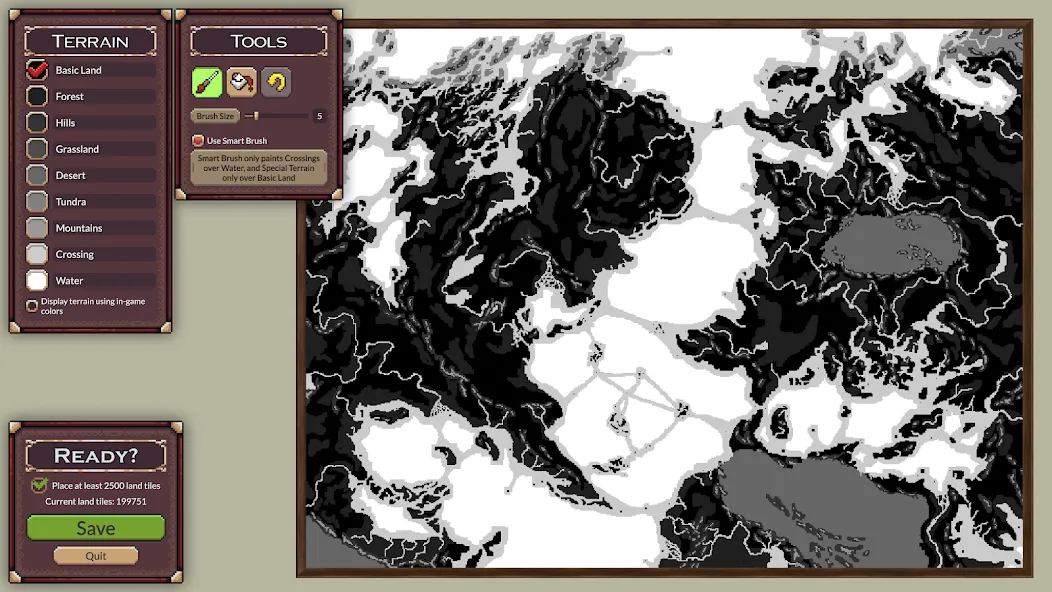
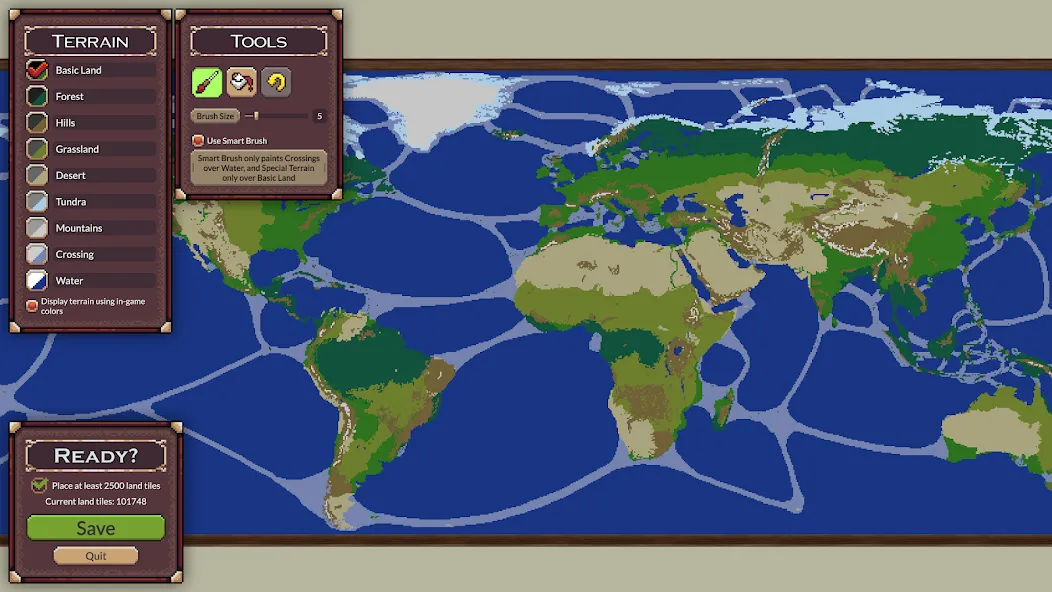
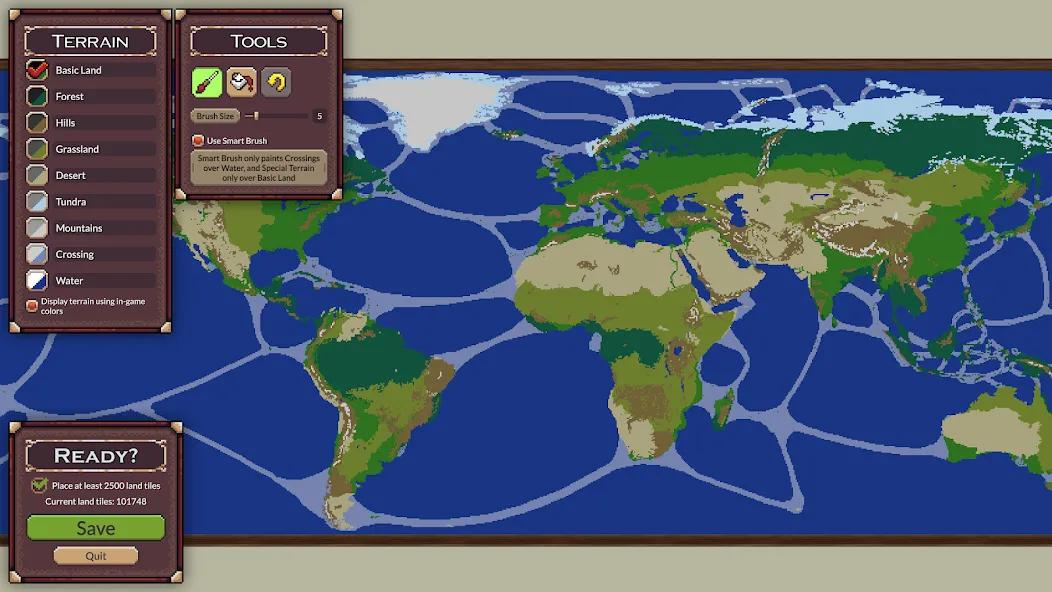
You can create new maps from the bottom of the New Game Map list. You can also edit any maps, even the default ones. Don't worry about them getting overwritten. Editing a default map or a downloaded Workshop map will create a local copy, even if you save it with the same name.
When creating a new map, it is not always best to pick the largest map possible (currently 600x600). Sometimes the shape should determine the size
When painting different terrain, also take note of the effects certain terrain have, look at the tooltips.
If you make a mistake while using the Bucket tool, you can cancel the last paint you made, but only immediately after making it. If you paint again with the bucket or brush, the option to undo last bucket paint is gone!
If you feel the editor is too hard to use, or simply wish to edit or create a map outside of the game, you can do so! Be aware that currently the game only allows for maps smaller than 500k pixels, and on some computers even maps of that size may not run, so think about the size carefully!
Your custom maps can be found inside a folder a in your computer. This folder also contains custom Scenarios and Save Games
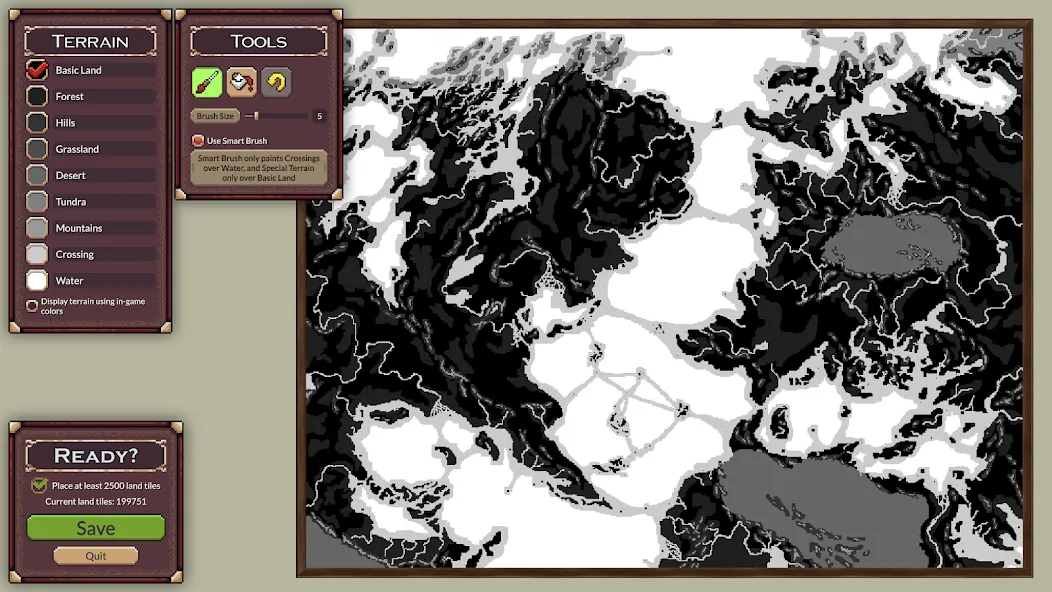
There you can find your custom maps as PNG images. You can edit and save these in any image editing tool like Paint or Photoshop, just remember the size limit and the png format!
Your terrain colors MUST match those used in the game editor!
If the color doesn't match, the game will try to get the closest color to it.
You can upload maps to workshop from the menu. So first save your map and return to main menu.
Give your Workshop item a good name (this name will show up in the Workshop and as the map name if they Subscribe to it and see it in the menu)
Also give it accurate tags to make it more easy to find.
When you are ready, select Put to Workshop and Confirm.
After this, the upload progress will begin. You should see this popup:
One reason upload could fail is that you haven't agreed to the general Workshop agreement. If you have Steam Overlay enabled, the game should open the page for you, but if not, you can go to your personal Workshop profile and agree to it there. It is the same for every game so if you have used workshop on other games, it should already be accepted.
After a few second, the upload should succeed. If you have Steam Overlay enabled, the game will open your item page for you. Otherwise you will see the success message above.
The item will not immediately show up for everyone as it needs to go though Steam's review process.
There is currently no way to update your workshop items, at least the contents. You can edit the title and images attached to it on the Workshop. But if you want to update your creation, you will need to create a new one. You can delete the old one in the Workshop if you want.
Player Comments of Ages of Conflict World War Sim:
There really is nothing else to this simple game. I wish that there were a 6 star option. Thank you, but I have some recommendations for this app to be more realistic/cooler: - Ai, and even the player can create peace deals; how hard the treaties are an option in god mode - Adding some form of army sizes - Civil Wars when pre-war territory is occupied for long time - Stability and War Support Rework I might add more, but just remember that these are recommendations. Good Job!
this game is awesome, there's just something I wanna include, there's this bug that crashes my Infinix 6 smart plus whenever I play a map that's heavy, idk if you can fix this but it started happening after the game updated to 4.2 so please try to fix this bug/crash if you can, thank you(it only works for some large maps with alot of countries so middle east and northern Europe don't crash or lag that much, Europe doesn't too).
Very enjoyable, just 1 more thing needs to be added, army's for the front line (not just the units like they added on PC version, like proper army's) and also numbered front lines, to get an essence of the size and .magnitude of the invasions.
Its amazing its constantly updated unlike age of history 2 DE and its never neglected on the mobile version the only in app purchase the premium thing was totally worth it I have no hate for the game especially since the developer looks at ideas and adds them sometimes performance is great and I like how there's god mode.
Final Verdict:
Ages of Conflict World War Sim succeeds by turning nation-building and collapse into a readable, unpredictable sandbox that feels more like an alternate-history machine than a traditional strategy game. Its custom scenarios, AI-driven wars, and simple presentation make it easy to lose time watching worlds reshape themselves.
More Information
- Size:113.87MB
- Version:4.5.2
- Requirements:Android
- Votes:128
- Package Name:com.JoySparkGames.AgesofConflict
- Signature:76e6dd56b07425eb73a5ff4a82d907a5
Related Versions
-
 Download
Ages of Conflict World War Sim APK
Version:3.4.0Size:85.8MB
-
 Download
Ages of Conflict World War Sim
Version:3.4.4Size:84MB
-
 Download
Ages of Conflict World War Sim v3.4.6
Version:3.4.6Size:40MB
-
 Download
Ages of Conflict World War Sim
Version:4.4.2Size:124.3MB
Related topics
-
Games have the unique ability to offer us both an escape from reality and a reflection of it. On one hand, they provide a refuge-a place where we can immerse ourselves in a virtual world, away from the pressures and challenges of our everyday lives. On the other hand, games can also bring us face-to-face with the complexities of real life, allowing us to experience its highs and lows, its moments of joy and sorrow, all within a controlled environment. This dual nature of gaming-offering both an escape and a confrontation with reality-is what makes it so deeply connected to the essence of the human experience. It allows us to explore, learn, and grow, while also providing a space for reflection and personal discovery.
-
![Try to Fly]()
Try to Fly
-
![How to Fish]()
How to Fish
-
![SimCity Deluxe]()
SimCity Deluxe
-
![Tanghulu Master - Candy ASMR]()
Tanghulu Master - Candy ASMR
-
![Revelation: Infinite Journey]()
Revelation: Infinite Journey
-
![My Voice Zoo Game]()
My Voice Zoo Game
-
![Rio Rise]()
Rio Rise
-
![LEGO® Juniors Create & Cruise]()
LEGO® Juniors Create & Cruise
-
-
The world offers infinite experiences, but no single person could possibly live them all. That’s where games come in-they unlock endless possibilities beyond reality’s limits. Ever dreamed of piloting a jet, running a business empire, becoming a viral streamer, or mixing chemicals in a lab? In gaming, nothing is out of reach. Simulation games, in particular, bring these fantasies to life, letting you step into any role imaginable. Whether conquering skies, managing cities, or crafting potions, games make the impossible possible. Simulation doesn’t just imitate life-it expands it!
-
![How to Fish]()
How to Fish
-
![SimCity Deluxe]()
SimCity Deluxe
-
![Tanghulu Master - Candy ASMR]()
Tanghulu Master - Candy ASMR
-
![Little Big City 2]()
Little Big City 2
-
![Melon Sandbox x Poppy Playtime]()
Melon Sandbox x Poppy Playtime
-
![From Zero to Hero: Idle Life]()
From Zero to Hero: Idle Life
-
![Retail Supermarket Simulator]()
Retail Supermarket Simulator
-
![Russian Car Driver UAZ HUNTER]()
Russian Car Driver UAZ HUNTER
-
-
What do you want to be when you grow up? This timeless question has shaped countless childhood conversations. Some have known their calling since they were young, passionately pursuing a single dream with unwavering focus. Others find themselves at a crossroads, overwhelmed by the vast array of possibilities the world offers. With endless careers to explore-each with its own challenges, rewards, and unique appeal-how do you discover the path that truly resonates with you? The journey of self-discovery continues, but the right choice is out there, waiting to inspire you.
-
![SimCity Deluxe]()
SimCity Deluxe
-
![Tanghulu Master - Candy ASMR]()
Tanghulu Master - Candy ASMR
-
![Car Saler Dealership Simulator]()
Car Saler Dealership Simulator
-
![Little Big City 2]()
Little Big City 2
-
![Little Big City]()
Little Big City
-
![Epic Ocean Survival]()
Epic Ocean Survival
-
![OneState RP - Role Play Life]()
OneState RP - Role Play Life
-
![Ages of Conflict World War Sim]()
Ages of Conflict World War Sim
-











Latest Updated



Popular Games






Popular News
More+-
![Tomie Wants to Get Married Full Walkthrough, All Choices and Ending Guide]()
Tomie Wants to Get Married Full Walkthrough, All Choices and Ending Guide
2026-05-22
-
![Karryn’s Prison Gameplay Walkthrough & Strategy Guide]()
Karryn’s Prison Gameplay Walkthrough & Strategy Guide
2025-10-28
-
![Life in Santa County Game Guide & Complete Walkthrough]()
Life in Santa County Game Guide & Complete Walkthrough
2025-10-28
-
![Dreams of Desire Complete Walkthrough and Game Guide]()
Dreams of Desire Complete Walkthrough and Game Guide
2025-10-28
-
![Era Hunter Gameplay Guide & Full Walkthrough]()
Era Hunter Gameplay Guide & Full Walkthrough
2025-10-28




