

Projectivy Launcher
Download for Android This app is available for Android only.- Category:Productivity
- Rating: 4.8
- Language:English
- Updated:2026-08-29
Screenshots
Introduction
Projectivy Launcher is a convenient and easy-to-use screen mirroring software that allows users to easily project their phone screen onto TVs or projectors to watch their favorite movies and TV series, play various classic games, and enjoy a wonderful time. The software's functions don't stop there; it can automatically remove annoying ads from the screen and allows users to freely adjust wallpaper brightness, contrast, saturation, and other settings, or upload their own images as wallpapers. The software boasts strong compatibility, quickly launching and using all functions even on low-end and mid-range devices, and is constantly being updated and optimized to keep users engaged and entertained. The software automatically records the user's viewing history and preferences, allowing users to easily stop and resume viewing at any time.
Features of Projectivy Launcher:
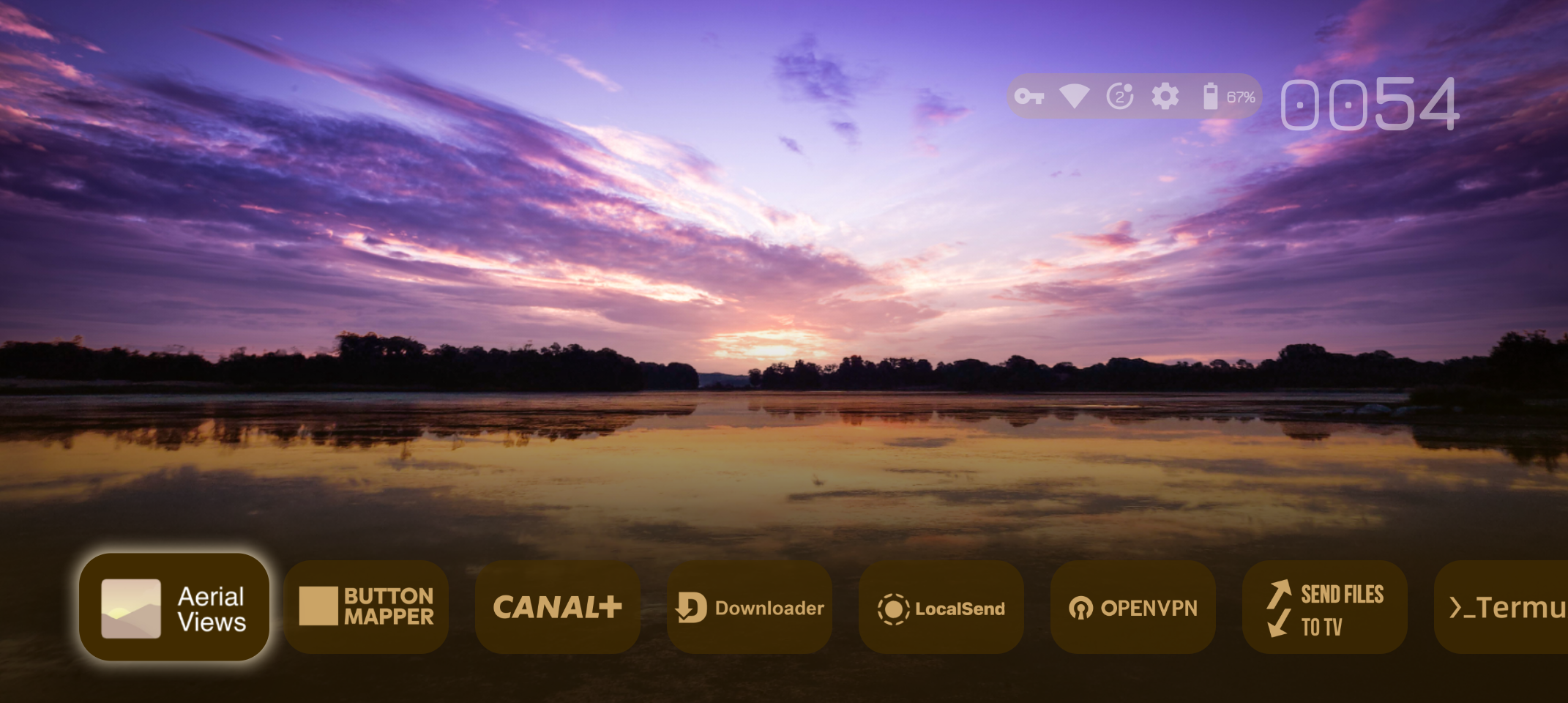
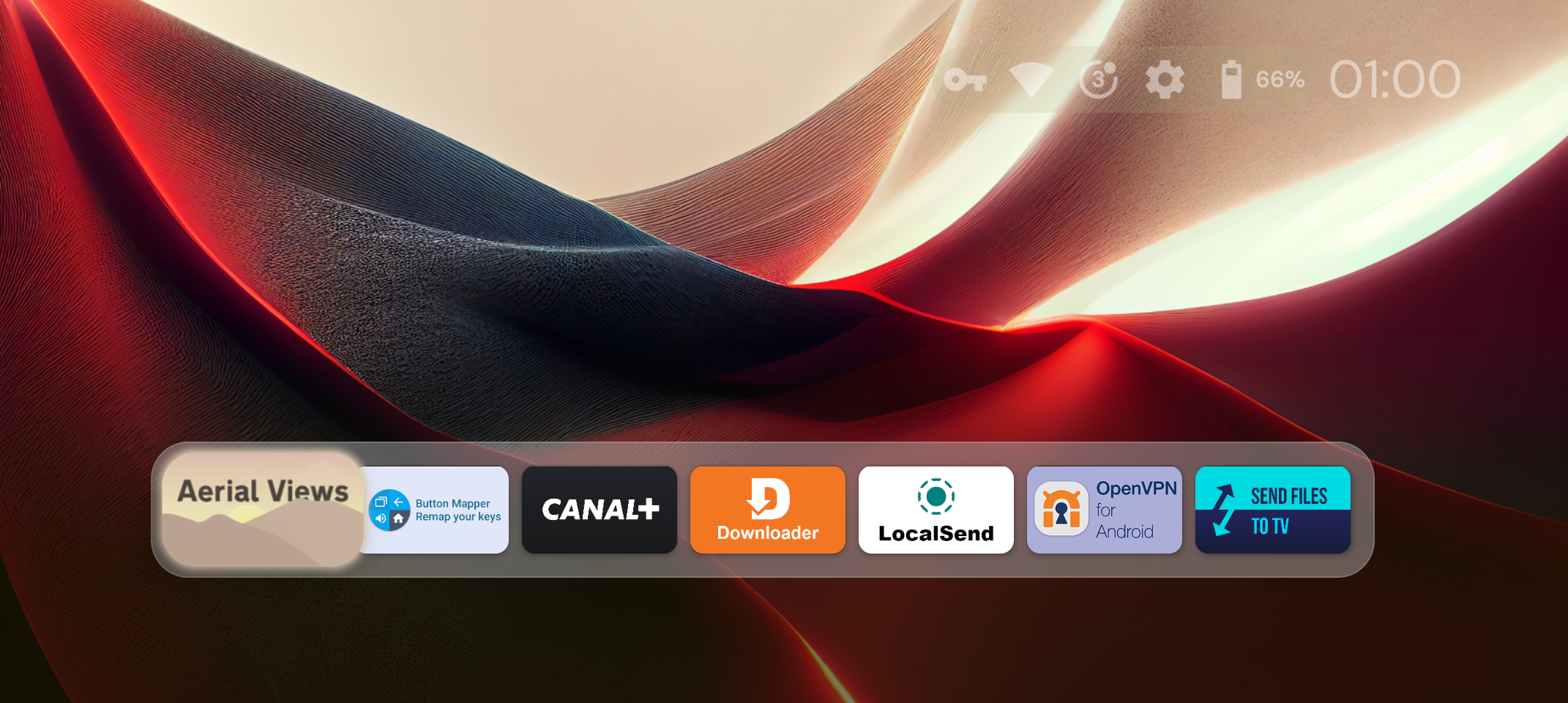
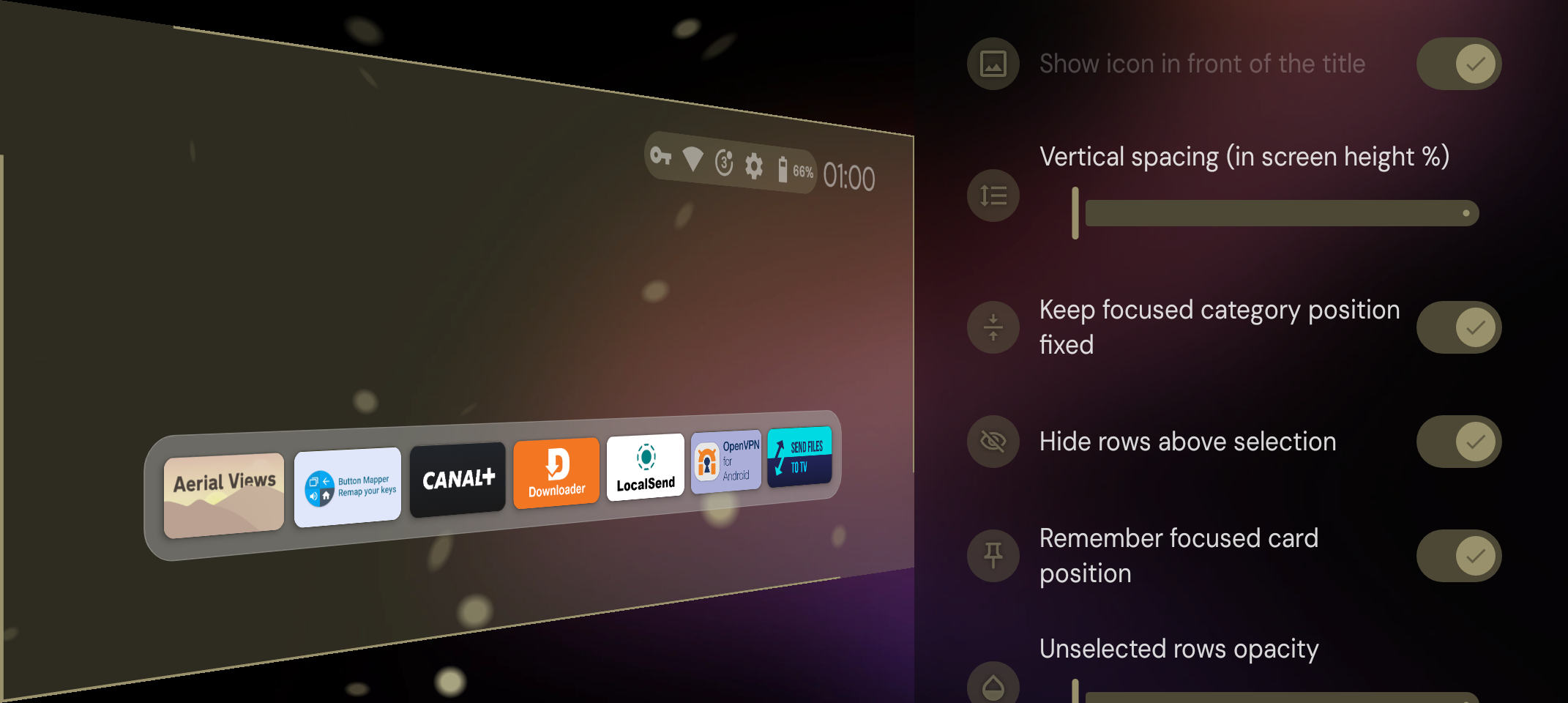
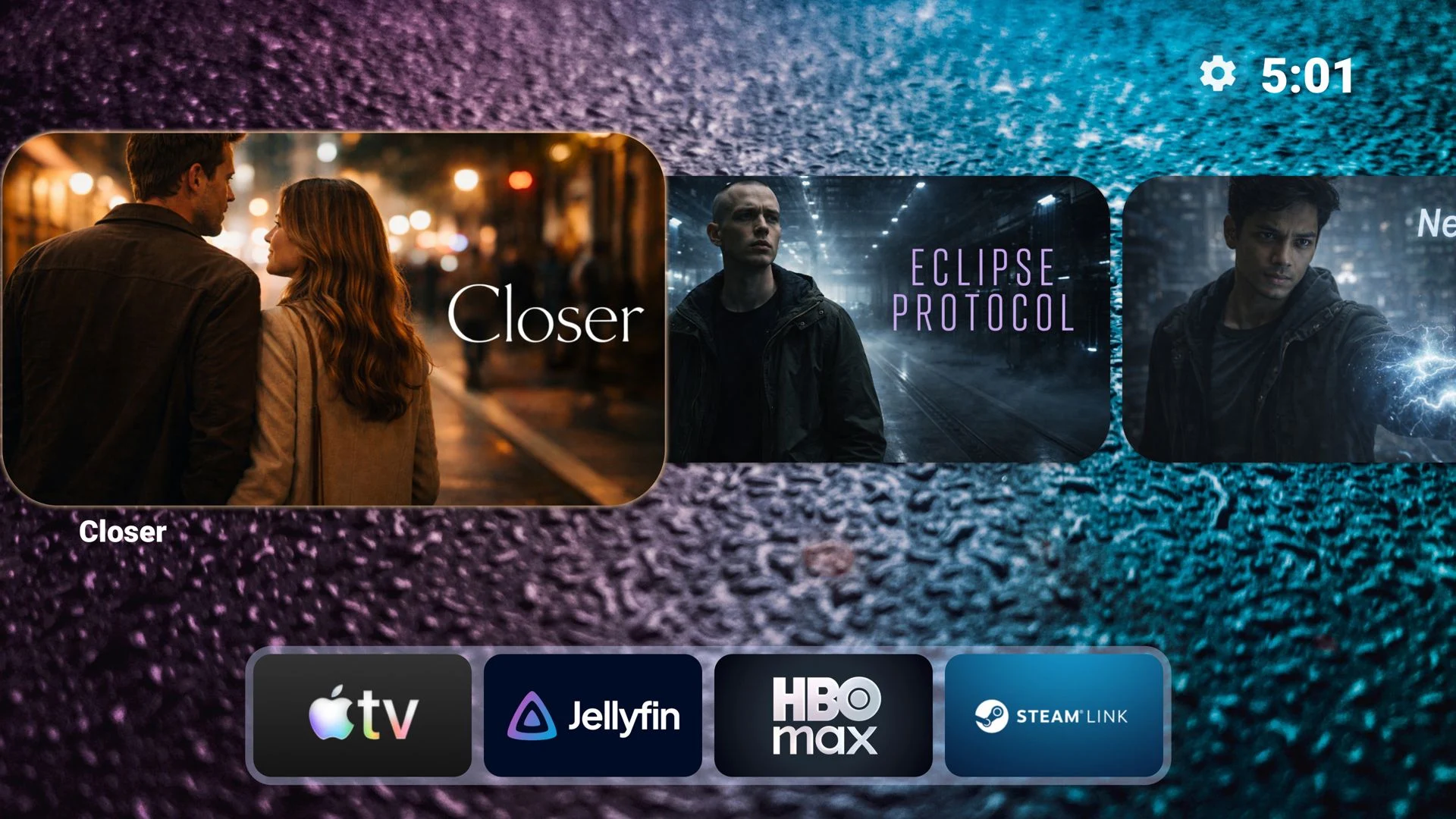
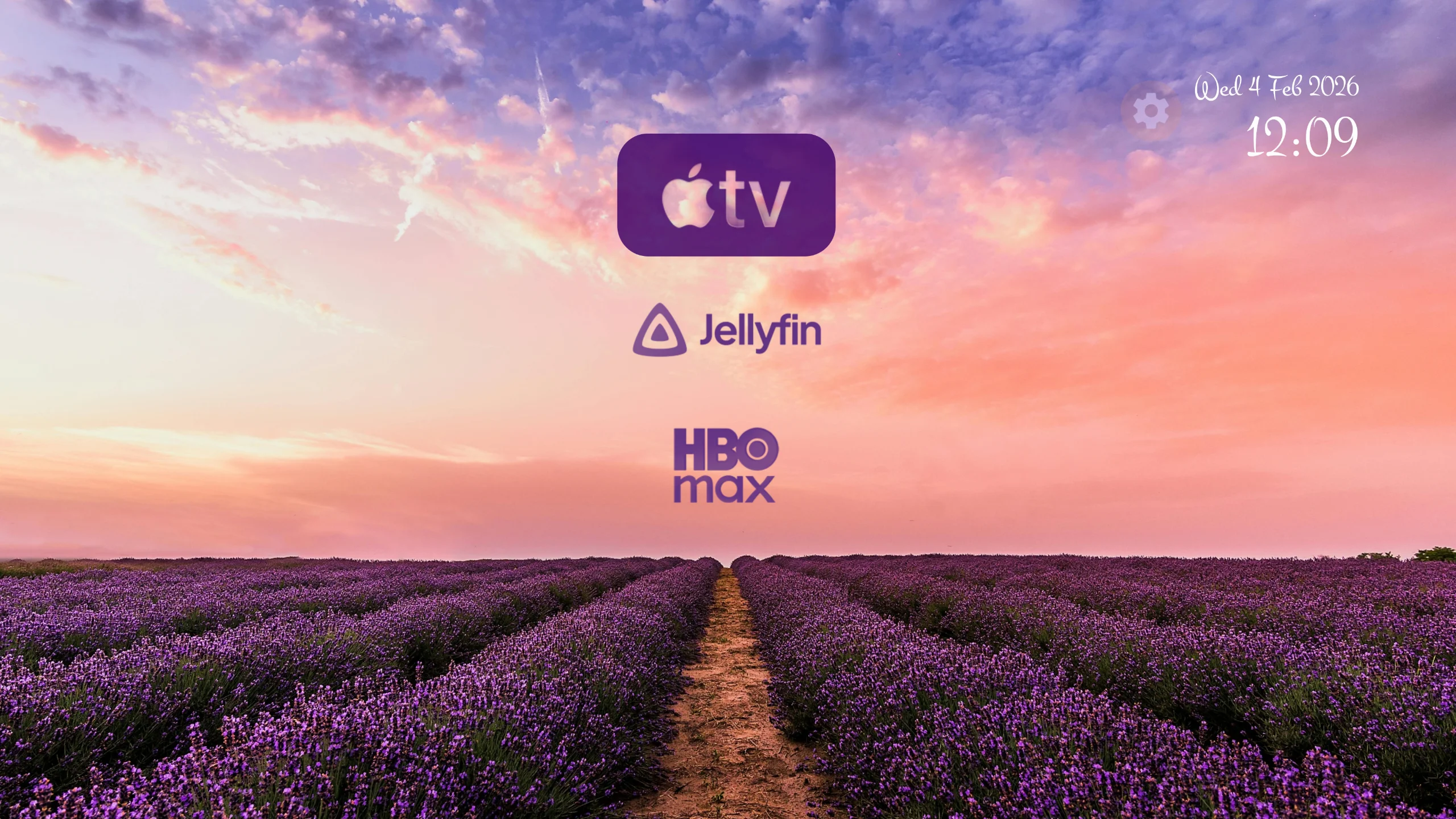
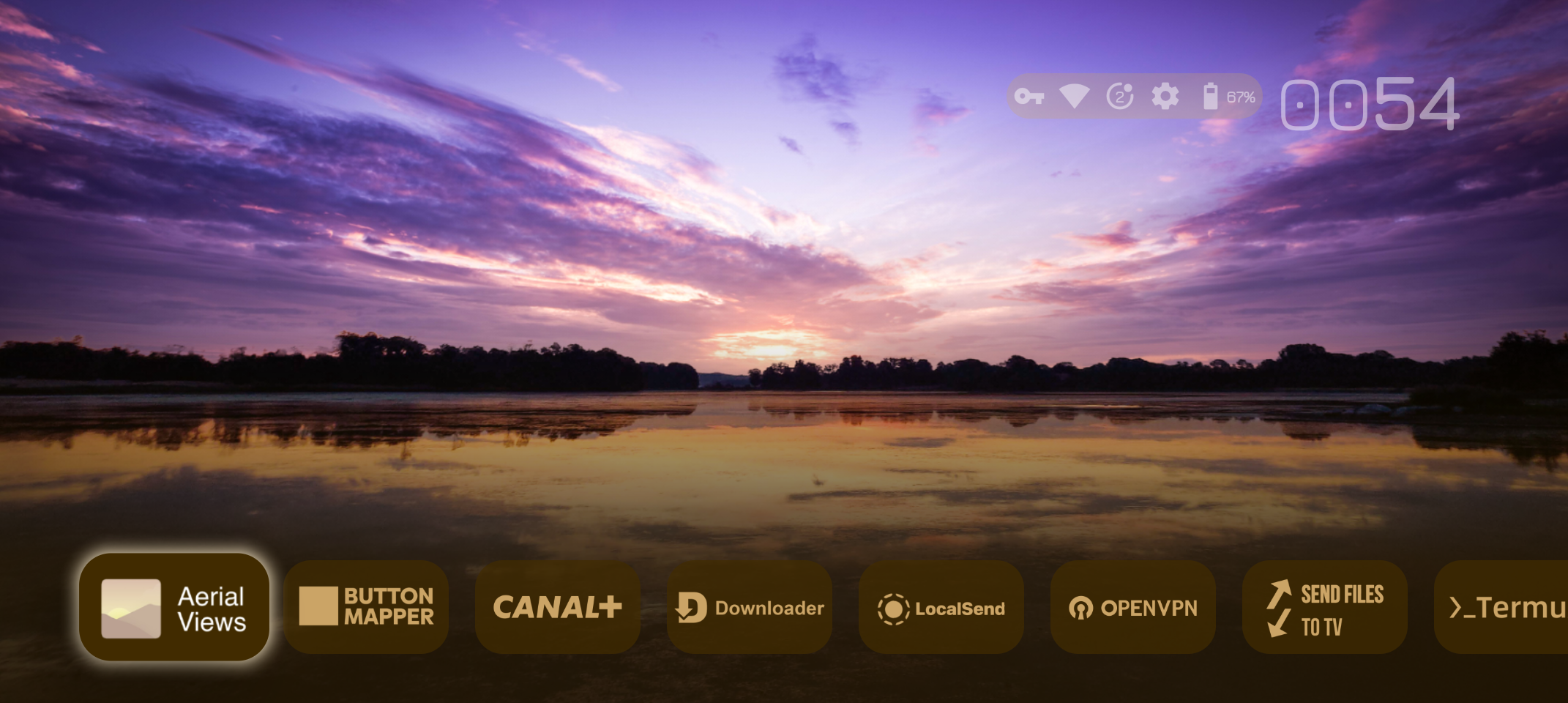
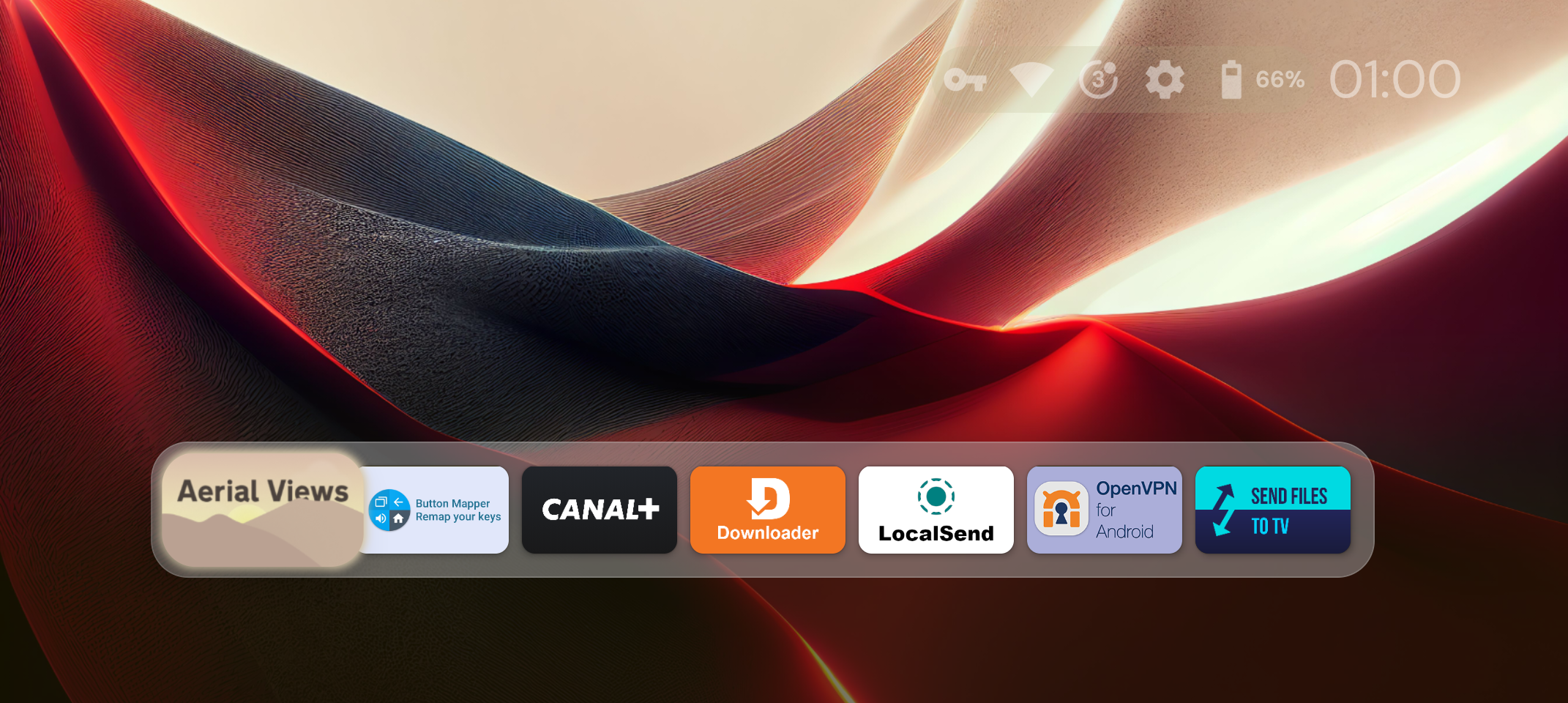
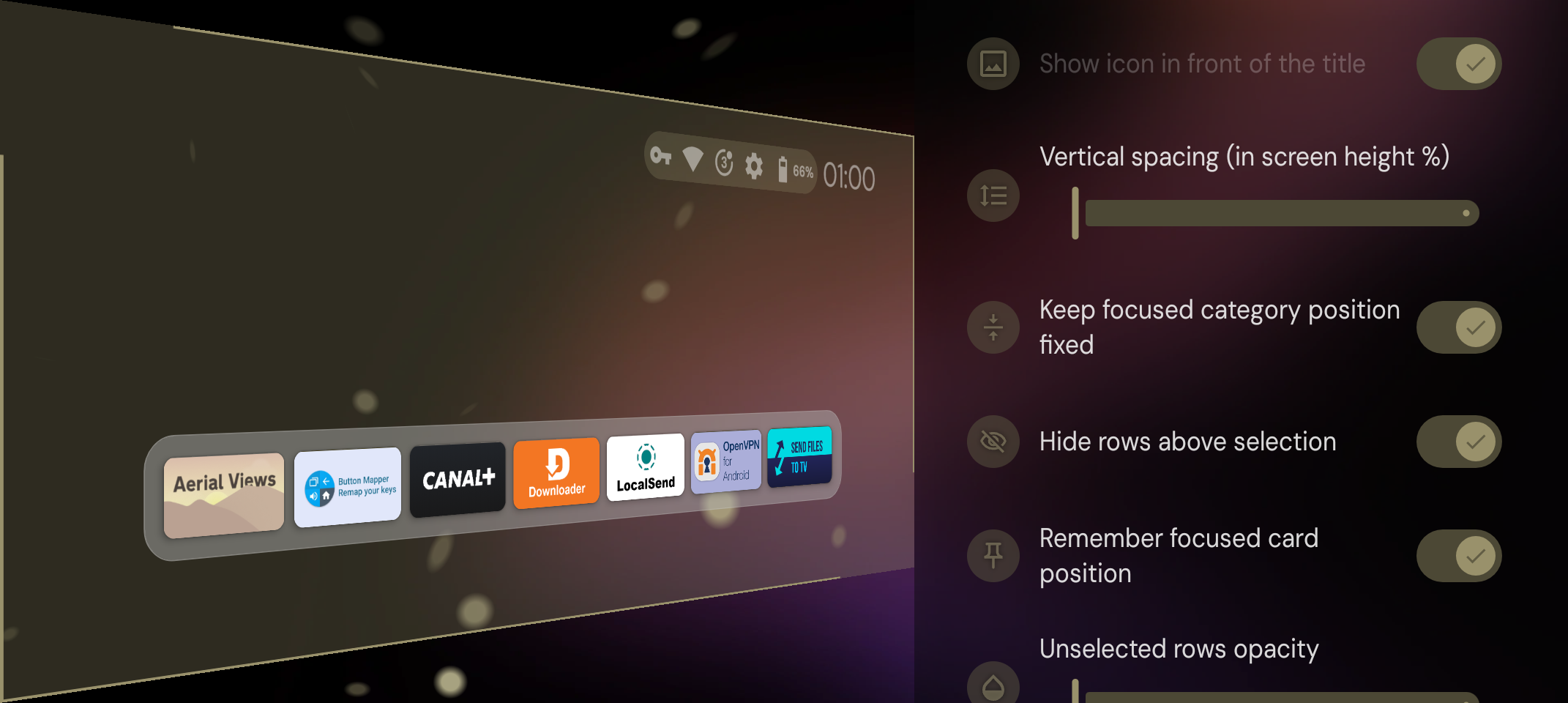
Organized home screen: Projectivy Launcher can replace the device’s standard launcher and show a home screen without ads. You can group apps into categories and channels, then adjust spacing and visual styles to suit the display.
Wallpaper and color settings: You can use a GIF or video as the background and change its brightness, contrast, saturation, hue, and blur. The interface can also adapt its colors to the selected wallpaper. Additional wallpaper sources may be added through plugins.
Icons and remote shortcuts: You can change app icons with your own images or supported icon packs, rename apps, and add shortcuts for quicker access. Selected mobile apps can also be included in the TV layout. The optional accessibility service supports custom actions through remote control shortcuts and does not collect or share data.
Startup and display tools: The Projectivy Launcher latest version includes options to open a chosen app or input source at startup. It also provides shortcuts for HDMI, AV, and other inputs, plus calibration patterns for 4K, Dolby Vision, and judder checks. Settings and preferences can be backed up automatically. Some advanced wallpaper and icon options require a premium upgrade.
Highlights of Projectivy Launcher:
Ad-Free Home Screen: The app helps by hiding or blocking ads and annoying notifications on your home screen, so you can enjoy a smoother and better experience.
Flexible App Layouts: You can choose from different layout styles to make your device look more modern and stylish than before.
Simple Launcher Override: With a fun override feature, the app works well with many different launchers, making it easy to use on various devices.
Quick App Access: You can set up quick shortcuts that work right away, helping you get things done faster and more efficiently.
Seamless Mobile Integration: New ways of organizing the interface are added smoothly, making everything easier to use.
User Reviews of Projectivy Launcher:
Best replacement for GoogleTV home screen. After installing Projectivy. Get Downloader from the Google Play Store. Get a link for a program called Launcher Manager. Download Launcher Manager and use it to set Projectivy as your custom launcher and handler. And make sure it disabled Google's launcherx and setupwraith. If not download ADB from the Google Play Store and use it to disable them. Don't uninstall them as they can still be used later. If you want you can uninstall Launcher Manager and ADB. Projectivy will work smoother and there's no need for any extra settings to be used, but you may want to get tvqap. I liked projectivy enough to buy the pro version and I'm happy I did. Couple issues on my Sony Bravia. HDMI CEC didn't work properly for the HDMI inputs icons under the inputs channel. Used TV Quick Actions Pro to create a working channel.
Fantastic. It works well, is easy to set up and is trouble free. I have just bought a Sony Bravia TV. The hardware is excellent but the Android TV 'desktop' is horrible, for a short time I regretted buying the unit. I am amazed that Sony don't see it to be a negative aspect of their product's reputation. I really objected to 'adverts' for TV shows that I would not watch in 100 years. I just wanted a minimalist 'desktop'. This is it: thank you! I just have to work out how to pay you! but I will.
Stock Android TV OS has been nothing short of a miserable experience. On day one, it seems fine, but then it quickly becomes a buggy laggy mess to the point that I would just rely on my Apple TV or Xbox for stuff the TV should be doing (like Netflix, BBC iPlayer etc.). Having tried this out for just 5 minutes, I'm sold. This is the experience we should be having when using an Android TV. Will be buying premium to support the developers as they've done a great job.
Great App. Delivers on the ability to establish a clean launcher interface for streaming apps on android tvs. I would absolutely purchase the premium version to support the dev and get access to some additional customization option but there doesn't seem to be a currently working path to complete the purchase on an Android TV, Android Phone, or even Google play store on the web.
FAQs of Projectivy Launcher:
What is Projectivy Launcher?
Projectivy Launcher is a customizable home screen replacement for Android TV devices. It turns your TV interface into a sleek, ad-free and personalized entertainment hub, with features like custom wallpapers, icon packs, flexible layouts, and more. It's available in 24 languages thanks to our community!
Which devices are compatible?
Projectivy Launcher works on all Android TV devices, including smart TVs, projectors, set-top boxes (like NVIDIA Shield and Chromecast with Google TV), and Android TV boxes. It's optimized to run smoothly even on older hardware.Some users have also successfully installed it on a spare smartphone or tablet to use as a dedicated TV interface via HDMI output and gamepad/remote control.
Can I customize the look and feel?
Absolutely! Projectivy offers extensive customization: animated wallpapers (GIFs/videos), icon packs, adjustable layouts, and color schemes that adapt to your wallpaper, so you can make your TV feel truly yours.
Does it collect my data?
No personal data is collected or shared. The optional accessibility service is used solely to improve navigation via remote-control shortcuts. You can optionally opt in to anonymous stability and usage data to help improve the app.There's no background tracking, no "spying", and no rogue use of your internet connection. Your privacy is a priority.
How do I get Premium?
For now, Premium is purchased directly inside Projectivy Launcher using Google Play services. That means you'll need a Google account set up on your device. More payment options will be added in the future for devices without a connected Google account.
If you run into payment issues on your TV, make sure:
your Google account is connected
your device is up to date and has been rebooted
You can also download Projectivy on your smartphone to complete the purchase.
Conclusion:
With the Projectivy Launcher app, you can organize your apps, HDMI inputs, and shortcuts from a clear and elegant interface. Through the settings you can create custom sections, change layouts and choose how icons are displayed. All of this offers you total control over how you interact with your entertainment device.
More Information
- Size:11.90MB
- Version:4.71
- Requirements:Android
- Votes:116
- Package Name:com.spocky.projengmenu
- Signature:2b6484772e82d2c557f52f3962beb7e4
Related Versions
-
 Download
Version:4.36Size:7.8MB
Related topics
-
Transform your mobile device into a powerhouse of efficiency with these handpicked essential tools. Whether you need professional-grade photo editing, seamless file organization, smart task management, or real-time weather updates, our curated selection of premium apps delivers unbeatable performance. Streamline your daily routine, automate repetitive tasks, and boost your productivity with intuitive interfaces and powerful features. Designed for both professionals and casual users, these editor-approved applications will revolutionize how you work and play. Don't settle for an ordinary phone - upgrade your digital experience today and unlock your device's full potential!
-
![DarkStuff in]()
DarkStuff in
-
![NG Injector Free Fire]()
NG Injector Free Fire
-
![Fliqlo]()
Fliqlo
-
![BNESIM]()
BNESIM
-
![Tween Craft]()
Tween Craft
-
![Mojo Launcher]()
Mojo Launcher
-
-
With the development of mobile hardware and software, many practical tool software have emerged, covering a wide range of aspects and becoming a good helper for everyone in work and life. Today, the editor provides you with a list of useful tool software downloads. These tools are not particularly complex types, and after reading them, everyone can quickly learn how to use them. Proper use can bring great convenience to life and work.
-
![DarkStuff in]()
DarkStuff in
-
![Fliqlo]()
Fliqlo
-
![BNESIM]()
BNESIM
-
![Tween Craft]()
Tween Craft
-
![Painel Freestyle]()
Painel Freestyle
-
![Painel Xit FF]()
Painel Xit FF
-




Latest Updated







Popular Apps








Popular News
More+-
![Tomie Wants to Get Married Full Walkthrough, All Choices and Ending Guide]()
Tomie Wants to Get Married Full Walkthrough, All Choices and Ending Guide
2026-05-22
-
![Karryn’s Prison Gameplay Walkthrough & Strategy Guide]()
Karryn’s Prison Gameplay Walkthrough & Strategy Guide
2025-10-28
-
![Life in Santa County Game Guide & Complete Walkthrough]()
Life in Santa County Game Guide & Complete Walkthrough
2025-10-28
-
![Dreams of Desire Complete Walkthrough and Game Guide]()
Dreams of Desire Complete Walkthrough and Game Guide
2025-10-28
-
![Era Hunter Gameplay Guide & Full Walkthrough]()
Era Hunter Gameplay Guide & Full Walkthrough
2025-10-28




