

Intro Maker
Download for Android This app is available for Android only.- Category:Media & Video
- Rating: 4.9
- Language:English
- Updated:2025-12-12
Screenshots
Introduction
Intro Maker is an excellent video editor. This application boasts a wealth of features and offers numerous pre-made templates, allowing users to easily create highly creative videos and share them with friends or on social media platforms. With Intro Maker, you can create amazing video works in just seconds. Whether you're a beginner or an experienced user, this application is an essential video editing software that allows you to easily create captivating videos. Click to download Intro Maker now and start creating your video masterpieces!
Benefits:
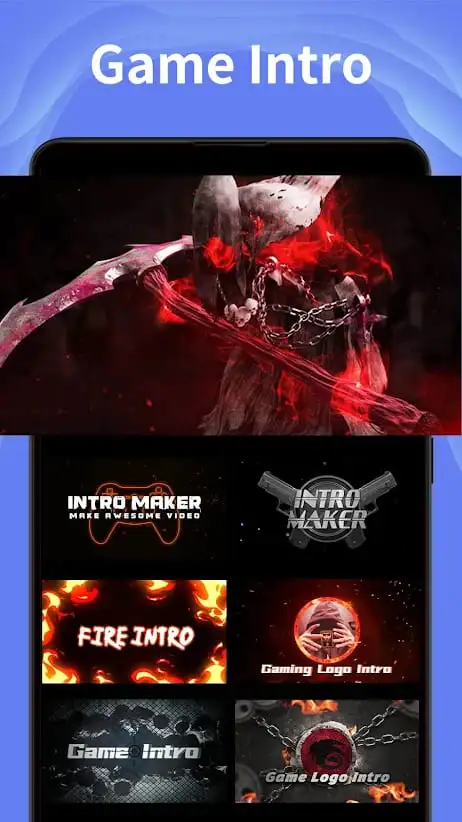
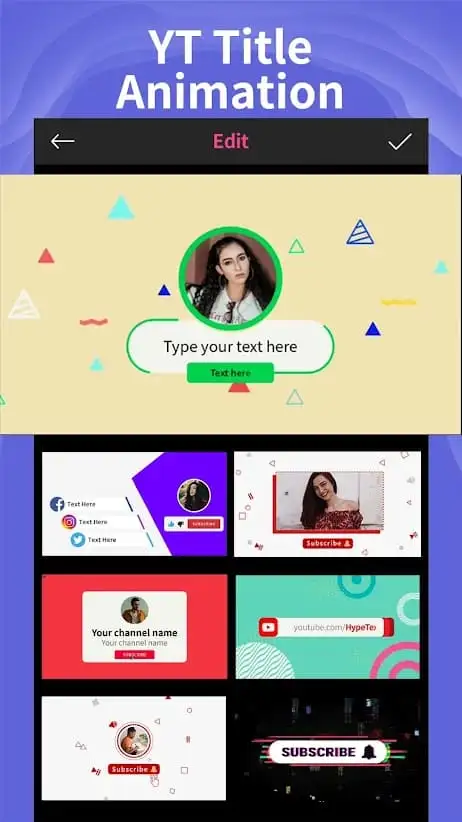
Using this intro creator, you can easily create professional intros, outros, ending card (end screen) for your YT channel,Gaming Stream or Social media.
With many style Intro like Game, 3D, Cool, Particle, Esport Logo, YT, Cute, Glitch, Vlog, Aesthetic, Magic, Wizard, Cooking.
Thousands of well-designed intro and outro templates available for choice and keep on updating more.
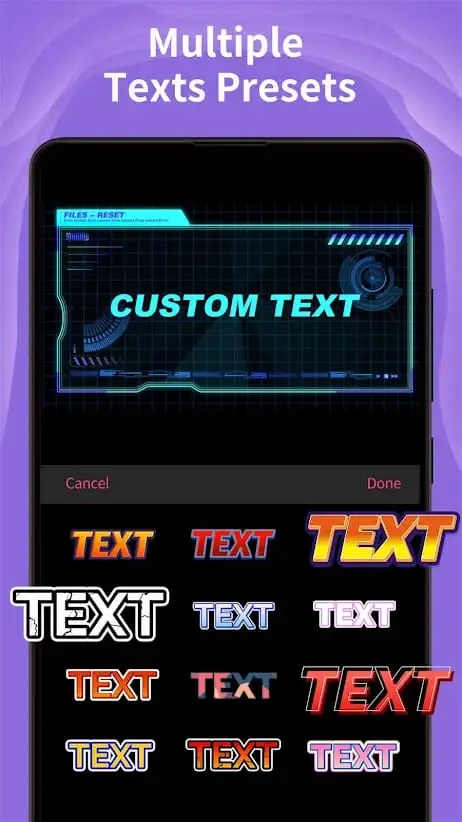
Add texts, emojis, stickers, music, sound effects the way you like...
Create thumbnail, channel art and banner of videos
All-in-one video editor for YT
Features:
Explore the simple and accessible video editor
For those of you who’re in need of a quick and effective video editing app on your mobile devices, then Intro Maker, with many of its useful features will definitely come handy. Here, you can easily pick up the exciting video editor and dive into immersive video editing experiences. Explore the useful intro and outro maker, which will allow you easily create your work from scratches. And at the same time, make uses of the provided templates to quickly make any of your favorite contents.
Enjoy the Intro Maker to create awesome videos
For those of you who’re interested, you can easily create your intros for videos and clips, using the intuitive and effective features in the app. Start by select any of the provided templates that you are interested in. Then proceed to add your company name and logo, while playing with the provided editing options from the app. Once you’re finished, you can easily save the videos and have it ready for your social media posts or advertisements.
Make brilliant outros with the available Outro Maker
And at the same time, for creating outro videos, Intro Maker also provide tons of useful templates that you can pick up directly from the in-app collection. Customize your logo and add exciting closing statements with plenty of available visual effects, which will make your videos extra special. These will guarantee that your videos can capture people’s attention and keep then engaging with your other content.
Simple export and sharing options
Once you finish editing and customization, Intro Maker also offers its simple and useful export and sharing options. To start with, you can easily save any of your editing videos on multiple platforms, even turning them into GIF files for more engaging experiences. And at the same time, feel free to share your videos on any of your preferred social media with the compatible video ratio and settings. The app will even compress the videos to shorten your upload time, making it extremely easy for users to enjoy.
Tips for Users:
Explore the template library: Take advantage of this app's wide selection of intro templates and explore different themes and styles. Find the template that best matches your video's content and experiment with various options to make it unique.
Customize your intros: Use the app's customization tools to add stickers, effects, and text to your intros. Inject your personal style and creativity to make your videos stand out from the crowd. Don't be afraid to play around with different elements and positions to create eye-catching intros.
Stay up to date: Intro Maker constantly updates its library with new intro templates and styles. Make sure to check for new additions regularly to keep your videos fresh and exciting. Stay in tune with the latest trends and themes to make your intros even more captivating.
Pros & Cons:
Pros:
Easy to use: The Intro Maker Mod Android app is easy and intuitive for users of all ages. It requires no technical knowledge, allowing anyone with an Android device to create high-quality intros quickly and easily.
Customizable templates: Users can choose from a wide variety of customizable intro templates that are designed by professional video editors, giving them the ability to customize their own unique videos in minutes.
Quality output: With its advanced editing tools and features, the Intro Maker Mod produces impressive results with minimal effort required on behalf of the user. Outputs look sharp even when viewed at full HD resolution or higher resolutions such as 4K Ultra High Definition (UHD).
Affordable pricing plans: Unlike other apps which require expensive monthly subscriptions or one-time payments upfront before being able to access content; this app offers flexible payment options so that users only pay for what they need while still getting quality outputs without breaking their budget.
Cons:
It can be difficult to use the app if you don’t have any prior knowledge of video editing.
The templates are limited and may not provide enough options for users who want more creative control over their intros.
There is no way to preview your intro before saving it, so mistakes cannot be corrected until after the fact.
Some features require in-app purchases which could add up quickly depending on how often they’re used.
Final Verdicts:
If you love making videos but need help finding an app with video creation features, then Intro Maker is a tool you can use. The application brings quality videos from images and sounds with features and editing tooling tools; the application brings quality videos from images and sounds. Not only that but this application is also considered an effective means for users to produce more videos.
More Information
- Size:45.89MB
- Version:5.0.3
- Requirements:Android
- Votes:188


Related topics
-
Video Editor is a powerful software tool designed for crafting, refining, and enhancing video content. It enables users to transform raw footage into compelling visual narratives or effective communication platforms. As digital media continues to evolve, video editing has grown in significance - no longer just a professional necessity but also an accessible skill for everyday creators. Modern editing tools now offer intuitive interfaces, AI-powered features, and cross-platform compatibility, making high-quality video production achievable for both experts and casual users alike.
-
![Vidmix]()
Vidmix
-
![Funimate]()
Funimate
-
![Vivavideo]()
Vivavideo
-
![Faceplay Face Swap Video]()
Faceplay Face Swap Video
-
![NodeVideo]()
NodeVideo
-
![Edits Video Editor]()
Edits Video Editor
-
![Storybeat]()
Storybeat
-
![MVideo]()
MVideo
-
-
Mobile video editing tools are highly popular, with complete functions and professional tools that provide a strong atmosphere for various materials. Rich video templates can be operated with just one click, saving time and without too high a threshold. So what are the free versions of mobile video editing software? Editing software should have high popularity, but most of them require membership. Next, I recommend several platforms that can be used for free.
-
![Vidmix]()
Vidmix
-
![Funimate]()
Funimate
-
![Venlow]()
Venlow
-
![Adobe Lightroom]()
Adobe Lightroom
-
![Faceplay Face Swap Video]()
Faceplay Face Swap Video
-
![NodeVideo]()
NodeVideo
-
![Edits Video Editor]()
Edits Video Editor
-
![Storybeat]()
Storybeat
-
-
In the era of popular short videos, it seems that everyone can edit, which has become an essential skill. The editor brings you a ranking of video editing software that is good. Editing videos seems to be a daily routine, used by both internet celebrities and daily life recorders. The editing techniques are also different. The videos edited by professional personnel are more shocking and beautiful, while those edited by non professional personnel are ordinary. Below, the editor will organize some useful video editing software.
-
![Vidmix]()
Vidmix
-
![Funimate]()
Funimate
-
![VN - Video Editor & Maker]()
VN - Video Editor & Maker
-
![Edits Video Editor]()
Edits Video Editor
-
![Storybeat]()
Storybeat
-
![MVideo]()
MVideo
-
![Face Me]()
Face Me
-
![Wink by Meitu]()
Wink by Meitu
-













Latest Updated








Popular Apps





Popular News
More+-
![Tomie Wants to Get Married Full Walkthrough, All Choices and Ending Guide]()
Tomie Wants to Get Married Full Walkthrough, All Choices and Ending Guide
2026-05-22
-
![Karryn’s Prison Gameplay Walkthrough & Strategy Guide]()
Karryn’s Prison Gameplay Walkthrough & Strategy Guide
2025-10-28
-
![Life in Santa County Game Guide & Complete Walkthrough]()
Life in Santa County Game Guide & Complete Walkthrough
2025-10-28
-
![Dreams of Desire Complete Walkthrough and Game Guide]()
Dreams of Desire Complete Walkthrough and Game Guide
2025-10-28
-
![Era Hunter Gameplay Guide & Full Walkthrough]()
Era Hunter Gameplay Guide & Full Walkthrough
2025-10-28




