

Scientific calculator plus 991
Download for Android This app is available for Android only.- Category:Education
- Rating: 4.9
- Language:English
- Updated:2026-06-01
Screenshots
Introduction
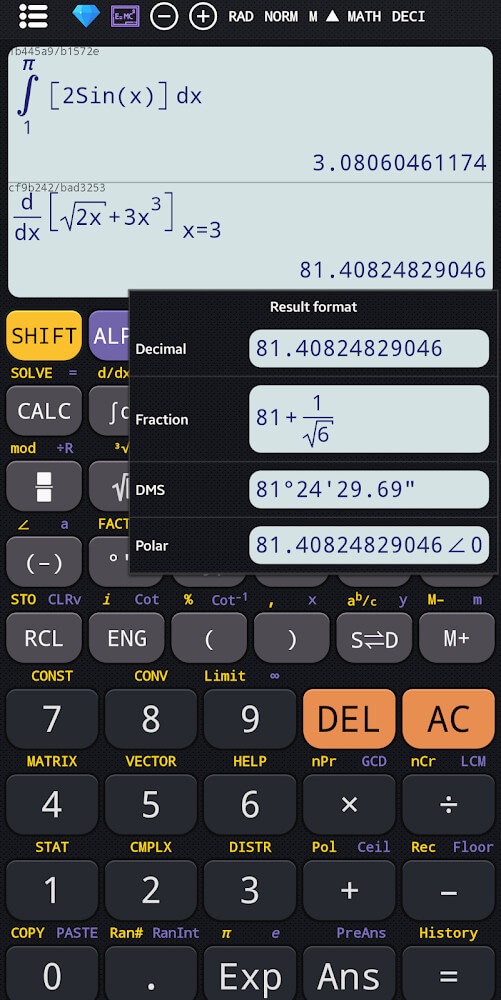
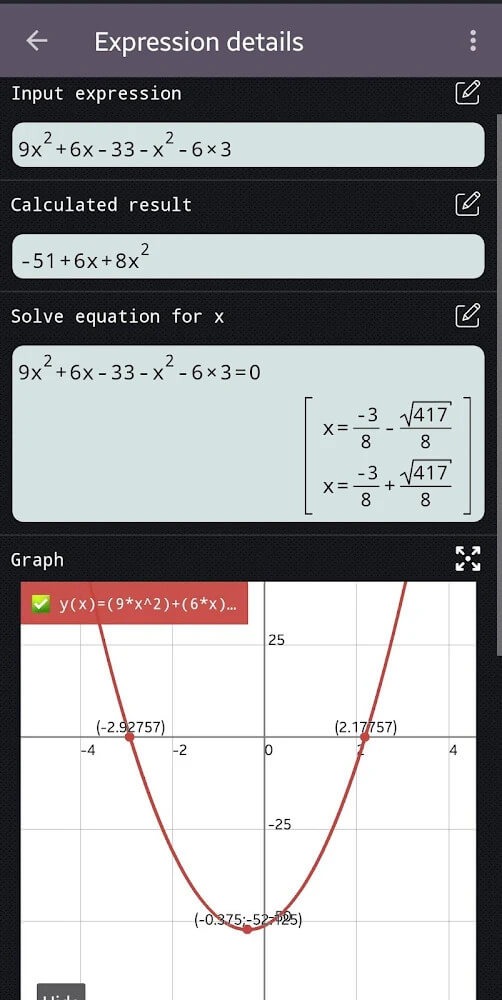
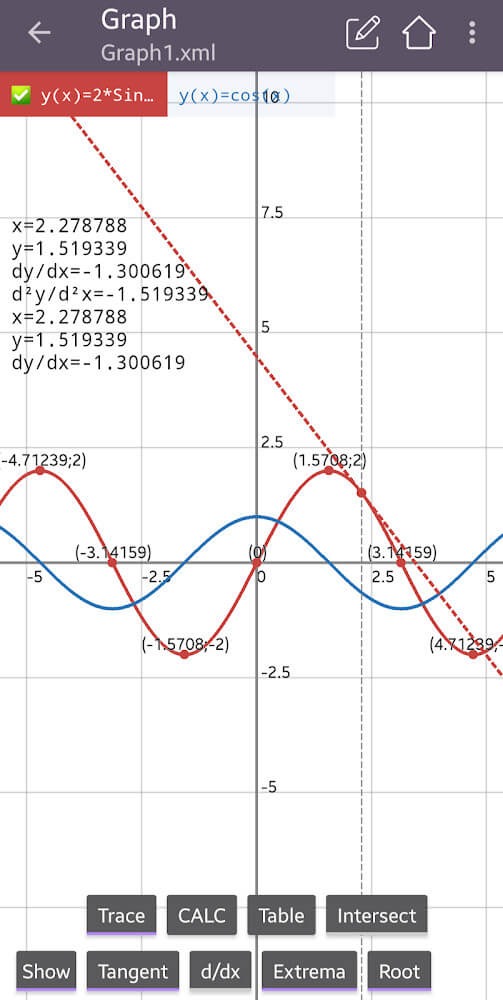
Scientific Calculator Plus 991 is a calculator software designed specifically for students, aiming to simplify the calculation process and save users time and effort. The software focuses on diverse operations such as equations, calculations with infinite digits, derivatives, and factorials; simply input the corresponding numbers to easily obtain the results, meeting users' needs. The software also supports function graphing; users can quickly generate corresponding graphs by inputting different functions, helping them quickly calculate the maximum and minimum values, derivatives, roots, etc.
Features of Scientific calculator plus 991:
Flexible Calculator Modes: Switch seamlessly between a basic calculator, advanced calculator, and the robust Scientific calculator plus 991. Whether you’re crunching decimals, doing fractions, or handling complex math, you’re covered.
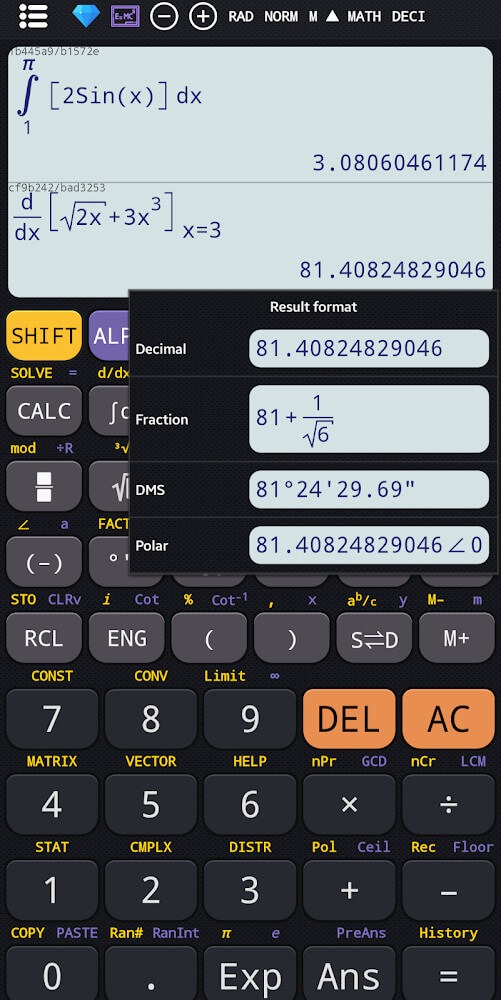
Advanced Math Tools: Dive into linear algebra, calculus, vectors, complex numbers, and matrix calculations. You can toggle results between rectangular and polar coordinates, which comes in handy for higher math classes or engineering courses.
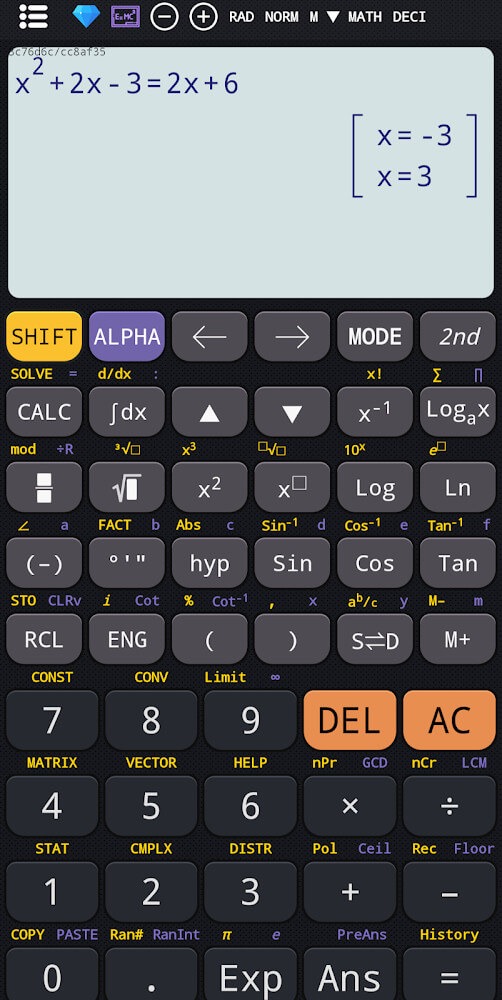
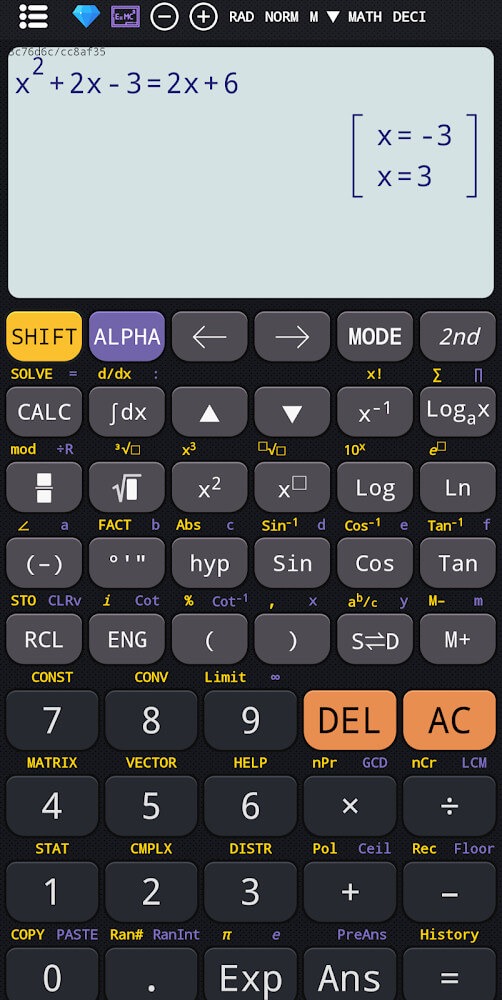
Smart Equation Solver: From basic polynomials to cubic and quadratic equations—and even systems of equations—this built-in tool sorts through the algebra for you. Quick, clear solutions save you time and stress.
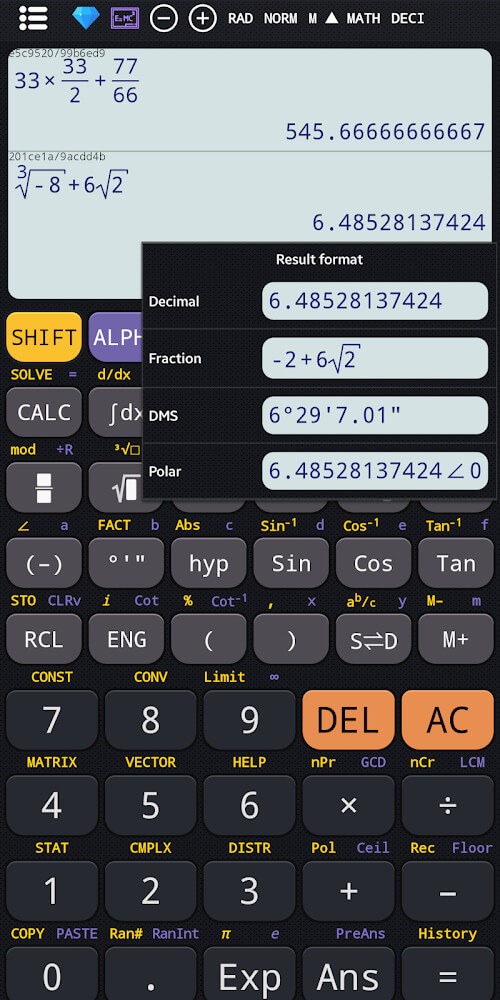
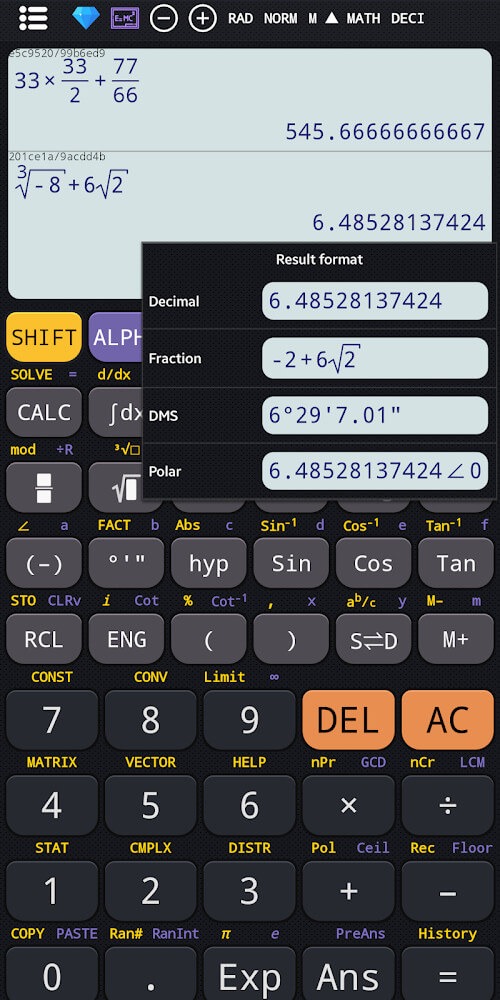
Fraction & Number Crunching: Work with fractions, convert between decimal and mixed forms, and solve tricky fraction problems with ease. Handling roots, exponents, and logarithms is just as smooth.
Graphing Calculator 84 Plus Style: Plot graphs for functions, find tangents, trace curves, and spot minimums or maximums right on your device. It simulates the layout of some popular graphing calculators used in schools.
Scientific Extras: Go beyond the basics with features like factorials, permutations, combinations, GCD, LCM, prime factorization, and random number generation. The app even lets you compute with a high number of digits if you really want to see how far math can go.
Strengths of Scientific calculator plus 991:
Scientific Calculator Plus 991 also excels in providing users with options for displaying results in both rectangular and polar coordinates. This flexibility is essential for those working with complex numbers and trigonometric functions, as it allows for a clearer understanding of the results obtained from calculations.
For users interested in statistics, the app includes functionalities for calculations involving prime factors, permutations, combinations, as well as the greatest common divisor (GCD) and least common multiple (LCM). These statistical capabilities make the app a well-rounded tool for various academic and professional applications.
In terms of user experience, Scientific Calculator Plus 991 is designed with an intuitive interface that facilitates easy navigation through its numerous features. The keyboard layout is similar to traditional calculators, which minimizes the learning curve for new users. The app also supports unit conversions, a feature that proves useful for students dealing with physics and engineering problems.
The application also contains a range of math and physics formulas, which can serve as a helpful reference for users. This collection of formulas allows for quick access to important equations and principles, enhancing the overall usability of the app. Additionally, the app offers options for customizing themes and fonts, allowing users to tailor the interface to their preferences.
Graphing capabilities are another highlight of Scientific Calculator Plus 991. The app supports function graphs, polar functions, parametric equations, and implicit functions. Users can visualize their mathematical concepts through the graphing feature, which includes tools for drawing tangents, tracing curves, and finding derivatives and roots. The ability to visualize mathematical functions is a key advantage for learners and practitioners alike.
User Reviews of Scientific calculator plus 991:
A truly excellent calculator app. Better than the actual Casio I have. I like for example how both whole and decimal places have a space after every three digits, and I really like the output format that gives powers of 10 to the multiple of three, so that it is simpler to express result with a prefix, such as mm, μm, nm, pm, ... Great job!
My Experience: Using a scientific calculator was very helpful during mathematics classes and exams. It reduced the time needed for difficult calculations and helped me avoid mistakes. I felt more confident while solving trigonometry and algebra problems. Overall, the scientific calculator made learning mathematics easier and more interesting.
I have only used this for 10 minutes to do some fractional measurement calculations, but I may vey well purchase the full version come next week. I love the fact that you can actually edit the fractions! I am of the mind to believe it is very much worth the 5-spot they want for it. 04/02/26 Best Calculator app out there & worth every pence.
peak calculator for free to use tho some features are premium (obviously they need money to develop apps so it makes sense) but props for suddenly not popping random apps and after all hats off for the user interface it's simply amazing and very easy to use but if you need advanced graphing and others it's also there for you, it's a bit tricky to find but it's completely crushes stupid normal calculator apps. definitely recommended.
Conclusion:
Not only related to calculations, but this application will also provide you with some math formulas from basic to advanced. In addition to mathematical formulas, it also allows us to make physical formulas or do unit conversions, and it will change from small to large and vice versa. In this world, the calculation is controlled by the organs in the phone device, but you will do the operations like a typical pocket calculator; anyone can do it. So, let this application help you as a close partner on the educational path.
More Information
- Size:38.5MB
- Version:7.4.7.69
- Requirements:Android
- Votes:325
Related topics
-
Educational software are emerging in an endless stream on the market, so which one can stand out? It should not only be simple and convenient to use but also helpful for our study. Below, Xiaohei.com brings you a very comprehensive and practical summary of educational software downloads. Come and download it, there is always one that suits you.
-
![Rojgar With Ankit]()
Rojgar With Ankit
-
![QUANTUM PAPER]()
QUANTUM PAPER
-
![Exampur]()
Exampur
-
![SelfStudys,NCERT Book,Solution]()
SelfStudys,NCERT Book,Solution
-
![mShikshaMitra-m-Gov Platform]()
mShikshaMitra-m-Gov Platform
-
![AnkiDroid Flashcards]()
AnkiDroid Flashcards
-
![Google Classroom]()
Google Classroom
-
![Cymath]()
Cymath
-







Latest Updated



Popular Apps





Popular News
More+-
![Tomie Wants to Get Married Full Walkthrough, All Choices and Ending Guide]()
Tomie Wants to Get Married Full Walkthrough, All Choices and Ending Guide
2026-05-22
-
![Karryn’s Prison Gameplay Walkthrough & Strategy Guide]()
Karryn’s Prison Gameplay Walkthrough & Strategy Guide
2025-10-28
-
![Life in Santa County Game Guide & Complete Walkthrough]()
Life in Santa County Game Guide & Complete Walkthrough
2025-10-28
-
![Dreams of Desire Complete Walkthrough and Game Guide]()
Dreams of Desire Complete Walkthrough and Game Guide
2025-10-28
-
![Era Hunter Gameplay Guide & Full Walkthrough]()
Era Hunter Gameplay Guide & Full Walkthrough
2025-10-28




