

S Note
Download for Android This app is available for Android only.- Category:Productivity
- Rating: 4.6
- Language:English
- Updated:2026-07-24
Screenshots
Introduction
S Note is a fantastic note-taking app. It boasts a wealth of features, including handwriting and drawing, multimedia insertion, and note categorization, making it a versatile tool for all users. With S Note, you can sync your notes across multiple devices using your Samsung/Evernote account, giving you easy access to your notes anytime, anywhere. Its customization options allow you to personalize your notes by inserting charts, sketches, images, voice notes, and setting custom backgrounds. Furthermore, the app supports interactive multimedia features and allows you to draw and write using the S Pen.
Highlights:
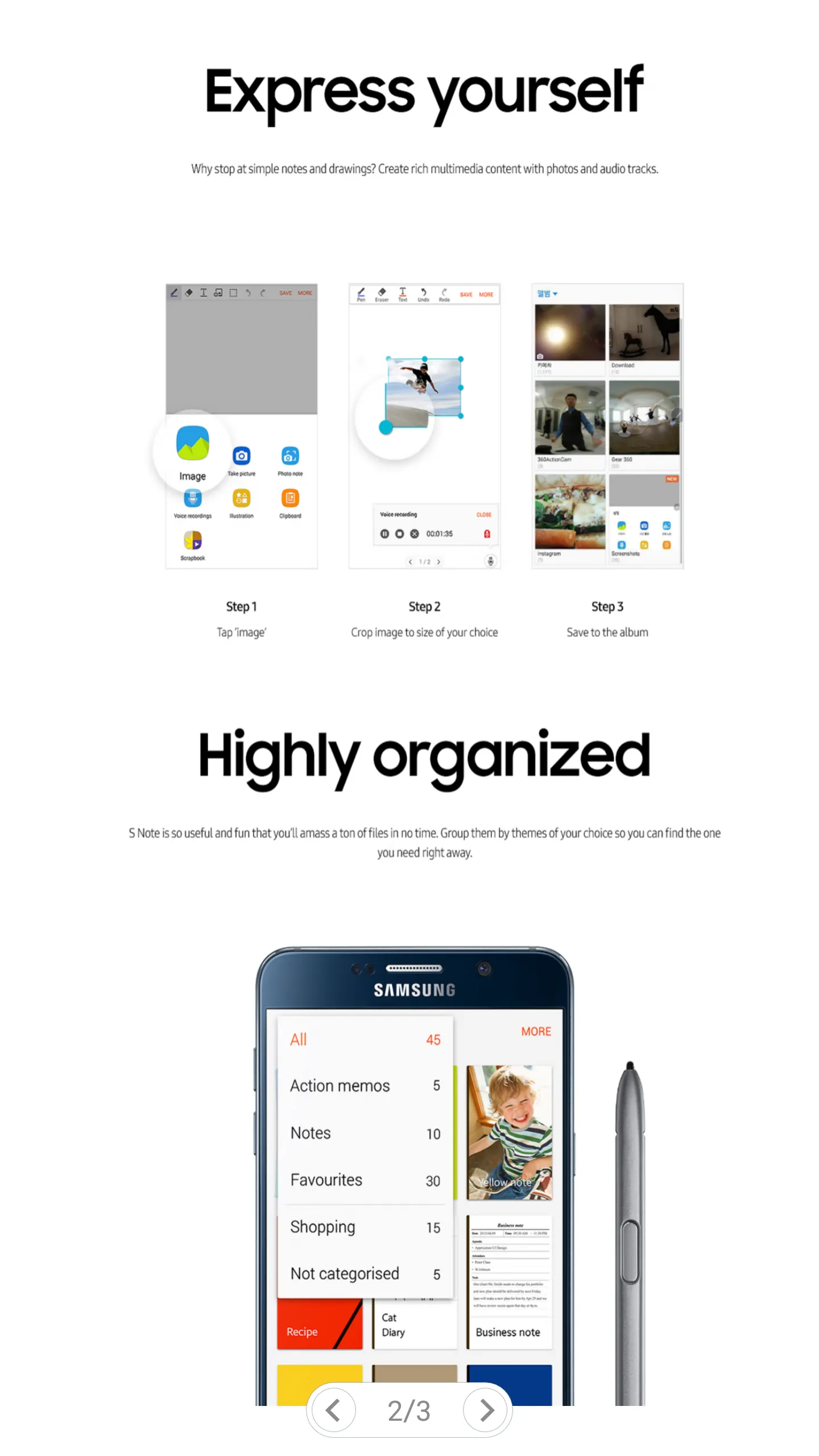
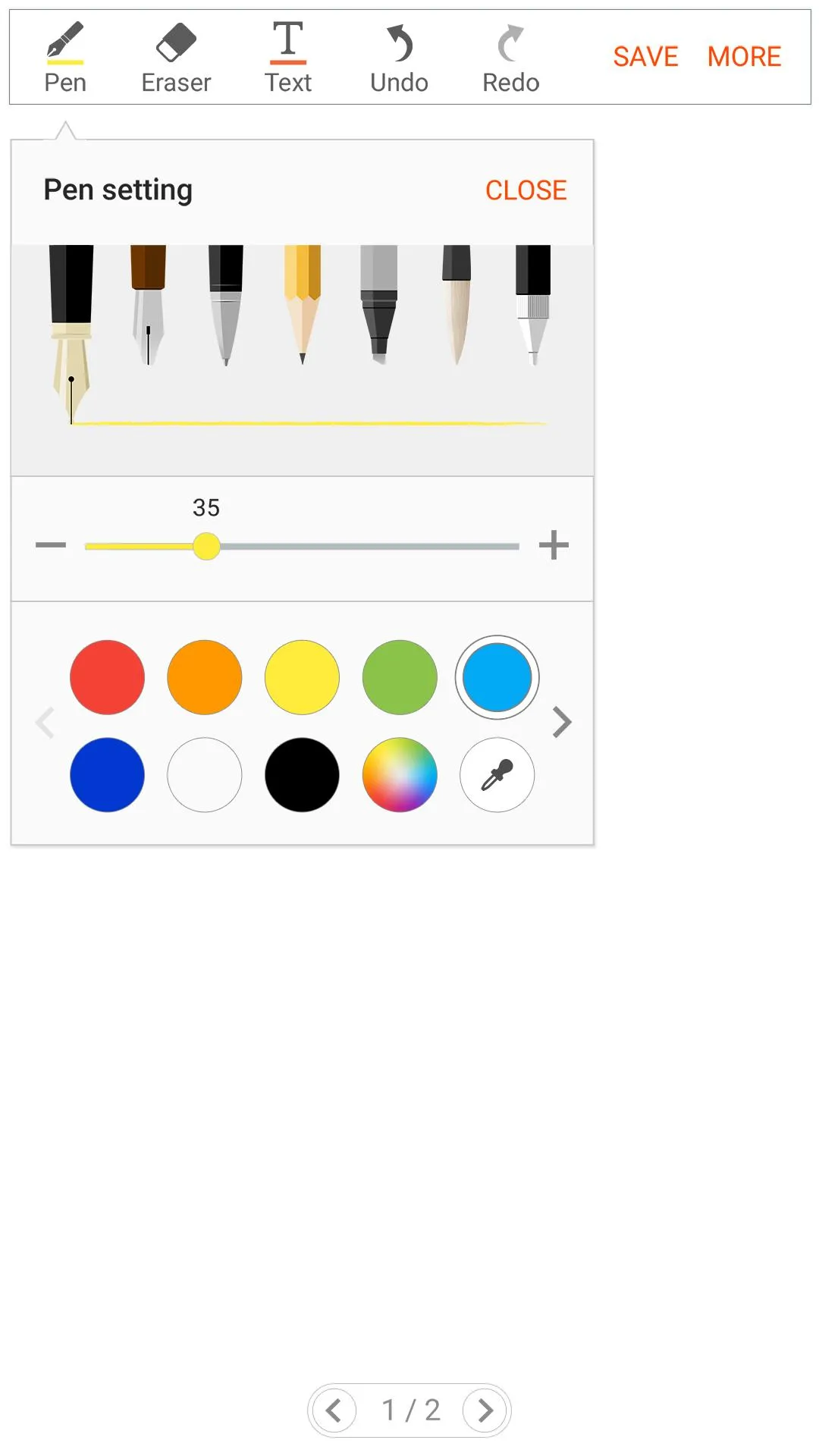
Freehand writing and drawing using S Pen or Finger, with various pre-defined pens and styles
Insert charts, sketches, pictures, voice notes and set custom background in notes
Supports up to 500 pages in a single note
Supports searching of text(handwritten and keypad input) with different filters
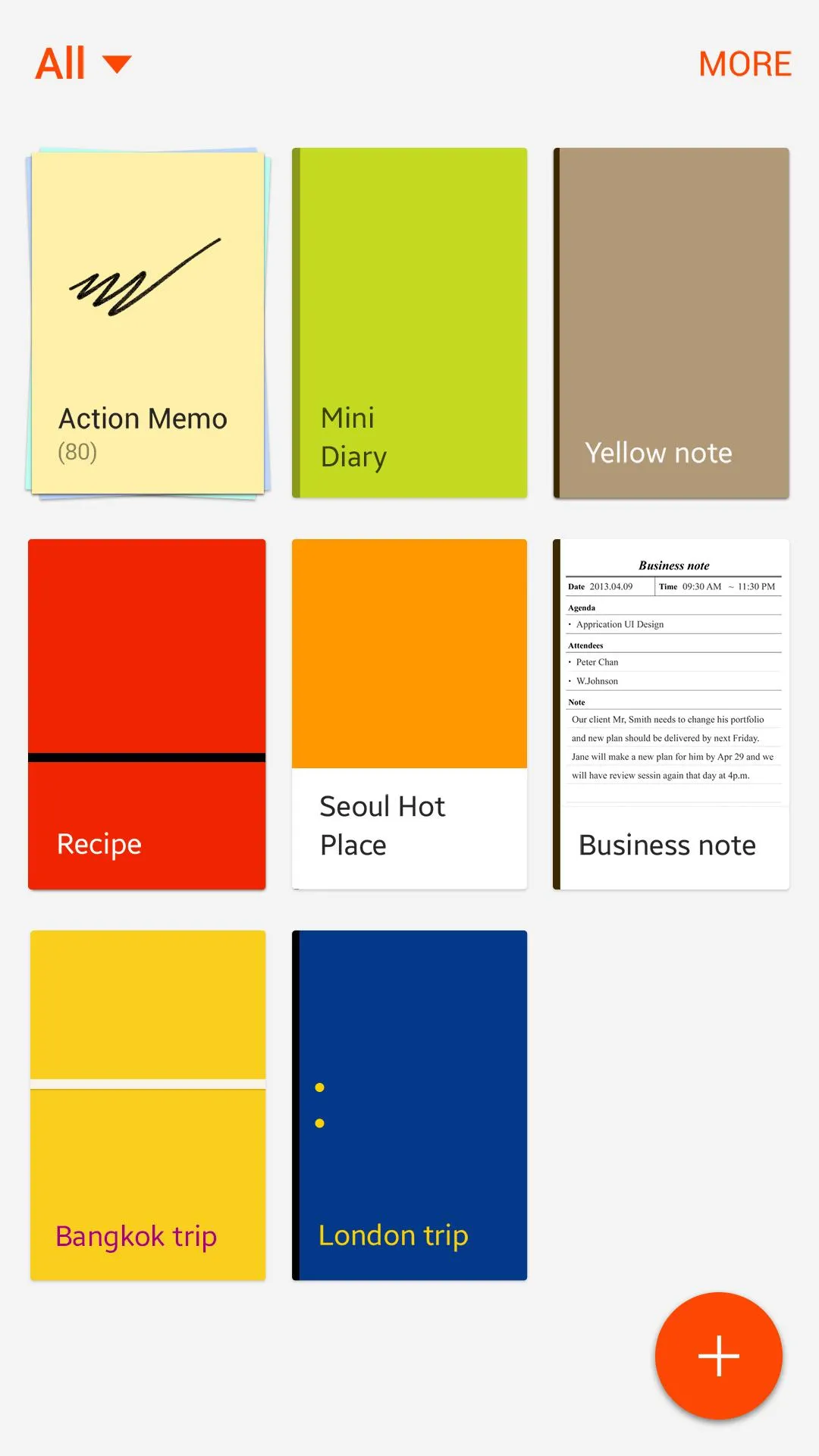
Categorization of notes
Ability to print, export and share note as spd/image/pdf/text file
Import and edit pdf files as notes
Sync notes between multiple devices using Samsung/Evernote account
Features:
Create, edit and insert charts into S Note
Supports different charts - Line, Bar, Pie and Table
Customize your chart using datasets, colors for datasets and items and units
Preview charts before saving
Export chart to Excel(.xls), PDF(.pdf) and Image(.jpg) file formats
Copy and Paste numeric data to create charts
Change handwriting recognition language for dataset and item names
Tips for Users:
Create New Notes
S Notes can not only create plain text notes, but also notes with photos, audio files and even videos.
Locking Notes
Create a password, then tap the note you want to lock. Password Lock note : Protect your notes with passcode
Adding text - S Notes
Use the Rich text toolbar to edit the style of the text!
Add Handwriting
Handwritten text can be recognised. You can also use handwriting to search for keywords in notes. You can easy to create drawings also!
FAQs:
Can I use S Note on devices that do not support S Pen?
Yes, you can still use S Note on devices without S Pen, but some features that depend on S Pen may not be available.
What permissions does S Note require?
S Note requires storage permission to access files, and optional permissions for camera, microphone, location, and calendar for additional functionalities.
How can I create charts in S Note?
You can use the Easy chart feature, available only on Galaxy Note series devices, to create and insert different types of charts into your notes.
Conclusion:
If you want to add images, you can draw and save an image on the page. You can also use the built-in functions to change the text's font, color, and style. S Note is a free app with no ads or in-app purchases. You can use it to create lists, jottings, and notations.
More Information
- Size:30.06MB
- Version:4.1
- Requirements:Android
- Votes:533
- Package Name:com.samsung.android.snote
- Signature:394cb928ece7acbaa42198823acd8420
Related topics
-
Feeling that there aren’t enough hours in the day? That you’re fighting a losing battle with your agenda? That each time you look up from your desk another year has rolled by? Well don’t worry, you’re not alone, and in today’s hyperconnected world, people are busier than ever before. On Android, there are countless productivity apps to help take control of your time and make your work more efficient. From a simple plugin for Chrome to a full-fledged app, picking the right productivity apps on Android can mean the difference between having a clear to-do list at the end of the day or having it overflowing with missed deadlines and projects that are off schedule. Productivity apps aren’t just about work, though. Using a productivity app in your personal life can keep you on top of deadlines for vacations, home repairs, and other family responsibilities.
-
![Home Design 3D]()
Home Design 3D
-
![iScanner: PDF Scanner App Free]()
iScanner: PDF Scanner App Free
-
![QuickSell]()
QuickSell
-
![Microsoft Outlook Lite]()
Microsoft Outlook Lite
-
![Google Slides]()
Google Slides
-
![S Note]()
S Note
-
![Add-On: Wiko]()
Add-On: Wiko
-
![Inkpad Notepad]()
Inkpad Notepad
-
-
The complete collection of office software is compiled based on user needs and referencing the popularity of major computer application stores. This collection selects various useful computer office software for users from multiple aspects such as office suite, communication and collaboration, email management, note management, cloud storage, download and decompression, etc. These software can meet your various document processing needs, making your team collaboration smoother, and conveniently managing your emails and keeping various meeting records. Download various materials and documents needed for office work. This collection of office software commonly used by professionals can meet all needs. Welcome to download and experience it!
-
![AI Chat Open Assistant Chatbot]()
AI Chat Open Assistant Chatbot
-
![Notein]()
Notein
-
![SIAMO]()
SIAMO
-
![Claude by Anthropic]()
Claude by Anthropic
-
![Character AI]()
Character AI
-
![iScanner: PDF Scanner App Free]()
iScanner: PDF Scanner App Free
-
![QuickSell]()
QuickSell
-
![Microsoft Outlook Lite]()
Microsoft Outlook Lite
-










Latest Updated



Popular Apps






Popular News
More+-
![Tomie Wants to Get Married Full Walkthrough, All Choices and Ending Guide]()
Tomie Wants to Get Married Full Walkthrough, All Choices and Ending Guide
2026-05-22
-
![Karryn’s Prison Gameplay Walkthrough & Strategy Guide]()
Karryn’s Prison Gameplay Walkthrough & Strategy Guide
2025-10-28
-
![Life in Santa County Game Guide & Complete Walkthrough]()
Life in Santa County Game Guide & Complete Walkthrough
2025-10-28
-
![Dreams of Desire Complete Walkthrough and Game Guide]()
Dreams of Desire Complete Walkthrough and Game Guide
2025-10-28
-
![Era Hunter Gameplay Guide & Full Walkthrough]()
Era Hunter Gameplay Guide & Full Walkthrough
2025-10-28




