

Collage Maker
Download for Android This app is available for Android only.- Category:Photography
- Rating: 4.7
- Language:English
- Updated:2026-09-19
Screenshots
Introduction
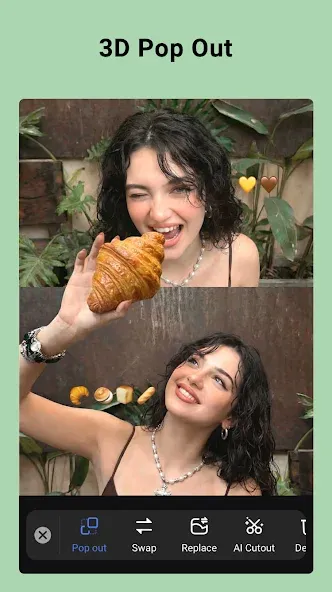
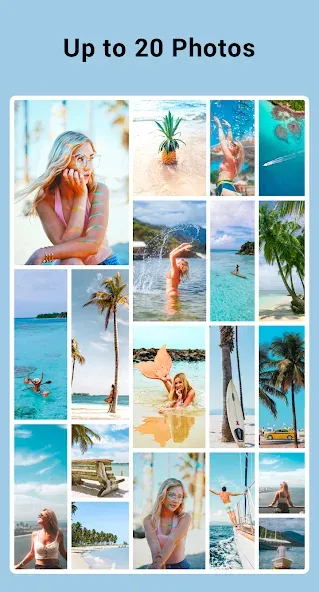
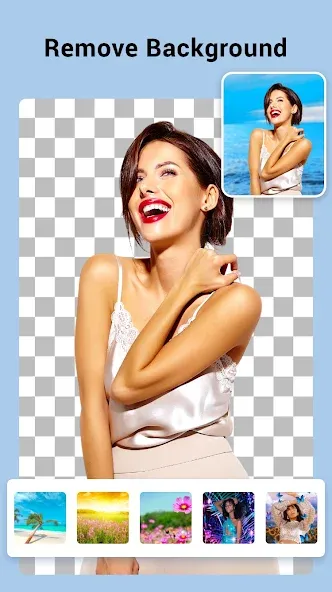
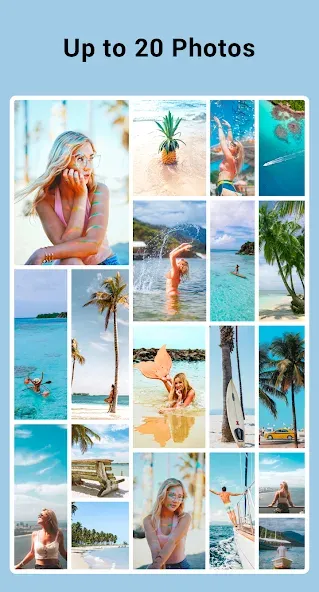
Collage Maker is a user-friendly photo collage app that allows you to upload up to 100 photos to create your composition. It offers a vast array of templates and layouts that can be applied with just a single tap. Once the collage is ready, you can further personalize it with various stickers, fonts, and backgrounds, then instantly share your creation with friends or on social media to garner plenty of likes. The app also features built-in photo enhancement tools powered by AI, allowing you to sharpen old photos and revive cherished memories. Additionally, it provides extensive customization options, enabling you to adjust dimensions, colors, brightness, and more to suit your aesthetic preferences and create high-quality images.
Features of Collage Maker:
Collage and add effects to the best photos: Select the photos in your library to start stitching them together. Collage Maker will offer collage templates for you to choose later for the most reasonable. Although with the illustration, there are a lot of photos in it, in reality, you can combine as many images as you want. Just 2 or 3 photos will do. After choosing which collage template, the application will give you that template for you to start collage. Drag and drop the image to each particular position you want. Just because it’s done doesn’t mean it’s done. We’ll be working on adding more cool stuff. It makes the photos much more vivid.
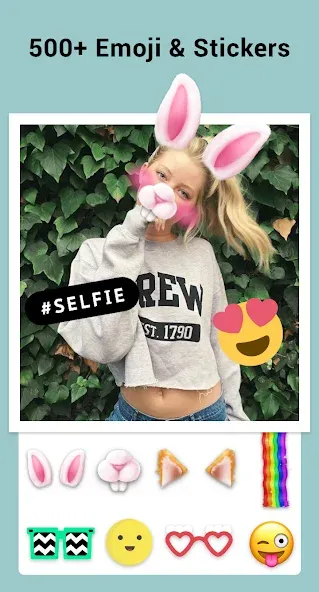
Decoration tools: Just combining photos is probably not enough. We need more stimulating effects to add. Surely Collage Maker will help you in this factor. Once the photo collage is done, you will be taken to a place where there are a lot of tools. Choose whatever you like to add. For example, stickers that match the photo’s theme, effects, and lighting to make the photo more sparkling. Can change directly onto the photos. Place them at different angles, not necessarily upright. Add text to redundant areas. Creating a photo diary, or simply sharing your memories, is now extremely simple.
Store photos and share: Of course, you do the photo collage work because you want to get the best photos. After that, they will send it to people around to share their exciting experiences. Save the finished photos to your gallery. When you have the opportunity, share on many different social networking platforms. The photos taken with your relatives and friends will be more and more meaningful. Keep a good and happy relationship with many meaningful spiritual gifts like pictures.
Functions of Collage Maker:
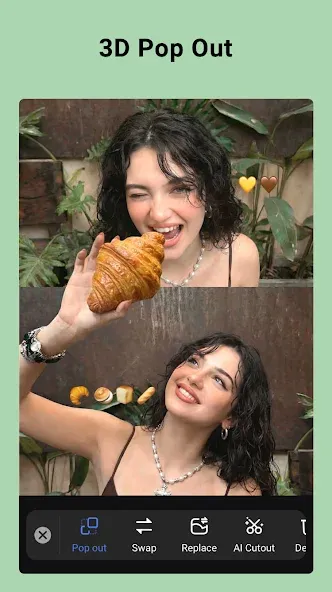
We are constantly improving to bring you the perfect user experience. So with each new version, you’ll get new features to help you make photo editing a success. In particular, with this version, users can adjust the distance outside the chosen location. Not only that, but you have the freedom to mix and match layouts to suit your personal needs, making you not limited by frames.
It is called the trumpet in the photo collage and is the basis for preserving the meaningful moments of the trip. The app is simple and suitable for all users, young and old alike. All users need to do is select an image from the library and the editing lab space will appear before your eyes. Multiple images can be merged into one frame under multiple images on the screen.
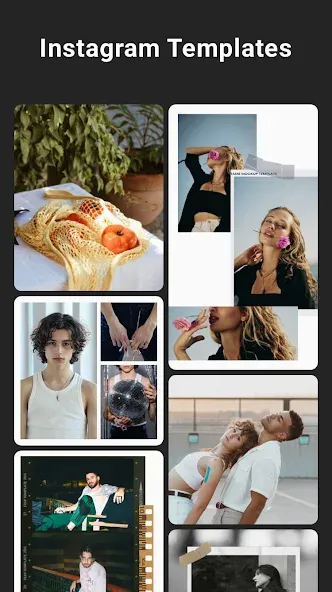
Collage Maker allows users to use up to 100 images. That’s a number that similar newspapers can’t do, and that’s why it’s a strong point that attracts millions of users around the world. Not only that, there are over 500 custom mesh or frame templates available for your custom creation.
Not only this, Collage Maker also allows users to edit frames. It comes in a variety of styles from classic to modern. In addition, you can change the aspect ratio of different images with one click. In addition, smart image cropping modes are available as per the owner’s preferences or freely.
Collage Maker offers a huge number of backgrounds for you to customize the background of your creative collages. In addition to simple monochrome wallpapers that highlight the main character you want to portray, we also offer users interesting movie and magazine style wallpapers. Or you can take an original photo from your gallery and set it as your personal wallpaper. In total, we have more than 100 stylized changes, exclusively for users who want to take photos.
User Reviews of Collage Maker:
Unprompted review, genuinely happy user. I have been using this app for at least two years so I am increasing my rating from 4 to 5 stars. Thanks, guys! Previous: I like this app. It's way better than the collage options that come available with Google Photos. There are some ads but unlike with ads on games, ads on things like collages are more tolerable because I don't make collages to kill time. I usually have one specific goal and then I'm done.
Fun to create photo collages. Lots of backgrounds, stickers and preset sayings to use, as well as inserting your own formatted text. I did purchase this sometime ago and I still enjoy no ads! Too many purchased apps update their terms to include an annoying option to watch ads. So far, not this one.
easy to use, easy to find images edited by this app (much easier than finding them in Google photos!) I don't know a FRACTION of the capabilities of this app but i am happy to learn at my own pace - if something is too hard i will reach out for help. As far as i can make out, this app has everything i need, all in one place - INCLUDING the VERY important ability to access old photos Google has spirited away off my phones and made mostly inaccessible - except through apps like this.
Fantastic fun photo app! I love the ability to customize every collage. I have used this for all my travel adventures, it's great being able to put the place & date on every collage. sharing is great too, everybody loves the pictures. I did purchase the app so I don't have any ads.
Summary:
Collage Maker also lets you make freestyle edits where you can experiment on putting a background wallpaper behind your photos and apply filters to give them a pretty twist. There are also stickers and text that you can insert to add some special effects on your edits. Collage Maker is very easy and fun to use.
More Information
- Size:40.93MB
- Version:2.441.220
- Requirements:Android 4.0+
- Votes:393
- Package Name:photoeditor.layout.collagemaker
- Signature:630a3804982e840f65464fa4fb02efc0

Related topics
-
Welcome to our image editing apps! Perfect for beginners and pros alike, they make photo enhancement easy. Use PicsArt to crop, adjust colors, and apply filters. Remove backgrounds instantly with Remove.bg. Get creative with layers and advanced tools on Adobe Photoshop Express. Start transforming your images today!
-
![WOMBO Dream]()
WOMBO Dream
-
![Snapster]()
Snapster
-
![Autodesk Pixlr]()
Autodesk Pixlr
-
![ReLens Camera]()
ReLens Camera
-
![Collage Maker]()
Collage Maker
-
![PicShop]()
PicShop
-
![Textgram PRO]()
Textgram PRO
-
-
Enhance your photos effortlessly with the best free photo editing apps for Android! Whether you want to apply stunning filters, adjust brightness and contrast, remove blemishes, or create professional-quality edits, these apps offer powerful tools at your fingertips. From simple one-tap enhancements to advanced editing features like background removal and AI-powered effects, you can transform your images with ease. Explore a wide range of user-friendly and feature-rich apps, all available for free download. Start editing and make your photos stand out today!
-
![Snapster]()
Snapster
-
![Autodesk Pixlr]()
Autodesk Pixlr
-
![Flipagram]()
Flipagram
-
![PIP Camera]()
PIP Camera
-
![Collage Maker]()
Collage Maker
-
![PicShop]()
PicShop
-
![Rhonna Designs Mod]()
Rhonna Designs Mod
-
-
Nowadays, with the popularity of intelligent technology, this new intelligent technology will provide faster content creation in daily life. In the face of today's intelligent landscape application creation, it supports the creation of text content for different themes, provides intelligent image creation and painting, and even realizes various personalized AI creation functions such as intelligent image cutout. In terms of using intelligent tools, you can gain more information, knowledge and inspiration. The editor recommends the following popular AI creation tools for you to experience the help that intelligent AI brings to different scenarios such as life, work, and study.
-
![ReLens Camera]()
ReLens Camera
-
![Collage Maker]()
Collage Maker
-
![Facetune2]()
Facetune2
-
![PhotoRoom Studio]()
PhotoRoom Studio
-
![Dazz Cam]()
Dazz Cam
-
![piZap]()
piZap
-
![ProCCD]()
ProCCD
-
![SCRL]()
SCRL
-











Latest Updated




Popular Apps








Popular News
More+-
![Tomie Wants to Get Married Full Walkthrough, All Choices and Ending Guide]()
Tomie Wants to Get Married Full Walkthrough, All Choices and Ending Guide
2026-05-22
-
![Karryn’s Prison Gameplay Walkthrough & Strategy Guide]()
Karryn’s Prison Gameplay Walkthrough & Strategy Guide
2025-10-28
-
![Life in Santa County Game Guide & Complete Walkthrough]()
Life in Santa County Game Guide & Complete Walkthrough
2025-10-28
-
![Dreams of Desire Complete Walkthrough and Game Guide]()
Dreams of Desire Complete Walkthrough and Game Guide
2025-10-28
-
![Era Hunter Gameplay Guide & Full Walkthrough]()
Era Hunter Gameplay Guide & Full Walkthrough
2025-10-28




