
Google Camera
Download for Android This app is available for Android only.- Category:Photography
- Rating: 4.7
- Language:English
- Updated:2026-10-01
Screenshots
Introduction
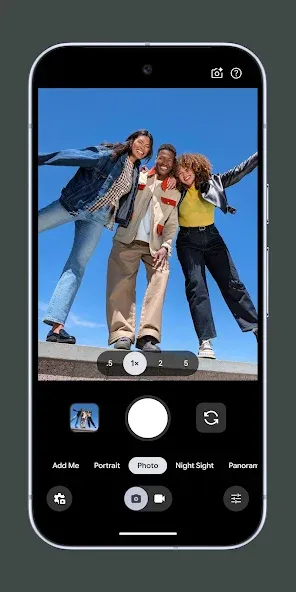
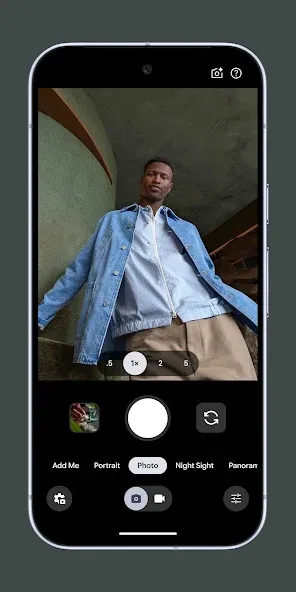
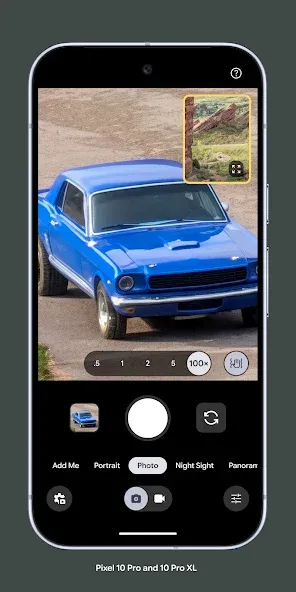
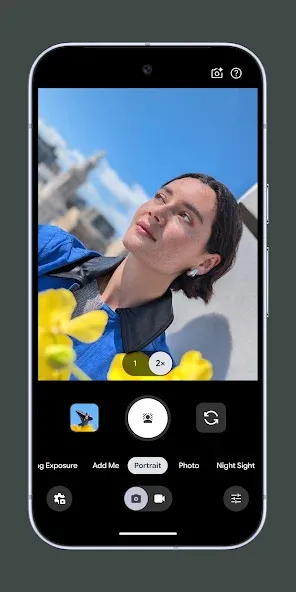
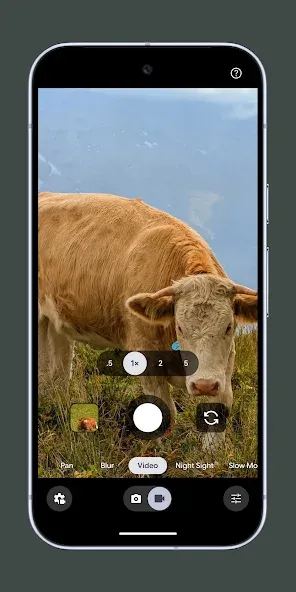
Google Camera is a user-friendly camera app that offers a variety of modes—such as Portrait, Night Sight, and Time-Lapse—tailored to different subjects and environments. Combined with automatic zoom settings, it helps users capture high-quality photos. The app also features quality enhancement capabilities; by leveraging the latest AI technology to sharpen the main subjects of photos and videos, it produces superior results that are sure to garner plenty of likes when shared on social media. Furthermore, the app is constantly updated with new, practical shooting features and modes, so users have plenty to look forward to!
Features of Google Camera:
Dual Exposure Controls: This feature gives you unprecedented control over brightness and shadows in real-time before taking your shot. It’s particularly useful when shooting Live HDR+ photos or videos, allowing you to enhance low dynamic range scenes and rescue details from shadows.While originally limited to newer Pixel devices (Pixel 4 and above) due to hardware requirements, many GCam ports now bring this functionality to other smartphones, giving you professional-level control over your images.
Portrait: Google Camera’s approach to portrait photography focuses on sophisticated edge detection rather than relying solely on additional lenses. The result is natural-looking background blur that accurately maintains focus on your subject.The portrait mode uses machine learning to precisely identify subjects, creating a depth map that applies realistic bokeh effects. This produces professional-looking portraits with natural color tones and crisp details, even in challenging lighting conditions.
Motion Photos: Similar to Apple’s Live Photos, Motion Photos capture a few seconds of video before you press the shutter button. This creates short, animated moments that bring your still photos to life.The feature uses advanced image stabilization to ensure smooth playback. When enabled, it creates a RAW file alongside the standard image, allowing you to choose the perfect moment from the sequence or enjoy the animation.
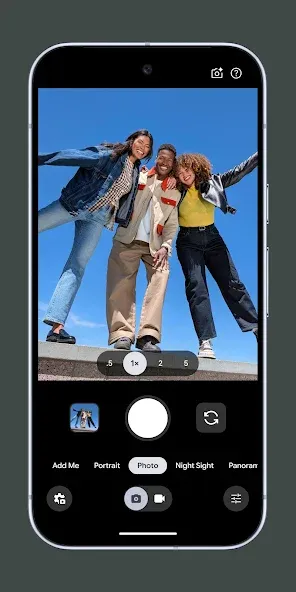
Top Shot: Introduced with the Pixel 3, Top Shot captures multiple frames before and after you press the shutter. Using computer vision technology, it automatically recommends the best shots where subjects are smiling, facing the camera, and everyone’s eyes are open.This feature is perfect for action scenes or group photos where timing is critical. It saves you from taking dozens of photos to get one perfect shot, making photography more enjoyable and efficient.
Video Stabilization: Google Camera’s video stabilization combines optical and electronic techniques to produce remarkably steady footage, even when shooting while walking or in motion. This feature compensates for hand movements and shaking without requiring additional hardware like gimbals.The stabilization works alongside intelligent autofocus to keep your subject sharp throughout recording. The result is professional-looking video that rivals dedicated cameras in many situations.
Strengths of Google Camera:
Focus Tracking: Focus Tracking helps you capture moving subjects without any blur. It automatically locks on your target and keeps it sharp. You can easily track moving pets or playing with kids. Tap on the subject once to lock the focus. The camera follows it smoothly across the frame. Advanced Google Camera Android technology handles fast movements very effortlessly. Your photos always stay clear and beautifully detailed. Smart tracking saves your precious moments in perfect clarity. Every single shot looks sharp and professional now. Try this feature for fast action shots today.
4K 60FPS Video Recording: Experience smooth footage with the advanced 4K 60FPS video recording mode. This impressive feature captures crisp details in high resolution without lag. You can record stable motion videos during fast movements effortlessly. Sunlight colors stay natural, while dark scenes retain sharp details. The dynamic range improves overall lighting and contrast in every scene. Photographers love how the Google Camera Play Store enhances stability for high-quality recordings. Small files save memory while preserving ultra-high definition clarity. Elevate your everyday storytelling with vivid cinematic action clips today.
AUX Lens Switching: AUX Lens Switching lets you change smartphone camera lenses inside Google Camera . You can switch between ultra-wide, telephoto, and macro lenses instantly. This smart feature helps you capture every single detail easily. It gives you full control over your phone photos. Your camera captures sharp images in every lighting condition. Photographers enjoy total flexibility while taking stunning photos every day.
User Reviews of Google Camera:
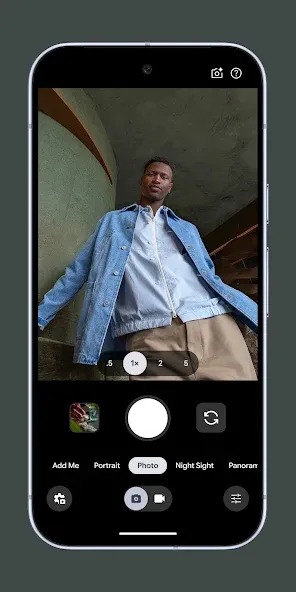
-Pixel 11 Pro user now...Thanks for listening...Having the flexibility to set the style you like before shooting the photo is awesome!!! -Pixel 10 Pro XL... good improvement in colors from Pixel 9 Pro XL. It would be better if there's an option to apply filters before the shoot. That's something y'all can be inspire from the competition... wink wink.
The Pixel Camera app (formerly Google Camera) is widely regarded as one of the best, if not the best, smartphone camera applications available, particularly for point-and-shoot photography. As of 2026, it serves as the premier, AI-driven software for Google Pixel devices, emphasizing computational photography to produce consistent, lifelike, and detailed images, especially in challenging lighting conditions.
I've been a fan of the entire Google pixel line up of phones since they came out. I currently have the Google Pixel 8 pro which so far is the best phone I've ever had and the camera is remarkable! the portrait mode for the camera makes the best high quality pictures I've ever seen on any phone! 500 Stars bro!!!!
Beware that, when you're shooting what you think is a still photo, the app may take multiple exposures before/after the shot you thought you took. This makes what seems like a JPG file, but is actually a hybrid file that wastes storage space unless you know what it is. (The filenames start with MVIMG instead of IMG.) You can extract the motion clips as an MP4 video file or delete them. There's also a setting to turn off this feature. (It's actually pretty nice sometimes if you know it's there.)
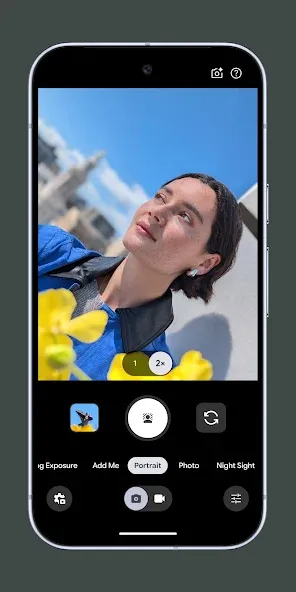
FAQs of Google Camera:
Does this camera app offer Night Mode?
A lot of new features ever since the introduction of Android 12 and the latest pixel devices. Google Camera added a full-resolution night mode that enables users to take crisp, color-rich photos without using the flash.
Do you get AR support with this camera app?
You get the perfect filters with the AR filters in the Google Camera app. When using this app you get Snapchat Lenses that surface directly in the Camera from Google.
Can we translate text with the Google Camera app?
Google Camera has added a built-in Translate feature backed by the Translate app. This makes this camera app a handy partner when visiting abroad.
Have you checked the Top Shot function in the Google Camera app?
Its Top Shot function automatically recommends the best pics, where no one is blinking and everything looks just right. It also added Long Shot which enables you to take casual, quick videos by simply long-pressing the shutter key.
Can we use the SLR function?
Google Camera Lens Blur gives you the SLR-like function of creating images with shallow depth of field, or limited areas of focus. This enables you to take photos with blurred backgrounds. It’s a great feature when taking photos in crowded areas.
Final Verdict:
Then again, Google Camera is an excellent camera app that works without flaw. The app opens in a split second and takes photos with the same speed. High quality photography is possible thanks to the app, but a lack of manual controls will turn off amateur photographers. Either way, Camera performs better than most smartphone camera apps, and that's a good enough reason for users of any Android device to try it out.
More Information
- Size:43.46MB
- Version:9.7.047.70212153
- Requirements:Android 11+
- Votes:474
- Package Name:com.google.android.GoogleCamera
- Signature:550ab8f85cbed4e55b72f4c3aa64be4b
Related Versions


Related topics
-
Welcome to our image editing apps! Perfect for beginners and pros alike, they make photo enhancement easy. Use PicsArt to crop, adjust colors, and apply filters. Remove backgrounds instantly with Remove.bg. Get creative with layers and advanced tools on Adobe Photoshop Express. Start transforming your images today!
-
![LoFi Cam]()
LoFi Cam
-
![Bleach Bypass]()
Bleach Bypass
-
![WOMBO Dream]()
WOMBO Dream
-
![Snapster]()
Snapster
-
![Autodesk Pixlr]()
Autodesk Pixlr
-
-
Visuals serve as a primary gateway for players to engage with games, where distinctive art direction immediately captures attention and creates lasting impressions. An unconventional aesthetic not only stands out in crowded markets but also enhances immersion and emotional connection. When executed with creativity and polish, striking visuals elevate gameplay into a memorable artistic experience. That's why titles with truly exceptional art styles deserve recognition - they offer both visual delight and meaningful interactive expression that resonates with players long after the session ends.
-
![HD Camera]()
HD Camera
-
![Scrolling Text Banner]()
Scrolling Text Banner
-
![Bleach Bypass]()
Bleach Bypass
-
![Love Text Pics]()
Love Text Pics
-
![B612]()
B612
-
-
Enhance your photos effortlessly with the best free photo editing apps for Android! Whether you want to apply stunning filters, adjust brightness and contrast, remove blemishes, or create professional-quality edits, these apps offer powerful tools at your fingertips. From simple one-tap enhancements to advanced editing features like background removal and AI-powered effects, you can transform your images with ease. Explore a wide range of user-friendly and feature-rich apps, all available for free download. Start editing and make your photos stand out today!
-
![HD Camera]()
HD Camera
-
![Photo & Picture Resizer]()
Photo & Picture Resizer
-
![Camera Pixel]()
Camera Pixel
-
![Love Text Pics]()
Love Text Pics
-







Latest Updated




Popular Apps








Popular News
More+-
![Tomie Wants to Get Married Full Walkthrough, All Choices and Ending Guide]()
Tomie Wants to Get Married Full Walkthrough, All Choices and Ending Guide
2026-05-22
-
![Karryn’s Prison Gameplay Walkthrough & Strategy Guide]()
Karryn’s Prison Gameplay Walkthrough & Strategy Guide
2025-10-28
-
![Life in Santa County Game Guide & Complete Walkthrough]()
Life in Santa County Game Guide & Complete Walkthrough
2025-10-28
-
![Dreams of Desire Complete Walkthrough and Game Guide]()
Dreams of Desire Complete Walkthrough and Game Guide
2025-10-28
-
![Era Hunter Gameplay Guide & Full Walkthrough]()
Era Hunter Gameplay Guide & Full Walkthrough
2025-10-28




