
Microsoft PowerPoint
Download for Android This app is available for Android only.- Category:Productivity
- Rating: 4.9
- Language:English
- Updated:2026-09-13
Screenshots
Introduction
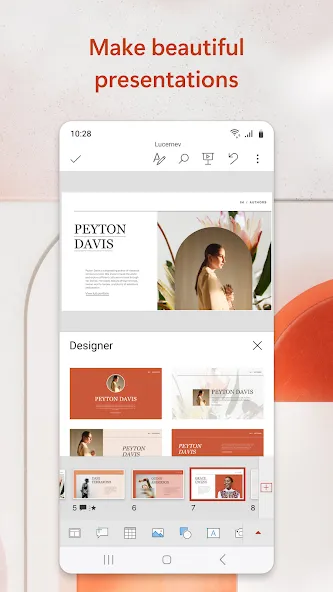
Microsoft PowerPoint is an office application designed for Android devices, allowing users to create and edit presentations anytime, anywhere. You can add text, graphics, and shapes to your slides, access existing presentations from cloud storage, and connect to external displays—using cables or wireless projection technologies—to deliver your slideshow. It is an ideal tool for professionals presenting projects. You can enhance your presentation by inserting music tracks. The app is easy to use: simply log in, select an option to create a new blank presentation, add content and images, and save the finished file to cloud storage. It offers powerful features while remaining easy to pick up and use.
Features
Create, edit and present PowerPoint presentations on the go.
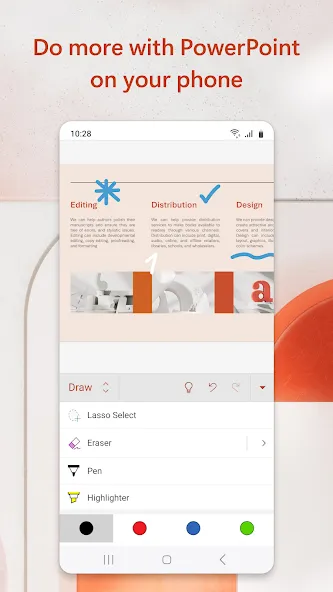
Add text, images and shapes to slides or create new ones from scratch.
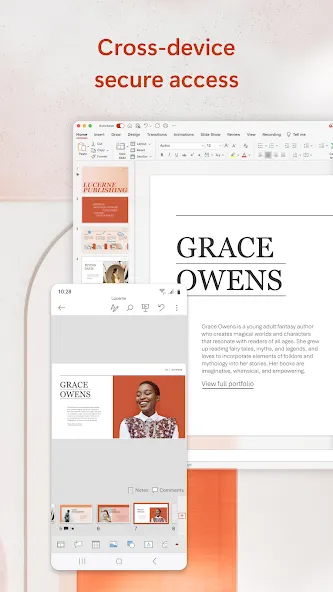
Access your existing presentation files stored in OneDrive for Business or Dropbox accounts.
Use Presenter View to review speaker notes while presenting a slide show with an external display connected via HDMI/MHL cable or wireless casting technology like Miracast® & WiDi™.
Share documents directly through email as PDFs, PPTX file format attachments etc., Microsoft PowerPoint App.
Utilize SmartGuides which helps align objects quickly by snapping them into place when they are near other objects you’ve placed on the page.
Insert audio clips such as music tracks that can be played back during slideshow transitions between slides for added effect.
Advantages and disadvantages
Pros
Ideal for commuting presentation authors
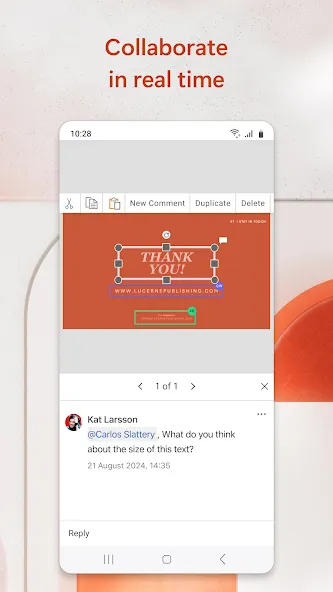
Includes collaborative features and cloud storage integration
Animations and transitions convey ideas efficiently
Create documents from scratch or edit existing presentations
Cons
A qualifying Microsoft 365 subscription is required to access all features
How to Use
Open Microsoft PowerPoint and sign in with your Microsoft account so you can access and save files in OneDrive.
From the Home tab, tap New to choose a template or a blank presentation, then name your file to begin editing.
Add content by typing text, inserting images or videos from your device, or recording a clip with your camera, then place charts and shapes as needed.
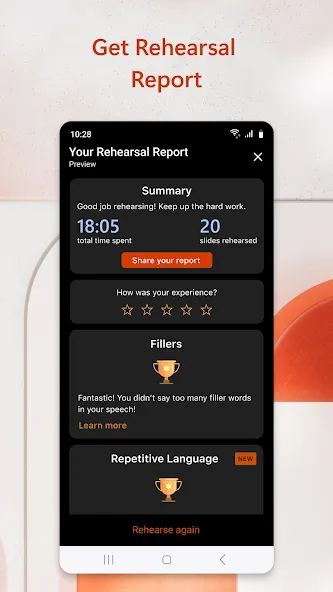
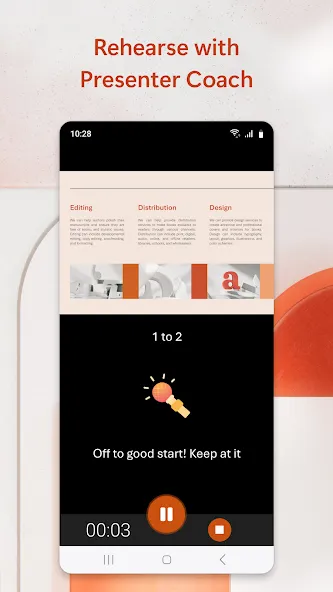
Next, review the slides and use presentation view to rehearse timing and transitions, and optionally try Presenter Coach for practice feedback.
Finally, tap Share to store the deck in OneDrive, set viewing or editing permissions。
User comments
I started using PowerPoint for an organization I volunteer for. It's simple to use, I haven't had any issues, and it's free for what I'm using it for. All I need is to review the PowerPoint to familiarize myself with that weeks classes. If you need anything other than that, I have no idea if it's free or not.
when I opened my attachment which is a huge file, I was asked whether I would use pdf or power point to open them. My friend who sent them did put in a link but I just gave PowerPoint a try. it opened straight away and because originally they are also PowerPoint so I found the attachments are so good.
Microsoft PowerPoint is handy when you need to review or make changes to a presentation on your phone. The familiar layout and editing tools make it easy to continue working away from your laptop
Summarize
Microsoft PowerPoint is part of the Microsoft Office suite and an essential tool to create slideshow presentations. This app is known for its ability to design visual and multimedia presentations, making it easy for users to create, edit, and share dynamic content on mobile devices. The Android version offers a rich and comprehensive experience that allows you to work on the go with professional templates, effects, and transitions while maintaining compatibility with the desktop version. If you need an app to create presentations or easily edit them, download the Microsoft PowerPoint APK for free.
More Information
- Size:39.40MB
- Version:16.0.4201.1006
- Requirements:Android 4.4+
- Votes:600
- Package Name:com.microsoft.office.powerpoint
- Signature:c6e194a08385f8ec1fde852f8472ee4f
Related topics
-
Feeling that there aren’t enough hours in the day? That you’re fighting a losing battle with your agenda? That each time you look up from your desk another year has rolled by? Well don’t worry, you’re not alone, and in today’s hyperconnected world, people are busier than ever before. On Android, there are countless productivity apps to help take control of your time and make your work more efficient. From a simple plugin for Chrome to a full-fledged app, picking the right productivity apps on Android can mean the difference between having a clear to-do list at the end of the day or having it overflowing with missed deadlines and projects that are off schedule. Productivity apps aren’t just about work, though. Using a productivity app in your personal life can keep you on top of deadlines for vacations, home repairs, and other family responsibilities.
-
![Microsoft PowerPoint]()
Microsoft PowerPoint
-
![SimplyScan]()
SimplyScan
-
![Polaris Office]()
Polaris Office
-
![BrandSpot365]()
BrandSpot365
-
![A1 PDF]()
A1 PDF
-
![Alarm Clock Xtreme]()
Alarm Clock Xtreme
-
![NokoPrint]()
NokoPrint
-
![Home Design 3D]()
Home Design 3D
-
-
Office Apps is a comprehensive and user - friendly platform that aggregates a wide array of office - related applications, catering to the diverse needs of modern professionals, students, and anyone who engages in office - based tasks. Whether you're working on a crucial business project, preparing academic papers, or handling daily administrative work, this aggregation page serves as your one - stop - shop.
-
![Microsoft PowerPoint]()
Microsoft PowerPoint
-
![SimplyScan]()
SimplyScan
-
![Polaris Office]()
Polaris Office
-
![Cortana]()
Cortana
-
![Alarm Clock Xtreme]()
Alarm Clock Xtreme
-
![NokoPrint]()
NokoPrint
-
![AI Chat Open Assistant Chatbot]()
AI Chat Open Assistant Chatbot
-
![Adobe Acrobat Reader]()
Adobe Acrobat Reader
-
-
The complete collection of office software is compiled based on user needs and referencing the popularity of major computer application stores. This collection selects various useful computer office software for users from multiple aspects such as office suite, communication and collaboration, email management, note management, cloud storage, download and decompression, etc. These software can meet your various document processing needs, making your team collaboration smoother, and conveniently managing your emails and keeping various meeting records. Download various materials and documents needed for office work. This collection of office software commonly used by professionals can meet all needs. Welcome to download and experience it!
-
![Microsoft PowerPoint]()
Microsoft PowerPoint
-
![SimplyScan]()
SimplyScan
-
![Polaris Office]()
Polaris Office
-
![Cortana]()
Cortana
-
![BrandSpot365]()
BrandSpot365
-
![A1 PDF]()
A1 PDF
-
![AI Chat Open Assistant Chatbot]()
AI Chat Open Assistant Chatbot
-
![Adobe Acrobat Reader]()
Adobe Acrobat Reader
-







Latest Updated

Popular Apps





Popular News
More+-
![Tomie Wants to Get Married Full Walkthrough, All Choices and Ending Guide]()
Tomie Wants to Get Married Full Walkthrough, All Choices and Ending Guide
2026-05-22
-
![Karryn’s Prison Gameplay Walkthrough & Strategy Guide]()
Karryn’s Prison Gameplay Walkthrough & Strategy Guide
2025-10-28
-
![Life in Santa County Game Guide & Complete Walkthrough]()
Life in Santa County Game Guide & Complete Walkthrough
2025-10-28
-
![Dreams of Desire Complete Walkthrough and Game Guide]()
Dreams of Desire Complete Walkthrough and Game Guide
2025-10-28
-
![Era Hunter Gameplay Guide & Full Walkthrough]()
Era Hunter Gameplay Guide & Full Walkthrough
2025-10-28




